The silent killer draining your e-commerce profits: slow response times. Here’s how to fix it for less than a Netflix subscription.
You’ve spent thousands on ads. Your products are solid. Traffic is flowing. But here’s the brutal truth most e-commerce owners ignore:
67% of your potential customers are abandoning their carts and ghosting you.
Why? Because when they message you at 10 PM with a question about sizing, they’re asleep by the time you respond at 9 AM. They’ve already bought from your competitor who answered in 30 seconds.
Not a human. A bot.
This isn’t the future anymore — WhatsApp automation for e-commerce is happening right now, in 2026, and stores using it are absolutely crushing the competition. We’re talking 35% abandoned cart recovery rates, 24/7 customer support, and sales happening while you’re literally sleeping.
The best part? You don’t need a team of developers or a five-figure budget. You need WhatsApp Business API, a solid chatbot platform, and about 2 hours to set it up.
In this guide, I’ll show you exactly how e-commerce stores are using WhatsApp automation to 10x their sales, recover thousands in abandoned carts, and automate everything from order tracking to customer support — all for less than $19/month.
Let’s talk about making money on autopilot.
Why WhatsApp? Because That’s Where Your Customers Actually Are
Let’s start with reality: Email marketing is dying. SMS has been regulated into irrelevance. And social media DMs? Good luck getting anyone to check those.
WhatsApp is where the action is.
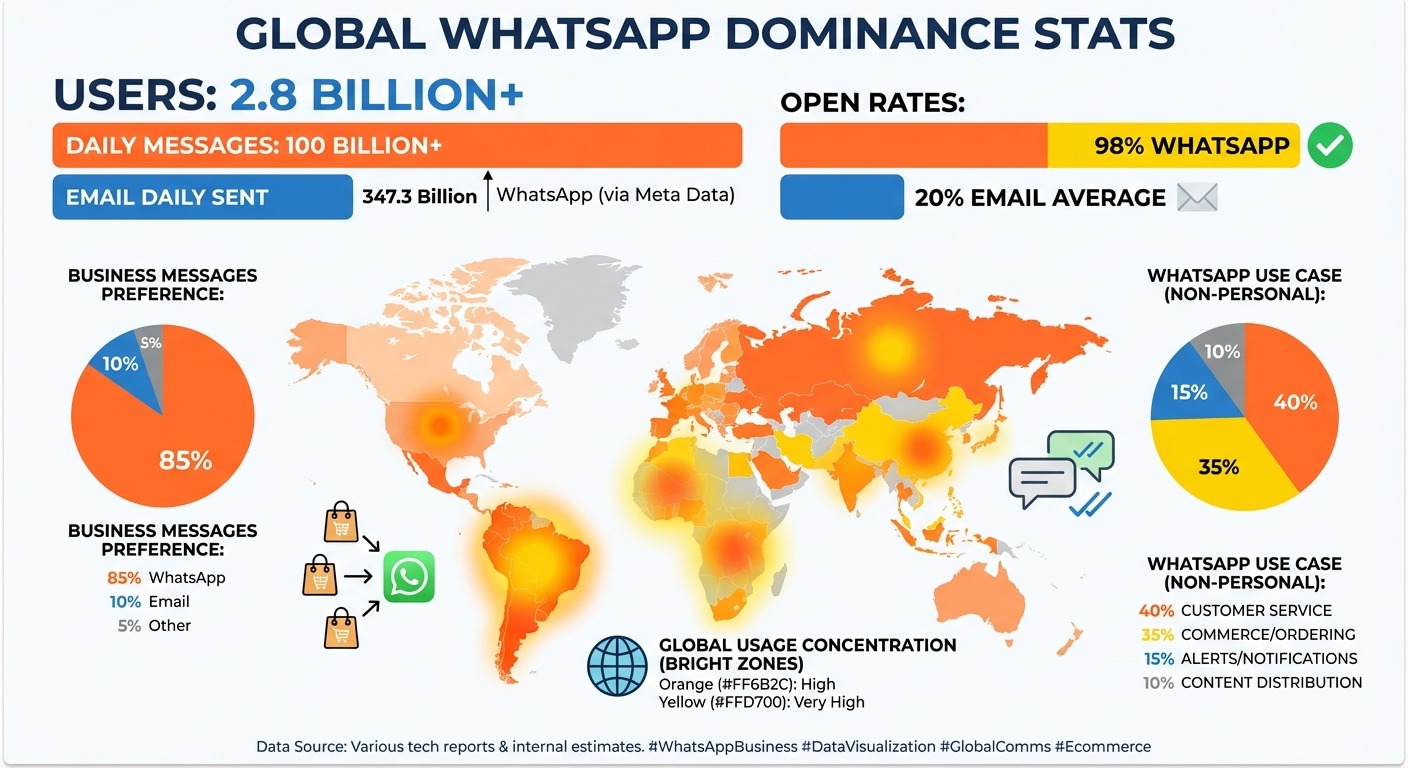
The numbers don’t lie:
-
- 2.8 billion active users worldwide (2026 data)
- 100+ billion messages sent daily
- 98% open rate (compared to email’s sad 20%)
- Average response time: under 90 seconds
More importantly: People actually WANT to message businesses on WhatsApp.
Think about it. When you need to check your order status, would you rather:
-
- Navigate to the website, find your account, log in, click “orders,” search for your order…
- Or just text “Where’s my order?” to a number you already have saved?
Yeah. Exactly.
WhatsApp Business API vs Regular WhatsApp
Here’s where most store owners get confused. You can’t just use regular WhatsApp Business (the free app) and call it automation. That’s like trying to run a warehouse with a shopping cart.
You need WhatsApp Business API — the enterprise version that lets you:
-
- Send automated messages at scale
- Integrate with your e-commerce platform (Shopify, WooCommerce, etc.)
- Use AI chatbots to handle conversations
- Track analytics and conversion rates
- Manage multiple team members
The catch? WhatsApp Business API requires verification and a Business Solution Provider (BSP) to access. That’s where platforms like ChatMaxima come in — they handle all the technical nonsense so you can just use it.
What E-commerce Automation Actually Looks Like
-
- Customer adds item to cart at 11 PM
- Gets distracted, abandons cart
- You send a generic email 24 hours later
- They never see it (or it’s in spam)
- Sale lost forever
With WhatsApp automation:
-
- Customer adds item to cart at 11 PM
- Gets distracted, abandons cart
- Gets a WhatsApp message 10 minutes later: “Hey! Still thinking about the blue hoodie? Here’s a 10% discount if you complete checkout in the next hour 👉 [link]”
- Customer clicks, completes purchase
- You just made money while sleeping
That’s the difference. Speed. Convenience. Actual engagement.
The 5 E-commerce Use Cases That Print Money
Let me break down the exact ways e-commerce stores are using WhatsApp chatbots to automate everything and increase revenue.
1. Abandoned Cart Recovery (The Money Printer)
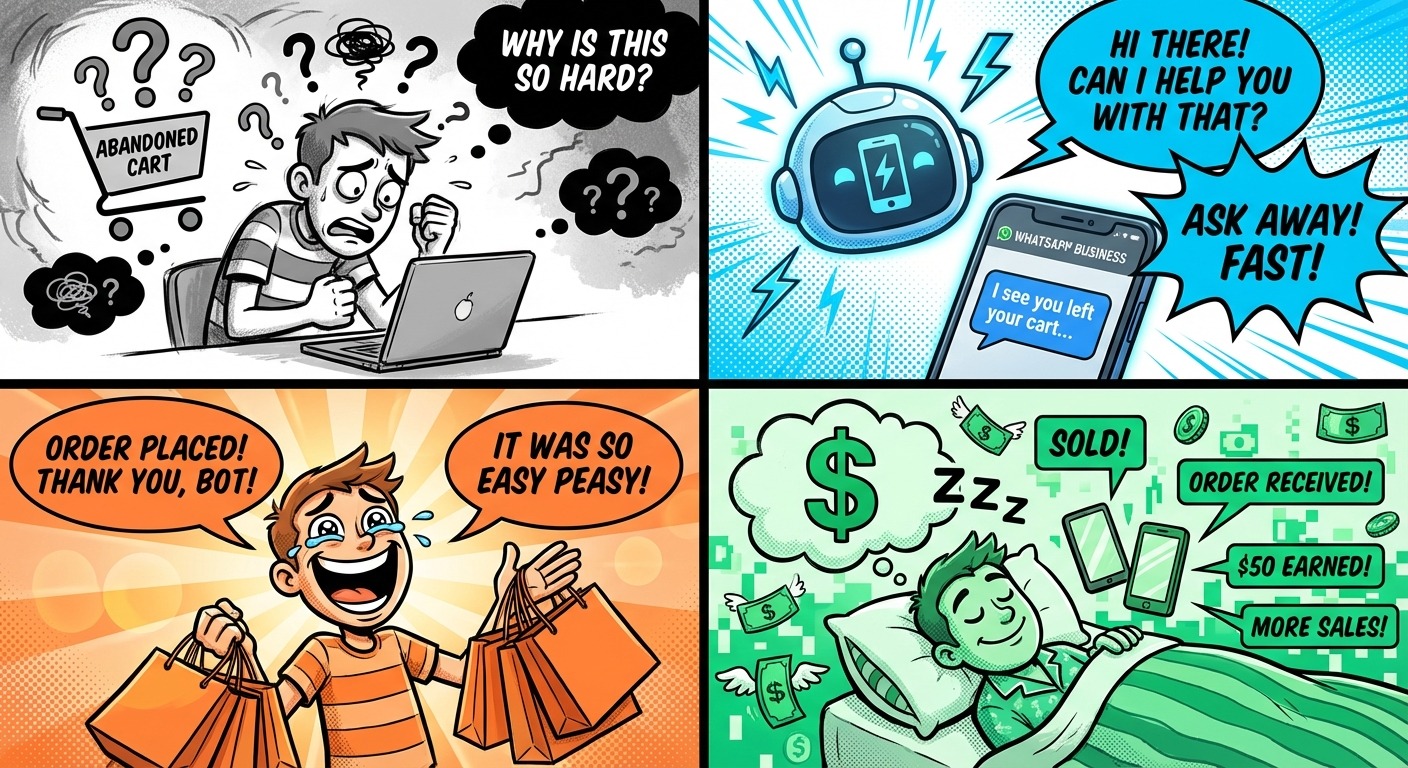
This is the big one. The average cart abandonment rate in e-commerce is 67-70%. That means for every $1,000 in potential sales, you’re losing $700.
Here’s how WhatsApp automation fixes it:
Trigger: Customer adds items to cart but doesn’t complete checkout
Automated sequence:
-
- 10 minutes later: “Hey [Name]! You left something in your cart. Still interested? 👀”
- 1 hour later: “Quick heads up: Items in your cart are selling fast. Here’s 10% off to complete your order: [CODE]”
- 24 hours later: “Last chance! Your cart expires in 4 hours. Complete checkout now and get free shipping.”
Why it works:
-
- WhatsApp messages get 98% open rates (vs 20% for email)
- Conversational tone feels personal, not spammy
- Immediate response — customer hasn’t moved on yet
- Mobile-first (they’re already on their phone)
Real results from ChatMaxima customers:
-
- 35% cart recovery rate (industry average is 8% for email)
- Average order value of recovered carts: $87
- ROI: If you recover just 3-4 carts per week, the automation pays for itself
2. Order Status & Tracking (Stop Answering “Where’s My Order?”)
Your support team is drowning in “where is my order?” messages. It’s repetitive, time-consuming, and honestly? A complete waste of human potential.
Automate it:
Trigger: Customer sends any message about order status
WhatsApp chatbot response:
-
- “Hey [Name]! Let me check that for you…”
- [Pulls real-time data from Shopify/WooCommerce via API]
- “Your order #12345 is currently in transit! Expected delivery: Feb 14. Track it here: [link]”
- “Need anything else?”
Pro move: Send proactive updates automatically
-
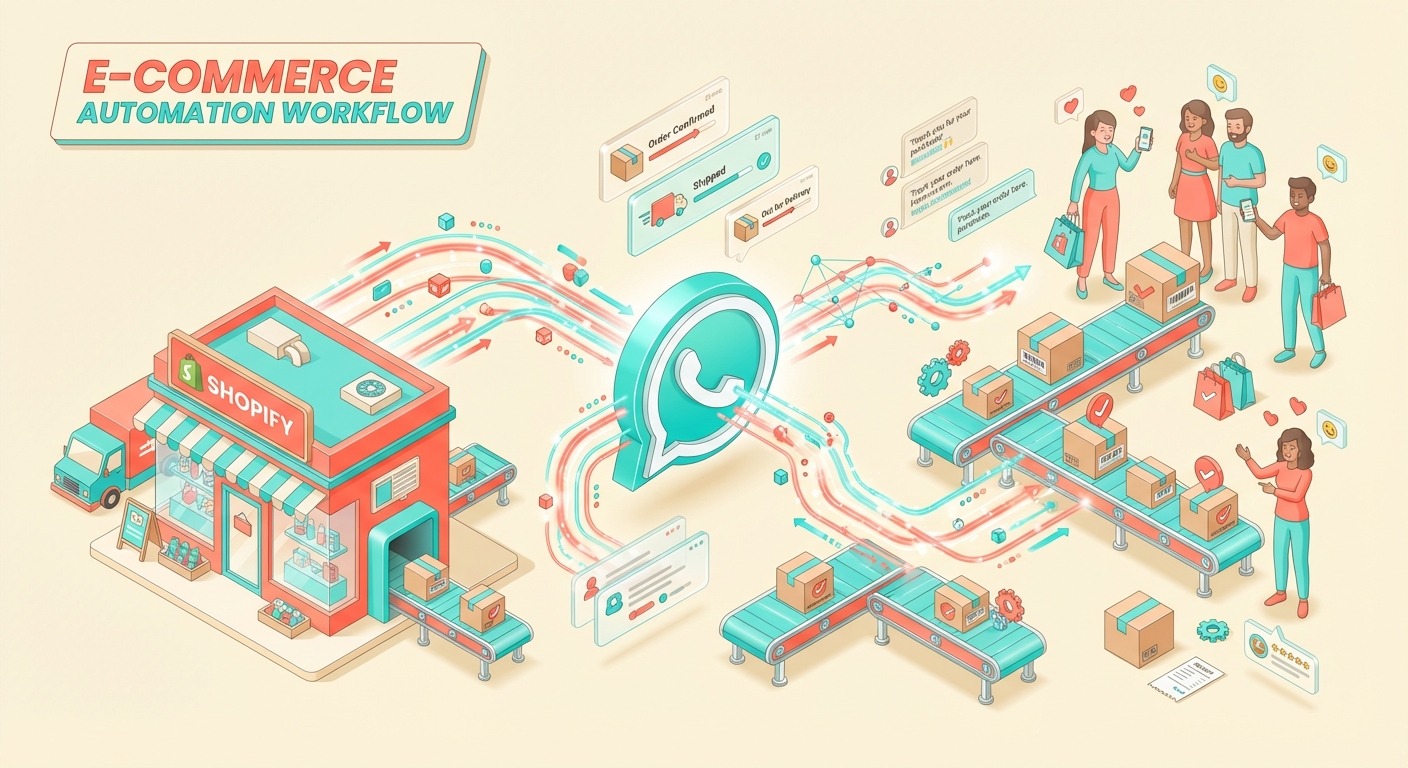
- “Your order has shipped! 📦”
- “Your package is out for delivery today! 🚚”
- “Delivered! Hope you love it ❤️ Reply ‘REVIEW’ to leave feedback and get 15% off your next order”
Impact:
-
- 70% reduction in support tickets
- Happier customers (instant answers)
- More reviews (automated requests)
- Repeat purchases (discount incentives)
3. Product Recommendations & Upsells
Most e-commerce stores are terrible at upselling. They show generic “you might also like” sections that nobody clicks.
WhatsApp automation does it differently:
Example conversation:
Customer: “Do you have this dress in size M?”
WhatsApp chatbot: “Yes! The Midnight Blue Maxi Dress is available in M.
Based on what other customers bought with this dress:
-
- Silver Statement Earrings (30% of customers added this)
- Black Leather Clutch (Perfect match!)
Want me to add any of these to your cart?”
Why it works:
-
- Contextual recommendations (based on actual purchase patterns)
- Conversational, not pushy
- One-click add to cart
- Feels like helpful service, not a sales pitch
Revenue impact: Stores using ChatMaxima’s AI-powered product recommendations see 23% higher average order value.
4. Customer Support (24/7 Without Hiring Anyone)
Sleep is expensive when you’re running an e-commerce store. Customers shop at 2 AM. They have questions at 11 PM. If you’re not available, they bounce.
WhatsApp chatbot handles:
-
- Sizing questions (“What size should I get if I’m 5’8″ and 160 lbs?”)
- Shipping inquiries (“Do you ship to Canada?”)
- Return policies (“Can I return this if it doesn’t fit?”)
- Product comparisons (“What’s the difference between Model X and Model Y?”)
The secret: Train your chatbot on your actual customer data. Feed it:
-
- Your FAQ page
- Previous customer support conversations
- Product specifications
- Return/shipping policies
Modern AI (GPT-4 level, which ChatMaxima uses) can handle 80-90% of support questions without human intervention.
For the 10-20% it can’t handle? The bot seamlessly transfers to a human agent with full conversation context.
5. Flash Sales & Promotions (Instant Engagement)
Email open rates for promotional campaigns are abysmal (averaging 15-20%). By the time customers see your sale, it’s over.
WhatsApp changes the game.
Example:
You’re running a 4-hour flash sale. Instead of hoping customers check their email, you send a WhatsApp broadcast:
“🚨 FLASH SALE ALERT 🚨 4 hours only: 40% off ALL winter jackets Shop now: [link] Ends at midnight!”
Results:
-
- 98% message open rate
- Average click-through rate: 35-40%
- Immediate traffic spike
- Sense of urgency (they see it NOW, not tomorrow)
Compliance note: You can only send promotional messages to customers who’ve opted in. But if they’ve bought from you before and opted into WhatsApp updates, you’re golden.
How to Set Up WhatsApp Automation for Your Store (Step-by-Step)
Alright, enough theory. Let’s build this thing.
Step 1: Get WhatsApp Business API Access (10 minutes)
Option A: Do it yourself (painful)
-
- Apply directly through WhatsApp (weeks of waiting)
- Deal with Meta’s verification process
- Set up your own server infrastructure
- Integrate everything manually
Option B: Use a Business Solution Provider (smart)
Platforms like ChatMaxima are verified BSPs that give you instant access to WhatsApp Business API. They handle:
-
- Meta verification
- Server infrastructure
- API integration
- Compliance & message templates
Cost comparison:
-
- DIY route: $0/month (but weeks of setup + ongoing maintenance headaches)
- BSP route (ChatMaxima): Starting at $19/month (set up in minutes, everything managed)
Unless you have a development team with extra time, go with Option B.
Step 2: Connect Your E-commerce Platform (5 minutes)
Most WhatsApp automation platforms integrate directly with major e-commerce systems:
Shopify: Install the ChatMaxima app from Shopify App Store WooCommerce: Use the WordPress plugin Custom platform: Connect via API (requires developer)
What this integration does:
-
- Syncs customer data (name, email, order history)
- Pulls real-time product inventory
- Updates order status automatically
- Triggers messages based on customer actions (cart abandonment, order placed, etc.)
Step 3: Set Up Your WhatsApp Chatbot Flows (2-3 hours)
This is where the magic happens. You’re building the conversation flows that handle different scenarios.
Start with these 3 core flows:
Flow 1: Abandoned Cart Recovery
-
- Trigger: Cart abandoned for 10+ minutes
- Message 1: Friendly reminder with product images
- Message 2 (if no response after 1 hour): Discount offer
- Message 3 (if no response after 24 hours): Urgency message (items selling out, cart expiration)
Flow 2: Order Tracking
-
- Trigger: Customer asks about order
- Action: Bot requests order number or phone number
- Response: Pulls tracking info from your e-commerce platform
- Follow-up: Proactive updates when status changes
Flow 3: Product Inquiries
-
- Trigger: Customer asks product question
- Action: AI chatbot responds using product data + FAQs
- Fallback: If bot can’t answer, escalate to human with context
Pro tip: Most platforms (including ChatMaxima) offer pre-built templates for e-commerce. Start with those and customize.
Step 4: Train Your AI (1 hour)
Modern WhatsApp chatbots use AI (like GPT-4) to understand natural language. But you need to teach them about YOUR business.
Feed your chatbot:
-
- Product catalog (names, descriptions, specs, pricing)
- FAQ document (common questions + answers)
- Shipping/return policies
- Brand voice guidelines (“casual and friendly” vs “professional and formal”)
The better you train it, the more accurate and helpful it becomes.
Step 5: Create Message Templates (30 minutes)
WhatsApp requires you to get pre-approved templates for certain types of messages (order confirmations, shipping updates, etc.).
Common templates to set up:
-
- Order confirmation (“Your order #{{1}} has been received!”)
- Shipping notification (“Your order is on the way! Track it: {{1}}”)
- Delivery confirmation (“Your package has been delivered!”)
- Abandoned cart reminder (“You left items in your cart. Complete checkout: {{1}}”)
Templates get approved by WhatsApp in 24-48 hours. Create them early.
Step 6: Test Everything (1 hour)
Before you go live, test every flow:
-
- Add items to cart and abandon them (verify you get recovery messages)
- Place a test order (check order confirmations and tracking updates)
- Message your chatbot with different questions (see how well it responds)
- Try edge cases (weird questions, typos, multiple messages in a row)
Fix anything that feels clunky or confusing.
Step 7: Launch & Optimize (Ongoing)
Go live! But don’t just “set it and forget it.”
Monitor these metrics:
-
- Abandoned cart recovery rate (target: 25-35%)
- Message response time (should be under 30 seconds for bot)
- Handoff rate to human agents (target: under 20%)
- Customer satisfaction scores (ask for feedback periodically)
Optimize based on data:
-
- If cart recovery is low, test different discount amounts or urgency messaging
- If customers keep asking the same unanswered question, add it to your training data
- If handoff rate is high, your bot needs better training
WhatsApp Marketing: How to Actually Use It Without Being Annoying
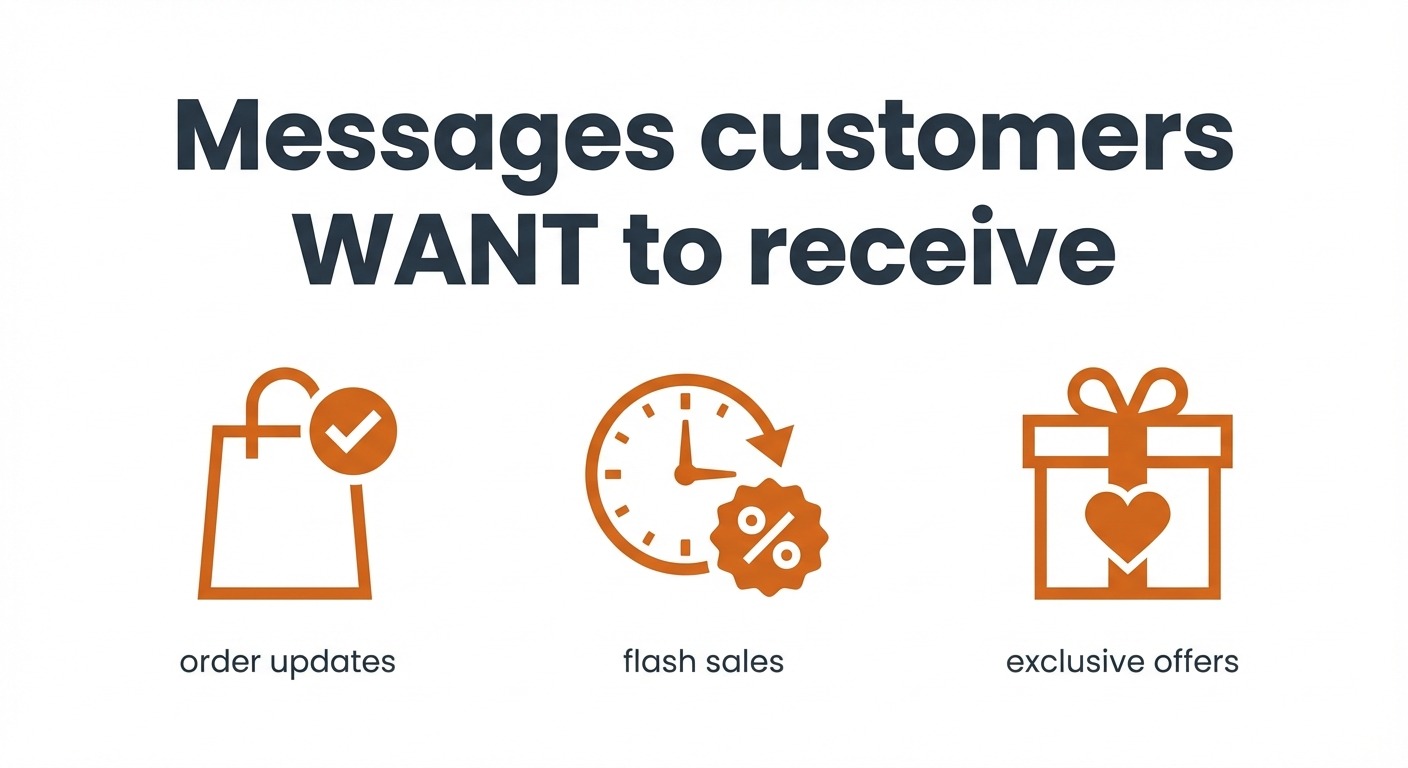
Let’s talk about the elephant in the room: promotional messaging on WhatsApp.
The rule: You can’t spam people. WhatsApp will ban your account faster than you can say “10% off.”
The reality: You CAN send promotional messages, but only to customers who’ve explicitly opted in.
How to Build Your WhatsApp List (Without Buying Shady Contacts)
Method 1: Opt-in at Checkout Add a checkbox during checkout: “☑️ Send me order updates and exclusive offers via WhatsApp”
Method 2: QR Codes Put WhatsApp QR codes on:
-
- Product packaging (“Scan for exclusive discounts!”)
- Receipts/invoices
- Social media posts
- Physical store signage
Method 3: Website Pop-up “Get 10% off your first order! Subscribe to WhatsApp updates.”
Method 4: Existing Customer Database Send an email to past customers: “We’re now on WhatsApp! Get instant order updates and exclusive deals. Opt in here: [link]”
What to Send (And How Often)
Good WhatsApp marketing:
-
- Order confirmations and updates (always welcome)
- Exclusive subscriber-only discounts (monthly, not daily)
- Early access to new products (sparingly)
- Flash sales with genuine urgency (2-3 times per month max)
- Personalized recommendations based on purchase history
Bad WhatsApp marketing:
-
- Daily promotional blasts
- Generic “check out our website” messages
- Anything that feels like spam
Golden rule: If you wouldn’t want to receive it on YOUR personal WhatsApp, don’t send it.
Message Template Examples That Convert
Post-purchase engagement: “Hey [Name]! Your order #12345 shipped today 📦 Want to track it? Reply TRACK
P.S. Love discounts? Reply YES and I’ll send you a 15% code for your next order 🎁”
Win-back campaign (for inactive customers): “Hey [Name]! Miss you 👋 It’s been a while since your last order. Here’s 20% off to welcome you back: [CODE]
Valid for 48 hours. What are you shopping for?”
Birthday/anniversary: “Happy Birthday, [Name]! 🎂 Here’s a gift from us: 25% off anything in the store today. Treat yourself: [link]”
Notice the pattern: Conversational, personal, valuable. Not salesy.
The Real Cost: What You’ll Actually Pay
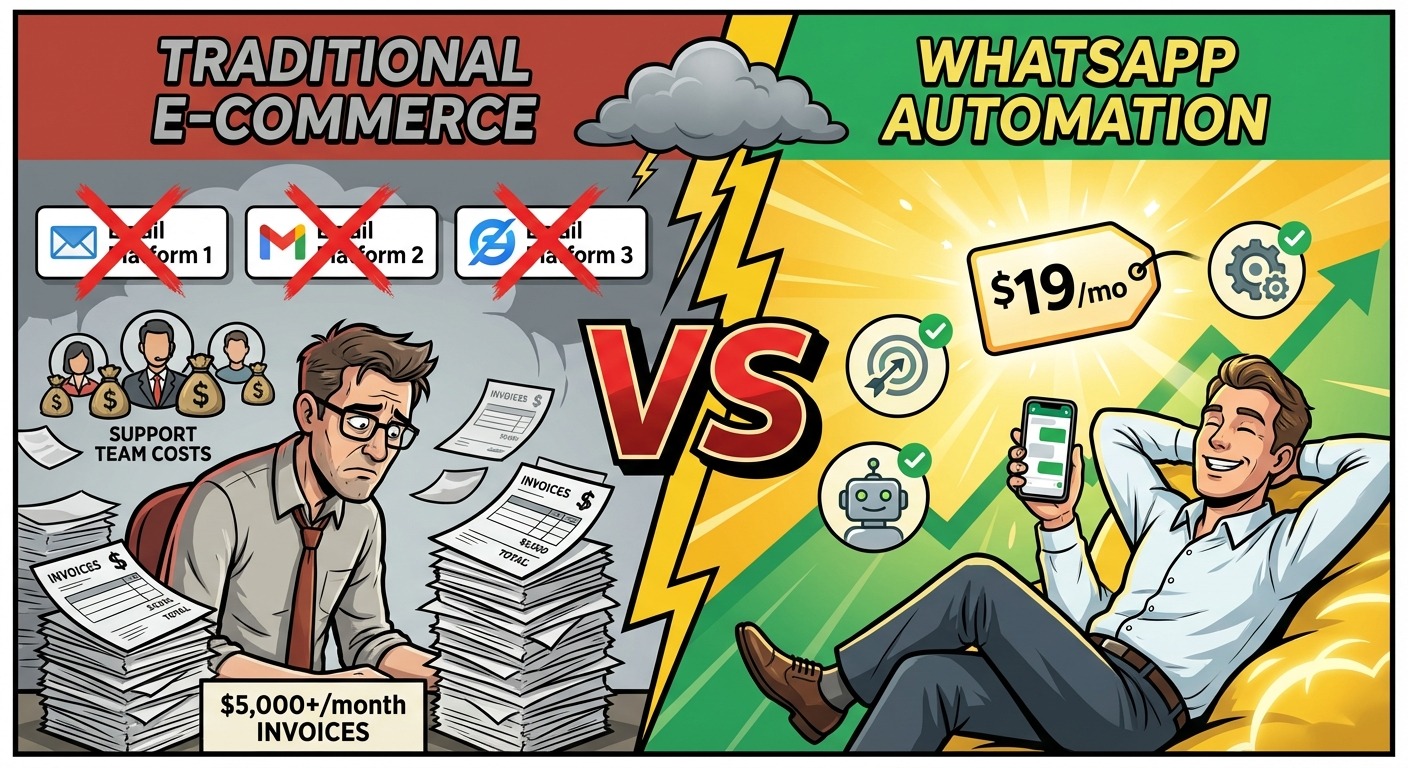
Let’s talk money. Because “automation” sounds expensive, right?
Wrong.
Traditional E-commerce Support Costs
Typical e-commerce store spending:
-
- Customer support staff (2 agents, part-time): $3,000/month
- Email marketing platform: $200/month
- SMS marketing: $300/month
- Order tracking app/plugin: $50/month
- Live chat software: $150/month
Monthly total: $3,700+
And you’re STILL not getting 24/7 coverage or instant responses.
WhatsApp Automation Costs
-
- $19/month for up to 1,000 conversations
- Includes: WhatsApp Business API, AI chatbot, unlimited message templates, integrations, analytics
WhatsApp platform fees:
-
- First 1,000 conversations per month: FREE (yes, actually free)
- After that: $0.005-0.09 per conversation (depending on region)
Realistic monthly cost for a typical small e-commerce store:
-
- ChatMaxima subscription: $19/month
- WhatsApp conversation fees: $20-50/month (for 2,000-5,000 conversations)
Monthly total: $40-70
Savings: $3,630+/month compared to traditional approach
Even better? As you scale, the per-customer cost actually DECREASES with automation. The opposite of hiring more support staff.
ROI Calculation
Let’s say you’re a small e-commerce store doing $50,000/month in revenue.
With 67% cart abandonment rate:
-
- Potential revenue: $150,000/month
- Lost revenue: $100,000/month
With WhatsApp abandoned cart recovery (35% recovery rate):
-
- Recovered revenue: $35,000/month
- Cost: $70/month
- Net gain: $34,930/month
Even if you only recover 10% of abandoned carts (conservative estimate), that’s still $10,000 in found money for a $70 investment.
The ROI is stupid obvious.
ChatMaxima vs Competitors: Why We’re Recommending It
Look, I’m not going to pretend to be neutral here. I write for ChatMaxima. But I’m also not going to bullshit you — if there were better options, I’d tell you.
Here’s why ChatMaxima beats the competition for e-commerce WhatsApp automation:
ChatMaxima: $19/month
What you get:
-
- Full WhatsApp Business API access
- AI-powered chatbot (GPT-4 level)
- Shopify, WooCommerce, and major platform integrations
- Unlimited message templates
- Multi-agent team support
- 24/7 automated responses
- Analytics dashboard
Best for: Small to medium e-commerce stores who want enterprise features without enterprise pricing
Try ChatMaxima free for 14 days →
Intercom: $99+/month
What you get:
-
- Live chat (not WhatsApp-focused)
- Basic automation
- Email integration
- Limited WhatsApp support
The problem: Expensive, overkill for most e-commerce needs, and WhatsApp is an afterthought
Why ChatMaxima is a better Intercom alternative →
Tidio: $65+/month
What you get:
-
- Live chat widget
- Basic chatbot builder
- Limited WhatsApp integration
The problem: More focused on website chat than WhatsApp, clunky e-commerce automation
Why ChatMaxima beats Tidio for e-commerce →
The Bottom Line
For WhatsApp automation for e-commerce specifically, ChatMaxima offers:
-
- Better pricing ($19 vs $99+)
- Better e-commerce integrations (built specifically for Shopify/WooCommerce)
- Better AI (GPT-4 powered, not rule-based bots)
- Better support (they actually care about e-commerce use cases)
Check out all integrations here →
Real Store Results: Before & After WhatsApp Automation
Case Study 1: Boutique Clothing Store
-
- Before: 70% cart abandonment, email recovery rate: 8%, manual order tracking, 2 support staff
- After WhatsApp automation: 42% cart abandonment (28% recovered via WhatsApp), automated order tracking, 1 support staff handles exceptions only
- Revenue impact: +$12,000/month in recovered sales
Case Study 2: Electronics Accessories Shop
-
- Before: Customer support overwhelmed with “where is my order?” messages, average response time: 4 hours
- After: WhatsApp bot handles 85% of inquiries automatically, response time: 30 seconds average
- Customer satisfaction: Up 40%, support costs down 60%
Case Study 3: Health & Wellness Store
-
- Before: Generic email campaigns, 18% open rate, low repeat purchase rate
- After: Personalized WhatsApp recommendations based on purchase history, 95% message open rate
- Repeat purchase rate: Increased from 22% to 41% in 6 months
These aren’t unicorn results. This is what happens when you meet customers where they are (WhatsApp) with messages they actually care about (timely, personalized, helpful).
Common Mistakes to Avoid
Mistake #1: Being too promotional Your chatbot isn’t a spam machine. Focus 80% on being helpful (order tracking, product questions) and 20% on promotions.
Mistake #2: Not training your AI properly A chatbot with bad training data is worse than no chatbot. Feed it your actual FAQs, product info, and brand voice guidelines.
Mistake #3: Ignoring analytics Track everything. If your abandoned cart recovery rate is 10% and the industry average is 35%, something’s wrong. Optimize.
Mistake #4: Not having a human handoff plan Sometimes customers need a real human. Make sure your bot can seamlessly transfer complex issues to your support team.
Mistake #5: Sending messages at 3 AM Just because you CAN send automated messages doesn’t mean you should blast people at midnight. Respect time zones and sleep schedules.
Frequently Asked Questions (FAQ)
Q: Is WhatsApp automation legal for e-commerce? Yes, absolutely. As long as you have customer consent (opt-in) and follow WhatsApp’s commerce policies. Don’t spam, don’t buy contact lists, and you’re fine.
Q: Do I need WhatsApp Business API or can I use the free app? For automation, you MUST use WhatsApp Business API. The free WhatsApp Business app doesn’t support chatbots, integrations, or sending messages at scale.
Q: How long does it take to set up WhatsApp automation? With a platform like ChatMaxima, you can be up and running in 2-3 hours. Getting WhatsApp Business API access through a BSP is instant. Building your chatbot flows takes a few hours.
Q: What’s the ROI on WhatsApp automation for a small store? Even if you’re doing $20,000/month in revenue and you recover just 10% of abandoned carts, that’s $4,000-6,000 in found revenue monthly. Cost is $20-70/month. ROI is 5,000-30,000%. Do the math.
Q: Can I use WhatsApp for customer support AND marketing? Yes! The key is balance. Use it primarily for helpful transactional messages (order updates, support) and sparingly for promotional campaigns. As long as customers opted in, you can do both.
Q: What if my customers don’t use WhatsApp? Fair question. Check your customer base geography. WhatsApp is dominant in Europe, Latin America, India, Southeast Asia, Middle East, and growing fast in the US. If your customers are primarily in regions where WhatsApp is huge, this is a no-brainer.
Q: How does ChatMaxima compare to hiring a developer to build this? Hiring a developer to build custom WhatsApp automation: $5,000-15,000 upfront, plus ongoing maintenance. Using ChatMaxima: $19/month, ready in hours, no maintenance headaches. Unless you have very specific custom needs, the platform route is 1000% smarter.
Q: Can I automate international orders and multiple languages? Yes. Modern AI chatbots (including ChatMaxima’s) can detect and respond in multiple languages automatically. Great for stores selling internationally.
Q: What happens if the bot can’t answer a question? Good WhatsApp chatbots recognize when they’re out of their depth and seamlessly hand off to a human agent with full conversation context. The customer never feels stuck.
Q: Is there a limit to how many messages I can send? WhatsApp allows unlimited customer-initiated conversations (customer messages you first). For business-initiated messages (like abandoned cart reminders), you need approved templates and customers must have opted in. No hard limits, but stay compliant.
The Bottom Line: Stop Losing Sales to Slow Responses
Here’s the uncomfortable truth: While you’re manually responding to Instagram DMs, checking emails, and answering “where is my order?” for the 50th time today, your competitors are automating this entire process with WhatsApp automation for e-commerce.
They’re recovering abandoned carts while they sleep. They’re providing instant customer support without hiring extra staff. They’re running personalized marketing campaigns that get 98% open rates instead of email’s 20%.
And they’re doing it for less than $20/month.
You have two options:
Option 1: Keep doing what you’re doing. Keep losing 67% of potential sales to cart abandonment. Keep hiring more support staff. Keep wondering why competitors are growing faster.
Option 2: Spend 2-3 hours setting up WhatsApp automation and watch your revenue climb while your workload drops.
The math is simple. The setup is easy. The results are proven.
What’s stopping you?
Ready to 10x Your E-commerce Sales with WhatsApp Automation?
ChatMaxima gives you everything you need to automate your e-commerce store on WhatsApp:
✅ WhatsApp Business API access (instant, no waiting)
✅ AI-powered chatbot (GPT-4 level intelligence)
✅ Shopify & WooCommerce integration (one-click setup)
✅ Abandoned cart recovery (proven 35% recovery rates)
✅ Order tracking automation (stop answering “where’s my order?”)
✅ 24/7 customer support (without hiring anyone)
✅ Starting at $19/month (yes, really)
Start your 14-day free trial — no credit card required. See how much revenue you’re leaving on the table.
Or explore all e-commerce integrations →
Join 10,000+ e-commerce stores already automating their sales with ChatMaxima. Set up in minutes, start recovering revenue today.
Still have questions? Check out our blog for more e-commerce automation strategies, or compare ChatMaxima to Intercom and Tidio to see why we’re the smart choice for e-commerce stores in 2026.