
Appointment Scheduling Chatbot Templates
Stop playing phone tag. Browse 13+ scheduling chatbot templates that let customers book, reschedule, or cancel appointments through natural conversations on WhatsApp, your website, or by voice.
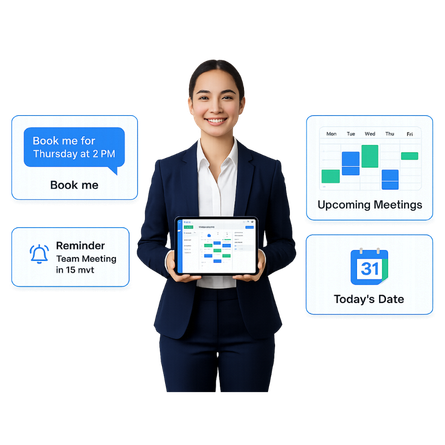
Customers Book Themselves. Your Calendar Stays Full. Zero Back-and-Forth.
Scheduling appointments should not require phone calls, email chains, or back-and-forth messages. These templates let your customers book, reschedule, or cancel appointments through natural conversation on any channel. The bot checks availability, confirms the booking, sends reminders, and reduces no-shows by up to 40%. Clone a template, connect your calendar, customize the booking flow, and let customers schedule themselves 24/7 without any human involvement.
Clara – Medspa Appointment Concierge
Share treatment details, book appointments, and handle client calls
VetCare – Veterinary Appointment Concierge
Book vet appointments, ask clinic questions, and share pet details
FrontDesk – Virtual Receptionist
Handle calls, schedule appointments, and manage visitors automatically
Automax Motors – Vehicle Sales Assistant
Browse inventory, explore financing, and schedule test drives
AutoCare – Vehicle Service Concierge
Book vehicle service, track repairs, and schedule maintenance by voice
AutoMotors – Service Appointment Scheduler
Book service appointments, set reminders, and track repair status
Aptly – Sales Demo Scheduling Assistant
Let prospects book 30-minute sales demos on your Google Calendar
Bright Smile Dental – Dental Appointment Assistant
Book, reschedule, or cancel dental appointments with a quick voice call
AirCare Connect – HVAC Service & Booking Assistant
Book HVAC service, diagnose faults, and schedule maintenance visits
SyncAssist – Multi-Calendar Booking Assistant
Sync calendars, coordinate meetings, and manage all bookings in one place
SmileCare – Dental Appointment Scheduler
Book dental appointments across your website, WhatsApp, and social channels
DentureDrift – Dental Care Assistant
Schedule dental visits, get care tips, and explore treatments
CarAssist – Automotive Dealership Concierge
Browse vehicles, schedule test drives, and book service appointments
What Appointment Scheduling Bots Can Do
Pre-built templates cover the most common scheduling scenarios out of the box. From booking medical appointments to scheduling sales demos and sending automated reminders, these bots handle the repetitive coordination so your team can focus on delivering great service. Each template is ready to deploy and can be customized to match your exact booking workflow.
Medical and Dental Appointments
Patients book checkups, dental cleanings, follow-ups, and specialist visits through a conversational interface. The bot collects symptoms, insurance details, and preferred time slots before confirming the appointment.
Salon and Spa Bookings
Customers browse available services, select their preferred stylist or therapist, pick a time slot, and book instantly through WhatsApp or your website. Automated reminders reduce no-shows.
Professional Consultations
Let clients schedule consultations with lawyers, accountants, financial advisors, or consultants. The bot qualifies the client, collects case details, and books the right professional based on expertise.
Service Center Scheduling
Customers book service appointments for vehicle maintenance, appliance repair, or equipment servicing. The bot collects device details, preferred dates, and service type before confirming.
Demo and Sales Meeting Booking
Qualify inbound leads and book them directly into your sales team's calendar. The bot asks qualification questions, matches the prospect to the right rep, and schedules the meeting automatically.
Automated Reminders and Follow-ups
Reduce no-shows with automated appointment reminders via WhatsApp, SMS, and email. Send pre-appointment instructions, post-visit surveys, and rebooking prompts at the right time.
Deploy a Scheduling Bot in 3 Steps
Go from browsing to a live appointment scheduling chatbot in minutes. Pick a template, connect your calendar, customize the booking flow, and publish to every channel your customers use. No coding, no complex setup, just bookings from day one.
Browse and Preview
Explore appointment scheduling chatbot templates below. Preview any template to see conversation flows, booking logic, and supported channels before you clone it.
Clone and Customize
Clone any template into your workspace with one click. Connect your Google Calendar, configure services and availability, and adjust the booking flows using the no-code AI Studio builder.
Deploy to Any Channel
Publish your scheduling bot to WhatsApp, your website, Instagram, Messenger, Telegram, and more simultaneously. One bot, every channel, all bookings in one calendar.
Appointment Scheduling Bots for Every Industry
These templates are built for real scheduling scenarios across multiple verticals. Whether you run a healthcare clinic booking patients, a salon managing stylist calendars, or a SaaS company scheduling product demos, there is an appointment scheduling template designed for your industry. Each one comes pre-configured with the booking flows and reminder rules your sector demands.
Healthcare
Patient scheduling, follow-ups, telehealth bookings
Beauty and Wellness
Salon, spa, and fitness class bookings
Professional Services
Legal, financial, and consulting appointments
Automotive
Service center and test drive scheduling
Real Estate
Property viewing and open house bookings
Education
Parent-teacher meetings, tutoring sessions
Restaurants
Table reservations and event bookings
SaaS
Product demo and onboarding call scheduling
Everything You Need for AI-Powered Scheduling
ChatMaxima gives you a complete platform to build, deploy, and manage appointment scheduling bots at scale. Connect your calendar, configure services and availability, send automated reminders, and track booking metrics with built-in analytics. Everything works together from a single dashboard.
Google Calendar Integration
Sync bookings directly with Google Calendar. The bot checks real-time availability, prevents double-bookings, and updates your calendar instantly when appointments are made, rescheduled, or cancelled.
Omnichannel Booking
Accept bookings from every channel your customers use. WhatsApp, Instagram, Messenger, Telegram, web chat, SMS, and Email. All appointments from every channel sync to the same calendar.
Automated Reminders and Follow-ups
Send appointment reminders at configurable intervals via WhatsApp, SMS, or email. Include pre-appointment instructions and post-visit follow-ups to reduce no-shows by up to 40%.
Analytics and Booking Insights
Track booking rates, no-show percentages, popular time slots, and channel performance. Identify trends and optimize your scheduling flow to maximize calendar utilization.
Explore More Chatbot Templates
Appointment scheduling is just one of the many use cases ChatMaxima covers. Browse related categories to find templates for customer support, customer service, voice agents, and lead generation. Each category has its own set of pre-built, customizable templates ready to deploy.
Let Customers Book Themselves, 24/7
Clone a template, connect your calendar, and let customers schedule appointments on any channel. Free to start.
No credit card required · Free forever plan · Live in under 15 minutes
Frequently Asked Questions About Appointment Scheduling Chatbots
Get answers to the most common questions about setting up, customizing, and deploying appointment scheduling chatbots with ChatMaxima. Whether you are evaluating templates for the first time or looking to automate your existing booking workflow, these FAQs cover what you need to know.
Yes. ChatMaxima integrates with Google Calendar so bookings made through the bot sync automatically. The bot checks real-time availability and prevents double-bookings across all your connected calendars.
Yes. Customers can reschedule or cancel their appointments through the same conversational interface. The bot updates your calendar automatically and sends confirmation messages for any changes.
Yes. The bot sends automated reminders via WhatsApp, SMS, or email at configurable intervals before the appointment. This reduces no-shows by up to 40% compared to manual reminder systems.
Yes. You can configure multiple service types, durations, and providers within a single bot. Customers select their preferred service and the bot shows available slots for qualified providers only.
Customers can book appointments through WhatsApp, your website chat widget, Instagram DMs, Facebook Messenger, Telegram, SMS, and email. All bookings from every channel sync to the same calendar.
No. The visual, no-code AI Studio builder lets you customize booking flows with drag-and-drop editing. Set up services, availability rules, and reminder schedules without writing any code.
Yes. The bot can collect patient intake forms, consultation questionnaires, or any pre-appointment information through the conversation. Data is stored and available to the provider before the appointment.
All scheduling templates are free to clone and customize. You need a ChatMaxima account to deploy to live channels, with a 7-day free trial and plans starting at $19/month.