
IT Support Chatbot Templates
Resolve 60% of IT tickets without a single technician. Browse IT support chatbot templates that handle password resets, software troubleshooting, VPN setup, and common tech issues automatically, freeing your IT team for complex work.
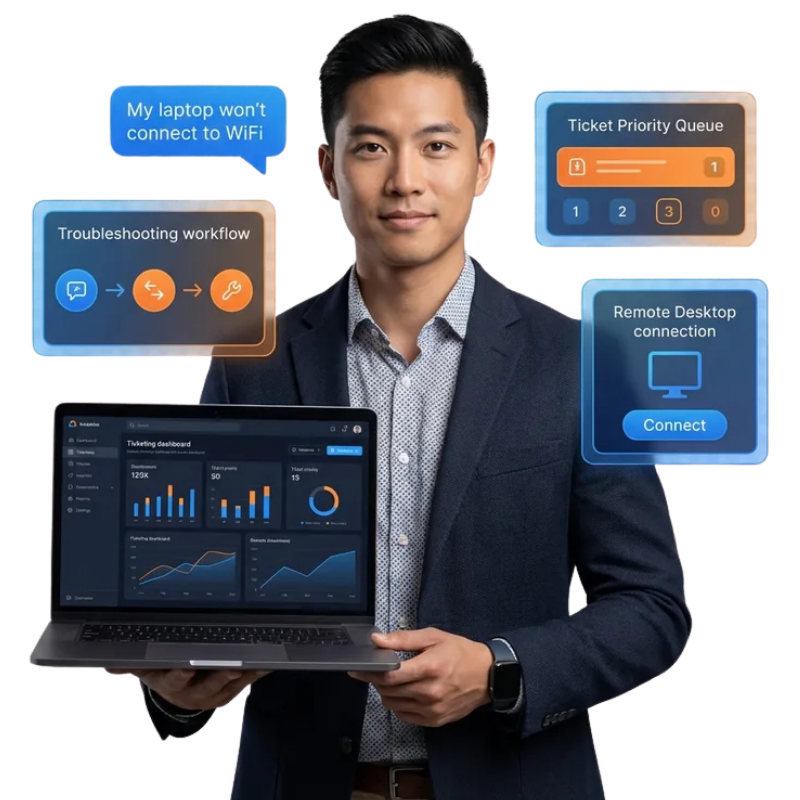
Automate Your Helpdesk and Free Your IT Team
60-70% of IT support requests are repetitive issues resolvable through guided troubleshooting. Most IT teams still handle these manually, consuming skilled technician time on password resets and connectivity questions. These templates automate first-level resolution for common issues across password management, software errors, VPN access, and device configuration. When human intervention is needed, escalation includes complete diagnostic context. Organizations report 50% ticket volume reduction after deployment.
TechAssist – IT Helpdesk Specialist
Create support tickets, troubleshoot issues, and resolve tech problems
WorkEase - Remote Work Companion
AI-powered productivity assistant that helps remote workers stay focused, organized, and efficient t...
What IT Support Bots Can Do
Pre-built templates cover the most common IT support scenarios out of the box. From password resets to VPN troubleshooting and ticket creation, these bots handle the repetitive work so your IT staff can focus on infrastructure and complex issues. Each template is ready to deploy and can be customized to match your exact IT environment.
Password Reset and Account Unlock
Handle the most common IT request in seconds through secure identity verification and automatic password reset without IT staff involvement.
Connectivity and Network Troubleshooting
Step-by-step guided troubleshooting for Wi-Fi connectivity, VPN access issues, and network configuration with escalation when needed.
Software Error and Application Support
Guide employees through common software errors, installation issues, and application configuration using environment-specific troubleshooting guides.
IT Ticket Creation with Full Context
When self-service fails, create detailed tickets with diagnostic information, device details, error messages, and attempted solutions for faster resolution.
Access and Permissions Requests
Guide employees through requesting application access, VPN credentials, and folder permissions with automated manager approval workflows.
New Device and Software Setup
Step-by-step setup guides for new devices, software installations, email configuration, and IT tools for new employee onboarding.
Deploy an IT Support Bot in 3 Steps
Go from browsing to a live IT helpdesk chatbot in minutes. Pick a template, customize it with your IT knowledge base, and publish to every channel your employees use. No coding, no complex setup, just results from day one.
Browse and Preview
Explore IT support chatbot templates below. Preview any template to see troubleshooting flows, diagnostic steps, and escalation rules before you clone it.
Clone and Customize
Clone any template into your workspace with one click. Customize troubleshooting flows, upload your IT documentation, and adjust diagnostic steps using the no-code AI Studio builder.
Deploy to Any Channel
Publish your IT support bot to WhatsApp, your intranet, Slack, Microsoft Teams, Telegram, and more simultaneously. One bot, every channel, all IT requests in one inbox.
IT Support Bots for Every Industry
These templates are built for real IT support scenarios across multiple verticals. Whether you run a tech company managing developer tools, a hospital maintaining clinical systems, or a retail chain supporting POS terminals, there is an IT support template designed for your industry. Each one comes pre-configured with the troubleshooting flows and escalation rules your sector demands.
Technology Companies
Developer tooling support, cloud access, CI/CD troubleshooting
Healthcare
EHR support, clinical system access, HIPAA-compliant resolution
Education
Student and faculty IT support, LMS help, campus network
Retail and Hospitality
POS troubleshooting, payment terminals, store network
Manufacturing
Shop floor devices, industrial software, barcode scanners
Financial Services
Secure access, trading platforms, compliance tools
Everything You Need for AI-Powered IT Support
ChatMaxima gives you a complete platform to build, train, and manage IT support bots at scale. Build diagnostic troubleshooting trees, automate password resets securely, create intelligent tickets, and connect to your internal knowledge base. Everything works together from a single dashboard.
Guided Diagnostic Troubleshooting
Build environment-specific troubleshooting trees that walk employees through diagnosis steps, collecting information and attempting fixes systematically.
Secure Password Reset Automation
Multi-factor identity verification before password resets with no IT staff needed. Integrates with Active Directory and identity management systems.
Intelligent Ticket Creation
Creates detailed tickets pre-populated with device info, OS version, error messages, and attempted steps. Integrates with ServiceNow, Jira, and Freshservice.
Knowledge Base Integration
Connects to internal knowledge bases, automatically searching for relevant solutions and delivering articles with resolution steps before escalating.
Explore More Chatbot Templates
IT support is just one of the many use cases ChatMaxima covers. Browse related categories to find templates for operational support, employee support, customer support, and AI voice agents. Each category has its own set of pre-built, customizable templates ready to deploy.
Ready to Stop Your Best Engineers Doing Password Resets?
Deploy an IT helpdesk bot and let your IT team focus on real problems, not routine requests. Free to start.
No credit card required · Free forever plan · Live in under 15 minutes
Frequently Asked Questions About IT Support Chatbots
Get answers to the most common questions about setting up, customizing, and deploying IT support chatbots with ChatMaxima. Whether you are evaluating templates for the first time or looking to automate your helpdesk, these FAQs cover what you need to know.
Yes. The bot verifies employee identity through multi-factor authentication and performs password resets automatically, integrating with Active Directory and other identity systems.
Wi-Fi connectivity, VPN access, software errors, printer issues, email configuration, application access, and new device setup. Configure environment-specific guides for your IT stack.
The bot creates a detailed ticket pre-populated with device info, error messages, diagnostic steps tried, and severity assessment, routing to the right IT tier automatically.
Yes. Integrates with ServiceNow, Jira Service Management, Freshservice, Zendesk, and other ITSM platforms for automatic ticket creation and updates.
Yes. Configure access request flows with manager approval workflows. Employees request access through the bot, managers approve via WhatsApp, and access is provisioned.
Yes. Onboarding templates guide first-day setup for email, VPN, key applications, and company tools with step-by-step configuration guidance.
Yes. Connect your internal KB and the bot automatically searches for relevant solutions and delivers article links before escalating to a technician.
Yes. All IT support templates are free to clone and ChatMaxima provides a 7-day free trial with full access.