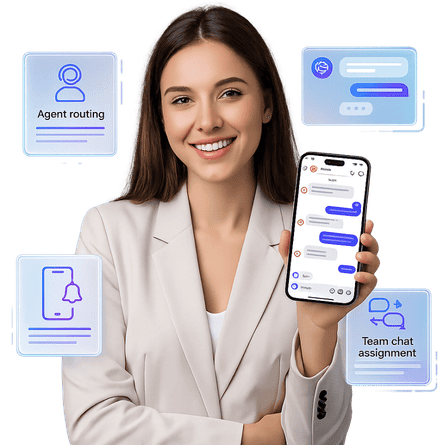
Instagram Team Inbox

The Only Instagram Team Inbox With a Real Mobile App

Your D2C brand runs at full speed and your agents are not always at a desk. ChatMaxima is the first Instagram team inbox that gives you a full-featured shared inbox on desktop and a real native mobile app on iOS and Android so your team can manage, assign, and respond to Instagram DMs from wherever they actually are.

Built for D2C brands that move fast
AI-powered, available on every device
Plans from $19/month, no per-agent fees
No credit card required
Instagram Team Inbox with Mobile App - ChatMaxima
The Problem

The Two Tools That Both Fail You

Every D2C brand managing Instagram DMs at scale hits the same wall. There are two categories of tool to choose from, and neither was built for a team that needs to close sales from anywhere.

Option One: The Meta Phone App

Instagram's native DM experience is a consumer phone app. For a brand receiving hundreds of DMs a day, it falls apart fast. There is no agent assignment, no AI, no routing rules, no reporting. When someone is away from their phone, DMs sit unanswered. Shared logins and screenshot threads are not a team inbox strategy.

Option Two: The Desktop-Only Inbox Tool

Plenty of platforms solve the collaboration problem with multi-agent assignment, AI replies, routing, and analytics. But almost all of them are web-only. The moment your team lead steps out of the office or your agent is working remotely without a laptop, the operation stalls. A desktop-only tool is not built for how teams actually work in 2026.

The Checklist

The 7 Requirements for a Serious Instagram Team Inbox

Before you commit to any platform, run it through this checklist. A proper Instagram team inbox for D2C brands needs all seven of these, and each one should work on both desktop and mobile.

Multi-agent assignment that works on the go.

Conversations need to be assignable to specific team members with no double replies and no dropped threads. Agents should be able to claim, reassign, and resolve conversations from the mobile app just as easily as from a desktop dashboard.

AI auto-replies that run when your team cannot.

The AI should handle your highest-frequency questions around the clock, including nights and weekends. Trained on your products and policies, the AI buys your team time without letting a customer wait. On mobile, agents can review and override AI responses on the fly.

Product information accessible inside the conversation.

Your team needs to pull up product details and share them without leaving the inbox. That capability has to exist in the mobile app too. An agent at a pop-up event should be able to share a product card from their phone in under 10 seconds.

Intelligent conversation routing.

Pre-sale questions should go to sales. Returns should go to the support queue. Routing rules should fire automatically so the right agent gets the right message, whether they are checking the mobile app or the desktop dashboard.

Response time tracking with mobile alerts.

SLA breach alerts need to reach your agents wherever they are. A conversation sitting unread for three hours is a lost sale. Mobile push notifications for overdue conversations mean your team stays on top of response times even when away from a desk.

Real-time queue visibility from any device.

Every agent should be able to see the full inbox state on mobile or desktop. Managers need to check team workload from their phone without logging into a separate dashboard.

Omnichannel history tied to one customer profile.

When a customer who DMed you on Instagram yesterday sends a WhatsApp today, your agent should see the full history on whatever device they are using. The mobile app should surface the same cross-channel context as the desktop view.

How It Works

How ChatMaxima Works for Instagram DM Teams

ChatMaxima combines a shared team inbox, AI automation, and a real mobile app into one platform built for D2C brands. Every capability available on desktop is available in the mobile app so your team can operate from anywhere.

A Shared Team Inbox on Every Device

Every Instagram DM lands in a workspace your whole team shares. Conversations show real-time status: open, assigned, resolved. Assign any thread to an agent in one tap, or let ChatMaxima route it automatically based on rules you set. The same inbox visible on the desktop dashboard is fully available through the ChatMaxima mobile app on iOS and Android.

  • Real-time open, assigned, and resolved status
  • One-tap conversation assignment on mobile
  • Automatic routing rules that fire on all devices
  • Full queue visibility from iOS and Android
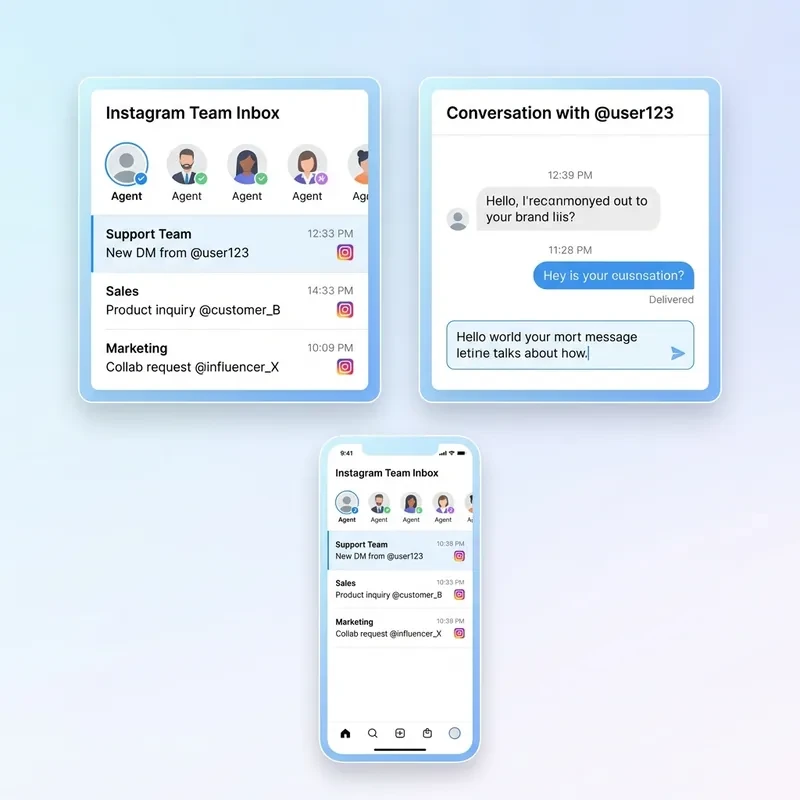
Instagram Shared Team Inbox on Desktop and Mobile - ChatMaxima

AI That Handles Volume While Your Team Handles People

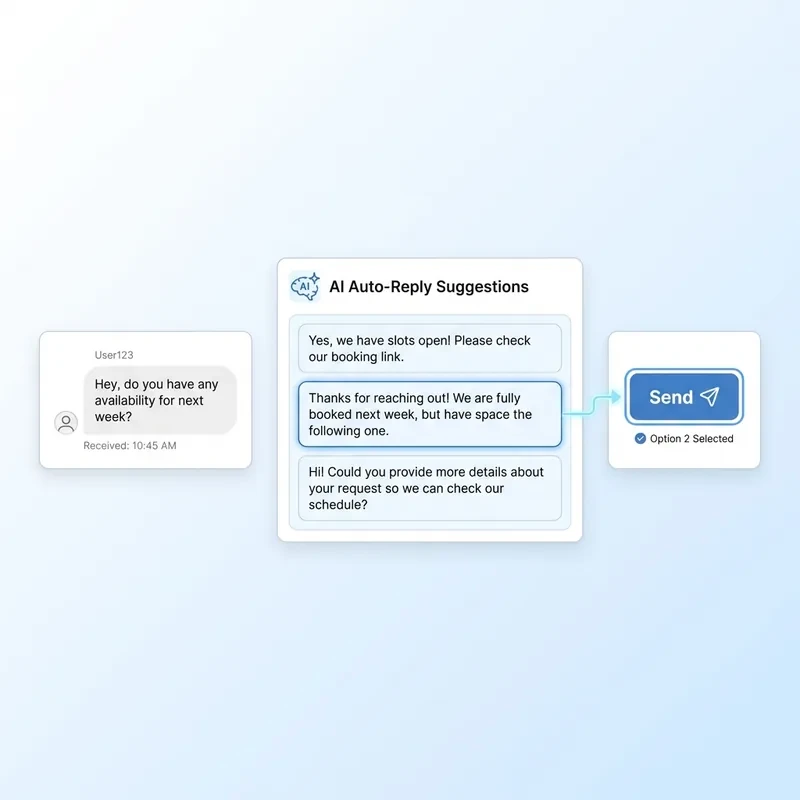
ChatMaxima's AI reads every incoming DM and responds instantly to questions it has been trained on. Shipping timelines, return policies, product sizing, restock dates, the high-frequency questions your team answers daily are handled by AI before a human opens the message. From the mobile app, agents review the AI-drafted reply, approve it with one tap, or take over.

  • Instant AI replies to qualifying questions 24/7
  • One-tap approve or edit from the mobile app
  • Trained on your products, policies, and FAQs
  • AI flags conversations that need a human
AI Auto-Reply for Instagram DMs - ChatMaxima Mobile App

Instagram, WhatsApp, and Web Chat in One Place

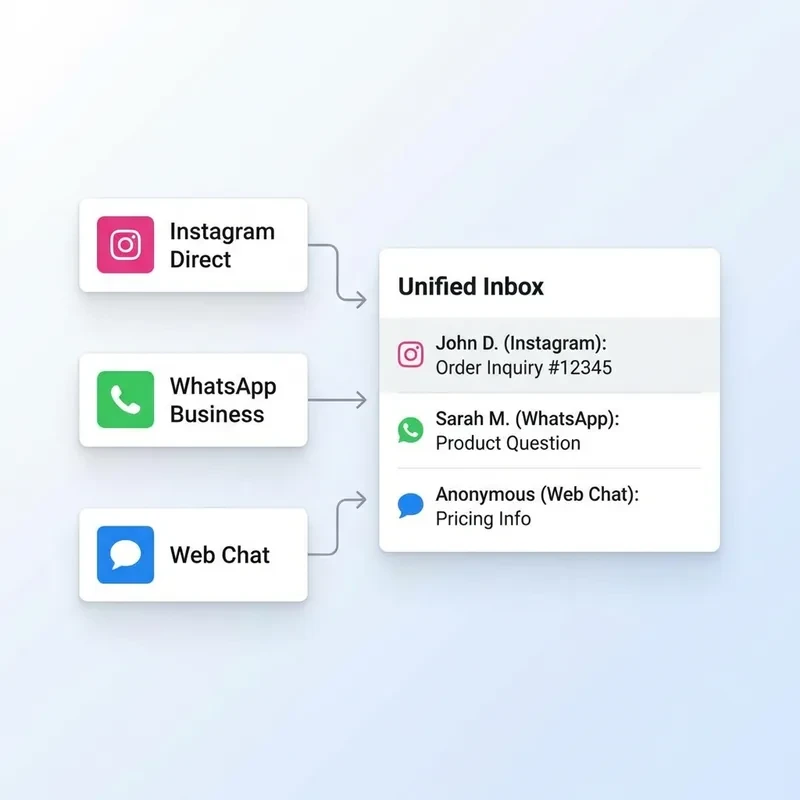
ChatMaxima brings Instagram DMs, WhatsApp Business, and web chat into a single omnichannel team inbox with unified customer profiles. Your team sees the full conversation history no matter which channel a message came from. On mobile, the same unified inbox gives agents complete cross-channel context without switching apps.

  • Instagram, WhatsApp, and web chat unified
  • Full cross-channel history in mobile app
  • Unified customer profiles across all channels
  • No app-switching for your agents on mobile
Omnichannel Inbox with Instagram WhatsApp and Web Chat - ChatMaxima

Routing, Tagging, and Organization That Travels With You

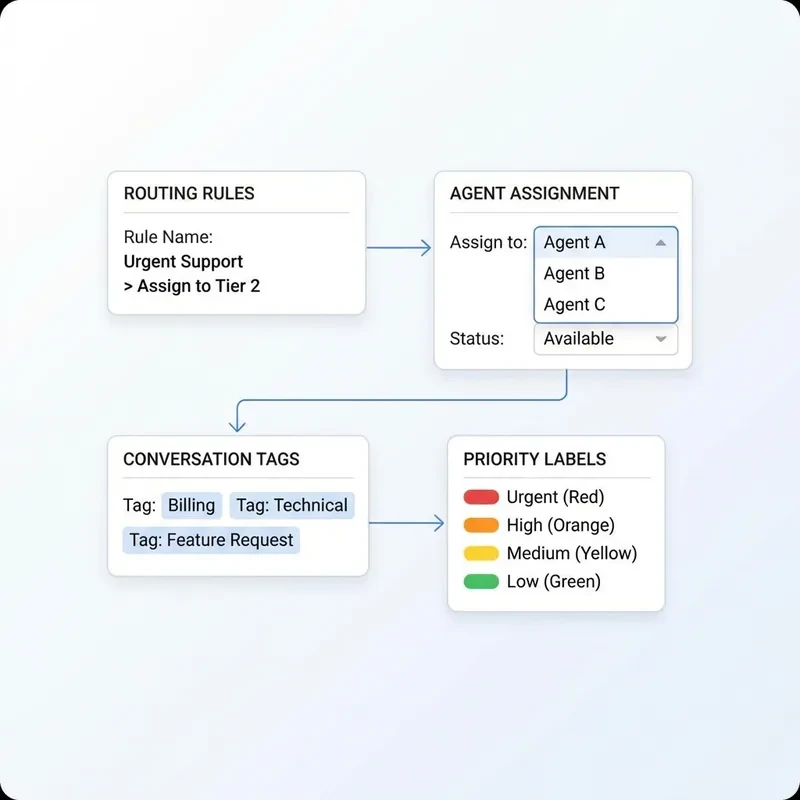
Set routing rules once on desktop and they run everywhere. Pre-sale questions go to sales. Complaints get flagged for a senior rep. VIP customers get a priority tag. Tags power your reporting too: pull up a list of every conversation tagged "sizing" or "bulk order" from the desktop dashboard or the mobile app.

  • Keyword-triggered routing rules
  • VIP and priority customer tagging
  • Tag-based reporting on mobile and desktop
  • Rules apply consistently across all devices
Instagram DM Routing and Tagging Rules - ChatMaxima

Canned Responses with Product Cards, On Any Screen

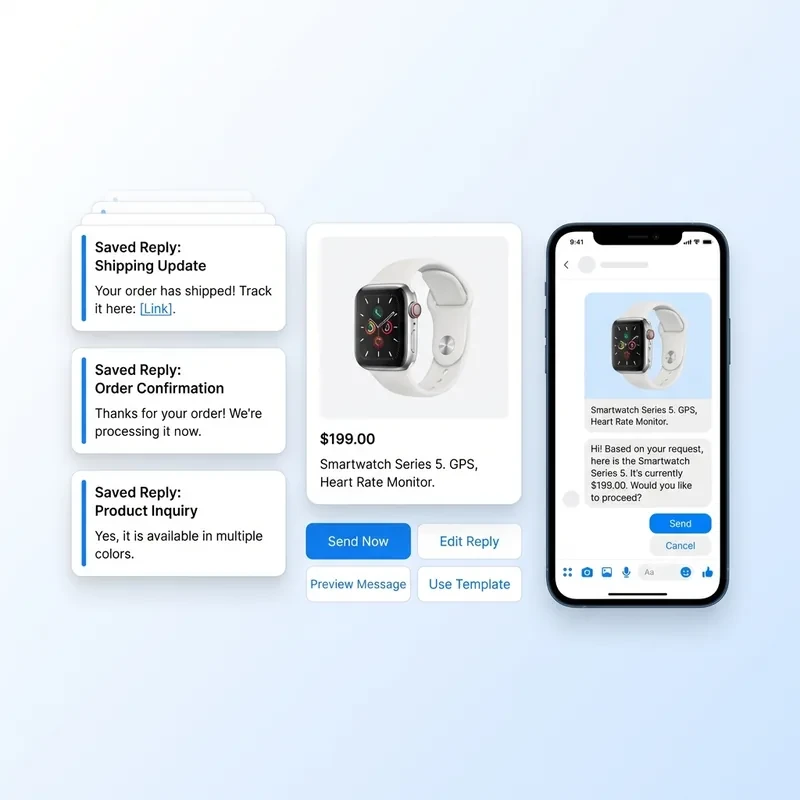
Build a library of saved replies for your most common questions. Each canned response can include text, product images, pricing, and purchase links formatted as a card. In the mobile app, agents pull up the canned response library with a single tap, select the right card, and send a professional on-brand response in seconds.

  • Saved replies with product images and links
  • One-tap access from mobile keyboard overlay
  • On-brand responses in seconds from any device
  • No hunting for product links or copy-pasting
Canned Responses with Product Cards on Instagram Mobile App - ChatMaxima
The Transformation

The 90-Day Transformation

Here is what the first 90 days on ChatMaxima looks like for a D2C brand that was managing Instagram DMs through Meta's native app. The shift is not about working harder. It is about having the right tool on every device.

Day 0
The Starting Point

Your team manages Instagram DMs through Meta's phone app. Everyone shares a login or uses personal credentials. Response times vary by who checks first. Some conversations get two replies and some get none. When the team lead steps away from their phone, the inbox goes cold.

Day 30
The First Month on ChatMaxima

Every agent has their own login and the mobile app installed. AI handles shipping and returns questions automatically. Response time for AI-handled queries drops to under two minutes. Human response time falls below one hour. The team lead checks the queue on their commute and missed DMs are rare.

Day 60
Volume Spikes Are No Longer a Crisis

A product launch drives three times normal DM volume. The AI absorbs the surge of repetitive questions automatically. Your team handles only conversations that need a human, on desktop and mobile simultaneously. No one is chained to their desk during the launch window.

Day 90
Data-Driven and Fully Mobile

Analytics shows first response time by agent, AI containment rate, top question categories, and peak volume hours. Agents are active on mobile during busiest periods. DM-to-purchase conversion is tracked and improving. The same team that was drowning in DMs now runs a data-backed inbox from every device.

Use Cases

How D2C Brands Use ChatMaxima's Mobile-First Inbox

D2C brands across categories use ChatMaxima to turn Instagram DMs into a reliable, responsive sales and support channel. Here are five verticals where the mobile-first inbox makes the biggest difference.

Fashion D2C

Fashion brands' busiest DM hours are evenings and weekends during new drops, when the team is not at their desks. ChatMaxima's mobile app lets agents field size and first-look questions the moment a campaign goes live. Sales agents bring the mobile app to trade shows and pop-ups, closing DM conversations on their phones while meeting buyers in person.

Beauty Brands

Skin type and routine questions need an expert touch. A beauty brand's support team uses ChatMaxima on mobile to keep response times low on evenings when no one is in the office. Ingredient and sensitivity questions are routed to trained specialists who get mobile push notifications the moment those conversations arrive.

Food and Meal Delivery

Delivery questions are time-critical. A customer asking where their order is needs an answer in minutes. With ChatMaxima's mobile app, support teams monitor and respond in real time during peak delivery windows even if no one is at a desk. Order lookup surfaces delivery status directly in the conversation view on both desktop and mobile.

Jewelry and Accessories

High-value purchases require trust. A jewelry brand routes all custom order inquiries directly to a dedicated concierge agent with a mobile alert. That agent responds from their phone with canned responses that include high-resolution product images, whether they are in the studio or not. Post-purchase care questions are handled by AI.

Consumer Electronics

Technical questions require specialists who are not always at a desktop. ChatMaxima routes compatibility and troubleshooting questions to the right agents, who get mobile notifications when a conversation is assigned. Agents review history, access saved technical canned responses, and reply from the mobile app with the same tools available on desktop. For a deeper look at ecommerce workflows, visit the ecommerce overview.

Your Brand Could Be Next

Start your free trial and give your team a real mobile inbox for Instagram DMs in under 30 minutes.

Start Free Trial
Why ChatMaxima

What You Get That You Will Not Find Elsewhere

ChatMaxima was built differently from the ground up. Most Instagram inbox tools were designed for desktop and adapted for mobile as an afterthought. Here is what makes ChatMaxima the right choice for D2C teams that operate beyond the office.

A Real Mobile App, Not a Mobile Web Shortcut

Most business inbox tools are built for desktop and left without a real mobile experience. ChatMaxima has native iOS and Android apps that give agents the same core capabilities on mobile as on desktop. Assign conversations, respond to DMs, review AI suggestions, manage canned responses, and check queue status from your phone. Download the ChatMaxima mobile app and see what a real mobile team inbox looks like.

Starting at $19/mo. No Per-Agent Fees.

Plans start at $19/mo with tiered options as you scale (Pro at $99/mo, Max at $299/mo). No per-seat charges on any plan. The Starter plan includes 3 team members, 1 workspace, and 10,000 messages/month. Scale up to unlimited workspaces, team members, and 100K+ messages with higher tiers. See full details at ChatMaxima pricing.

Text and Voice AI, Built In

MaxIA, ChatMaxima's AI assistant, handles text and voice conversations across channels. Train it on your product catalog, policies, and FAQs. Supports top AI models (OpenAI, Claude, Gemini, Deepseek). The no-code chatbot builder is included at no extra cost for designing automated DM flows. Learn more about the chatbot builder.

Omnichannel by Design

Instagram is one channel. ChatMaxima connects Instagram DMs, WhatsApp, and web chat into one inbox with unified customer history across all three. Every agent sees the same cross-channel context on desktop and on mobile, so the full picture is always within reach regardless of where they are working.

Fast Onboarding, No Developer Required

Connecting your Instagram Business account takes two minutes through Meta's standard authorization flow. Your team is added by email and can install the mobile app before the onboarding call ends. AI can be live within 15 minutes of the initial connection. No IT team, no implementation period, no additional fees.

Workspaces and Campaigns

Organize your D2C brands, teams, or client accounts into separate workspaces. Run targeted campaigns directly from the inbox. From the Starter plan (1 workspace, 3 members) to Max (unlimited workspaces and team members), ChatMaxima scales with your business without per-agent fees. Every agent gets role-based permissions across desktop and mobile.

Setup Guide

Three Steps to Your Mobile-Ready Instagram Team Inbox

Most teams are fully live within 30 minutes. No developer required, no implementation period, and no additional fees beyond the $19 monthly subscription.

Step 1
Connect Your Instagram Business Account

Link your Instagram Business account through Meta's official API. You need an Instagram Business account connected to a Facebook Page. The authorization flow uses Meta's standard process and takes about two minutes. No developer required and no API credentials to manage.

Step 2
Invite Your Team and Download the App

Add team members by email with either admin or agent roles. There is no seat limit. Once invited, each agent downloads the ChatMaxima mobile app on iOS or Android and logs in with their individual credentials. The same login works on desktop and mobile. Within minutes, your entire team has their own access.

Step 3
Enable AI and Set Routing Rules

Upload your FAQs, product information, and policies to the AI knowledge base. Set routing rules for different conversation types so messages reach the right agent automatically. Enable AI auto-reply for the question categories you want it to cover. Your first AI reply can go live within 15 minutes of completing the connection.

That is the complete setup. No IT team, no implementation period, no additional fees.

Download the App. Connect Instagram. Start Closing DMs.

Your customers are in your Instagram DMs right now. Some have questions that would take your team 30 seconds to answer. Some are ready to buy and just need a nudge. Every hour those conversations go unanswered is revenue that walks out the door. ChatMaxima gives your team a real Instagram inbox: shared, assigned, AI-powered, and available on every device.

No credit card required. Full platform access. Cancel anytime.

FAQ

Frequently Asked Questions About Instagram Team Inbox

Everything you need to know before getting started with ChatMaxima's Instagram team inbox. Can't find your answer here? Start a free trial and our team will walk you through everything.

Yes. ChatMaxima has native apps for both iOS and Android. The mobile app includes the full team inbox, conversation assignment, AI reply review, canned responses, queue management, and push notifications for new messages and SLA alerts. It is not a simplified web view. Your team manages DMs from their phones with the same core capabilities available on desktop.

ChatMaxima is $19 per month for the complete platform. That includes unlimited agents, unlimited AI replies, generous message limits, the chatbot builder, omnichannel inbox, and the mobile app. No per-agent fees, no per-conversation charges. The price does not change as your team grows. See full details at ChatMaxima pricing.

You need an Instagram Business account connected to a Facebook Page. Personal and Creator accounts are not supported by Meta's API for third-party inbox tools. If you use a Creator account, you can convert it to Business through Instagram's settings for free in a few minutes.

When a DM is assigned to an agent, they receive a push notification through the ChatMaxima mobile app. Notifications also fire when a conversation exceeds your configured response time target. Agents tap the notification to open the conversation and reply immediately. Notification settings are configurable per agent.

Yes. ChatMaxima's AI operates independently of your team's availability. Once trained on your products and policies, it replies to qualifying DMs automatically around the clock. Conversations that need a human are flagged and queued so agents see them the moment they open the desktop or mobile app.

No. ChatMaxima does not cap agent count on any plan. You can add your support team, sales team, and any operations staff who need inbox access. Every agent gets an individual login with role-based permissions and the $19 monthly price covers all of them.

Yes. ChatMaxima connects Instagram DMs, WhatsApp Business, and website chat into a single unified inbox. Customer profiles are linked across channels so your team sees the full conversation history regardless of which channel a message came from. The mobile app shows the same unified inbox with complete cross-channel context.

Most teams are fully live within 30 minutes. Connecting your Instagram Business account takes about two minutes. Adding team members and installing the mobile app takes another 10 minutes. Training the AI on your product content and enabling routing rules takes roughly 15 minutes. No developer or technical expertise required.