ChatMaxima + Make Integration

Redefine Workflow Automation

Efficiently achieve seamless data transfer and task automation by bridging ChatMaxima with Make, a platform supporting 1,500+ apps. Revolutionize the way you handle operations and customer interactions.

Unlimited Chatbots
One Chatbot. Multiple Channels.
Free Onboarding Assistance
7-days Free Trial
Friendly Pricing
Cancel Anytime
Ecommerce Industries
Unlock Efficiency

Key Benefits of ChatMaxima + Make Integration

Integrating ChatMaxima with Make transforms chatbot workflows into powerful automation tools, enhancing efficiency, streamlining tasks, and reducing manual effort.

Real-Time Integrations

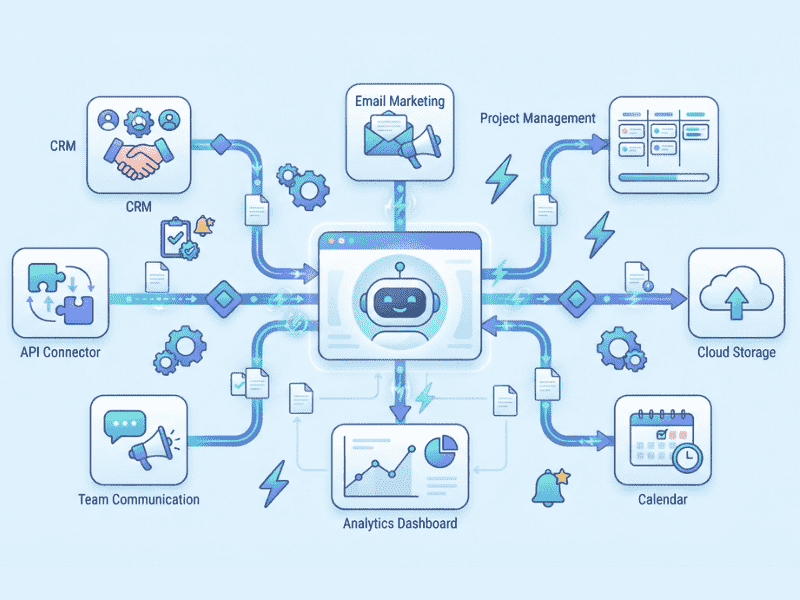
Automatically connect ChatMaxima with 1,500+ Make-supported apps to sync chatbot interactions, lead information, and customer feedback seamlessly. This ensures your data flows effortlessly across tools, saving time and reducing complexity.

Automated Lead Management

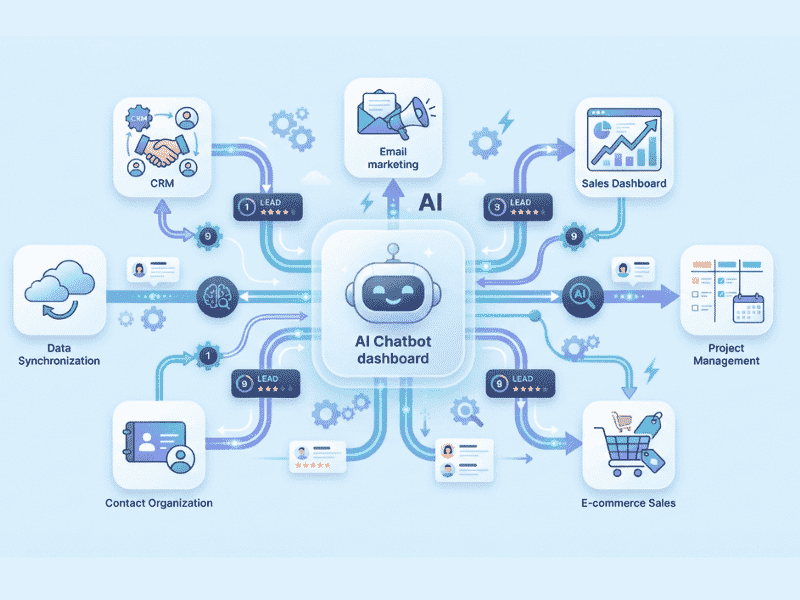
Effortlessly qualify and route leads captured through ChatMaxima to CRM systems, email marketing platforms, or project management tools via Make. This automation reduces manual work, improves accuracy, and speeds up your sales pipeline.

Enhanced Customer Support

Make enables ChatMaxima to connect with support tools like Zendesk or Freshdesk to log customer inquiries efficiently. This integration allows your team to address issues promptly, boosting customer satisfaction and fostering loyalty.

Simplified Multi-App Workflow Automation

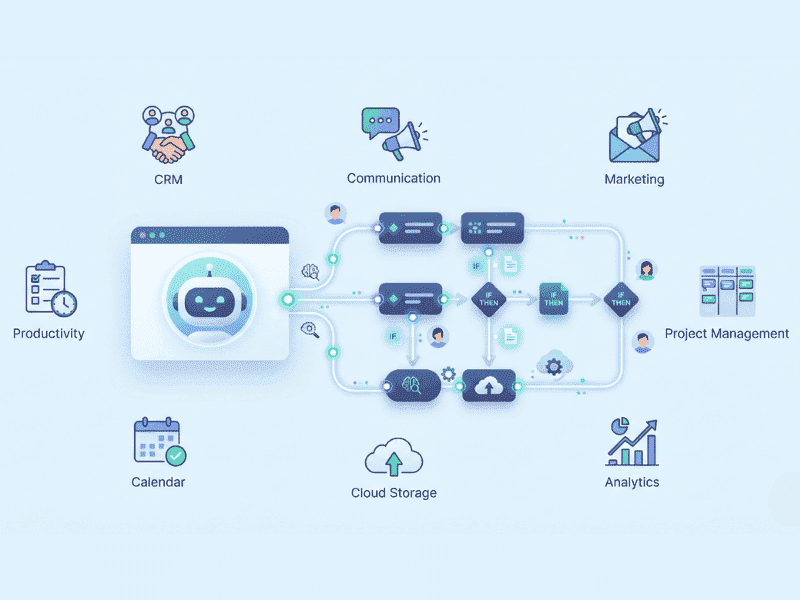
Leverage Make's capabilities to automate key tasks like scheduling, notification triggers, and reporting from ChatMaxima. This eliminates repetitive processes and frees up your team for strategic initiatives.

Customizable Integration Options

Make provides endless possibilities to tailor connections between ChatMaxima and popular tools like Slack, HubSpot, or Trello. Adapt workflows based on your business needs for more precise operations and analytics.

Scalable Cost-Effective Solution

Make’s wide-reaching compatibility lets you scale your ChatMaxima integrations efficiently. This flexibility reduces dependency on costly custom-built integrations, ensuring businesses of all sizes benefit from optimized workflows without overspending.

Real-World Applications

Practical Use Cases of ChatMaxima + Make Integration

Integrating ChatMaxima with Make unlocks countless practical applications across various industries. From automating workflows to enhancing data management, this robust combination improves efficiency and customer satisfaction. Below are some real-world scenarios where this integration proves invaluable.

CRM Synchronization - Automated Lead Management

Effortlessly transfer captured leads from chatbot conversations directly to your CRM system like Salesforce or HubSpot. This eliminates manual entry, accelerates follow-ups, and improves conversion rates.

Email Campaign Automation

Trigger personalized email campaigns in tools like Mailchimp or ActiveCampaign instantly based on user interactions. Elevate your marketing strategy with automated nurturing emails and targeted promotions.

Advanced Customer Support

Enable efficient team collaboration by logging support tickets in Zendesk or notifying your support team in Slack whenever a customer raises a concern. Simplify tracking and resolution for improved satisfaction.

Event Registration and Feedback Automation

Link ChatMaxima to tools like Google Forms or Typeform via Make to manage registrations and collect attendee feedback efficiently. As users engage with the chatbot, their data syncs to corresponding forms or apps, streamlining event planning and follow-ups.

Appointment Scheduling

Enable appointment booking by connecting ChatMaxima to Calendly or Google Calendar through Make. Chatbot interactions can effortlessly sync with your chosen scheduling tool, avoiding conflicts and providing clarity on your team’s availability.

Workflow Integration for Educational Institutions

Integrate ChatMaxima with Make to streamline educational operations, such as sending enrollment confirmations via email or logging course selections in project management tools like Trello. This setup simplifies student communication and administrative tracking.

Real Results

Case Study - Transforming Workflows with Make Integration

Discover how businesses leveraged ChatMaxima + Make Integration to enhance operations, optimize workflows, and amplify customer satisfaction - all without technical complexities or coding.

🎯 The Challenge
A fast-growing SaaS startup faced challenges in managing high volumes of support inquiries and administrative workflows. Manual effort was significantly slowing down their response times and productivity.
💡 The Solution
Implementation highlights:
  • Automated syncing of data from chatbot interactions to CRMs like Zoho and HubSpot.
  • Instant ticket creation in Zendesk for seamless issue resolution.
  • Data visualization using Google Sheets for real-time insights.
🚀 The Outcome

70%

Reduction in manual data entry time.

Faster Customer support turnaround time.

+30%

Improvement in customer satisfaction rates.

💯

Enhanced team collaboration with real-time app integrations

Quick Start Guide

Begin Your Automation Journey with Make and ChatMaxima

No technical experience required! ChatMaxima makes it simple for businesses to unify communication across platforms with quick setup tools and intuitive systems.

Set Up Your Make Account

Log into Make and ensure your account is fully set up. Connect your preferred apps (e.g., Google Sheets, Gmail, Slack) based on your workflow automation needs.

Add Integration of Make with ChatMaxima and Authorize It

Log into ChatMaxima and navigate to the “Integrations” section. Select “Make,” then connect your Make account and authorize the required permissions for secure data flow.

Configure Your Chatbot in ChatMaxima

Go to the ChatMaxima dashboard and create or choose a chatbot. Adjust the conversation flow to include triggers or actions that will initiate your Make workflows.

Add Make Integration Block

Drag and drop the Make block into your chatbot flow. Link it to the part of the conversation where you want automation to be triggered (e.g., after form submission or lead capture).

Test the Integration

Run a preliminary test to ensure seamless data synchronization between your chatbot and connected apps. Verify data mapping and functionality.

Publish and Optimize

Deploy your chatbot live and continually monitor the integration for optimal performance.

Trusted by Global Innovators

Empower Industry Leaders Worldwide

Tap into the full potential of ChatMaxima and Make Integration. Automate smart workflows and embrace efficiency like never before.

What Our Users Are Saying

"Make integration has bridged the gap between ChatMaxima's chatbots and our workflow tools. The possibilities are endless. From ticket tracking to customer engagement, we've streamlined operations effortlessly."

Sarah T.

Operations Manager, E-commerce Enterprise

"Make has completely transformed our data entry process. No more manual uploads. Now, our team can focus on what matters—building customer relationships."


Daniel P.

Head of Customer Support, SaaS Startup

Join the Automation Revolution Today!

Automate your workflows, speed up operations, and unlock powerful possibilities. Whether it's CRM integration, email campaigns, or real-time analytics—ChatMaxima's Make Integration is the key to smarter business management.

Chatmaxima Home Widget
Get Answers

Frequently Asked Questions

We understand that integrating new tools into your workflow can raise some questions. Here are the answers to the most commonly asked questions about the ChatMaxima + Make integration. If you need further assistance, feel free to reach out!

No! The Make integration is designed to be user-friendly with ChatMaxima’s drag-and-drop interface. You can set it up with zero coding knowledge required.

Yes, Make supports 1,500+ apps. You can connect your chatbot to any of these apps and automate workflows effortlessly across multiple tools.

Absolutely. ChatMaxima uses Make’s secure API and OAuth protocol to manage all data transfers safely, ensuring user privacy and security.

To update the connected app, simply log in to Make and modify the webhook settings. You can adjust fields and workflows within the Zap itself without affecting your chatbot design.

From customer preferences and lead details to chatbot responses and feedback, you can transfer any data points relevant to your workflow needs.

Yes! Each chatbot in ChatMaxima can have its own Make integration, allowing unique workflows and data connections for various use cases.

In case of errors, Make will notify you immediately, and you can review logs to identify and fix issues. Additionally, you can manually test integrations to ensure smooth functionality.

Yes, but the volume depends on the limits of the apps you are using with Make (e.g., Google Sheets supports up to 10 million cells). Tools like data warehouses can be used for higher volumes.

In ChatMaxima's builder, you can add sample data into your chatbot workflow and verify its transfer to connected apps. Use Make’s test feature for additional checks.

ChatMaxima supports integrations with tools like Google Sheets, CRM platforms like Salesforce and HubSpot, email marketing tools, analytics platforms, and more. Explore the integrations section for more details.