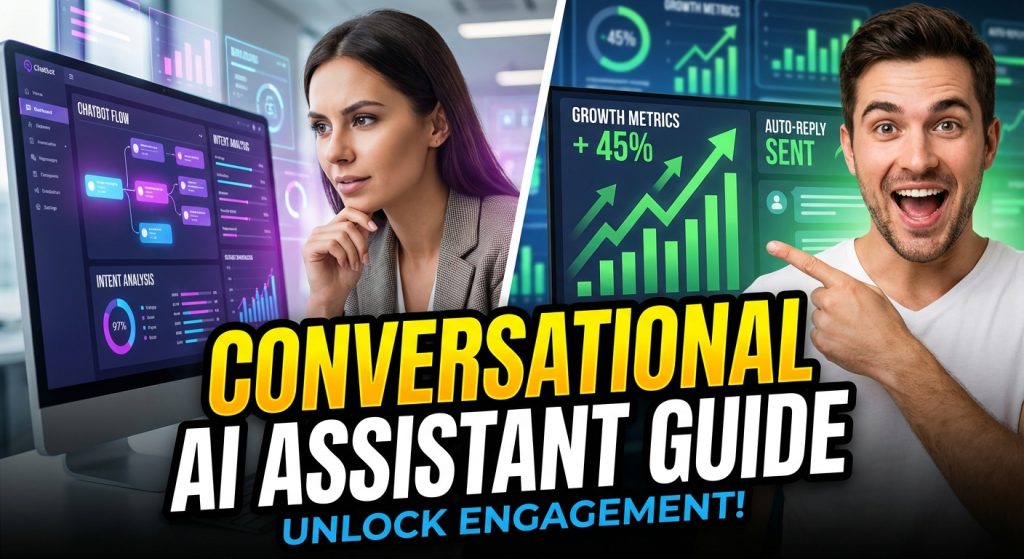
Conversational AI assistants moved from experimental tools to business-critical infrastructure. In 2026, teams are not asking whether they should deploy one. They are asking how fast they can deploy one without hurting quality, compliance, or customer trust.
The reason is simple. Customer conversations now happen across website chat, WhatsApp, Instagram, voice, and in-app messaging. If each channel is handled separately, response quality drops, handoffs break, and lead intent gets lost. A conversational AI assistant gives you one intelligence layer that can answer, route, qualify, and escalate across channels while keeping context intact, especially when connected to an omnichannel integration stack.
For growing teams, this has a direct commercial impact. Better response speed improves conversion rates. Better routing improves sales productivity. Better support automation reduces repetitive ticket volume so human agents can focus on high-value or emotionally sensitive conversations.
What Is a Conversational AI Assistant?
A conversational AI assistant is an AI-powered system that can understand user intent, maintain conversation context, retrieve relevant knowledge, and trigger business actions through natural language interactions.
Unlike basic scripted bots, a conversational assistant is designed for variance in how people actually speak. If you are comparing options, review this breakdown of ChatMaxima vs Intercom vs Tidio. Users do not type the same sentence every time. They use fragments, slang, mixed intent, and incomplete context. A production-grade assistant handles this uncertainty by combining intent detection, retrieval, and fallback logic.
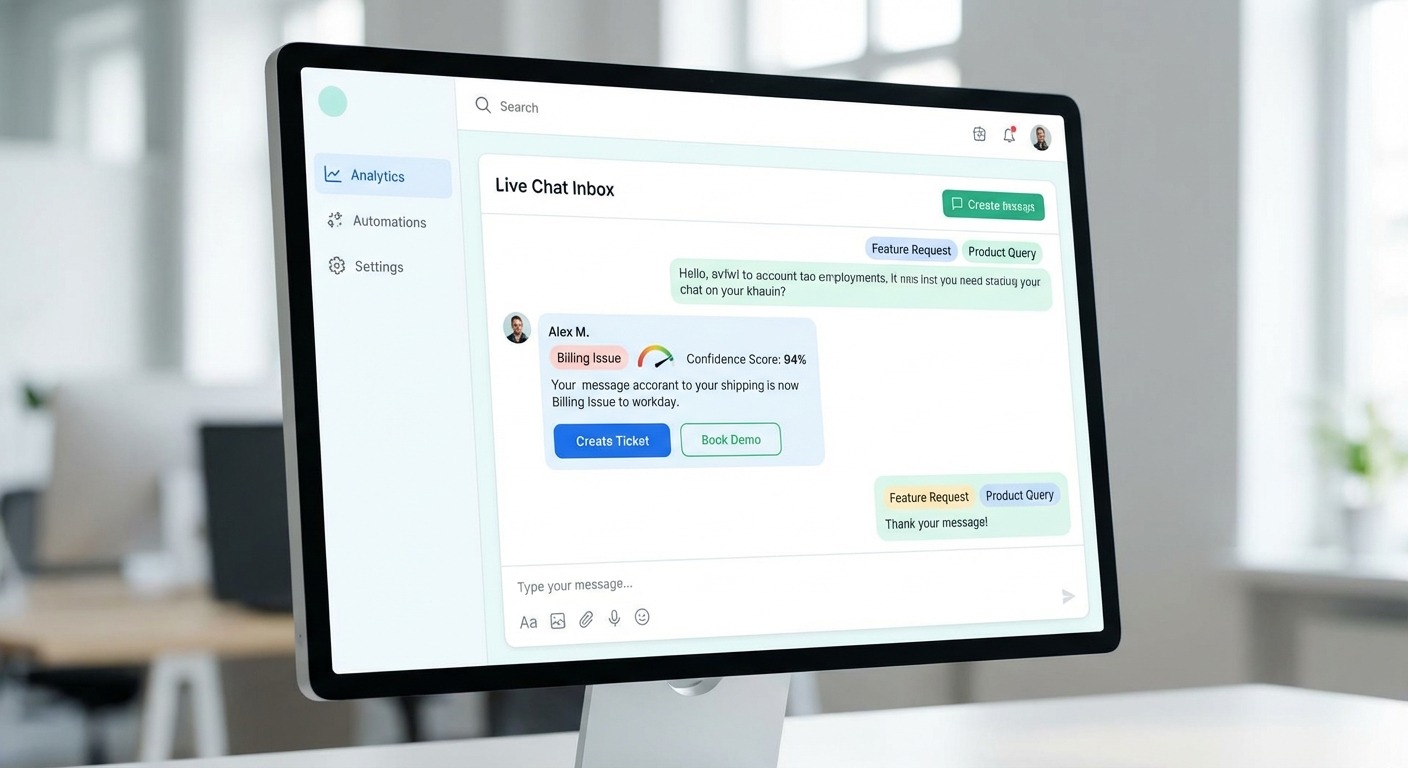
In practical terms, it can do things like answer pricing questions, qualify a lead, create a support ticket, and hand off to a human agent with full context, all in one flow.
Why Businesses Are Prioritizing Conversational AI in 2026
Three forces are driving adoption.
First, customer expectations are real-time now. Waiting 6 to 12 hours for a support response is no longer acceptable in most categories. Teams need consistent first response quality at all hours.
Second, acquisition costs are rising. If high-intent leads are not engaged instantly, they drop off or move to a competitor. Conversational assistants reduce that leakage by qualifying and routing intent immediately.
Third, operations are becoming tool-heavy. Sales, support, marketing, and onboarding all run on different systems. Without an orchestration layer, teams waste time switching tools and re-collecting the same context. Conversational AI assistants reduce this operational drag.
Conversational AI Assistant vs Traditional Chatbot
Area Traditional Chatbot Conversational AI Assistant
Understanding model Rule and keyword driven Intent and context driven
Handling phrasing variation Limited Stronger with adaptive logic
Personalization Basic Better with CRM and history context
Workflow depth FAQ heavy End-to-end action workflows
Human handoff Often abrupt Context-preserving escalation
Business outcome Deflection only Deflection + conversion + CX improvement
This difference matters because most business value comes after the first answer. The assistant must progress the conversation toward a goal, not just reply with static information.
How Conversational AI Assistants Work
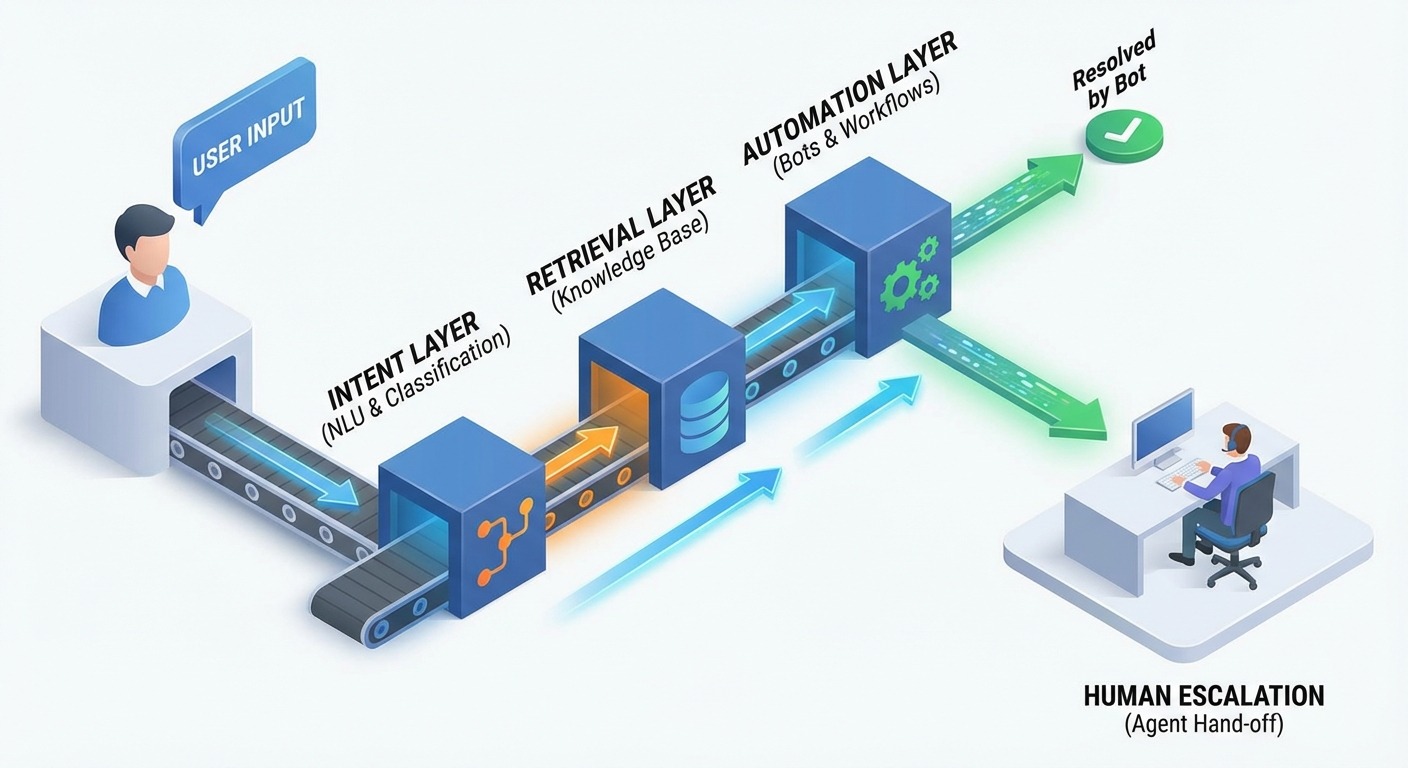
A reliable assistant usually has five layers.
1) Intent and entity understanding
This layer identifies what the user is trying to achieve and extracts relevant details. For example, in “Need WhatsApp API pricing for 3 regions,” it detects intent as pricing inquiry and captures entities like channel type and regional scope.
2) Dialogue state and context memory
The system maintains short-term context within the session. If the user says, “What about annual plans?” it knows they are still discussing pricing and does not restart from scratch.
3) Knowledge retrieval and grounding
Instead of inventing answers, the assistant retrieves approved content from documentation, policy pages, product data, and internal FAQs. This reduces hallucination risk and keeps responses consistent.
4) Workflow orchestration
This layer executes actions, such as creating CRM records, assigning conversation owners, booking demos, sending follow-up messages, or logging support tickets.
5) Escalation and safety controls
When confidence is low, sentiment is negative, or query risk is high, the conversation is routed to a human. Good assistants pass conversation summary, identified intent, and key metadata so agents can continue without asking repetitive questions.
High-Impact Use Cases
Customer support automation
Most support volume has repetitive clusters, password reset, order status, billing clarity, onboarding confusion, and feature how-to queries. A conversational assistant can resolve a large share instantly while routing exceptions to specialists.
This improves response speed and consistency while lowering repetitive load on support teams.
Lead qualification and routing
For practical execution patterns, see AI chatbot marketplace playbooks and how teams package assistants for repeatable deployment.
A well-designed assistant can capture use case, team size, budget range, current tools, and timeline before routing the conversation. Sales teams then receive better context, which shortens qualification cycles and improves meeting quality.
Appointment and demo scheduling
Instead of asking users to navigate forms, the assistant can propose slots, collect required details, and confirm bookings in-channel. This often improves conversion among mobile users.
Ecommerce assistance
Assistants can answer product questions, compare options, clarify shipping policies, and recover abandoned intent through contextual nudges.
Internal assistant for teams
Support and sales reps can also use conversational assistants internally for instant SOP lookup, pricing clarification, and response draft support.
If your roadmap is omnichannel, combine this with:
Implementation Playbook, From Pilot to Scale
Step 1, define business outcomes before flow design
Do not start with features. Start with business outcomes. Pick a small KPI set, for example first response time, qualified lead rate, and ticket deflection. This keeps scope controlled and prevents a bloated first release.
Step 2, map top intent clusters from real conversation data
Export recent support and sales transcripts, then cluster by intent frequency and business impact. Build your first version around the top 10 high-volume, high-value intents.
Step 3, build response assets with governance
Create response blocks with clear source ownership. Every answer should map to a known source so it can be audited and updated. Add confidence thresholds and fallback patterns from day one.
Common question, should small businesses start with full automation?
No. Start with high-confidence intents and clear escalation. Full automation too early usually hurts trust. Controlled automation with clean handoff performs better.
Step 4, connect systems that move conversations forward
Integrate CRM, helpdesk, calendar, and analytics first. Without system actions, the assistant becomes a chat layer that cannot complete outcomes.
Step 5, run scenario testing before launch
Test normal flows, ambiguous phrasing, edge cases, and failure recovery. Include multilingual queries if your traffic mix requires it.
Step 6, launch in phases
Begin with one channel and one high-value workflow. Expand only after you get stable containment and quality metrics.
Step 7, optimize weekly
Review failed sessions and handoff transcripts. Most gains come from iterative improvements, not one-time setup.
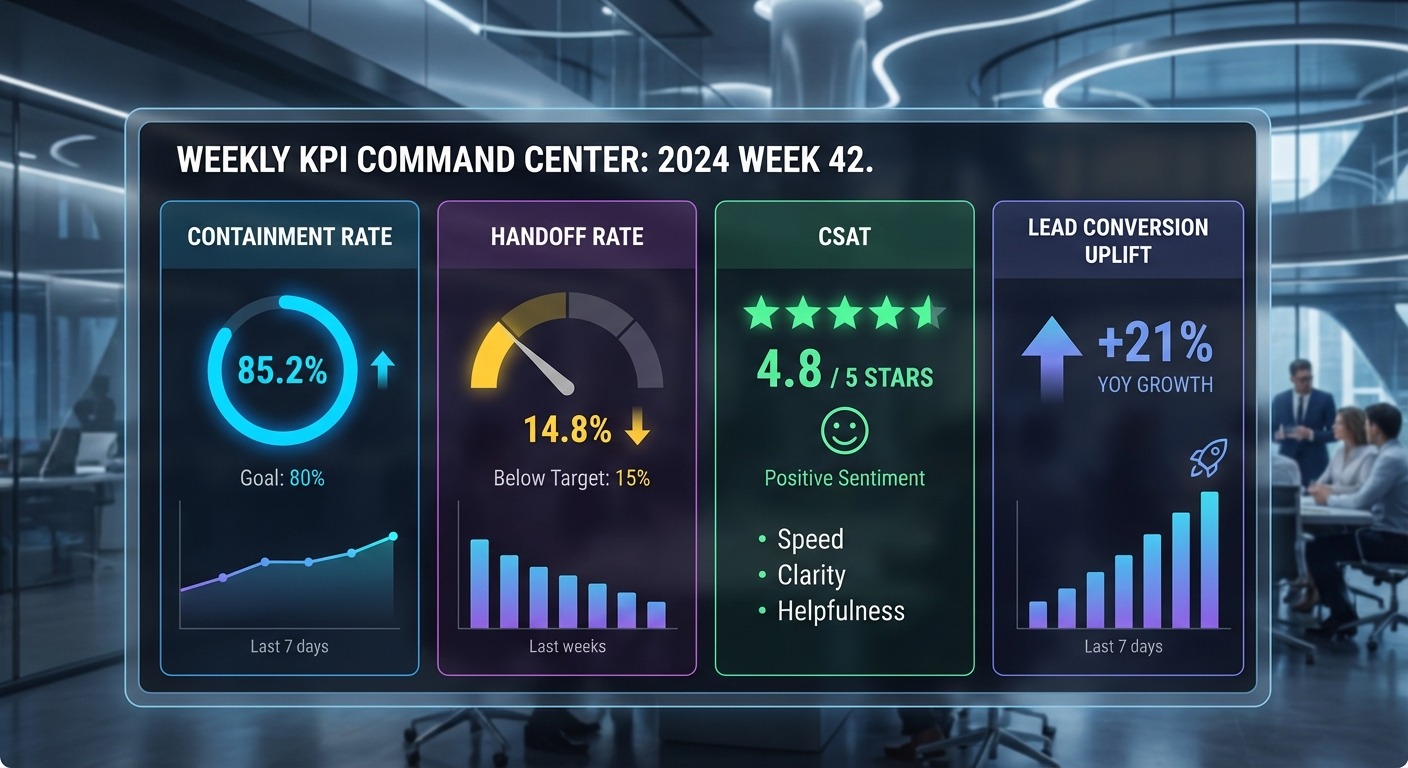
KPI Model That Actually Reflects Performance
Avoid vanity metrics like conversation count alone. Track outcome-driven KPIs.
-
Containment rate, how many conversations resolved without human takeover
-
Handoff quality, whether context passed correctly and quickly
-
Resolution time, from first message to closure
-
Qualified lead rate, percentage of conversations that become sales-ready
-
Demo booking rate, especially for high-intent traffic
-
CSAT and sentiment trend, quality signal over time
-
Revenue influence, deals assisted by AI conversations
Common question, what is a good containment target?
It depends on use case maturity. Early-stage deployments often start lower, then improve as intent coverage and retrieval quality mature. Quality of resolution matters more than raw containment.
Common Failure Patterns and How to Prevent Them
Failure pattern 1, over-automation
Teams automate complex or emotional scenarios too early. Result, low trust and high user frustration.
Prevent it by defining clear “human-first” scenarios and strict escalation triggers.
Failure pattern 2, stale knowledge
If underlying content is outdated, the assistant gives wrong answers confidently.
Prevent it with source ownership, review cycles, and answer audit logs.
Failure pattern 3, poor escalation handoff
Users hate repeating context after escalation.
Prevent it by passing summary, intent, user metadata, and last actions to human agents automatically.
Failure pattern 4, no governance layer
Without policy boundaries, risk increases over time.
Prevent it with role-based controls, approved source lists, and auditability for workflow actions.
Security and Governance Baseline
Before scaling, define a governance baseline.
-
Approved and versioned knowledge sources
-
Role-based access for flow and prompt changes
-
Sensitive data handling and masking policy
-
Retention rules by conversation type
-
Audit logs for critical workflow actions
-
Human approval gates for high-risk actions
This is not enterprise overhead. It is operational discipline that protects both customers and business outcomes.
Build vs Buy, Decision Framework
Build in-house if you need deep custom logic, have AI engineering bandwidth, and can maintain an ongoing optimization cycle. If cost is a priority, benchmark against Intercom alternatives and compare ownership tradeoffs.
Buy a platform if speed, reliability, and lower implementation risk matter more right now. Most growth-stage teams get faster ROI through platform-first deployment, then add custom layers selectively.
Common question, can platform-based assistants still be customized?
Yes. Most serious platforms support custom flows, data integration, and business-specific logic. Platform-first does not mean generic outcomes.
Conclusion
A conversational AI assistant delivers strongest results when treated as an operational system, not a chatbot widget.
Define outcomes clearly, deploy in controlled phases, integrate deeply with business systems, and improve continuously through weekly analysis. Teams that follow this model see better response quality, higher conversion efficiency, and lower support overhead.
If your business is planning multi-channel growth in 2026, a conversational AI assistant should be part of your core stack. Next, review pricing and this WhatsApp automation guide to map rollout by channel and budget.