The Automation Trap Most Businesses Fall Into
Every business reaches the same breaking point. The support queue grows longer, response times creep up, customers start complaining, and someone on the team says the inevitable: “We need a chatbot.”
So the business deploys a basic chatbot. It handles greetings. It routes tickets. It gives canned answers. And within weeks, the customer satisfaction scores drop even further. Not because automation itself is bad, but because the implementation treated customers like ticket numbers instead of people.
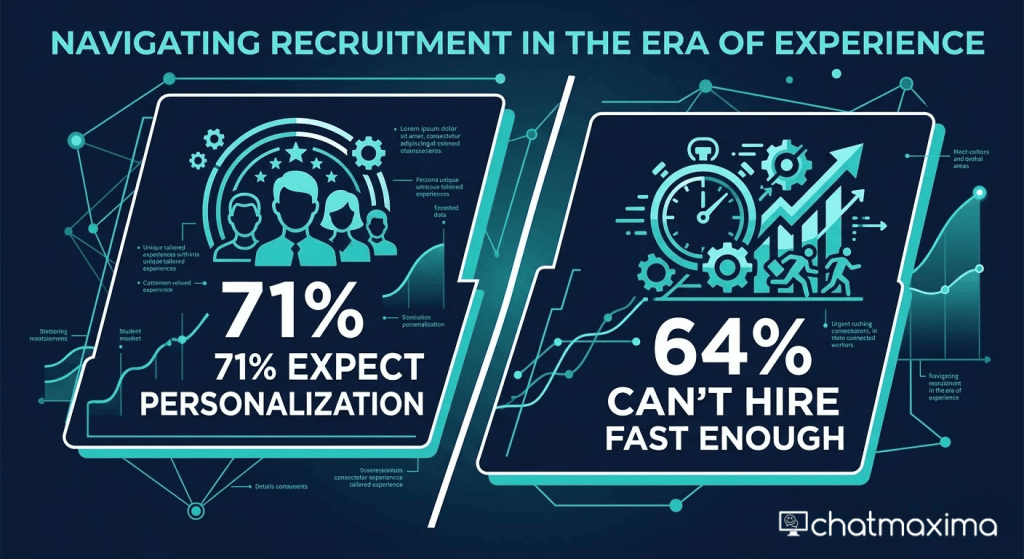
Here is what the data actually shows: 71% of customers expect personalized interactions from businesses, according to McKinsey’s 2025 consumer research. At the same time, 64% of support leaders say they cannot hire fast enough to meet growing demand. The gap between customer expectations and support capacity is widening every quarter.
The solution is not choosing between automation and human agents. It is building a system where both work together, where AI handles the repetitive work so human agents can focus on the conversations that actually need empathy, judgment, and creative problem-solving.
This guide walks through how to do that practically, with real strategies you can implement this week.
Understanding What Customers Actually Want
The phrase “human touch” gets thrown around a lot, but what does it actually mean in customer support? It is not about having a human answer every single message. Research from PwC found that 82% of consumers want faster resolution above everything else. They do not care whether a bot or a human solves their problem, as long as the problem gets solved quickly and accurately.
What customers hate is feeling stuck. They hate repeating themselves. They hate being transferred three times. They hate waiting 45 minutes for a response to a simple question like “What is your return policy?”
These are exactly the situations automation solves best. A well-built AI chatbot can answer that return policy question instantly, at 2 AM on a Sunday, in any language. No wait time. No hold music. No frustrated customer.
The “human touch” becomes critical in different situations. When a customer is upset about a billing error that has persisted for three months. When someone needs to negotiate a custom enterprise deal. When a long-time customer is considering cancellation and needs to feel heard. These conversations require empathy, nuance, and the ability to make judgment calls that no chatbot can replicate.
The key insight is this: automating the routine work IS the human touch strategy. When your agents are not buried under 200 password reset requests per day, they have the bandwidth to genuinely care about the conversations that matter.
The Three-Layer Support Architecture
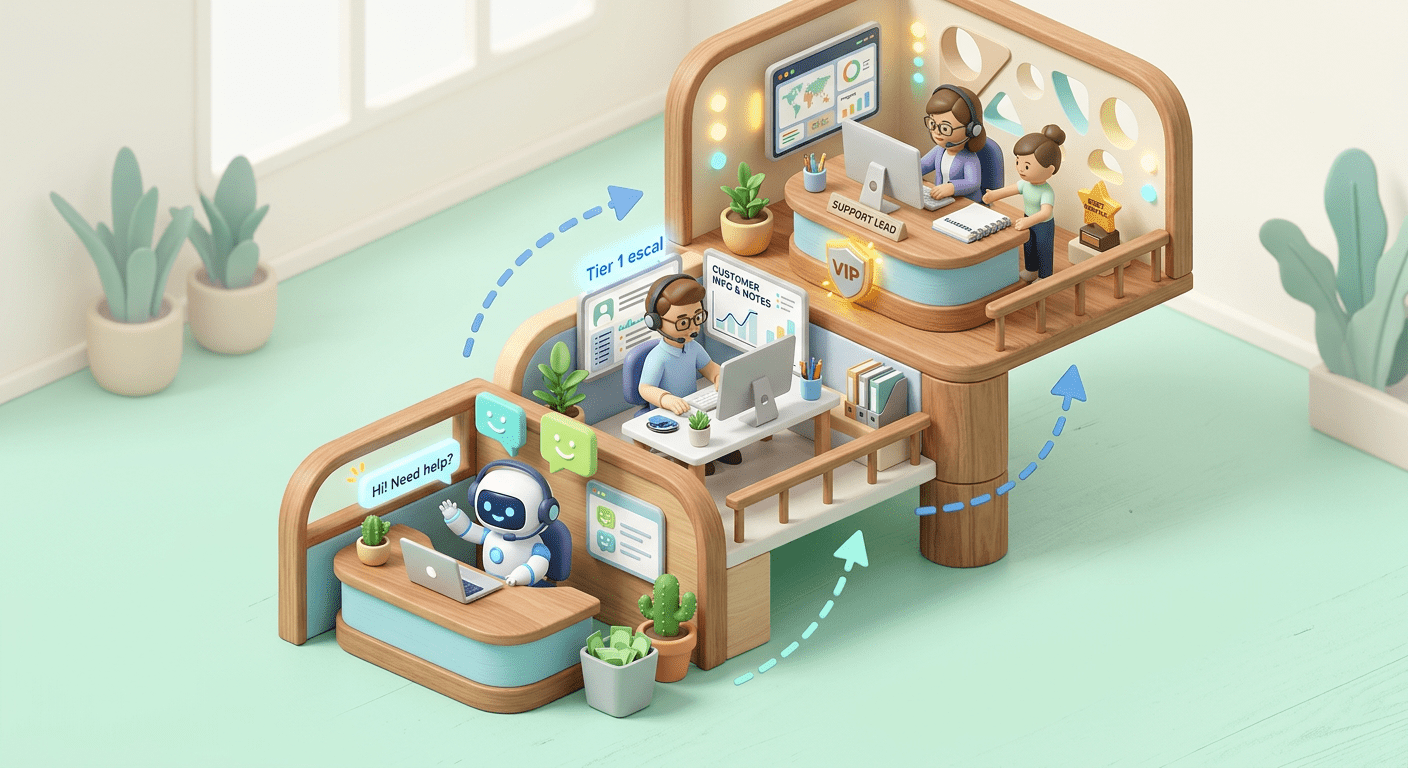
The most effective support teams in 2026 use a three-layer approach that matches each customer interaction to the right resource.
Layer 1: AI-First Response (handles 60-80% of volume)
This is your frontline. An AI chatbot powered by a large language model handles initial contact, answers common questions, processes simple requests, and collects information before routing to a human when needed. Unlike rigid rule-based bots from a few years ago, modern AI chatbots built on models like GPT-4o can understand context, handle follow-up questions, and respond naturally.
The goal at this layer is instant, accurate resolution. Password resets, order tracking, business hours, pricing questions, feature explanations, account updates. These represent the bulk of support volume for most businesses, and customers genuinely prefer getting instant answers over waiting in a queue.
With ChatMaxima’s no-code chatbot builder, you can set up Layer 1 automation without writing code. The platform supports AI-powered flows that understand natural language and adapt responses based on conversation context, not just keyword matching.
Layer 2: Assisted Human Support (handles 15-30% of volume)
These are conversations that need a human, but the AI has already done the heavy lifting. Before the customer reaches an agent, the chatbot has collected their account details, identified the issue category, pulled up relevant order history, and summarized the conversation so far.
The agent does not start from zero. They walk into a conversation with full context, which means faster resolution and a customer who does not have to repeat themselves. This is where the real efficiency gain happens. Your agents spend their time solving problems, not gathering information.
Layer 3: Expert Human Handling (handles 5-10% of volume)
Complex escalations, VIP accounts, sensitive complaints, legal issues, and anything that requires authority to make exceptions. These conversations get routed directly to senior agents or specialists. The AI system flags them based on sentiment analysis, account value, issue complexity, or specific keywords that signal escalation.
Getting the Handoff Right
The single most important moment in automated support is the handoff from bot to human. Get it wrong, and you destroy the customer experience worse than if you had no automation at all.
Make handoffs seamless, not jarring. The worst thing a chatbot can say is “I cannot help you with that, let me transfer you to a human agent.” That sentence tells the customer their time was wasted. Instead, design the transition so the chatbot introduces what it has already done: “I have pulled up your order details and flagged this for our support team. Sarah will pick this up in the next 2 minutes with full context on your issue.”
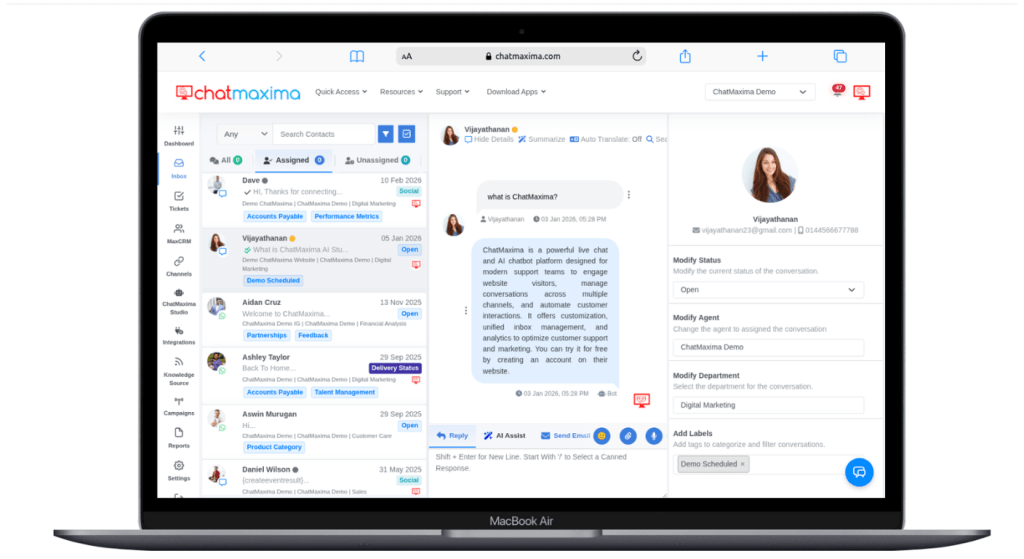
Transfer context, not just the customer. When a conversation moves from bot to human, everything the chatbot learned should transfer with it. The customer’s name, account details, what they asked, what solutions were already tried, and the sentiment of the conversation. ChatMaxima’s shared team inbox does this automatically, showing agents the full AI conversation history alongside CRM data.
Let customers request a human at any time. Never trap someone in a bot loop. A simple “Talk to a human” option should always be available. Interestingly, when customers know they CAN reach a human easily, they are less likely to demand one. The psychological safety of having that option reduces anxiety and increases willingness to try the automated path first.
Set expectations on wait times. If a human agent is not available immediately, tell the customer exactly how long the wait will be. “Our next available agent will be with you in approximately 4 minutes” is infinitely better than silence or a spinning loader.
Personalizing Automated Conversations
Generic automation feels robotic. Personalized automation feels helpful. The difference comes down to how well your chatbot uses the data it already has access to.
Use the customer’s name and history. If someone has purchased from you three times, the chatbot should acknowledge that. “Welcome back, Priya. I can see your last order was the Pro plan upgrade on February 12th. How can I help today?” This takes seconds to implement but changes the entire tone of the interaction.
Adapt tone based on context. A customer asking about a new feature should get an enthusiastic, informative response. A customer reporting a service outage should get an empathetic, urgent response. Modern AI chatbots can adjust their tone dynamically based on the nature of the query and the sentiment of the customer’s message.
Remember previous interactions. Nothing frustrates a customer more than explaining the same issue for the third time. Your automation system should track conversation history across channels. If someone messaged on WhatsApp yesterday about a billing issue and is now following up via web chat, the context should carry over. This is where multi-channel support becomes essential. A customer’s history with your brand is one story, regardless of which channel they use to tell it.
Offer proactive help. Instead of waiting for customers to reach out, use automation to anticipate needs. If someone’s subscription is renewing in 3 days, send a WhatsApp message with their plan details and a one-tap option to update payment info. If a customer has been browsing your pricing page for 10 minutes, trigger a chat widget offering to answer questions. Proactive automation feels caring, not intrusive, when it is relevant and well-timed.
What to Automate (and What to Never Automate)
Not everything should be automated. Here is a practical framework for deciding what goes to the bot and what stays with humans.
Automate these confidently:
-
- Password resets, account verification, and login issues
- Order tracking, shipping status, and delivery updates
- Business hours, location info, and basic company questions
- Return and refund policy explanations
- Feature comparison and pricing inquiries
- Appointment scheduling and confirmation
- Collecting customer information before agent handoff
- Post-purchase feedback surveys
- Simple troubleshooting steps (restart, clear cache, check settings)
Keep these human:
-
- Complaints involving emotional distress or financial loss
- Negotiations on pricing, contracts, or custom deals
- Cancellation conversations where retention is possible
- Any situation where the customer explicitly asks for a human
- Legal, compliance, or security-sensitive discussions
- VIP or high-value account management
- Complex technical troubleshooting that requires creative problem-solving
- Situations where the customer has already tried the automated path and failed
The gray zone (start automated, escalate as needed):
-
- Billing disputes: the bot can pull up transaction history and explain charges, but if the customer is not satisfied, it should escalate immediately
- Product complaints: the bot can acknowledge and categorize, but resolution authority should sit with humans
- Feature requests: the bot can log them and confirm receipt, but discussion about timelines should involve a product-aware human
The rule of thumb is simple: if a conversation requires empathy, judgment, or the authority to make exceptions, it belongs with a human. Everything else is fair game for automation.
Measuring What Matters
Most businesses track the wrong metrics when evaluating their automation. Deflection rate (how many conversations the bot handled without a human) sounds impressive but tells you nothing about quality.
Here are the metrics that actually matter:
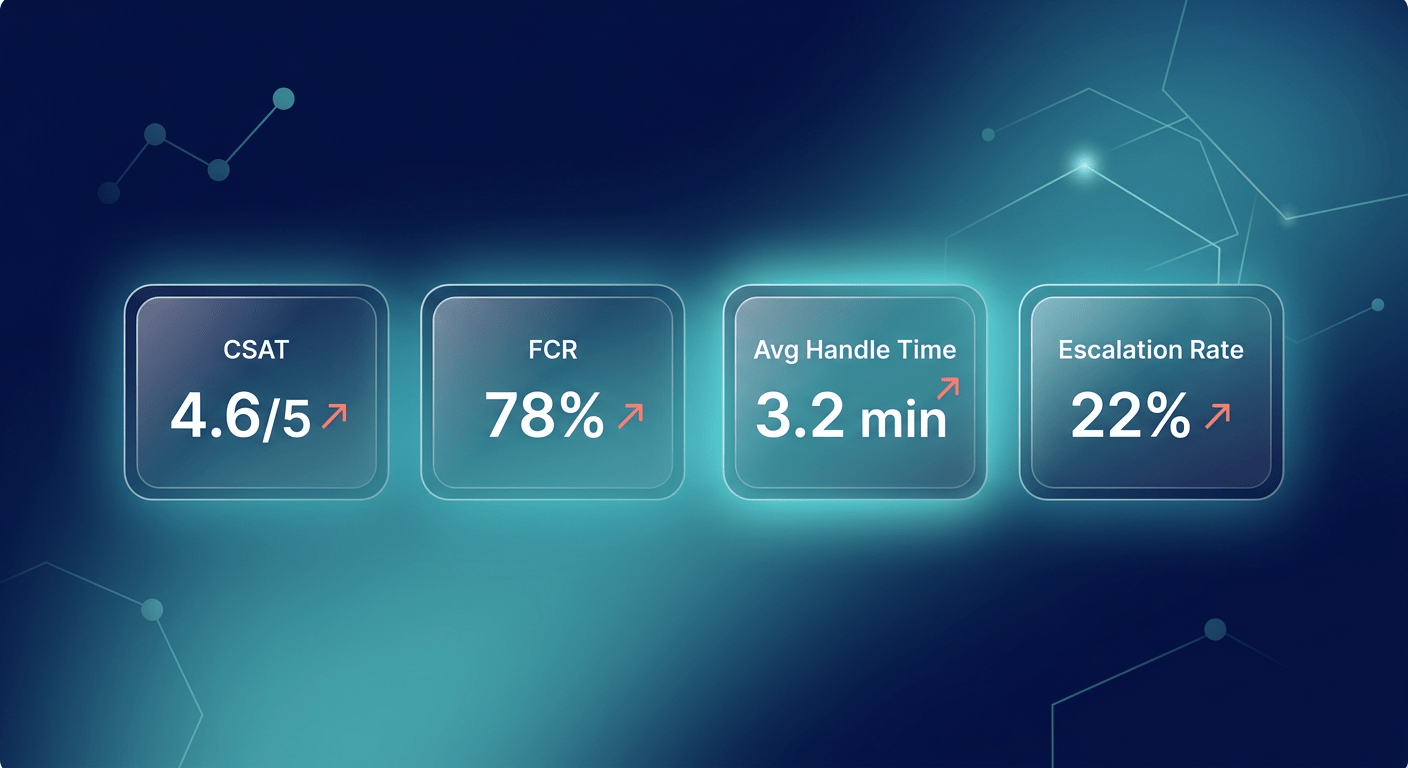
Customer Satisfaction (CSAT) by channel. Measure satisfaction separately for bot-resolved and agent-resolved conversations. If your bot CSAT is significantly lower than agent CSAT, the bot is failing customers. If they are roughly equal, your automation is working.
First Contact Resolution (FCR). What percentage of issues are fully resolved in the first interaction, without follow-up? Good automation should increase FCR because bots resolve simple issues instantly and route complex ones with full context.
Escalation rate and reason. Track not just how often conversations escalate from bot to human, but why. If 40% of escalations are because the bot could not understand the question, that is a training problem. If 40% are because the customer needed empathy, that is the system working correctly.
Agent handle time after bot handoff. Are agents resolving escalated issues faster because the bot pre-collected information? This metric shows whether your Layer 1 is actually helping Layer 2, or just creating friction.
Customer effort score (CES). How easy was it for the customer to get their issue resolved? This single metric captures the entire experience, automated and human portions combined.
With ChatMaxima’s reporting and analytics, you can track these metrics across all channels in a single dashboard and identify exactly where your automation is helping and where it needs improvement.
Building Your Automation Strategy in 5 Steps
If you are starting from scratch or rebuilding a failed automation attempt, here is the practical path forward.
Step 1: Audit your current support volume. Pull your last 90 days of support conversations and categorize them. What percentage are simple, repetitive questions? What percentage require human judgment? Most businesses find that 60-70% of their volume is automatable. That is your immediate opportunity.
Step 2: Build your AI chatbot for the top 20 questions. Do not try to automate everything at once. Start with the 20 most common questions your team handles. Build clear, helpful automated responses for those. Test them internally. Then deploy to a small percentage of traffic and measure results. ChatMaxima’s no-code builder makes this possible in hours, not weeks.
Step 3: Design your handoff rules. Define exactly when and how conversations escalate from bot to human. Set up sentiment detection, keyword triggers, and explicit “talk to a human” options. Configure your shared inbox so agents receive full conversation context on every handoff.
Step 4: Train your team on the new workflow. Your agents need to understand that the bot is not replacing them. It is filtering out the noise so they can focus on meaningful work. Train them on how to use the context the bot provides, how to handle escalations smoothly, and how to flag gaps in the bot’s knowledge for improvement.
Step 5: Iterate weekly. Review your automation metrics every week for the first three months. Which questions is the bot struggling with? Where are customers dropping off? What new questions are emerging? Update your bot’s training data and flows continuously. Automation is not a set-and-forget project. It is an ongoing optimization loop.
The Bottom Line
The businesses that get customer support right in 2026 are not the ones choosing between automation and human agents. They are the ones building systems where both work together seamlessly, where AI handles the volume and humans handle the moments that matter.
The goal is not to eliminate the human touch. The goal is to protect it. When your best agents are not burning out on password resets and shipping updates, they have the energy and attention to genuinely connect with customers who need it.
Start by automating the obvious. Get the handoff right. Measure what matters. And keep iterating.
Your customers do not care whether they are talking to a bot or a human. They care about getting help quickly, feeling understood, and not having to repeat themselves. Build for that, and you will get both efficiency and loyalty.
Explore ChatMaxima’s plans and start automating support the right way. No credit card required.