
Updated October 12, 2026: rewritten for per-message pricing (in effect since July 1, 2025) and for service message billing, which started on October 1, 2026. For every other recent change, see our WhatsApp Business updates tracker.
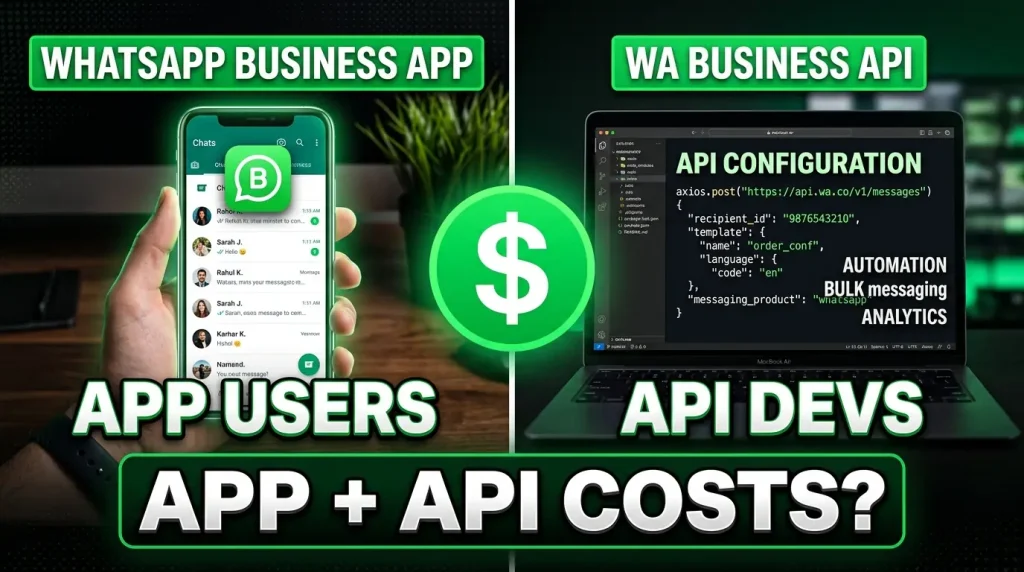
Meta lets businesses use the WhatsApp Business App and the WhatsApp Cloud API on the same phone number at the same time. This is called coexistence. You keep the familiar Business App for quick replies and personal chats, and you add API automation through a partner platform like ChatMaxima for templates, broadcasts and chatbots.
The obvious question: what exactly gets charged? If you message a customer from the app and from the API, do you pay twice? Does an app message open a billing window? What happens when the customer replies?
This guide walks through seven real-world scenarios and shows exactly what is free and what costs money in coexistence mode under the current rules.
The golden rule: app messages are always free
Before the scenarios, one principle governs everything:
Messages sent from the WhatsApp Business App are always free. They are not billed, they do not open a customer service window, and they do not count toward any API allowance. Nothing changes on the app side when you turn on coexistence.
Messages sent from the API follow standard Cloud API pricing, which is per message. Since July 1, 2025, Meta charges for each delivered template message, at a rate set by its category (marketing, utility or authentication) and the customer’s country. Since October 1, 2026, free-form replies sent from the API inside the customer service window, called service messages, are billed too, after the first 1,000 per business phone number each month.
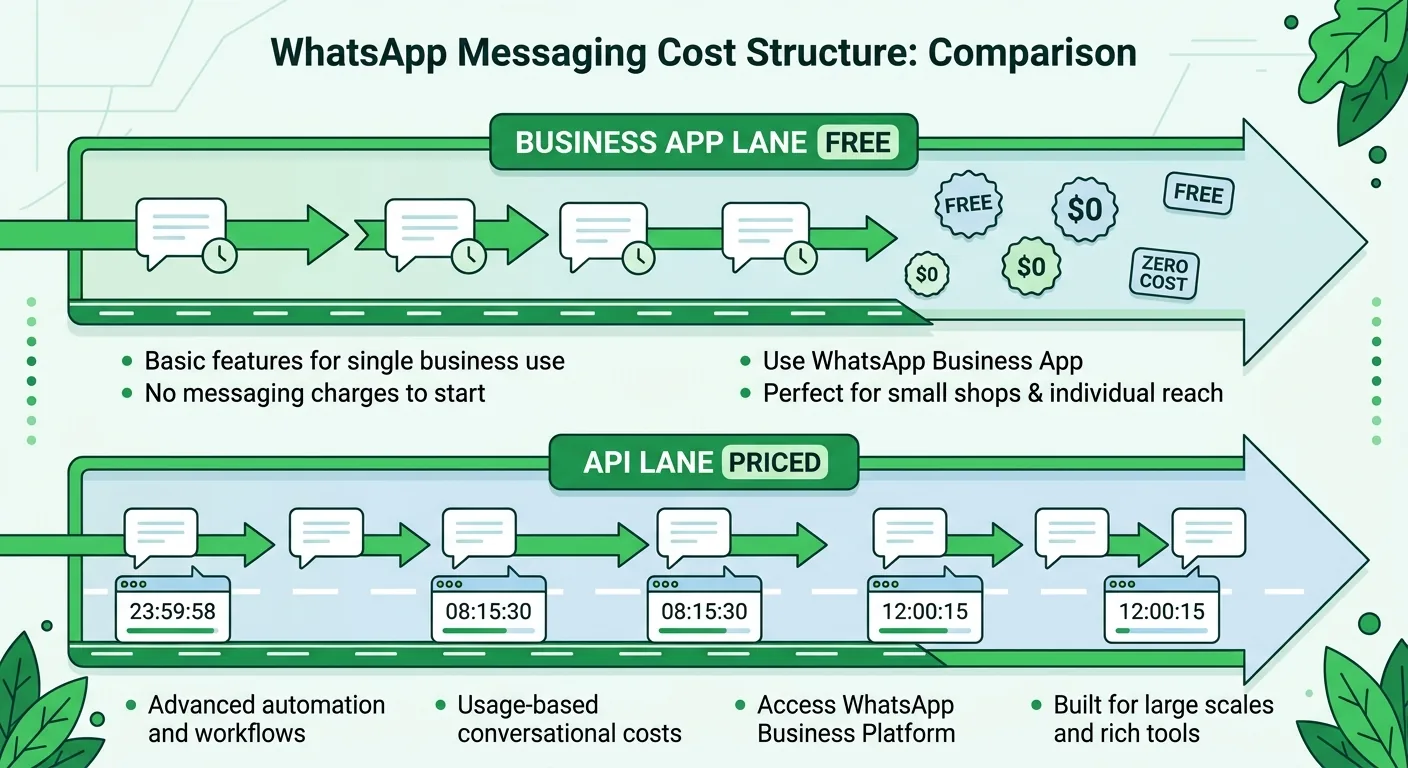
The two systems run in parallel on the same number, and their billing is completely independent. Think of it as two lanes on the same highway: the app lane is a free road and the API lane has tolls.
The rules that decide what the API charges
There are no 24-hour “conversations” to pay for any more. Three rules decide what an API message costs:
- Templates are billed per message. Every marketing, utility or authentication template delivered from the API is charged once, at its category rate for the customer’s country.
- The customer service window controls free-form messages. When a customer messages your number, a 24-hour customer service window opens, and each new customer message resets it. Inside the window, the API can send free-form messages. Outside it, the API can only send templates.
- Service messages are billed above a free allowance. Since October 1, 2026, free-form API replies inside the window are billed at the market’s utility rate after the first 1,000 delivered service messages per business phone number per month. A WhatsApp Business account without a payment method stops delivering service messages once the free 1,000 are used.
Two things stay free on the API side: inbound messages from customers, and every message inside the 72-hour free entry point window that opens when a customer reaches you from a Click to WhatsApp ad or a Facebook Page call-to-action button. Utility templates sent in response to customers inside the customer service window are also charged per message since October 1, 2026 (Meta pricing update). Full rates are in our service message pricing guide.
In coexistence, the customer service window belongs to the phone number. A customer reply to a message you sent from the app opens the window for the API as well.
Scenario 1: you only use the app (API is idle)
Setup: You turn on coexistence but keep messaging customers only from the WhatsApp Business App.
- All messages go out from the app as usual
- No API messages, so nothing is billed
- Groups, calling and status updates in the app keep working
Cost: Nothing. This is useful if you want the API connection ready before you start automating.
Scenario 2: you only use the API (app is idle)
Setup: You handle all 1-to-1 messaging through your partner platform, such as ChatMaxima, and do not send customer messages from the app.
- Pricing works exactly like a standard Cloud API account
- Templates are needed to start a chat or to message a customer outside the 24-hour window
- Each delivered template is billed, and service replies are billed above the free 1,000 per number per month
Cost: Standard API pricing, the same as without coexistence.
Scenario 3: you start from the app, the customer replies, you follow up from the API
Setup: A salesperson messages a customer from the app. The customer replies. Four hours later, your automation sends a follow-up from the API.
| Time | Action | What it costs |
|---|---|---|
| Hour 0 | You send a free-form message from the app | Free. Your platform receives a copy so the inbox stays in sync. |
| Hour 0 | The customer replies | Free. A customer service window opens until Hour 24. |
| Hour 4 | You send a free-form message from the API | One service message. Free within the 1,000 per number per month, then billed at the utility rate. |
Total cost: One service message, which costs nothing for most small businesses because it falls inside the monthly allowance.
Key takeaway: Starting conversations from the app and letting the API follow up inside the window is still one of the cheapest workflows in coexistence mode.
Scenario 4: you start from the API with a template
Setup: You send an authentication template from the API to a customer who has never messaged you. The customer does not reply. Later you need to follow up.
| Time | Action | What it costs |
|---|---|---|
| Hour 0 | You send an authentication template from the API | One authentication message, billed at your market’s rate. |
| Hour 25 | You try a free-form message from the API | Rejected. The customer never replied, so there is no open customer service window. You would need another template. |
| Hour 26 | You send a free-form message from the app | Free. App messages are not limited by the customer service window. |
Total cost: One authentication message.
Key takeaway: The API cannot send free-form messages without an open customer service window, but the app is never restricted. For a one-off personal follow-up, the app saves you a template.
Scenario 5: app and API messages in the same chat
Setup: Your team switches between the app and the API while talking to one customer.
| Time | Action | What it costs |
|---|---|---|
| Hour 0 | You send a free-form message from the app | Free. |
| Hour 0 | The customer replies | Free. Customer service window open until Hour 24. |
| Hour 4 | You send a free-form message from the API | One service message (free within the allowance). |
| Hour 27 | You send a free-form message from the app | Free. The window has closed, but app messages do not need one. |
| Hour 29 | You send another message from the app | Free. |
Total cost: One service message, usually inside the free allowance. At Hour 27 the API could not have sent a free-form message, because the window closed at Hour 24, but the app could.
Key takeaway: The app is a safety net. When the window closes and you need to send one personal message, use the app instead of a template.
Scenario 6: a campaign template mixed with app and API replies
Setup: You run a marketing campaign while also chatting with the same customer from the app and the API.
| Time | Action | What it costs |
|---|---|---|
| Hour 0 | You send a free-form message from the app | Free. |
| Hour 0 | The customer replies | Free. Window open until Hour 24. |
| Hour 4 | You send a free-form message from the API | One service message. |
| Hour 5 | You send a marketing template from the API | One marketing message, billed at your market’s marketing rate. |
| Hour 6 | You send a free-form message from the API | One more service message. Templates no longer create a window that later messages “ride on”. |
| Hour 27 | You send a free-form message from the app | Free. |
| Hour 30 | You send another message from the app | Free. |
Total cost: One marketing message plus two service messages, and the service messages are usually free within the allowance.
Key takeaway: Under per-message pricing, every API message is counted on its own. Combine what you need to say into fewer, complete API messages.
Scenario 7: heavy API use with every template type
Setup: A business sends authentication, utility and marketing templates to the same customer, with app messages mixed in.
| Time | Action | What it costs |
|---|---|---|
| Hour 0 | You send an authentication template from the API | One authentication message, billed. |
| Hour 4 | You send a utility template from the API | One utility message, billed. No customer service window is open yet. |
| Hour 5 | You send a marketing template from the API | One marketing message, billed. |
| Hour 8 | The customer replies | Free. Window open until Hour 32. |
| Hour 10 | You send a free-form message from the app | Free. |
| Hour 30 | You send a free-form message from the API | One service message. The window is still open. |
| Hour 55 | You try a free-form message from the API | Rejected. The window closed at Hour 32. A template is needed. |
| Hour 56 | You send a free-form message from the app | Free. |
Total cost: Three template messages (authentication, utility and marketing) plus one service message.
Key takeaway: Even in the heaviest scenario, app messages stay free and unrestricted. The API side follows exactly the same rules as a standard Cloud API account.
Cost-saving strategies for coexistence
Across all seven scenarios, a few patterns keep costs down:
- Use the app for one-off human replies. They are free and do not use your monthly service allowance.
- Let customers open the window. A reply to your app message opens the customer service window, so the API can follow up with free-form messages instead of templates.
- Keep automated replies complete and short. Every API reply counts toward the 1,000 free service messages per number. A bot that answers in one message instead of four uses a quarter of the allowance.
- Reserve templates for scale. Use API templates for broadcasts, reminders and sequences that reach many customers, not for single follow-ups the app can handle.
- Keep a payment method on file. Without one, service messages stop being delivered after the free 1,000 each month, and a chatbot can go silent mid-month.
What this means for businesses considering the API
Coexistence removes the biggest barrier to the WhatsApp Business API: you do not have to give up the app.
Before coexistence, businesses faced a binary choice: stay on the free app with limited automation, or move to the API and lose the app. Now you can run both. Your team keeps the app for quick replies, and your API platform handles chatbots, broadcasts, templates, CRM sync and analytics.
The pricing is predictable:
- App messages: always free
- Inbound customer messages: free
- API service messages: 1,000 free per business phone number per month, then billed at the utility rate
- API templates: billed per delivered message, by category and country
- No double billing: app and API billing are completely independent
For country-by-country template rates, see our WhatsApp Business API pricing guide.
Getting started with coexistence on ChatMaxima
Setting up coexistence is straightforward. You connect your existing WhatsApp Business App number to ChatMaxima through Meta’s Cloud API. The app keeps working as before, while ChatMaxima adds automation, templates, a chatbot builder and a multi-agent inbox on the same number, with app and API messages in one view.
ChatMaxima also shows, for each WhatsApp number, how many service messages you have used against the free 1,000 this month and whether a payment method is on file, so a new charge never arrives as a surprise.
ChatMaxima plans start at $19 per month with a 7-day free trial. Compare plans and keep your app running while you add automation.