Chatbots have always had a hard truth sitting at the centre of them. The conversation is the easy part. The data layer underneath is where every serious deployment either works or falls apart. If your chatbot cannot read a customer record, update a lead status, or trigger a notification the moment something important happens, it stays stuck as a canned-response machine.
That is the gap the new Firebase integration inside ChatMaxima Studio is designed to close. As of this week, every flow you build in the Studio can talk directly to Cloud Firestore and Firebase Cloud Messaging, with no middleware, no custom API endpoints, and no code. You add a Firebase block to your canvas, point it at a collection, and the conversation becomes data-aware.
This post walks through what the integration does, what it unlocks for real businesses, and how to wire the first flow in about fifteen minutes.
What the Firebase Block Actually Does
Inside ChatMaxima Studio, a block is a drag-and-drop node that sits on the flow canvas. The new Firebase block is a single node that exposes seven distinct operations, selected from a dropdown when you click to configure it.
Firestore operations (document database):
- Get Document — fetch a single document by ID
- Add Document — create a new document with an auto-generated or custom ID
- Set Document — overwrite every field on a document
- Update Document — merge specific fields without touching the rest
- Delete Document — remove a document, with a safety precondition that fails if the ID does not exist
- Query Collection — search with filters, ordering, and a row limit
Firebase Cloud Messaging (push notifications):
- Send Notification — deliver a push message to a single device, a list of device tokens, or a topic
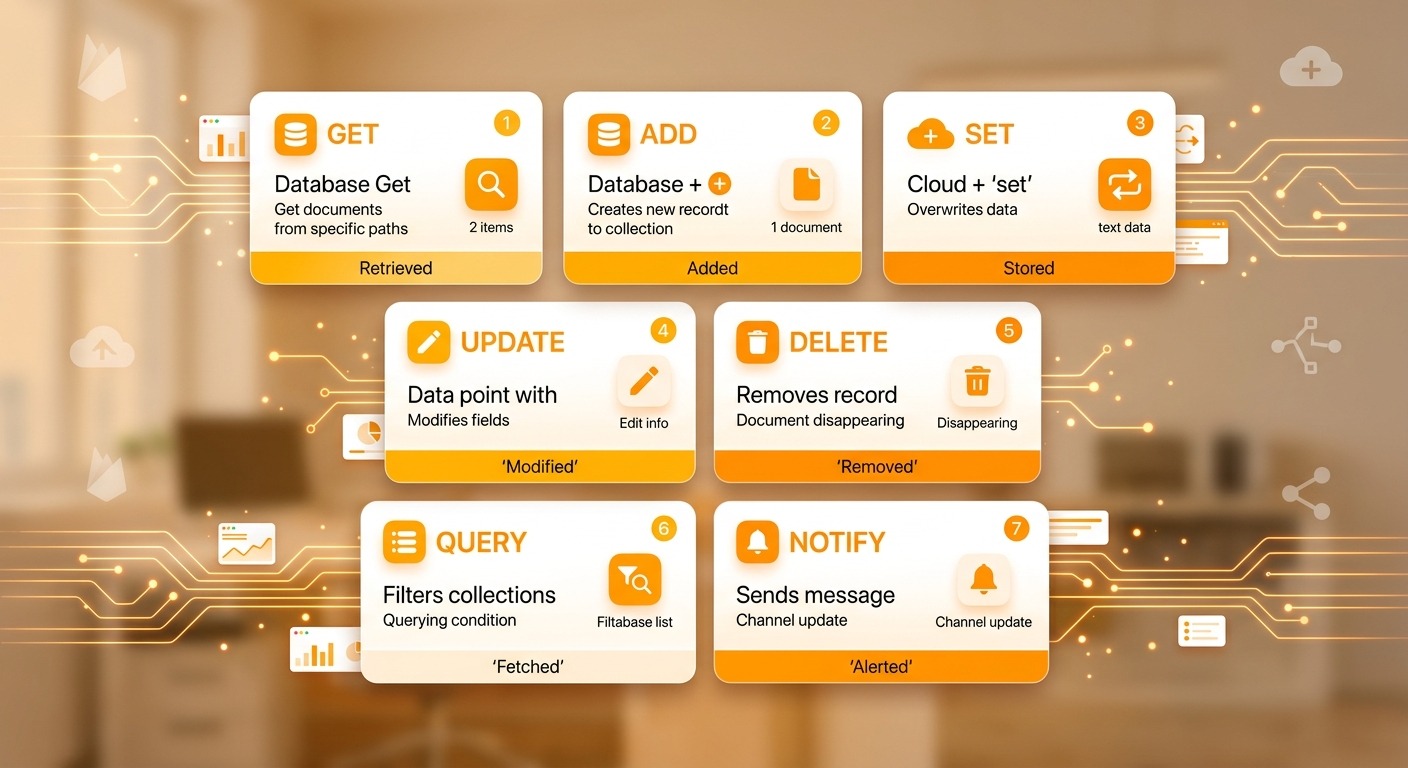
Every operation runs inside the conversation flow. You can put a Get Document block at the start of a chat to look up the customer, a Query Collection block in the middle to check inventory, and a Send Notification block at the end to alert your sales team, all inside the same visual flow.
Operators supported by Query Collection
Query Collection supports the full set of Firestore comparison operators, combined with AND logic across filters.
- Equality:
EQUAL,NOT_EQUAL - Range:
<,<=,>,>= - Array membership:
ARRAY_CONTAINS,IN,NOT_IN,ARRAY_CONTAINS_ANY
This is enough to handle the vast majority of day-to-day lookups: “orders where status is pending and amount is greater than $500,” “users where tags contain vip,” “products where category is in [electronics, appliances].”
How the Smart Type System Keeps Your Data Clean
One of the more subtle wins of the new integration is how it handles data types. Firestore is strict about types. A field stored as a string is not the same as the same value stored as a number, and queries will silently miss rows if the types do not match.
ChatMaxima Studio now handles this for you automatically. When you enter a value into a field in the Firebase block, the system casts it to the right type before sending it to Firestore:
42becomes an integer, not the string"42"3.14becomes a floattruebecomes a boolean["apple", "banana"]becomes an array+14155551234stays a string, so phone numbers do not get mangled01234stays a string, so postal codes do not lose their leading zero
The same logic runs on template variables. If a previous block captured {lead_budget} with a value of 50000, it is sent to Firestore as a number, so your greater than 10000 query filters match correctly. These are the kind of details that cost hours of debugging when you roll your own integration, and they ship solved in the block.
Authentication: One Service Account, Done in Two Minutes
There is no OAuth dance for the end user. Firebase uses a service account JSON for server-to-server authentication, and ChatMaxima Studio accepts that JSON directly.
The setup flow:
- In the Google Cloud Console, open your Firebase project and go to Service Accounts
- Click Generate new private key and download the JSON file
- In ChatMaxima, open Dashboard > Integrations > Firebase and paste or upload the file
- The platform validates the JSON, confirms it contains the required
private_key,client_email, andproject_idfields, and runs a live test by listing the collections in your Firestore database - If the test passes, the credential is saved and you can reference it from any flow on your team
Under the hood, the platform handles the JWT signing, OAuth token exchange with Google, and caching. Access tokens are refreshed automatically a full minute before they expire, so your flows never stall waiting for a new token. The recent update to the library added a fallback parser for service account JSON that has been mangled by form submission (escaped newlines, stripped backslashes inside the private key), with diagnostic logging that points you at exactly which field is malformed. In practice, uploads that used to fail silently now either succeed cleanly or tell you what to fix.
Setting Up the First Flow
The shortest path from zero to a working Firebase flow looks like this.
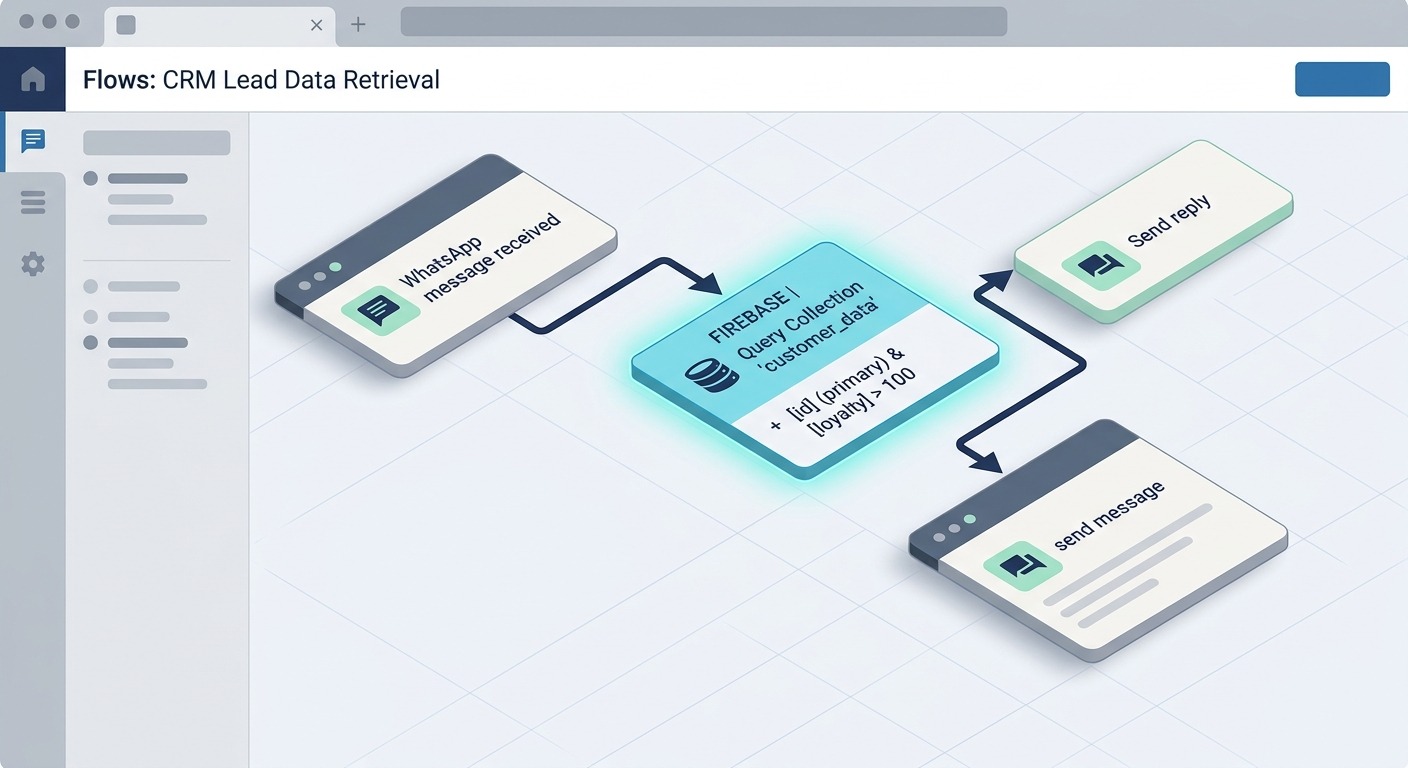
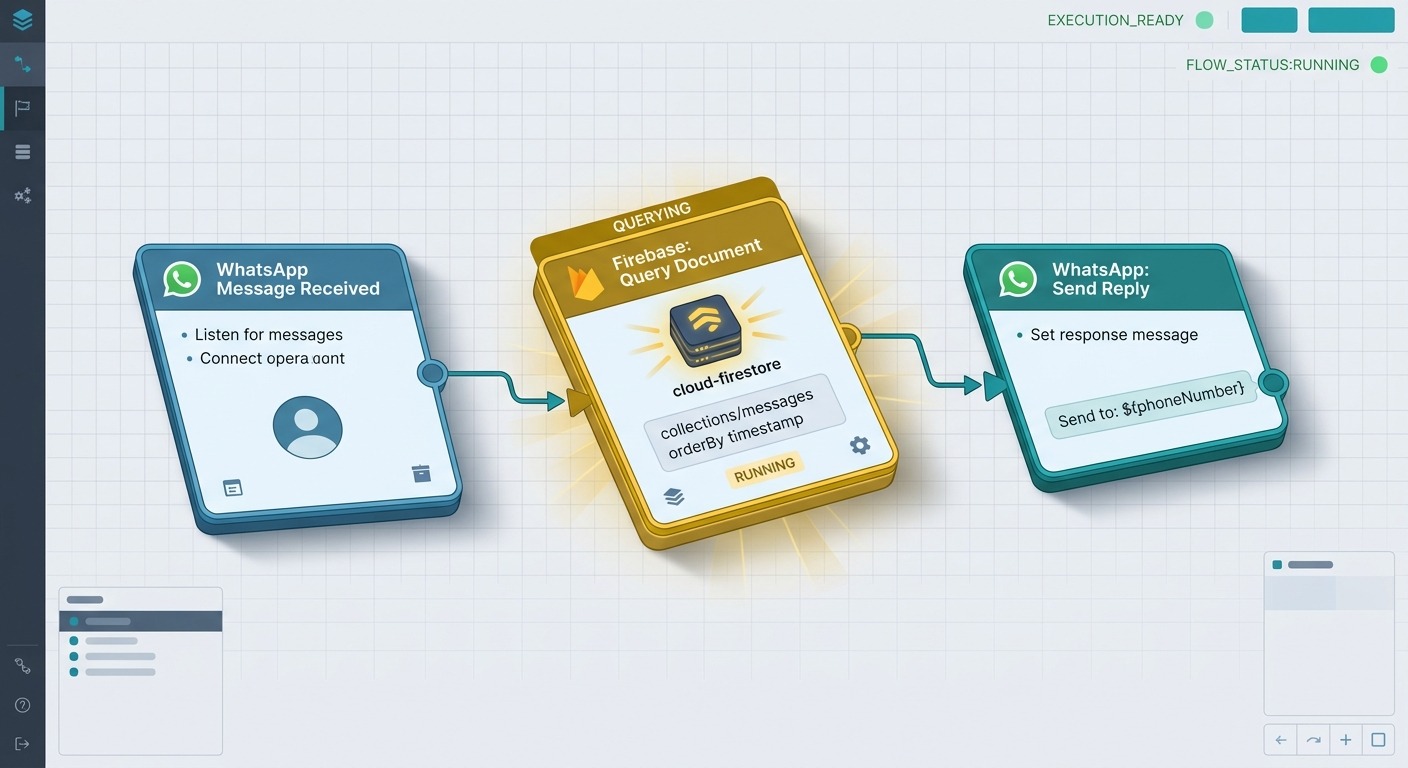
Step 1. Drag a Firebase block onto the canvas after your trigger. The default operation is Get Document.
Step 2. Click the block to open the configuration modal. Pick the Firebase credential from the dropdown. Choose the operation, in this case Query Collection.
Step 3. Enter the collection name, for example customers. Add a filter: field email, operator EQUAL, value {customer_email} (a variable captured earlier in the flow).
Step 4. Set a row limit of 1 and order by created_at descending. Assign the result to a response variable called customer_record.
Step 5. Downstream blocks can now read {customer_record.name}, {customer_record.plan}, {customer_record.lifetime_value} and branch the flow accordingly.
That is the whole pattern. Read inputs, hit Firestore, branch on what comes back.
For the full field-by-field reference, operator list, and variable-mapping examples, see the Firebase block documentation.
Seven Use Cases That Unlock on Day One
This is where the integration stops being abstract. Below are the patterns that almost every ChatMaxima deployment ends up needing, and how the Firebase block makes each one a ten-minute job instead of a three-week integration project.
1. CRM Lead Enrichment Inside the Conversation
When a new lead starts a WhatsApp chat, query your Firestore leads collection by phone number. If they exist, pull their previous tags, source, and last-contact date into the flow so the chatbot can pick up the thread. If they are new, use Add Document to create a lead record on the spot, then route the rest of the conversation through qualification. This is the foundation of anything that looks like a real WhatsApp AI sales pipeline rather than a disconnected bot.
2. Order Status and Shipment Tracking
The canonical e-commerce flow. Customer asks “where is my order?” The chatbot extracts their order number, queries Firestore orders by ID, and reads back the status, courier, and estimated delivery. After responding, an Update Document call stamps customer_contacted_at = now, so you have an audit trail of every status check. Pair this with broader WhatsApp automation for e-commerce and the support team stops handling tracking questions entirely.
3. Push Notifications Triggered by Conversation Events
Here is where FCM earns its keep. When a chatbot qualifies a lead above a threshold (budget greater than $10,000, role is decision maker), the flow calls Send Notification and pushes an alert into the sales team’s internal app: “Premium lead: Priya Sharma, budget $45k, ready to talk.” The notification carries a data payload with the lead ID, so tapping it deep-links into the record. Response times collapse from hours to seconds.
4. Conversation Logging for Compliance and Training
Every meaningful message exchange gets logged to Firestore in a conversations collection with fields for user_id, channel, intent, sentiment, response, and timestamp. This is the raw material for fine-tuning, compliance review, and churn analysis. It is also the single most useful data asset most support teams never capture. Once it is running, you have the history to move toward an AI-first customer support model instead of a ticket pipeline that forgets everything after the ticket closes.
5. Subscription-Aware Flow Branching
At the start of every conversation, query users by ID and read the subscription_level field. Premium users branch to the book-a-call path. Free users branch to the self-serve path with a nudge to upgrade. Past customers who churned branch to a reactivation offer. Every branch logs the decision to Firestore so you can A/B test and measure conversion from the chatbot layer upward.
6. Real-Time Inventory and Availability Checks
A product recommendation flow queries product_inventory for stock levels and delivery windows before it promises anything to the customer. Out-of-stock items trigger an Update Document call that adds the customer to a backorder_waitlist array on the product, and Send Notification fires when stock returns. No customer ever gets told “yes, that’s available” about something that is actually sold out.
7. Multi-Device Broadcasting
Device tokens captured during previous chatbot sessions sit in a user_devices collection, organised by user ID. When you want to fire a promo, a Query Collection block pulls the target segment, then a Send Notification block with a list of tokens does the broadcast. Topic-based broadcasting works too: subscribe every device to a general topic at first registration, then target it when you want to reach the whole base.
A Concrete Example: Premium Lead Alert in Six Blocks
To ground this in something you can picture, here is a specific flow that ships in about twenty minutes.
Trigger: WhatsApp message on the business number.
Block 1 — AI agent. Qualify the lead by asking three questions: budget, timeline, decision authority. Capture each answer into a variable.
Block 2 — Firebase Add Document. Create a new document in the leads collection with the captured fields, plus source = whatsapp, created_at = now, and status = new. Save the auto-generated document ID into a variable lead_id.
Block 3 — Condition. If budget > 10000 AND decision_authority = yes, branch to the premium path. Otherwise, branch to the standard path.
Block 4 (premium path) — Firebase Send Notification. Target the sales manager’s FCM topic. Title: “Premium WhatsApp lead.” Body: {lead_name}, budget {budget}, timeline {timeline}. Data payload carries lead_id so tapping the notification opens the right record.
Block 5 (premium path) — Firebase Update Document. Set status = premium_alerted on the lead record, so dashboards and reports know the sales team has been pinged.
Block 6 — Send reply to the customer. Confirm the conversation and promise a callback inside the hour.
That entire flow uses the Firebase block three times and writes zero lines of code. Every event has a durable record, and the sales team has a push notification on their phone before the customer finishes typing their address.
Where This Fits in the Bigger Picture
The Firebase integration sits inside the broader push to make ChatMaxima Studio the layer where chatbot conversation, customer data, and team workflow all meet. You can see the other pieces on the integrations page alongside Firebase: CRMs, commerce platforms, helpdesks, and the WhatsApp Business API itself all connect into the same flow canvas.
The deliberate design choice is to treat external systems as first-class blocks rather than webhooks with duct tape. A webhook call is a black box. A block in your flow is something you can inspect, variables you can read in the next step, and a failure path you can handle visually.
For the teams that have been holding off on serious automation because stitching the data layer was too painful, this changes the economics. The work that used to be “build a middleware, maintain it, scale it, debug it” is now “pick an operation from a dropdown and fill in the fields.”
Pricing and Limits
Firebase itself runs on Google Cloud’s pricing, which includes a generous free tier for Firestore reads, writes, and FCM notifications. Most early-stage deployments will stay inside the free tier for months. Once you cross into paid territory, you pay Google directly based on usage.
On the ChatMaxima side, the Firebase block is available on all paid plans. The exact feature availability by plan is on the pricing page.
There are no per-operation surcharges, no artificial limits on the number of Firebase credentials per team, and no cap on how many blocks a single flow can include.
What’s Next
The Firebase block is live today for every ChatMaxima Studio workspace. If you already have a Firebase project, the first flow takes fifteen minutes. If you do not, creating a project in Google Cloud takes another ten. That is the whole gap between where you are now and a chatbot that reads your customer records, writes new leads, and pings your team before the conversation is even over.
Teams running catalog-heavy e-commerce, lead-driven sales, or support operations with strict audit requirements are the ones that will feel the difference immediately. Start with one flow. Log one interaction. Watch what happens to your response times.