You can add an AI chatbot to your WordPress site in under five minutes – no developer, no code editing, no complex configuration. Install a free plugin, connect your account, sync your content, and your chatbot starts answering customer questions using your actual website pages.
The ChatMaxima WordPress plugin is open-source, available on GitHub, and connects your site to an AI platform that handles conversations across your website, WhatsApp, Instagram, Facebook Messenger, and Telegram from a single inbox. Plans start at $19/month with flat-rate pricing on the ChatMaxima pricing page.
This guide covers the full 5-minute setup, how knowledge sync turns your existing content into your chatbot’s brain, and why most WordPress chatbot plugins fall short on the features that actually matter in 2026.
Setup time: 5 minutes | Reading time: 10 minutes
Why Every WordPress Site Needs an AI Chatbot in 2026
WordPress powers over 40% of all websites. Most of those sites still rely on contact forms or basic live chat plugins that require a human to be online. That model has three structural problems.
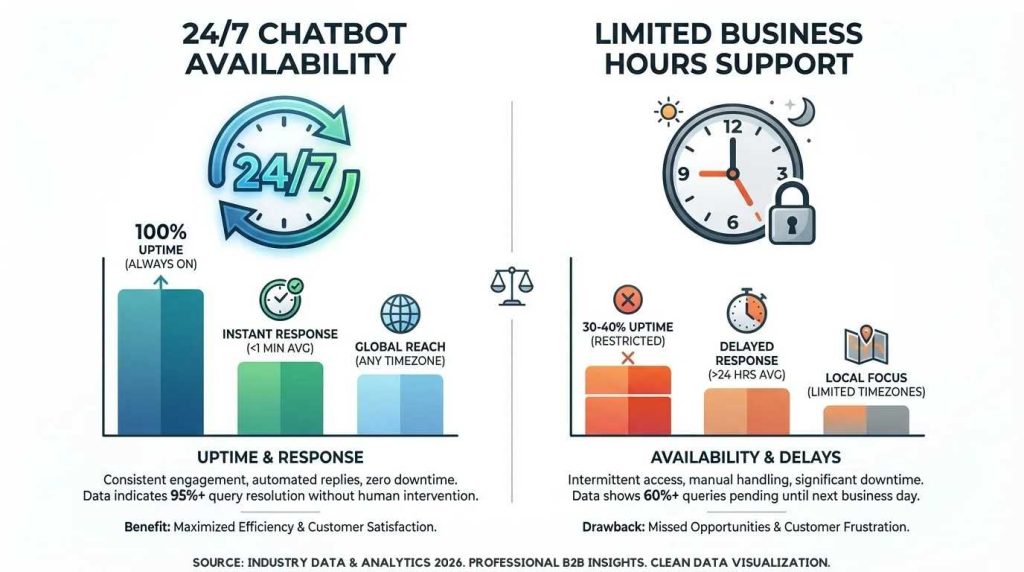
24/7 Lead Capture While You Sleep
Your site gets traffic around the clock. Your team works fixed hours. A contact form tells the 10 PM visitor to wait until tomorrow. An AI chatbot gives them an answer in seconds, captures their email, and qualifies them as a lead – all while you are offline.
Chat widgets convert at 5-15%, compared to 2-3% for contact forms. For a site getting 1,000 monthly visitors, that gap means 50-120 additional leads per month.
Instant Support Without Hiring More Staff
The average cost of a manual support interaction is $22 (Forrester Research). An AI chatbot conversation costs a fraction of a cent. A WordPress site handling 100 support questions monthly spends $2,200 in manual labor – or under $20 on a chatbot platform.
The math scales in one direction. More visitors means more questions. With manual support, that means more headcount. With AI, the cost stays flat.
A Website-Only Chatbot Is No Longer Enough
Here is what every other WordPress chatbot guide misses: your customers are not only on your website. They message you on WhatsApp, Instagram, Facebook, and Telegram. A chatbot that only works on your site covers a fraction of where conversations actually happen.
ChatMaxima’s WordPress plugin connects to an omnichannel platform. The same AI powering your website widget also handles WhatsApp messages, Instagram DMs, and Facebook Messenger – all from one unified inbox with shared context. A customer who starts a conversation on your site and follows up on WhatsApp gets picked up exactly where they left off.
No other WordPress chatbot plugin does this. Full channel list on the integrations page.
What to Look for in a WordPress Chatbot Plugin
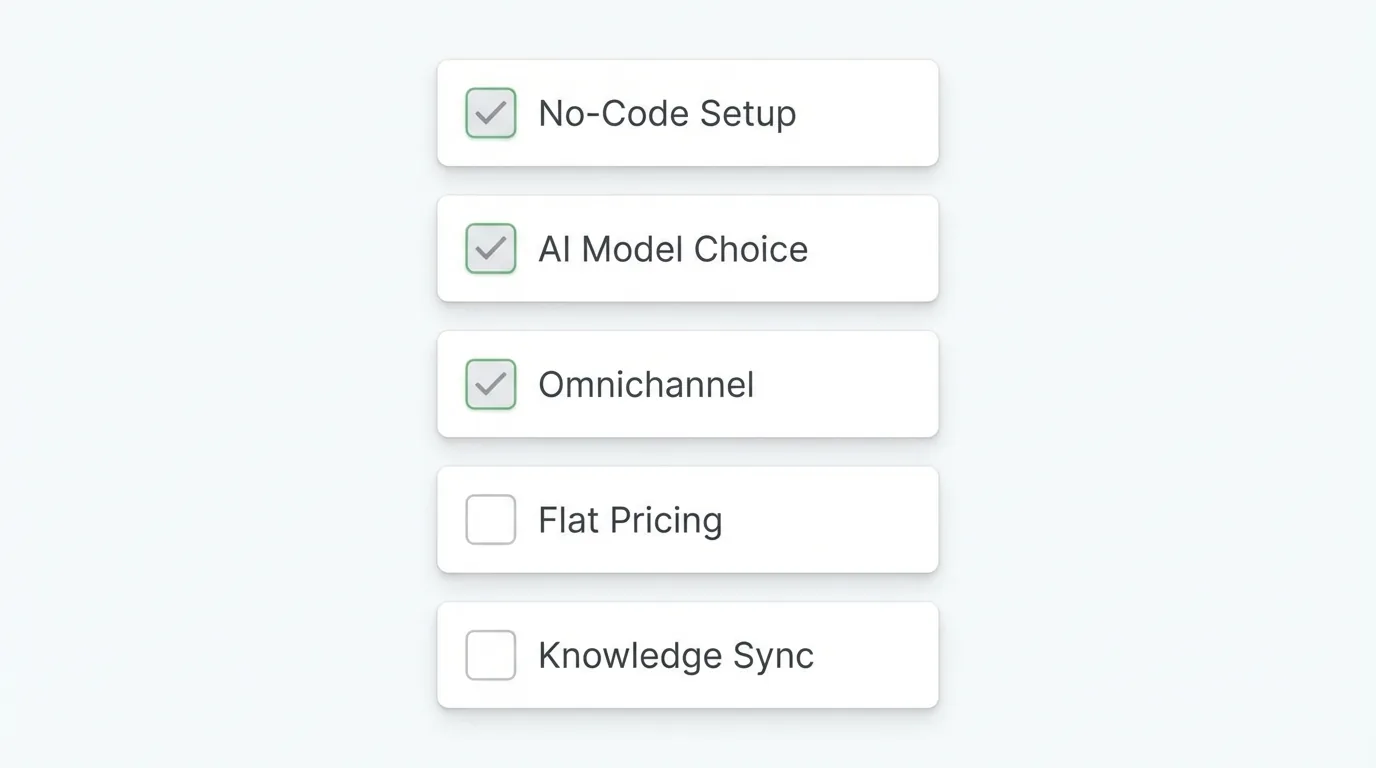
Most plugins check one or two of these boxes. The right one checks all five.
No-code setup under 5 minutes. If the plugin requires theme file edits, custom code, or a developer, it is solving the wrong problem.
AI model quality. Some plugins use keyword matching labeled as “AI.” Others lock you into one model. Look for a choice between OpenAI, Claude, or Gemini so you can pick what performs best for your use case.
Omnichannel support. A chatbot that only lives on your website is half a solution. The same AI should extend to WhatsApp, Instagram, Facebook Messenger, and Telegram with unified conversation history.
Flat-rate pricing. Per-seat and per-conversation pricing punishes growth. When your chatbot handles more volume – which is the entire point – your costs should stay the same.
Knowledge base sync. The chatbot should learn from your existing content automatically, not require you to manually build every response.
How to Add ChatMaxima AI Chatbot to WordPress – The 5-Minute Setup
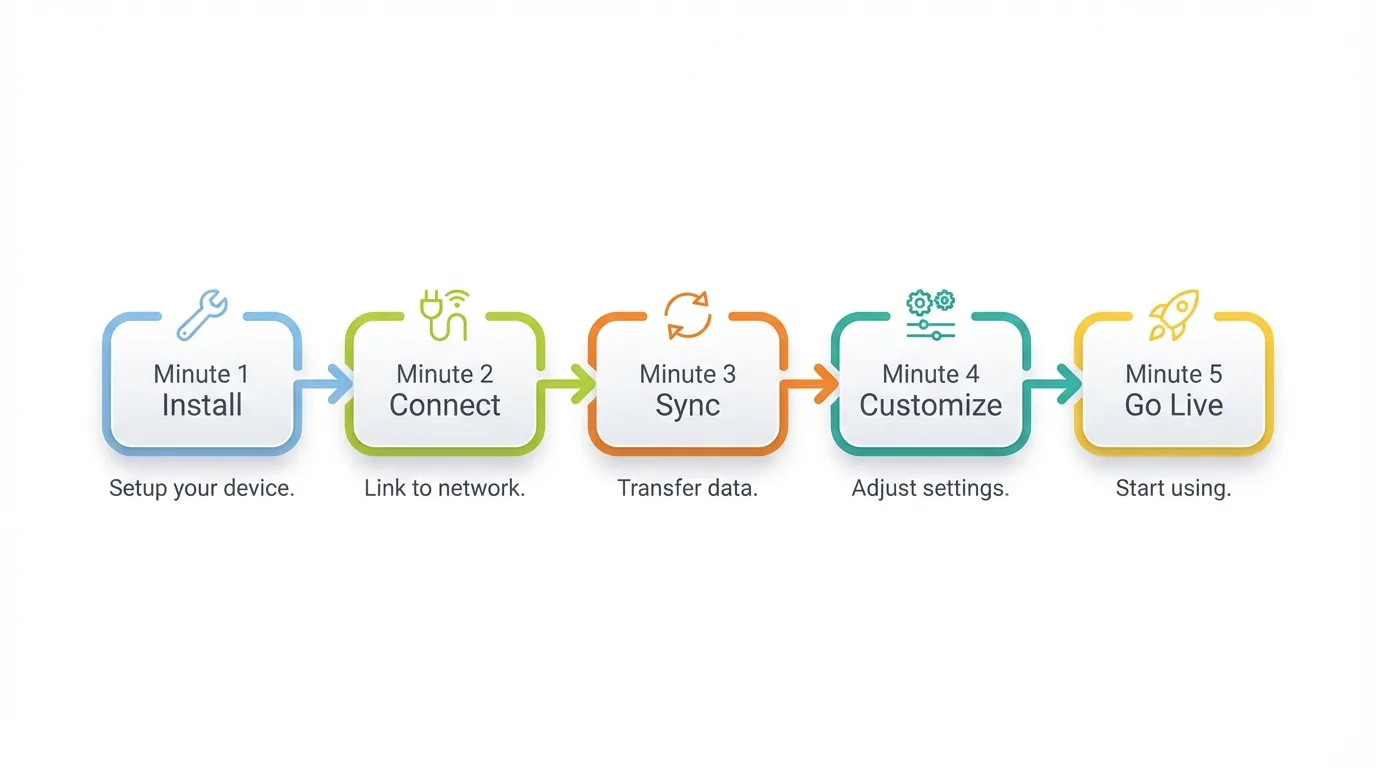
No hidden steps. No “and then spend 3 hours configuring.” Here is the actual minute-by-minute walkthrough.
Minute 1 – Install the Plugin
-
- Download the latest release zip from the GitHub repository
- In your WordPress admin, go to Plugins > Add New > Upload Plugin
- Select the zip file and click Install Now
- Click Activate
Alternative method: extract the plugin files and upload the chatmaxima-ai-chatbot folder to /wp-content/plugins/ via FTP. The plugin requires WordPress 5.0+ and PHP 7.4+.
Minute 2 – Connect Your ChatMaxima Account
Navigate to Settings > ChatMaxima Chatbot in your WordPress admin. Enter your ChatMaxima email and password, then click Connect. The plugin authenticates via API v2 using JWT tokens and handles token refresh automatically. No API keys to manage.
No account yet? Create one at chatmaxima.com. The Starter plan is $19/month – flat rate, no per-seat charges, no conversation limits.
Minute 3 – Sync Your WordPress Content to the Knowledge Base
This step separates ChatMaxima from every other WordPress chatbot plugin.
Select an existing knowledge source or create a new one directly from the admin panel. Choose which LLM powers your chatbot – OpenAI, Claude, or Gemini. Pick which content types to sync: Posts, Pages, or custom post types.
Click Sync All Content. A progress tracker shows exactly where the sync stands. Your blog posts, product pages, pricing details, and documentation become the chatbot’s knowledge base – not through keyword matching, but genuine comprehension of your content.
Enable Auto Sync and every new post you publish gets added automatically. Update your pricing page? The chatbot reflects the change without manual work.
Minute 4 – Customize the Widget
Enter your ChatMaxima Token ID to activate the widget. Pick a theme color matching your brand. Add social media handles – Facebook, Instagram, WhatsApp, Telegram – so visitors can connect on their preferred channel directly from the chat interface.
The widget is fully responsive across desktop and mobile without separate configuration.
Minute 5 – Go Live and Test
Click Save Settings. The chatbot widget appears on your site immediately. Open your homepage in a new tab and ask the chatbot a question about your product. Watch it pull the answer from your actual website content.
Five minutes. No code. A fully functional AI chatbot trained on your own content.
Skip the Setup: Use the Chatbot Marketplace
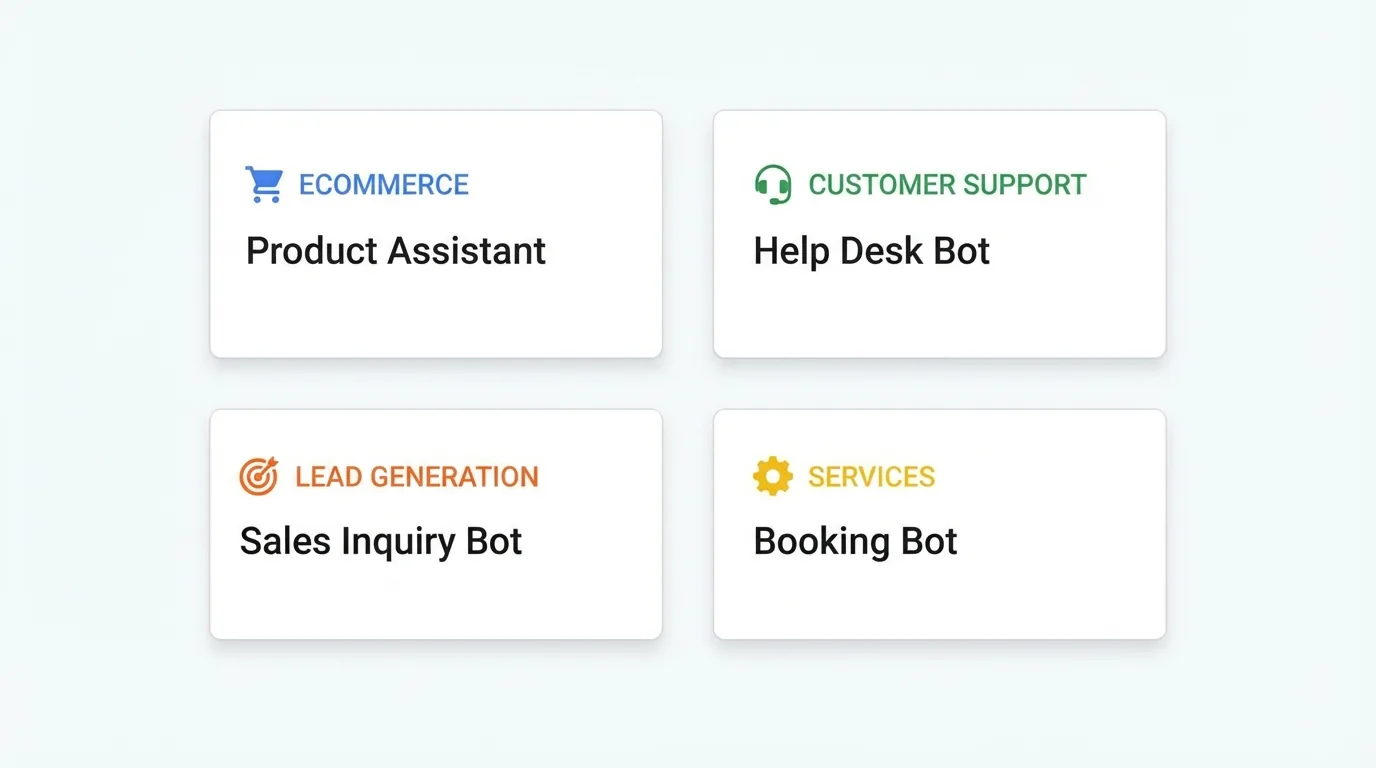
Want to go even faster? The ChatMaxima Chatbot Marketplace has pre-built templates you can deploy in seconds instead of building from scratch.
E-commerce and WooCommerce – Product recommendations, order tracking, return handling flows ready to go.
Service businesses – Appointment booking, pricing inquiries, service description bots pre-configured.
Lead generation – Qualification flows, email capture, and meeting scheduling templates tested and optimized.
Customer support – FAQ handling, ticket deflection, and escalation routing built in.
Each template includes pre-configured conversation flows, suggested knowledge base structures, and tested prompts. Customize everything after deployment – the template gives you a running start.
No other WordPress chatbot plugin offers a template marketplace. Competitors expect you to build every flow from zero.
Connect WhatsApp, Instagram, and More – Beyond Your Website
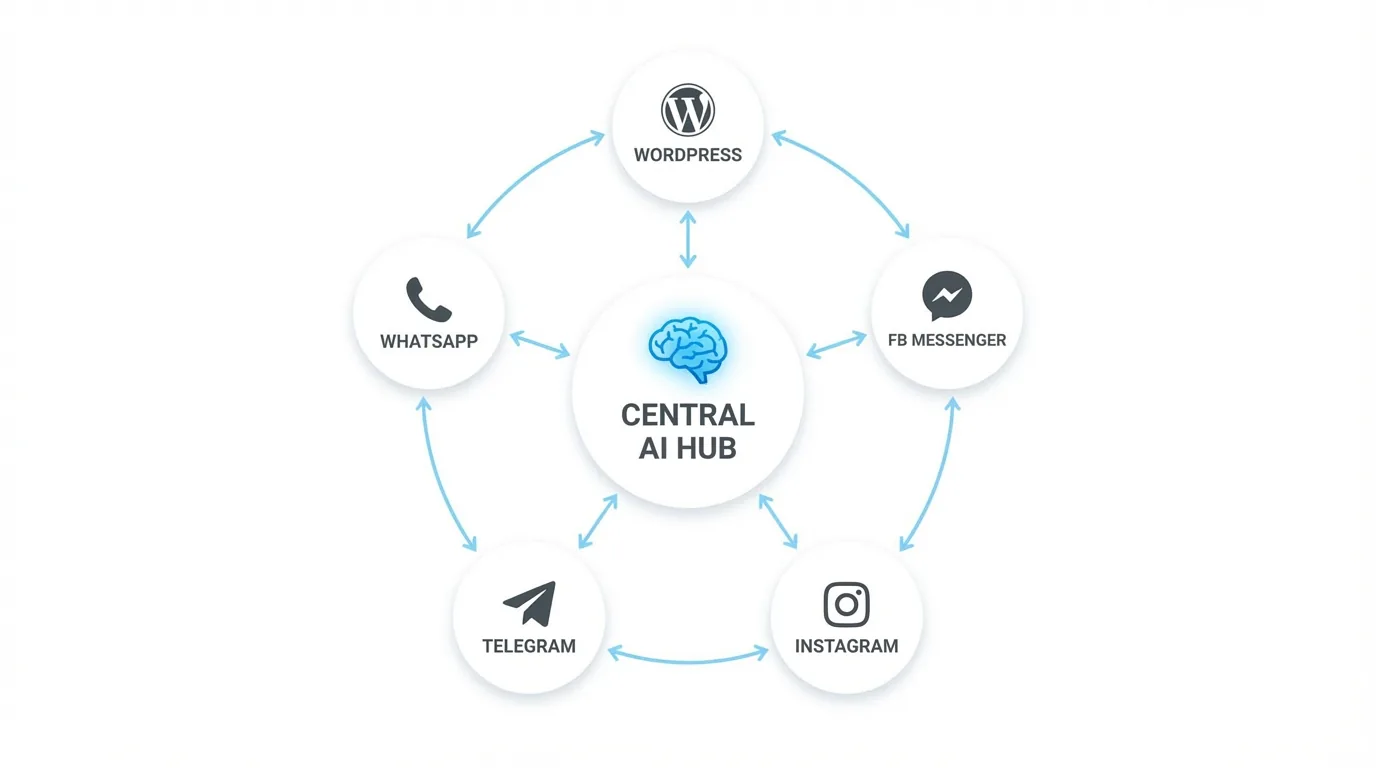
Most WordPress chatbot guides stop at the website widget. Your customers do not stop there.
Why Omnichannel Matters
A potential customer visits your WordPress site, asks your chatbot about pricing, but does not buy yet. Two days later, they message your business on WhatsApp with a follow-up question.
With a website-only chatbot, that WhatsApp message goes to a completely separate system – or gets ignored entirely. With ChatMaxima, the AI recognizes the customer, recalls the pricing conversation from your website, and continues the thread on WhatsApp. No context lost. No repetition.
One Setup, Every Channel
The same ChatMaxima account powering your WordPress chatbot also handles:
-
- WhatsApp Business – The most-used messaging platform globally
- Facebook Messenger – Direct integration with your business page
- Instagram DMs – Automated responses to product inquiries
- Telegram – For tech-savvy audiences and communities
All conversations from every channel appear in a single inbox. Your AI uses the same knowledge base across all of them. See the complete channel list on the integrations page.
ChatMaxima vs. Other WordPress Chatbot Plugins
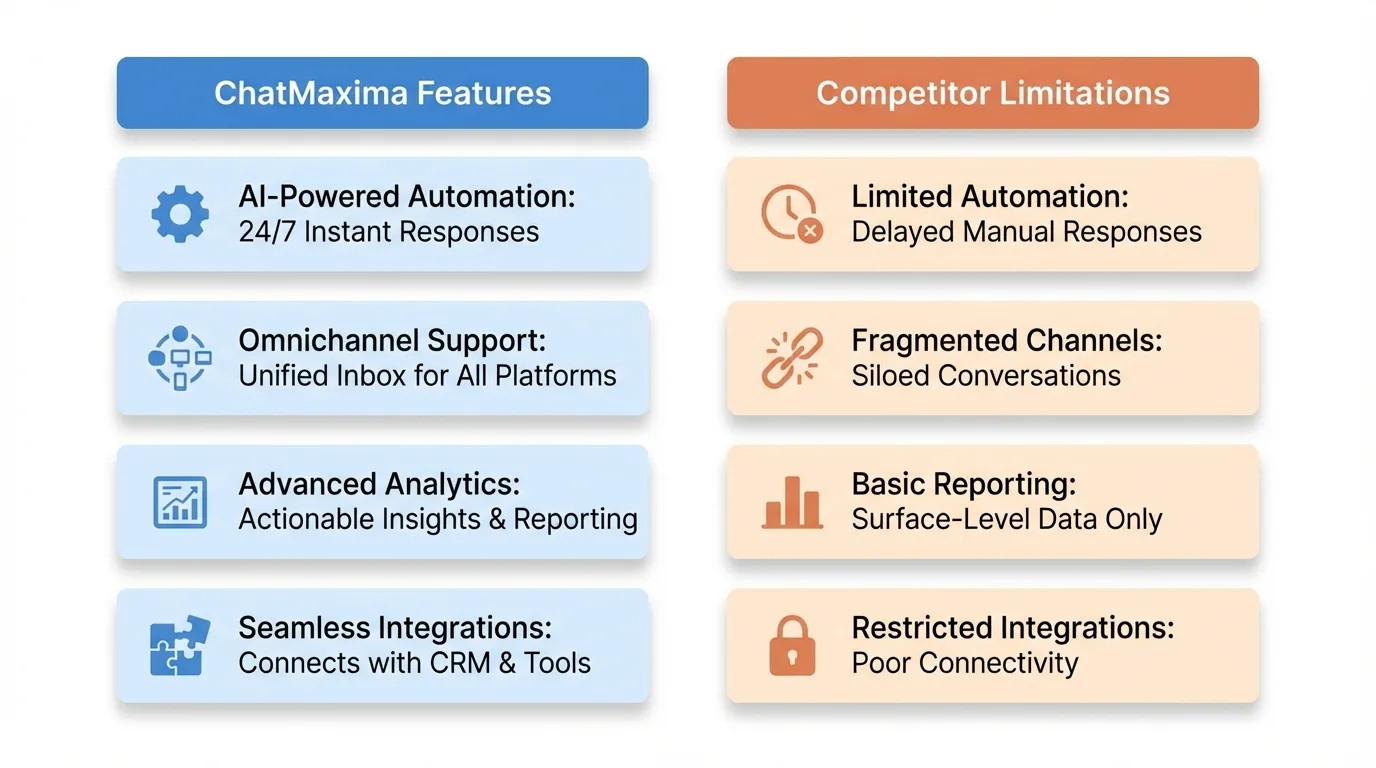
Dozens of chatbot plugins exist in the WordPress directory. Here is how they compare on the features that matter.
ChatMaxima vs. Tidio
Tidio is popular for e-commerce. But its AI (Lyro) is locked to a single model, there is no automatic content sync from WordPress, and pricing scales per feature tier – $29/month quickly becomes $79 or $159 as you need more. No omnichannel unified inbox. Full breakdown: ChatMaxima vs Tidio.
ChatMaxima vs. Intercom
Intercom is not a WordPress plugin – it is a JavaScript snippet you embed manually. AI features sit behind premium tiers starting at hundreds per month. Per-seat pricing means costs grow with your team size. For small WordPress sites, Intercom runs 5-10x more expensive than ChatMaxima for comparable capabilities. Details: ChatMaxima vs Intercom.
ChatMaxima vs. Drift
Drift was built for lead capture and sales conversations, not customer support. Its WordPress integration focuses on booking meetings and qualifying leads. If your primary need is support automation and knowledge-based Q&A, Drift is the wrong fit – and priced for enterprise. Analysis: ChatMaxima vs Drift.
ChatMaxima vs. HubSpot Chatbot
HubSpot offers a free chatbot builder, but it is rule-based – not AI-powered like ChatMaxima. The free version uses decision trees, not language models. Genuine AI requires HubSpot’s Service Hub starting at $90/month per seat. No omnichannel unification, no WordPress content sync.
ChatMaxima vs. WPBot and Botpress
WPBot and Botpress are open-source chatbot frameworks with WordPress plugins. They offer power but require significant technical setup – configuring Dialogflow or Botpress Cloud, managing intents, building training data manually. ChatMaxima handles this through a settings page and automatic content sync. Same control, fraction of the complexity.
What Sets ChatMaxima Apart
-
- Multi-model AI – Choose OpenAI, Claude, or Gemini. Not locked to one provider
- Automatic WordPress content sync – Your chatbot learns from your site without manual training
- True omnichannel – Website, WhatsApp, Instagram, Facebook, Telegram in one inbox
- Flat-rate pricing – $19/month Starter with no per-seat or per-conversation charges
- Chatbot marketplace – Pre-built templates at the marketplace
- Open-source plugin – Full code on GitHub, GPL v2+ licensed
For the complete platform comparison, see the alternatives page.
How to Train Your AI Chatbot on Your WordPress Content
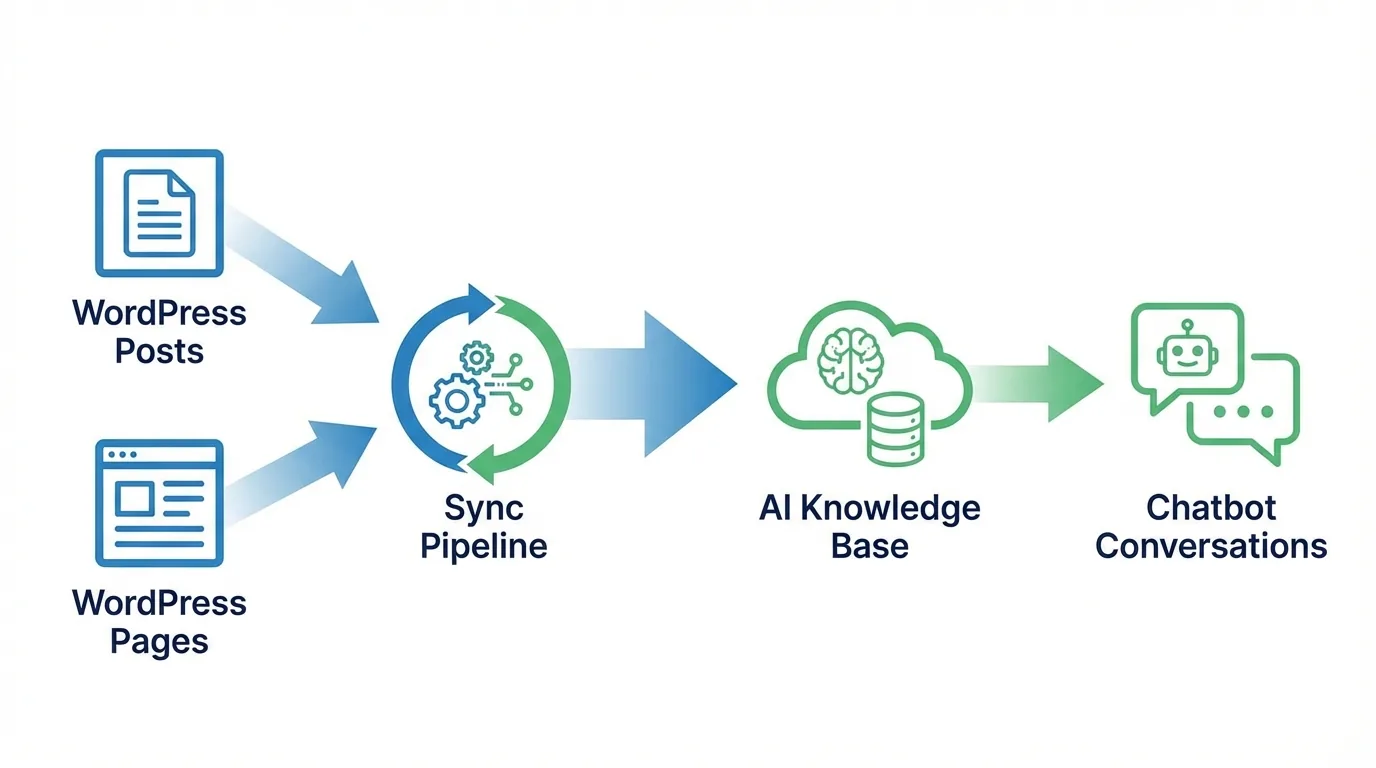
The knowledge sync feature deserves a closer look. It is the reason ChatMaxima’s chatbot actually knows what it is talking about – and it is something no competitor’s WordPress plugin offers.
Training from Your Published Content
When you click Sync All Content, the plugin sends your published post and page URLs to ChatMaxima’s training pipeline. The AI processes each page with genuine comprehension – understanding product features, pricing tiers, technical specs, and policies.
The result: a chatbot that answers “What integrations do you support?” by referencing your actual integrations page, or “How much does the Pro plan cost?” by pulling from your real pricing content. Not keyword matching. Real understanding.
Auto Sync Keeps Everything Current
Enable Auto Sync and the plugin hooks into WordPress publish events. Every new post or page update propagates to the knowledge base automatically. Change your pricing? The chatbot reflects it within minutes. Publish a feature announcement? The AI knows about it without any manual work.
Granular Control Over What Gets Synced
Not every page belongs in your chatbot’s knowledge base. A meta box on the post editor lets you exclude specific posts. Bulk actions in the Posts and Pages list let you sync or exclude multiple items at once.
Training Time
Most WordPress sites with under 200 pages complete initial training within minutes. The AI refines understanding in the background while the chatbot operates immediately.
Beyond Website Content
ChatMaxima’s knowledge base is not limited to your WordPress content. Upload PDFs, add custom FAQ entries, connect WooCommerce product catalogs, and feed documentation from other sources. The WordPress sync is the starting point – not the ceiling.
The ROI Case for Small WordPress Site Owners
This section is for bloggers, freelancers, consultants, and small service businesses who wonder whether a chatbot is worth it at their scale.
Manual support cost: $22 per interaction (Forrester Research average). Even handling 20 questions per month manually costs $440.
ChatMaxima cost: $19/month flat rate on the Starter plan. That covers your website chatbot, knowledge base, and omnichannel messaging.
Break-even: One deflected support interaction per month. Everything beyond that is margin recovery.
Lead capture impact: If your chatbot converts even 2% more visitors into leads than a contact form, and your average customer value is $100+, the plugin pays for itself with a single extra conversion per month.
The chatbot handles the repetitive questions – pricing, hours, how-to, feature comparisons – so you spend time on the conversations that actually need a human. At $19/month with no scaling costs, there is no business size too small to benefit.
Common Setup Issues and Quick Fixes
Widget not showing after activation: Verify your ChatMaxima Token ID is entered correctly. Clear any WordPress caching plugin (WP Super Cache, W3 Total Cache, WP Rocket) after activating ChatMaxima. The widget script needs to load fresh, not from cache.
Plugin conflicts with optimization plugins: Some aggressive JS optimization plugins defer or combine scripts in ways that break chat widgets. Temporarily disable JS minification to isolate the issue. ChatMaxima’s widget is lightweight and compatible with standard WordPress themes.
Slow widget loading: The chat widget loads asynchronously and does not affect your page speed score. If you see a delay, confirm your host is not blocking external JavaScript. The widget loads from ChatMaxima’s CDN over HTTPS.
Start in 5 Minutes
You have everything you need to add an AI chatbot to WordPress – one that knows your product, works across every messaging channel, and costs the same whether you grow from 10 conversations to 10,000.
-
- Install the ChatMaxima WordPress plugin
- Connect your account
- Sync your content
- Customize the widget
- Go live
Or skip the build entirely with a pre-built template from the chatbot marketplace.
The plugin is free and open-source. The platform starts at $19/month with flat-rate pricing – same cost with 2 team members or 20, same cost with 100 conversations or 10,000. Full plan details on the pricing page.
Five minutes from now, your WordPress site could be answering customer questions, capturing leads, and handling support – automatically, on every channel, around the clock. The only question is why you have not started yet.