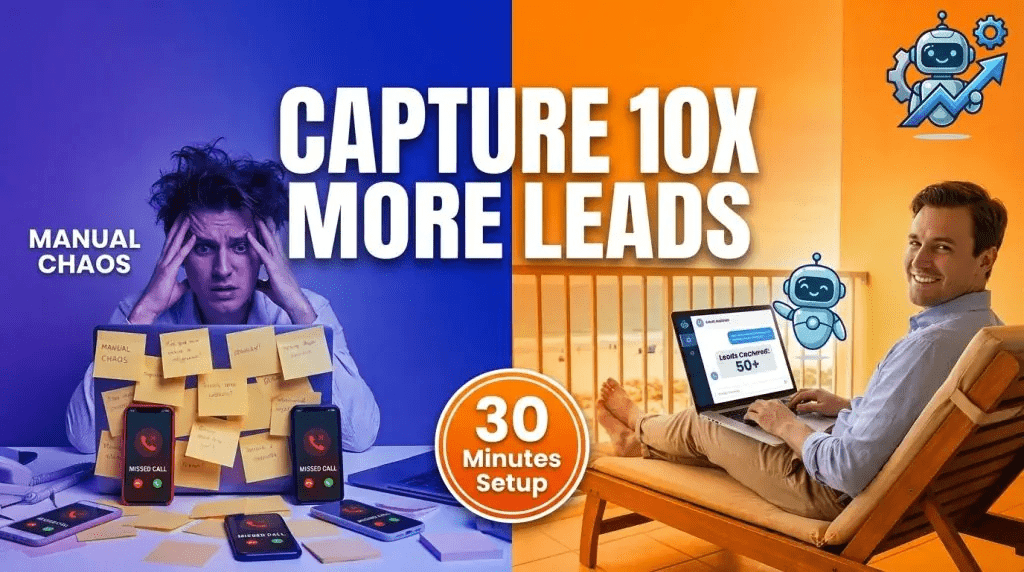
Your best leads come at 2 AM.
They’re browsing your website while you sleep. They have questions. They’re ready to buy. And by morning? They’ve moved on to your competitor who answered them first.
This is the brutal reality: 78% of customers buy from the company that responds first. Not the best. Not the cheapest. The first.
Here’s what most businesses do wrong: they put a “Contact Us” form on their website and hope for the best. But forms don’t engage. Forms don’t qualify. Forms don’t convert curious browsers into qualified leads.
A lead generation chatbot does all three—automatically, 24/7, while you focus on closing deals instead of chasing cold inquiries.
In this guide, I’ll show you exactly how to set up a high-converting lead chatbot in 30 minutes or less. No coding. No developers. Just results.
Why Lead Generation Chatbots Convert 3x Better Than Forms
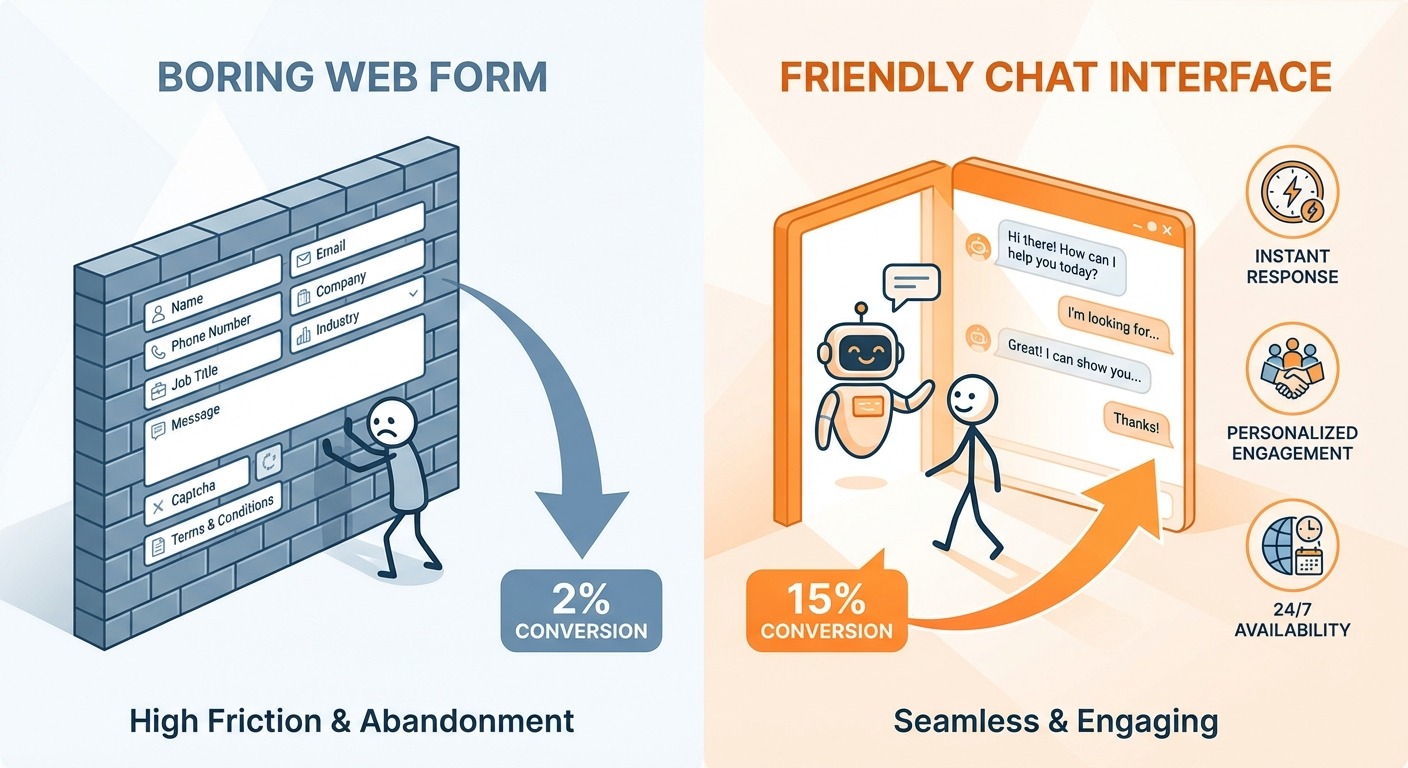
Before we dive into the setup, let’s understand why chatbots dominate traditional lead capture:
The Psychology of Conversation
Forms feel like homework. “Fill this out and maybe we’ll get back to you… eventually.”
Chatbots feel like help. “Hey! What are you looking for today?”
That psychological shift matters. When visitors engage in conversation, they invest emotionally. They share more. They qualify themselves. And they convert at dramatically higher rates.
The Numbers Don’t Lie
-
- Chatbots increase qualified leads by 67% on average
- Conversational lead capture has a 45% engagement rate vs 2-5% for forms
- Businesses using chatbots see 10-15% higher conversion rates
- Response time drops from hours to seconds
The Compound Effect
Every lead your chatbot captures at 2 AM is a lead your competitor missed. Every question answered instantly is a doubt removed. Every qualification question asked is time saved for your sales team.
Over months, this compounds into a significant competitive advantage.
What You’ll Need Before Starting
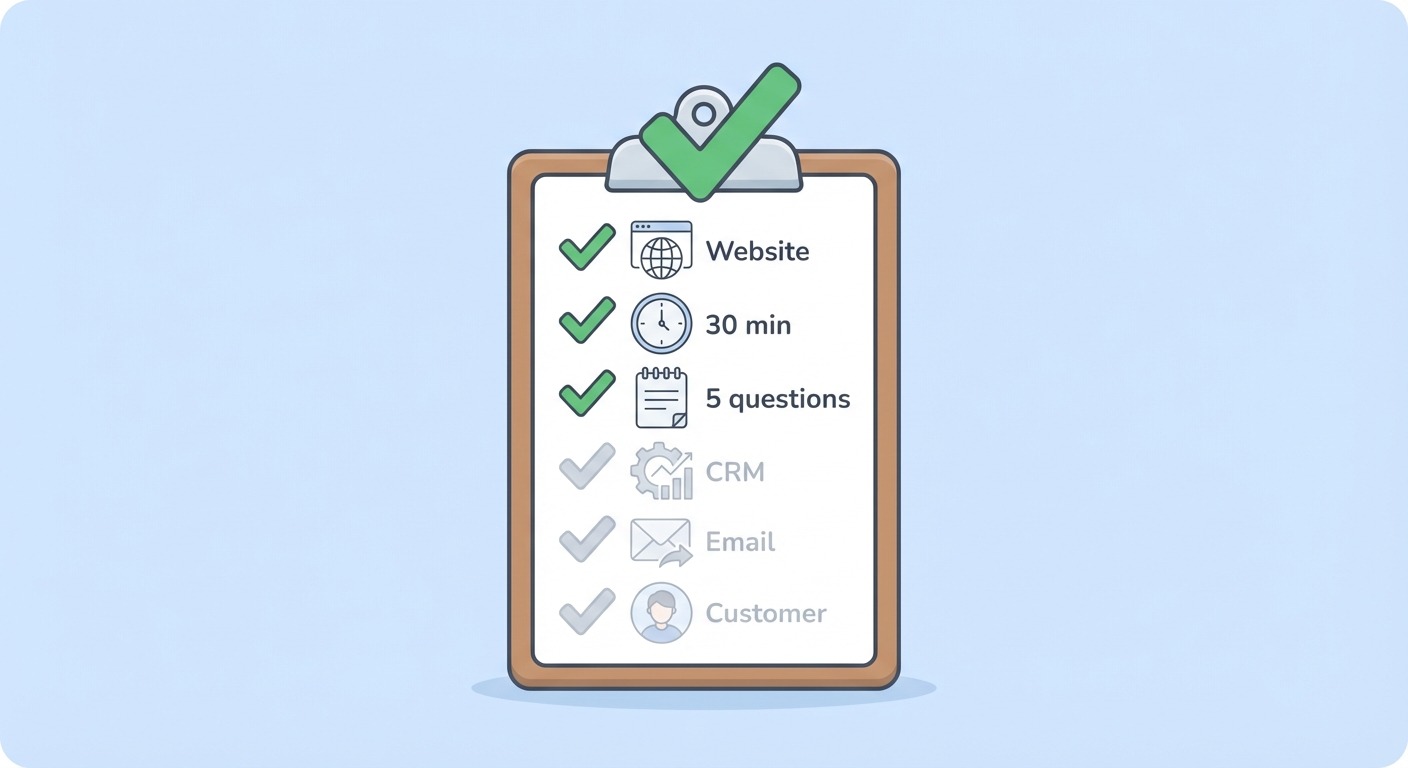
Let’s get practical. Here’s your checklist:
Required:
-
- A website where you want to capture leads
- 30 minutes of focused time
- A list of 3-5 qualifying questions for your ideal customer
Helpful but not required:
-
- Your CRM login (for integration)
- Email notification preferences
- A clear picture of your ideal customer profile
The Platform We’ll Use
For this tutorial, I’m using ChatMaxima because it offers:
-
- No-code visual builder (drag-and-drop)
- Unlimited AI-powered conversations at $19/month
- Built-in lead qualification flows
- Integration with 40+ CRMs and tools
- 5-minute setup for basic bots
You can follow along with any chatbot platform, but the steps will be most relevant for visual, no-code builders.
Step 1: Define Your Lead Qualification Questions (5 minutes)
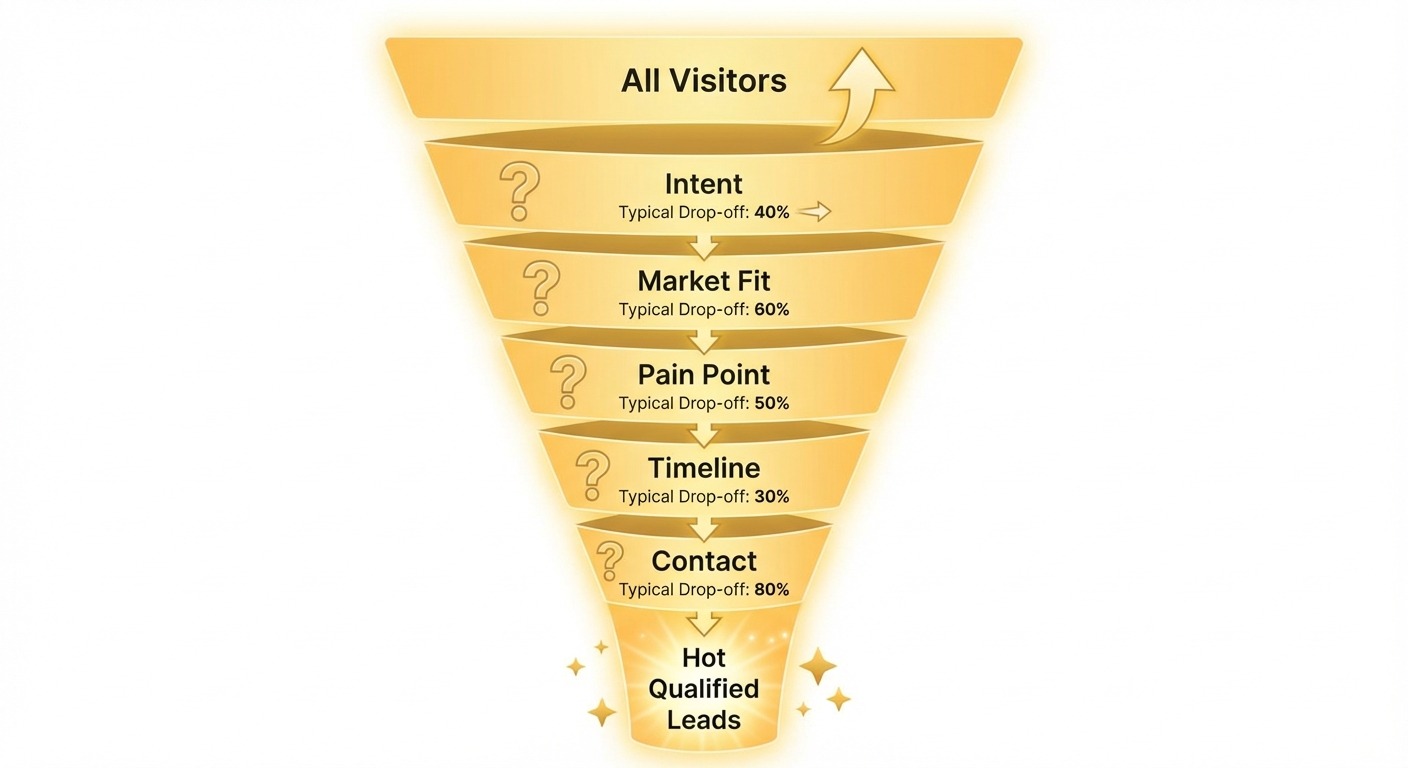
The biggest mistake people make? Building a chatbot without knowing what makes a lead qualified.
Before touching any software, answer these questions:
What separates a hot lead from a tire kicker?
For a B2B software company, it might be:
-
- Company size (employees or revenue)
- Current solution they’re using
- Timeline for making a decision
- Budget range
- Decision-making authority
For a local service business:
-
- Location/service area
- Type of service needed
- Urgency/timeline
- Budget expectations
Write down your top 5 qualifying questions in order of importance.
Here’s the formula that works:
-
- Opener: “What brought you here today?” (intent)
- Qualifier 1: The dealbreaker question (are they even in your market?)
- Qualifier 2: The pain point (what problem are they solving?)
- Qualifier 3: The timeline (how urgent is this?)
- Close: Contact capture (email, phone, or meeting booking)
Pro tip: Your chatbot should disqualify as often as it qualifies. A bot that sends you 100 unqualified leads wastes everyone’s time. Aim for 20 highly qualified ones instead.
Step 2: Create Your Chatbot Flow (10 minutes)
Now let’s build. Log into your chatbot platform and create a new bot.
The Welcome Message
This is your first impression. Skip the corporate speak.
❌ Wrong: “Welcome to ABC Company. How may I assist you today?”
✅ Right: “Hey! 👋 Looking for [specific outcome]? I can help you figure out if we’re a good fit in about 2 minutes.”
Notice the difference? The second version:
-
- Feels human
- States a clear benefit
- Sets expectations (2 minutes)
- Implies qualification (good fit)
The Conversation Flow
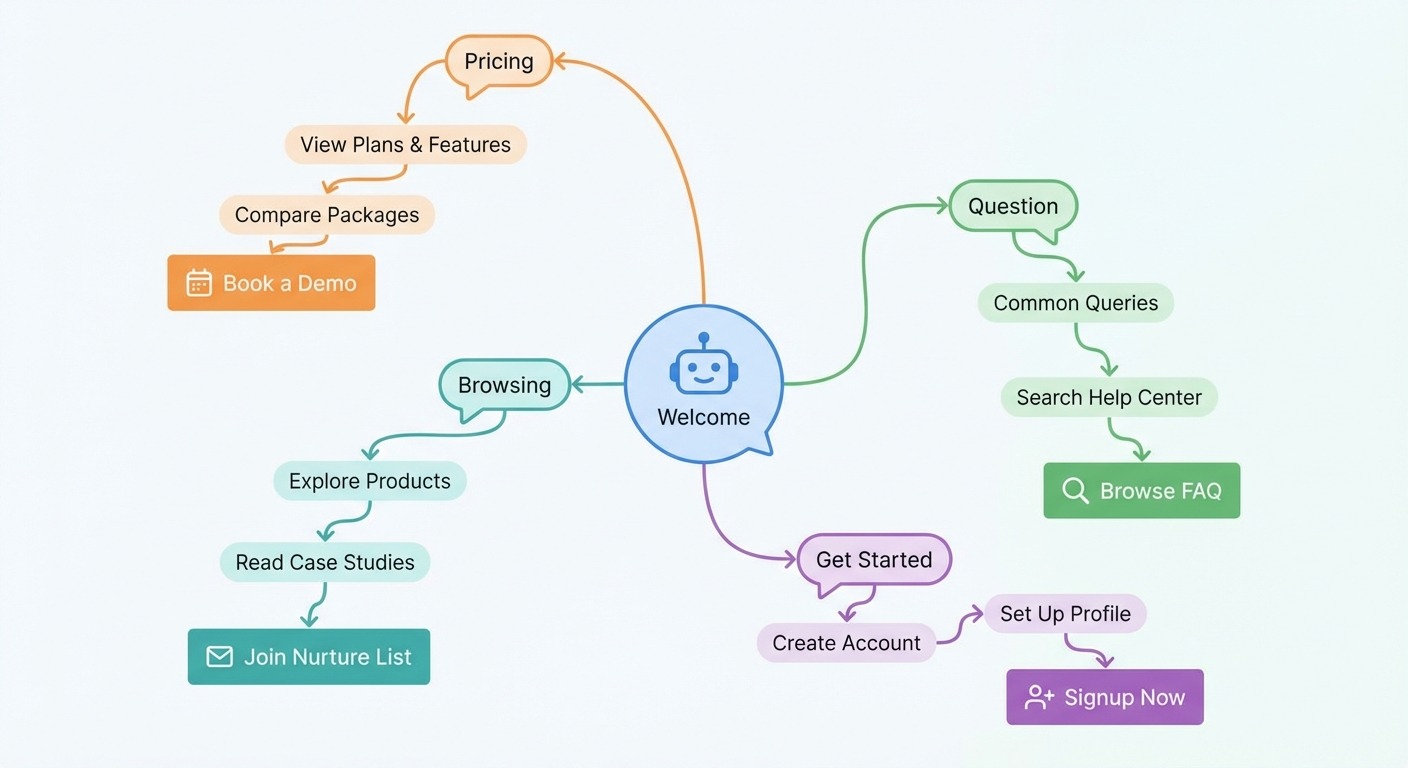
Build a branching conversation that adapts to responses:
Welcome Message↓
“What brings you here today?”
↓ [Multiple choice buttons]
├── “Looking for pricing” → Lead to pricing path
├── “Have a question” → Lead to FAQ path
├── “Ready to get started” → Fast-track to demo
└── “Just browsing” → Soft nurture path
Each path should:
-
- Acknowledge their choice
- Ask 2-3 qualifying questions
- Offer appropriate next step
Building the Pricing Path (Most Common)
When someone clicks “Looking for pricing,” don’t just dump a price list. Qualify first:
Bot: "Great! To give you accurate pricing, quick question—how many team members would be using this?"[Buttons: 1-5 | 6-20 | 21-50 | 50+]
Bot: “Got it! And what’s your main goal—saving time, increasing sales, or improving customer experience?”
[Buttons with options]
Bot: “Perfect. Based on what you’ve shared, our [specific plan] at $X/month would be ideal. Want me to set up a quick demo so you can see it in action?”
[Buttons: “Yes, book a demo” | “Send me more info first”]
See how this flow qualifies (team size, goals) while naturally leading to a conversion action?
Step 3: Add Your Lead Capture Fields (5 minutes)
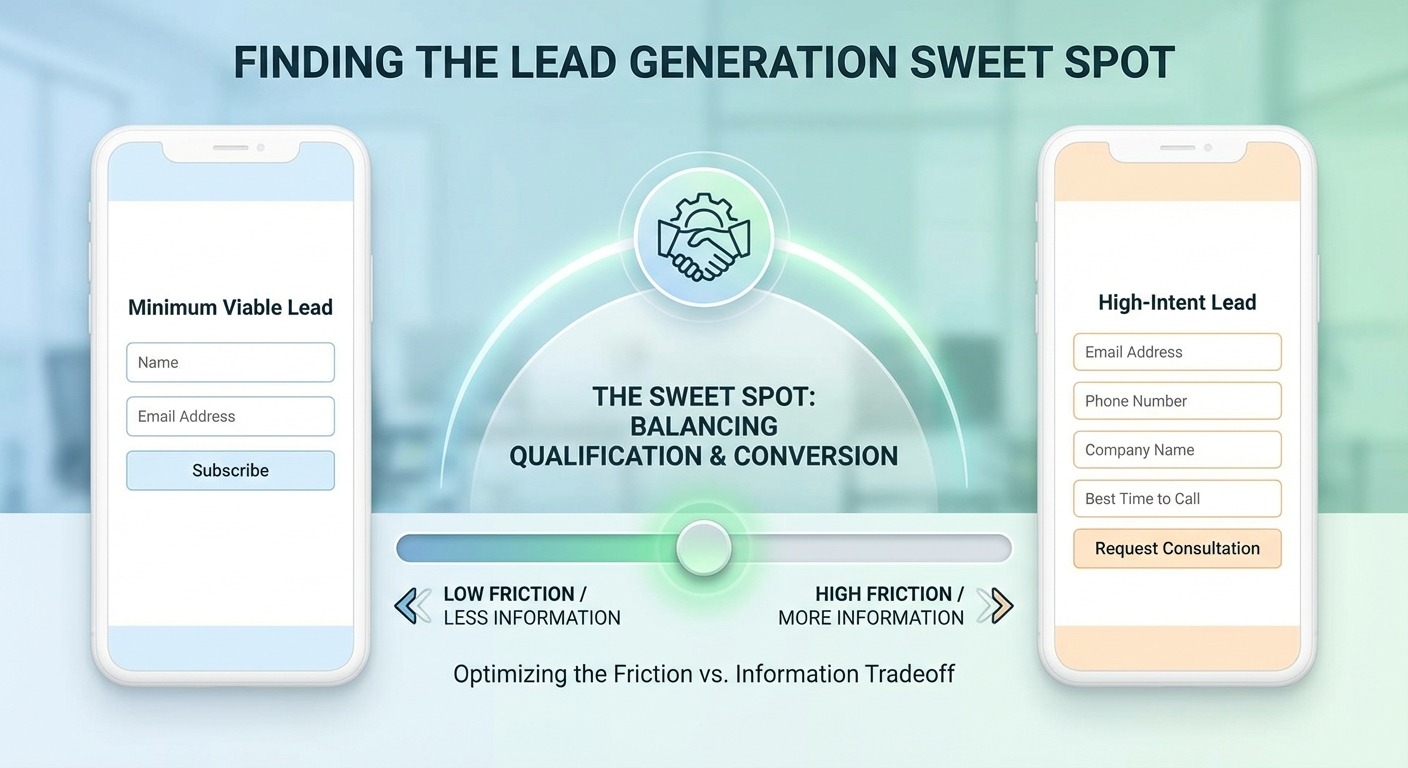
When it’s time to capture contact info, make it frictionless:
The Minimum Viable Lead:
-
- Email address (required)
- First name (required)
That’s it. You can always get more info later.
The High-Intent Lead:
-
- Email address
- Phone number
- Company name
- Best time to call
Reserve this fuller capture for hot leads who’ve shown strong buying signals.
Smart Capture Techniques
- Progressive profiling: Ask for email first, then offer “Want a callback? Drop your number here.”
- Value exchange: “I’ll send you our pricing comparison guide—what email should I use?”
- Booking integration: Connect Calendly or Cal.com for instant meeting scheduling.
The Thank You Message Matters
Don’t just say “Thanks, we’ll be in touch.”
Instead: “Awesome, [Name]! I’ve sent your info to [specific person/team]. You’ll hear from them within [timeframe]. In the meantime, here’s [valuable resource] that might help.”
This sets clear expectations and provides immediate value.
Step 4: Set Up Notifications and Integrations (5 minutes)
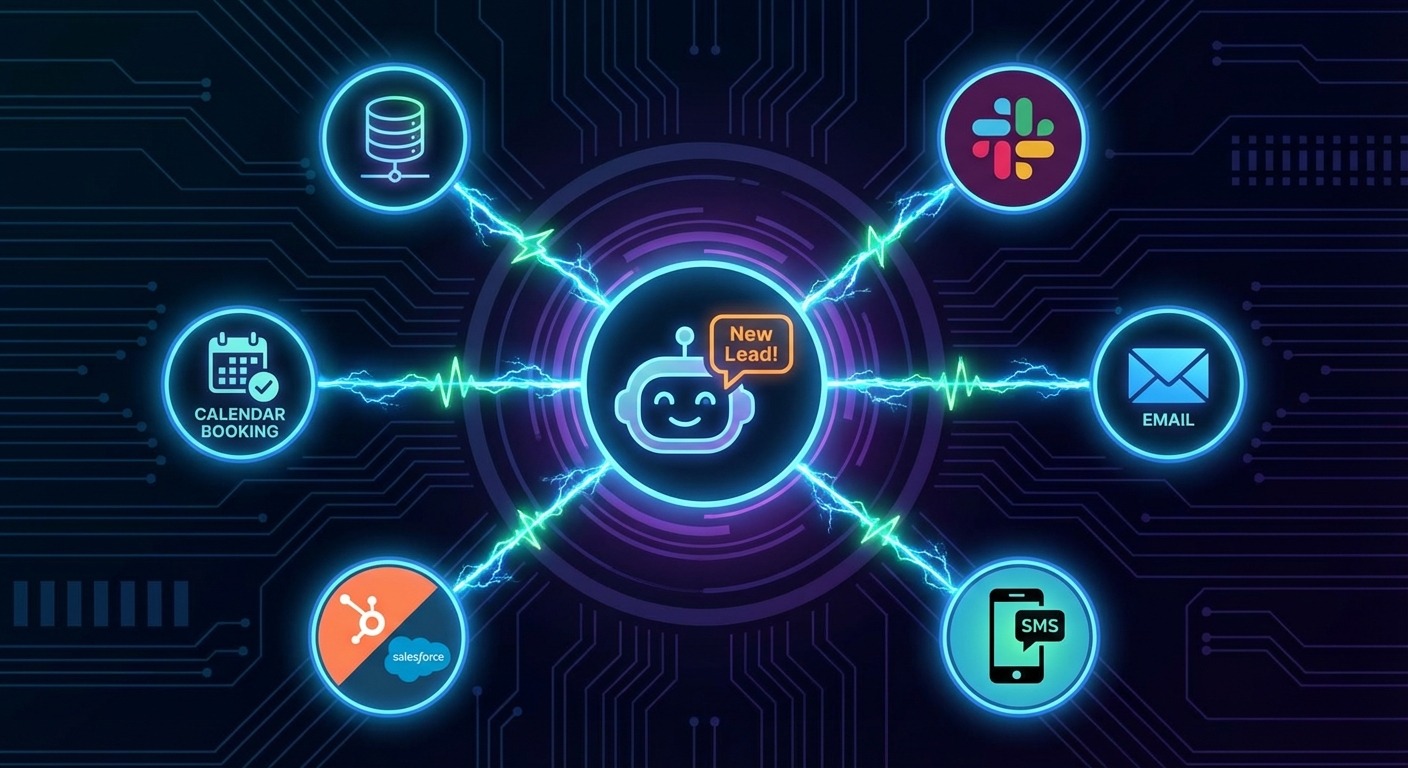
A lead is worthless if it sits in a database while your prospect goes cold.
Instant Notifications
Configure alerts so your team knows immediately when a qualified lead comes through:
-
- Email notification to sales team
- Slack/Teams message to a leads channel
- SMS alert for high-priority leads
- Push notification to mobile app
CRM Integration
Connect your chatbot to your CRM so leads flow automatically:
Popular integrations:
-
- HubSpot (most chatbot platforms support this)
- Salesforce
- Pipedrive
- Zoho CRM
- Airtable (for simpler setups)
In ChatMaxima, you’ll find direct integrations with 40+ tools. No Zapier middleman needed.
Lead Scoring (Optional but Powerful)
If your platform supports it, assign scores based on responses:
-
- Clicked “Ready to get started”: +20 points
- Team size 50+: +15 points
- Timeline “This month”: +15 points
- “Just browsing”: -10 points
Your sales team then prioritizes the highest-scoring leads.
Step 5: Install and Test Your Chatbot (5 minutes)
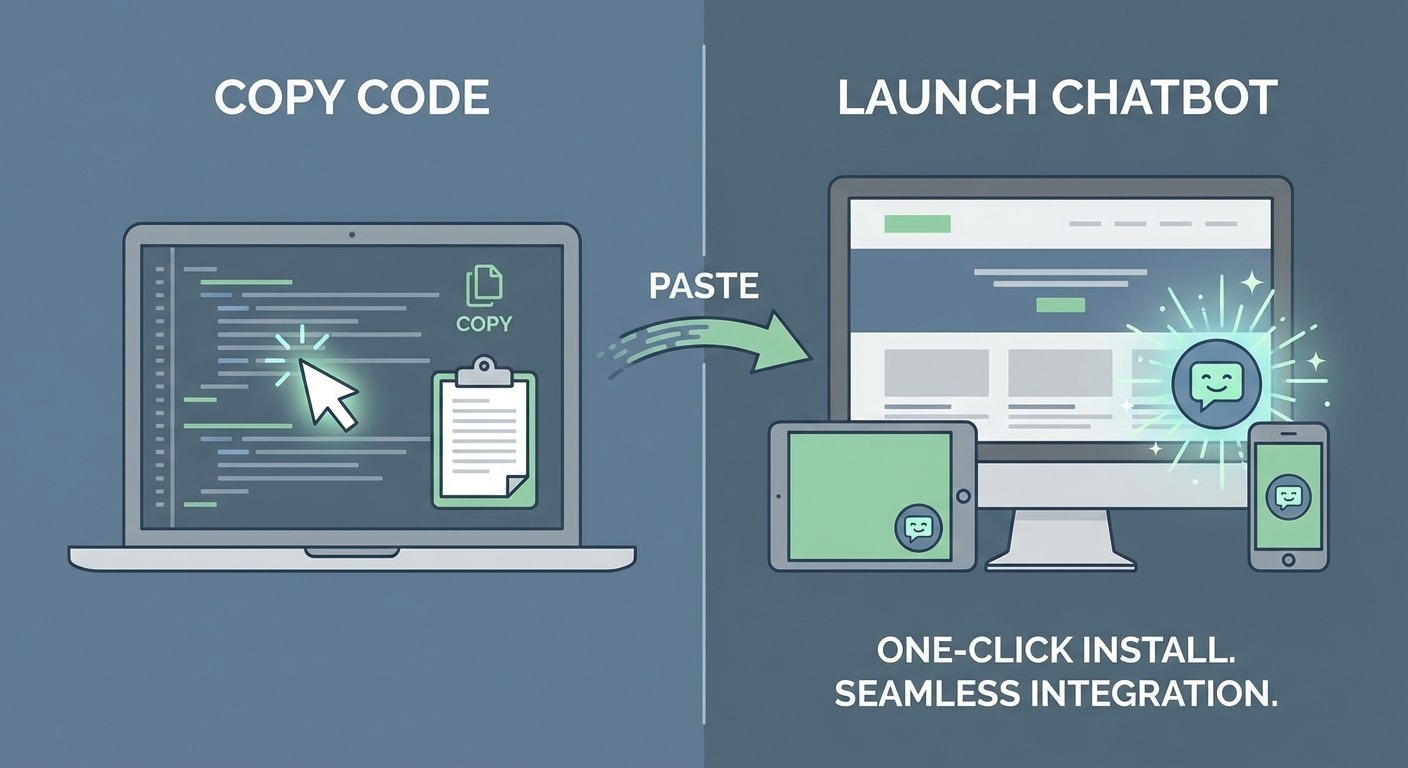
Installation
Most platforms give you a code snippet to paste before your </body> tag:
<script src="https://chatmaxima.com/widget.js" data-id="your-bot-id"></script>If you’re on WordPress, Shopify, or Webflow, there are usually one-click plugins available.
Testing Checklist
Before going live, test every path:
-
- Welcome message displays correctly
- All buttons work and lead to right responses
- Lead capture forms submit properly
- Notifications arrive (check spam folders)
- CRM integration creates records correctly
- Mobile experience is smooth
- Bot handles unexpected inputs gracefully
The “Break It” Test
Try to break your bot:
-
- Type gibberish
- Click back and forth rapidly
- Enter fake emails
- Abandon mid-conversation
Does it recover gracefully? Does it offer a human handoff when confused?
Optimization Tips for Maximum Conversions
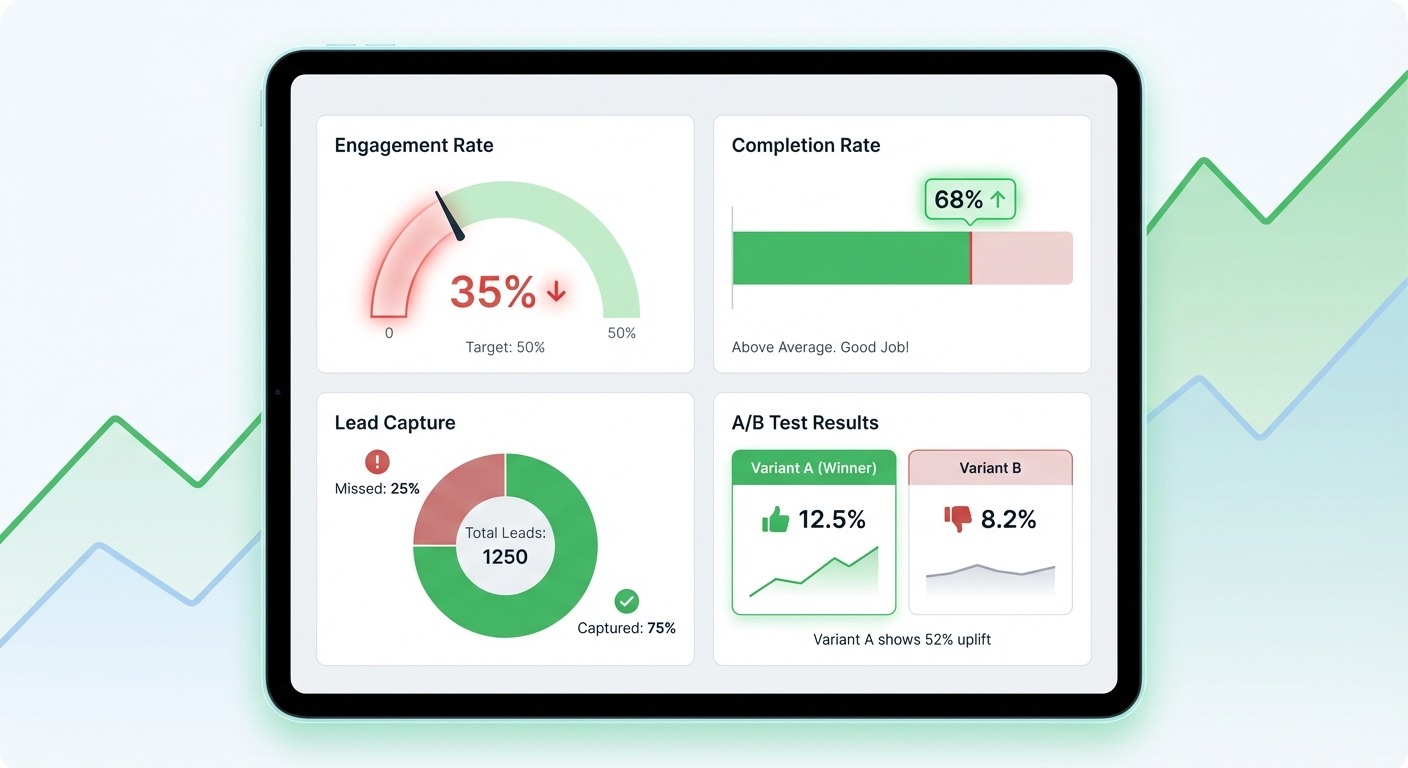
Your chatbot is live. Now let’s make it better.
1. Track Everything
Key metrics to monitor:
-
- Engagement rate: % of visitors who interact
- Completion rate: % who finish the qualification flow
- Lead capture rate: % who provide contact info
- Lead-to-customer rate: % of captured leads who become customers
2. A/B Test Your Welcome Message
The first message has the biggest impact. Test variations:
-
- Question vs. statement opener
- With emoji vs. without
- Short vs. detailed
- Different value propositions
3. Reduce Friction Ruthlessly
Every question is a potential drop-off point. Ask yourself:
-
- Do I really need this information now?
- Can I get this from other sources later?
- Is this causing people to abandon?
4. Add Personality (But Stay Professional)
The best chatbots feel human without being cringe:
✅ “Great question! Here’s the deal…” ✅ “That’s totally normal to wonder about.” ✅ “Quick heads up before we continue…”
❌ “LOL yeah totally! 🤣🤣🤣” ❌ “Heyyyy bestie!!!”
5. Set Up After-Hours Handling
When your team isn’t available, your bot should:
-
- Clearly state response times
- Offer to book a meeting for later
- Provide self-service resources
- Promise a callback (and deliver on it)
Common Mistakes to Avoid
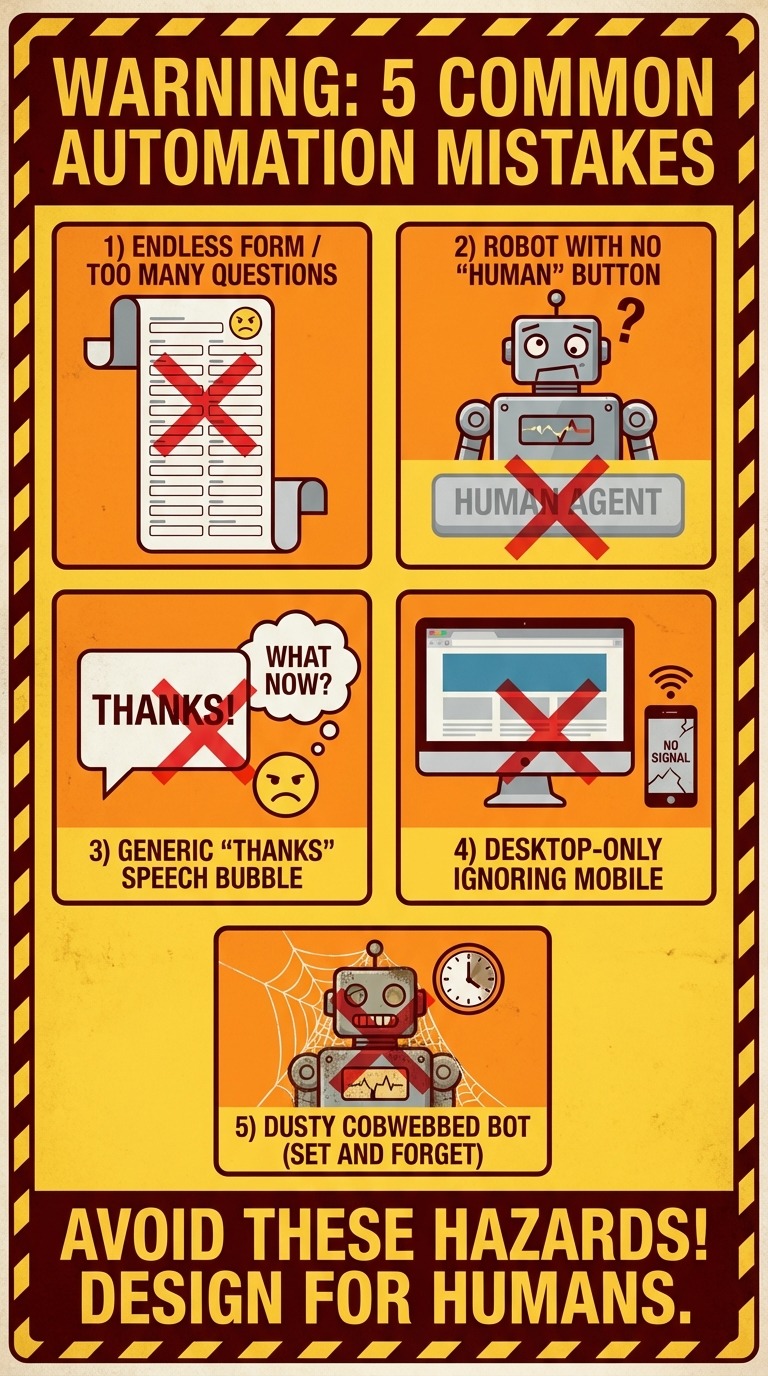
Mistake 1: Too Many Questions
Your bot isn’t a census form. 3-5 questions max before capturing contact info.
Mistake 2: No Escape Hatch
Always offer “Talk to a human” option. Some people hate chatbots. Let them opt out gracefully.
Mistake 3: Generic Responses
“Thanks for your input!” tells the user nothing. Acknowledge what they said specifically.
Mistake 4: Ignoring Mobile
60%+ of your traffic is probably mobile. Test your bot on phones before launching.
Mistake 5: Set and Forget
Chatbots need maintenance. Review conversations weekly. Update based on common questions. Refine flows based on data.
Real Results: What to Expect
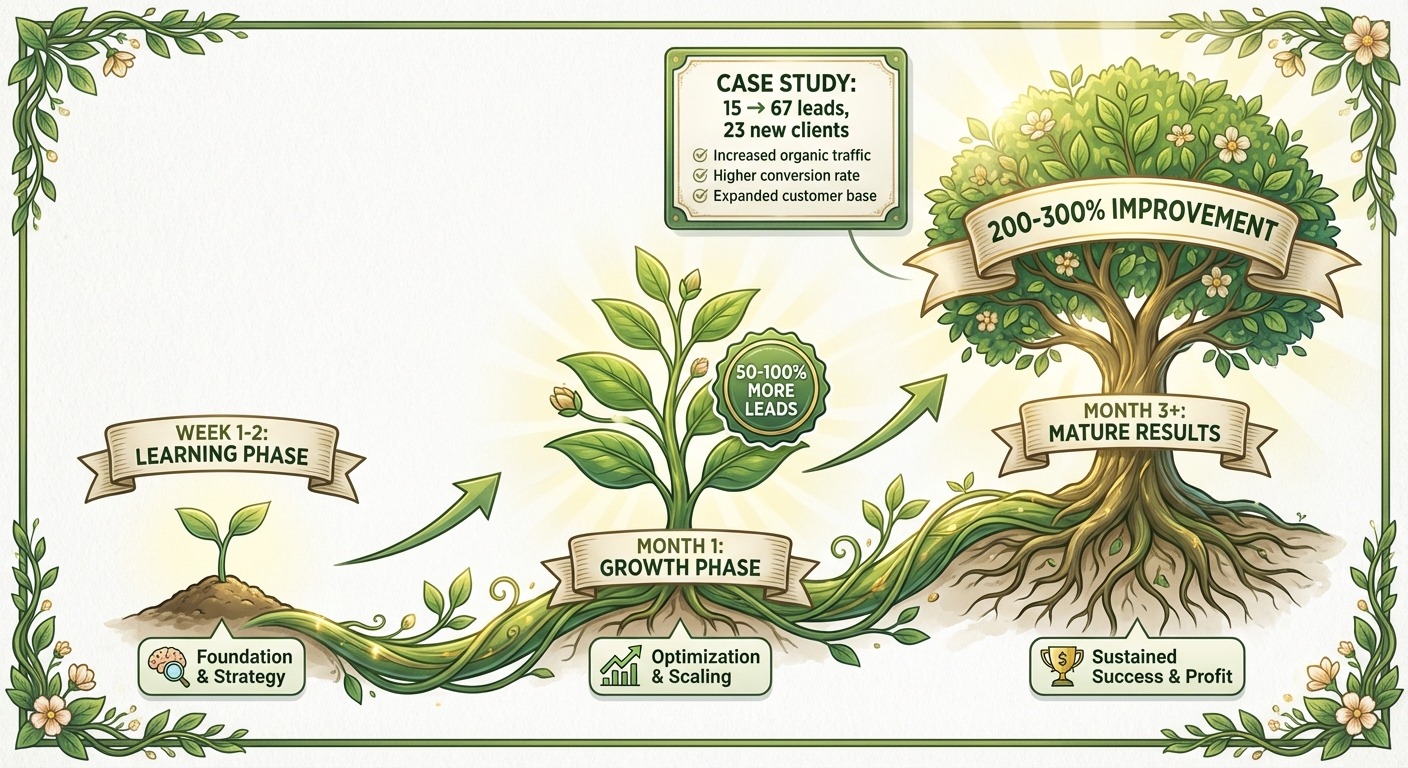
When implemented correctly, lead generation chatbots typically deliver:
Week 1-2:
-
- 20-40% engagement rate on bot
- Learning period—you’ll spot conversation gaps
- Initial lead flow begins
Month 1:
-
- Optimization based on real data
- 50-100% more leads vs. contact form alone
- Sales team feedback integration
Month 3+:
-
- Mature flows with high conversion
- 200-300% improvement in qualified leads
- Clear ROI measurable
One ChatMaxima user, a digital marketing agency, went from 15 form submissions/month to 67 chatbot-qualified leads. Of those, 23 became paying clients. That’s a 5x improvement in conversions from the same traffic.
Your Turn: Build It Today
You now have everything you need to build a lead generation chatbot that works while you sleep.
Here’s your action plan:
-
- Today: Define your 5 qualifying questions
- Next 30 minutes: Build your flow using this guide
- Tomorrow: Review first conversations and adjust
- This week: Connect your CRM and set up notifications
- Ongoing: Optimize based on data
Every day you wait is another night of 2 AM visitors leaving without a trace.
Ready to capture leads around the clock? Start your free trial with ChatMaxima and have your first chatbot live in 30 minutes. No credit card required.
Related Reading: