
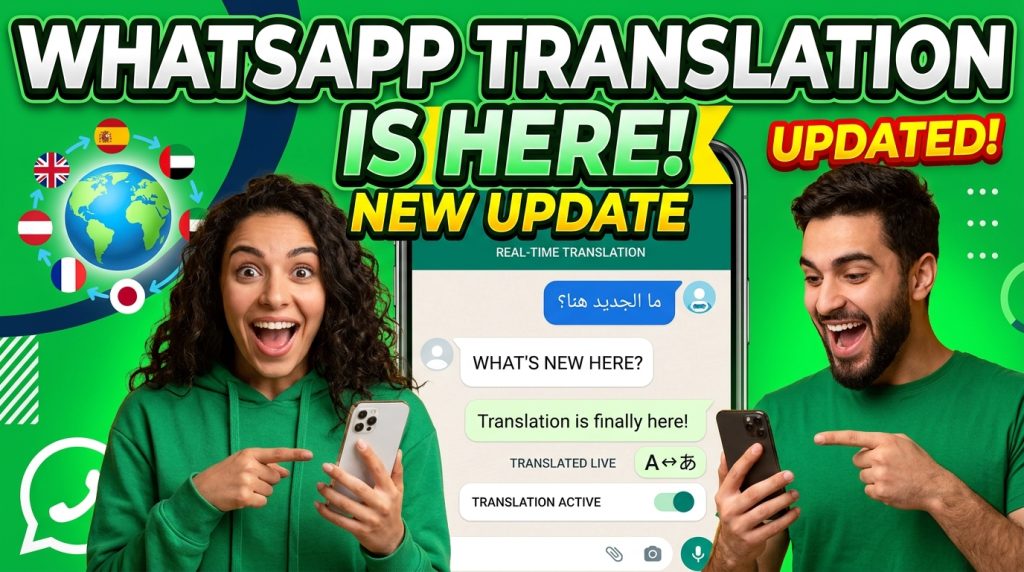
WhatsApp just confirmed what multilingual businesses have been waiting for: automatic message translation is coming to the app. Discovered in the latest iOS beta (version 26.11.10.70), the feature will let users auto-translate incoming messages across 21 languages without manually selecting each one.
It is a significant step for personal messaging. But if you run a business that serves customers across languages, you might be wondering why this took so long. ChatMaxima Inbox has offered real-time message translation for business conversations since day one.
Here is what WhatsApp is building, where it falls short for business use cases, and why companies that need multilingual support today do not have to wait.
What WhatsApp Is Testing
According to WABetaInfo, the feature works by leveraging Apple’s on-device translation API. Messages are processed locally on the iPhone, which means end-to-end encryption stays intact. Users will need to download language packs for each language pair, and translations happen without sending data to any third party.
The key details:
-
- 21 languages supported at launch (dependent on iOS version)
- Works in chats and groups, but group translation only works when all participants send messages in the same language
- No channel support planned initially
- iOS only for now — no word on Android yet
- Still under development — not available even to beta testers yet
Here is how the feature works, step by step, based on screenshots from the latest iOS beta.
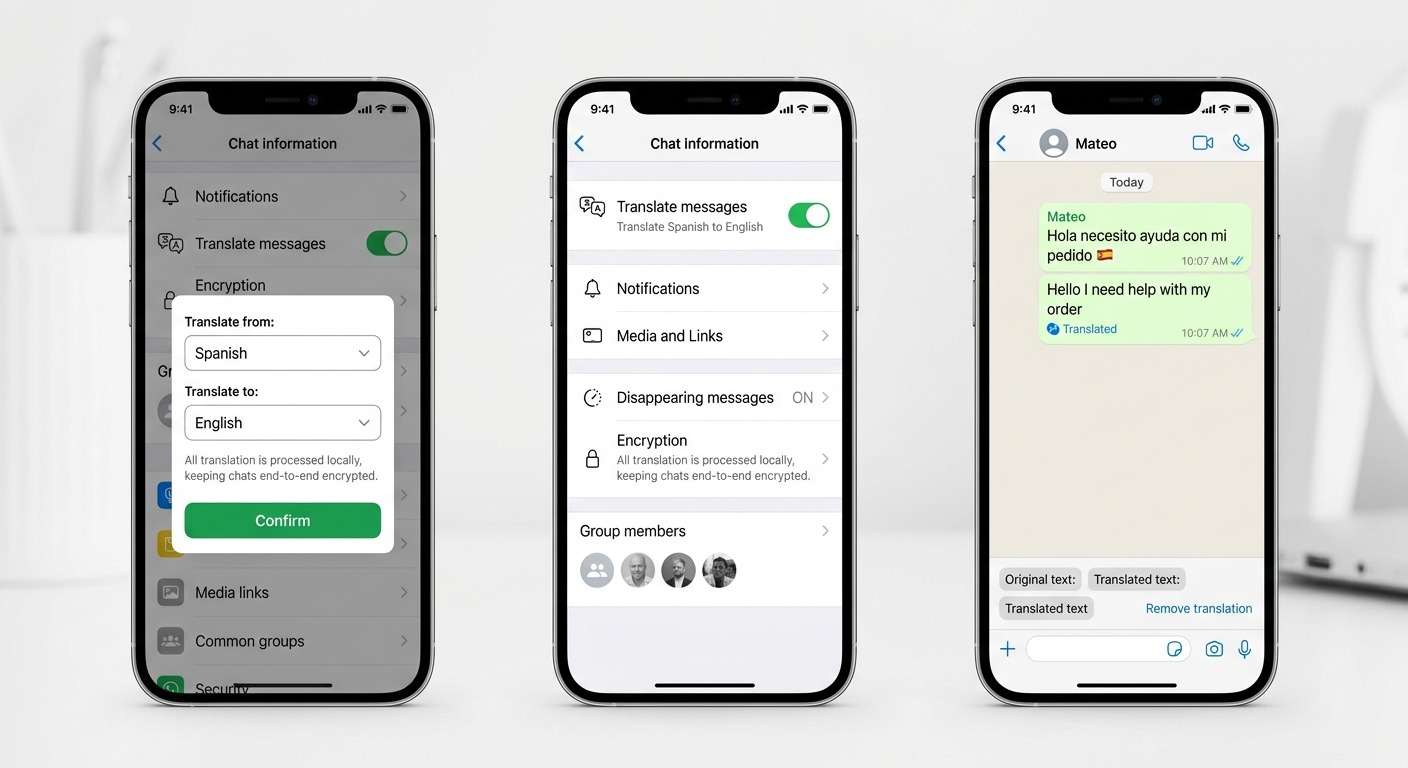
Step 1: Enable Translation in Chat Settings
Open any individual chat, tap the contact name to access the chat info screen, and look for the “Translate messages” toggle. Switch it on, and WhatsApp presents a Translation options popup where you select the source language (“Translate from”) and your preferred language (“Translate to”). A privacy notice confirms that messages remain end-to-end encrypted and that translations are processed locally on your device using Apple’s API. Tap Confirm to activate.
Step 2: Automatic Translation Kicks In
Once configured, the chat info screen shows a subtitle under the toggle: for example, “Translate Spanish to English.” From this point forward, every incoming message in the selected source language is automatically translated. There is no need to manually select individual messages anymore.
Step 3: View Translated Messages in the Chat
When a message arrives in Spanish (or whichever source language you selected), WhatsApp displays the translated text directly below the original message with a “Translated” label and timestamp. You can tap on any translated message to see the full Translation options panel at the bottom of the screen, which shows the original text and the translated text side by side. If a translation seems off, you can tap “Remove translation” to revert to the original.
This per-chat, per-language setup is straightforward for personal conversations. But for businesses handling dozens or hundreds of customer conversations across multiple languages every day, the manual configuration adds up fast.
The Limitations Businesses Should Know About
For personal use, this is a welcome addition. But for businesses handling customer conversations at scale, the current approach has significant gaps.
It Only Works on iOS
The feature relies on Apple’s translation framework. Android users, who make up the vast majority of WhatsApp’s global user base, are left out entirely. If your customers are in India, Southeast Asia, Latin America, or Africa, most of them are on Android. A translation feature that only works on the agent’s iPhone is not a business solution.
One Language Pair Per Chat
WhatsApp’s implementation requires you to set a single source and target language per conversation. Real business conversations are messier than that. A support agent in Mumbai might handle conversations in Hindi, Tamil, Marathi, and English within the same hour. Switching language settings per chat is manual overhead that does not scale.
Group Translation Is Severely Limited
The group translation feature only works when all participants send messages in the same language. In a real business context, where team members, customers, and vendors might each speak different languages, this limitation makes the feature nearly useless for group-based workflows.
No Integration with Business Tools
WhatsApp’s translation is a consumer feature bolted onto the messaging layer. It does not integrate with CRM systems, ticketing platforms, chatbot flows, or team inboxes. For businesses using the WhatsApp Business API, this feature does not exist at all.
It Is Not Available Yet
Perhaps the biggest limitation: you cannot use it today. The feature is still under development, with no public release date announced. Businesses that need multilingual support right now cannot afford to wait for a feature that might ship in months.
How ChatMaxima Inbox Handles Translation Today
ChatMaxima’s shared team inbox was built for businesses that serve customers across languages and channels. Translation is not an afterthought bolted on later. It is a core part of the workflow.
Real-Time Translation Across Every Channel
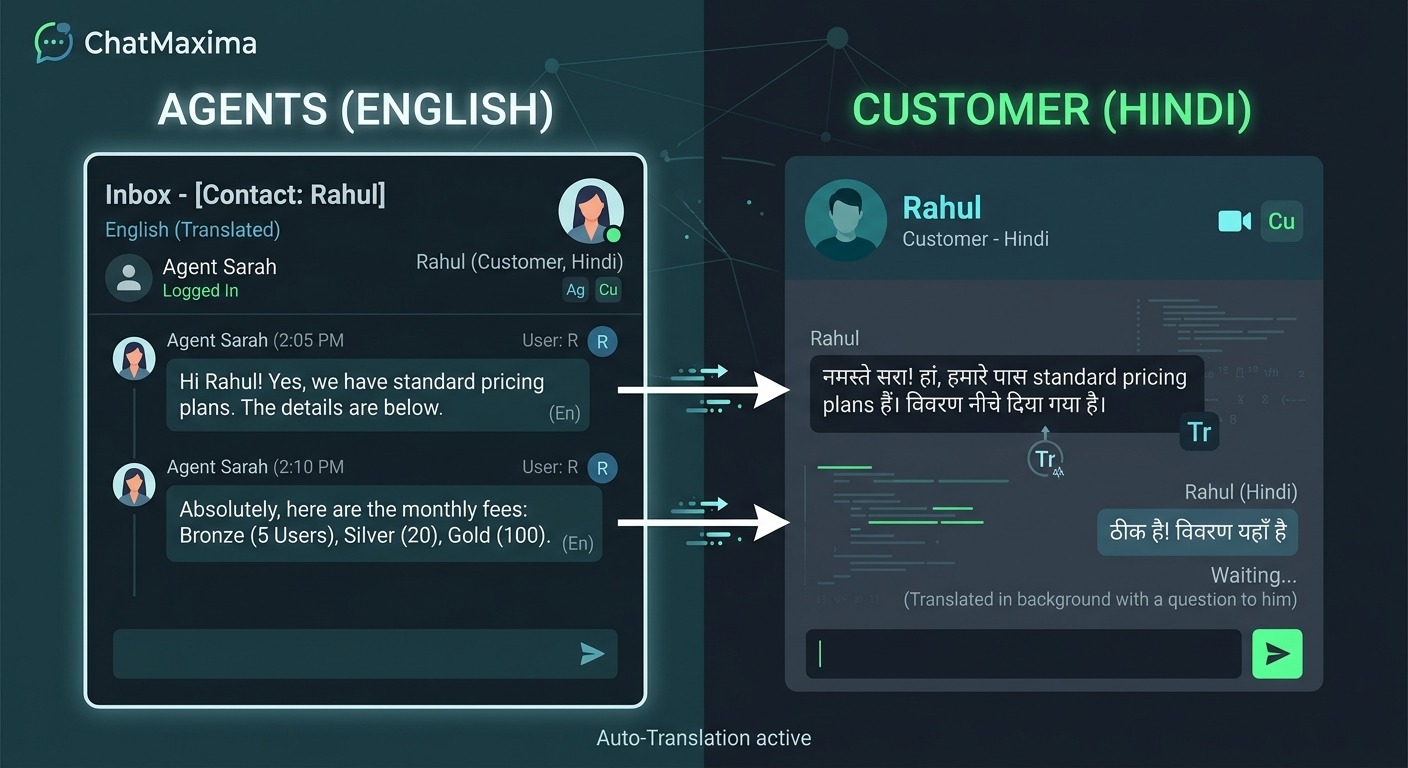
When a customer sends a message in any language, ChatMaxima Inbox automatically detects the language and translates it for the agent in real-time. The agent reads the message in their preferred language, types a response in their own language, and the customer receives it translated back into theirs.
This works across WhatsApp, website chat, Instagram, Facebook Messenger, Telegram, and every other channel ChatMaxima supports. Not just iOS. Not just one platform.
No Language Packs, No Manual Setup
Unlike WhatsApp’s approach that requires downloading language packs and configuring language pairs per chat, ChatMaxima handles translation automatically using AI. There is no setup per conversation. The system detects the language and translates on the fly. Agents can focus on solving problems instead of managing translation settings.
Works on Every Device
Because ChatMaxima is a web-based platform, translation works on any device with a browser. Desktop, laptop, tablet, Android phone, iPhone. Your agents are not locked into a specific operating system to get translation capabilities.
AI Chatbot + Translation = Fully Automated Multilingual Support
Here is where it gets powerful. ChatMaxima does not just translate messages for human agents. The AI chatbot itself operates multilingually. A customer writes in Portuguese, the chatbot understands and responds in Portuguese. Another customer writes in Japanese, same chatbot, same flow, instant response in Japanese.
This means businesses can provide 24/7 multilingual support without hiring agents for every language. The AI handles routine queries in any language, and when a human agent is needed, the inbox translates the conversation seamlessly.
Team Collaboration Without Language Barriers
In a shared inbox environment, multiple agents from different regions can collaborate on the same customer issue. A Spanish-speaking agent can pick up a conversation started by an English-speaking agent, with full translation of the conversation history. WhatsApp’s group limitation of requiring everyone to speak the same language simply does not exist in ChatMaxima.
The Business Case: Why Waiting for WhatsApp Is a Risk
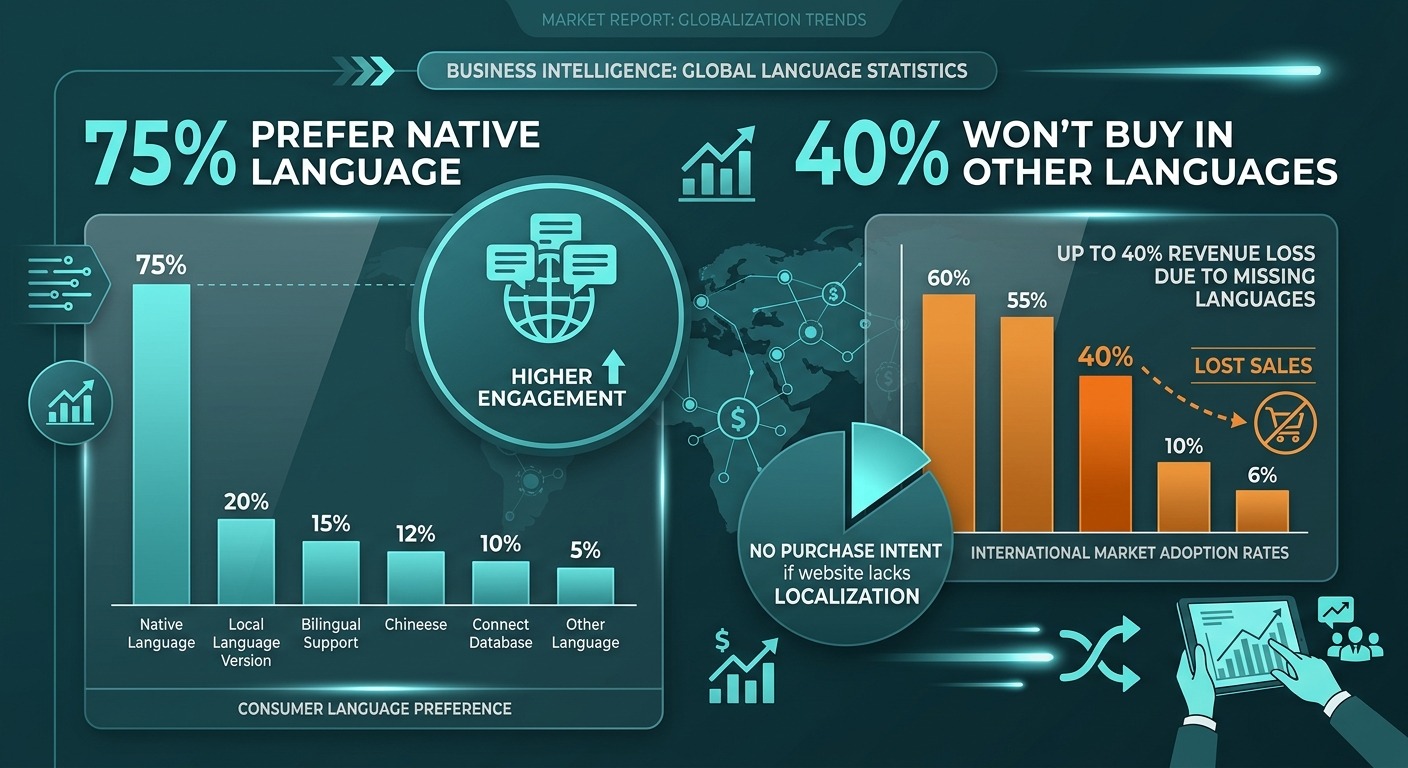
If your business serves customers in multiple languages, every day without proper translation support is a day of lost revenue and frustrated customers. Consider the numbers:
-
- 75% of consumers prefer to buy products in their native language (CSA Research)
- 40% of consumers will never buy from websites in other languages
- Businesses that localize customer support see 2-3x higher satisfaction scores
WhatsApp’s upcoming feature will help individuals chat with friends abroad. It will not solve the business problem of running multilingual customer support at scale across multiple channels with AI automation.
How to Set Up Multilingual Support in Minutes
Getting started with multilingual customer engagement on ChatMaxima takes less time than WhatsApp’s feature will take to ship.
Step 1: Connect Your Channels
Link your WhatsApp Business number, website chat widget, and social media accounts to ChatMaxima. All conversations flow into a single inbox regardless of channel or language.
Step 2: Enable AI Translation
Translation is enabled by default in the ChatMaxima Inbox. Your agents immediately see translated messages and can respond in their own language. No configuration needed.
Step 3: Deploy a Multilingual AI Chatbot
Build an AI chatbot that handles common queries automatically. The chatbot detects the customer’s language and responds accordingly. Train it once, and it works across all supported languages. You can get started with ChatMaxima’s chatbot builder at a fraction of what competitors charge — plans start at just $19 per month.
Step 4: Scale Your Team Without Language Constraints
Hire agents based on skill, not language ability. ChatMaxima’s translation layer means any agent can handle any conversation, regardless of the language gap. This fundamentally changes how you think about staffing and scaling support operations.
WhatsApp Translation vs ChatMaxima Inbox: Side by Side
WhatsApp’s upcoming feature processes translations locally on iOS devices using Apple’s API. It supports 21 languages, works only in individual chats and limited group scenarios, requires manual language pack downloads, and has no release date yet.
ChatMaxima Inbox translates in real-time using AI across all connected channels. It supports over 100 languages, works across WhatsApp, web, social media, and messaging platforms simultaneously. Translation is automatic with no setup required, it works on every device and operating system, and it is available right now.
The fundamental difference is clear. WhatsApp is building a consumer feature. ChatMaxima built a business solution.
The Bigger Picture: AI-Powered Communication Is the Standard
WhatsApp adding translation signals something important: the era of language being a barrier in digital communication is ending. As AI translation improves, customers will expect businesses to communicate in their language by default. Not as a premium feature. As the baseline.
Businesses that adopt AI-powered multilingual communication now build a lasting advantage. They reach more customers, resolve issues faster, and create experiences that feel personal regardless of language. Those that wait for platform-native features to catch up will find themselves perpetually behind.
ChatMaxima was built for this future. While WhatsApp is testing automatic translation in beta, businesses on ChatMaxima have been serving customers in over 100 languages across every major messaging channel. No beta. No language packs. No limitations.
Ready to Go Multilingual Today?
Your customers are not waiting for WhatsApp to ship a translation feature. They are messaging you right now, in their language, expecting a response that makes sense. ChatMaxima gives you real-time translation, AI chatbots that speak every language, and a shared inbox that makes your team borderless — starting at $19 per month.
The future WhatsApp is testing is the present ChatMaxima already delivers.