

WhatsApp has officially begun rolling out Group Message History, a feature that allows group members to share recent chat messages with newly added participants. Announced on February 20, 2026, this is one of the most anticipated updates to WhatsApp groups in years, and Meta has called it one of their most requested features. For anyone who has ever joined a group chat and immediately felt lost, scrolling through pinned messages or asking “what did I miss?”, this update changes everything. The feature is rolling out gradually across Android and iOS, and it brings significant implications for personal groups, business communities, and customer engagement workflows built on WhatsApp.
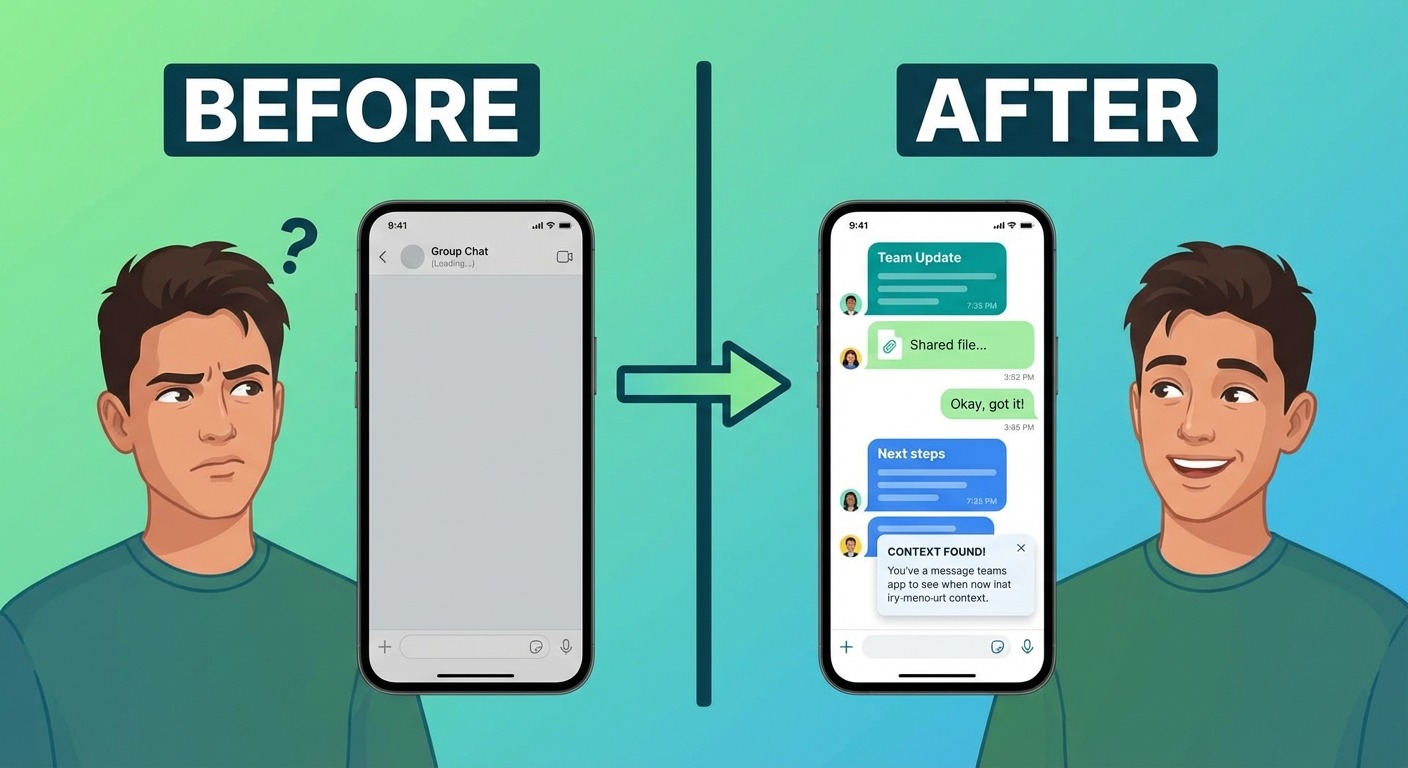
Until now, adding someone to a WhatsApp group meant they started with a blank slate. New members could only see messages sent after they joined, which created friction in fast-moving group conversations. The workaround was clumsy: forwarding key messages one by one, taking screenshots, or typing up manual summaries. Group Message History eliminates that pain point entirely by letting the person who adds a new member choose to share a batch of recent messages directly within the group. This is not an automatic process, and it is not something that happens behind the scenes. It requires a deliberate action, which keeps the user in control while solving a real usability gap.
What Is WhatsApp Group Message History?
WhatsApp Group Message History is a new feature that gives group participants the ability to share a curated selection of recent messages with someone being added to the group. When you add a new member, WhatsApp now presents an option to include recent messages so the newcomer can see what the group has been discussing. According to WABetaInfo, this feature was first spotted in beta versions for Android (2.26.1.28) and iOS (26.2.10.73) before making its way to the stable release.
The feature is designed to solve a very specific problem: context. In personal groups, a new member might join a family planning chat for a vacation and have no idea what dates were discussed or which hotels were shortlisted. In business settings, the problem is even more acute. A new team member joining a project group on WhatsApp would previously need someone to manually recap weeks of discussion. For businesses that use WhatsApp groups or WhatsApp Business communities for customer engagement, onboarding new participants into active conversations has always been a friction point. Group Message History addresses this by making the onboarding seamless, encrypted, and controlled by the group’s existing members.
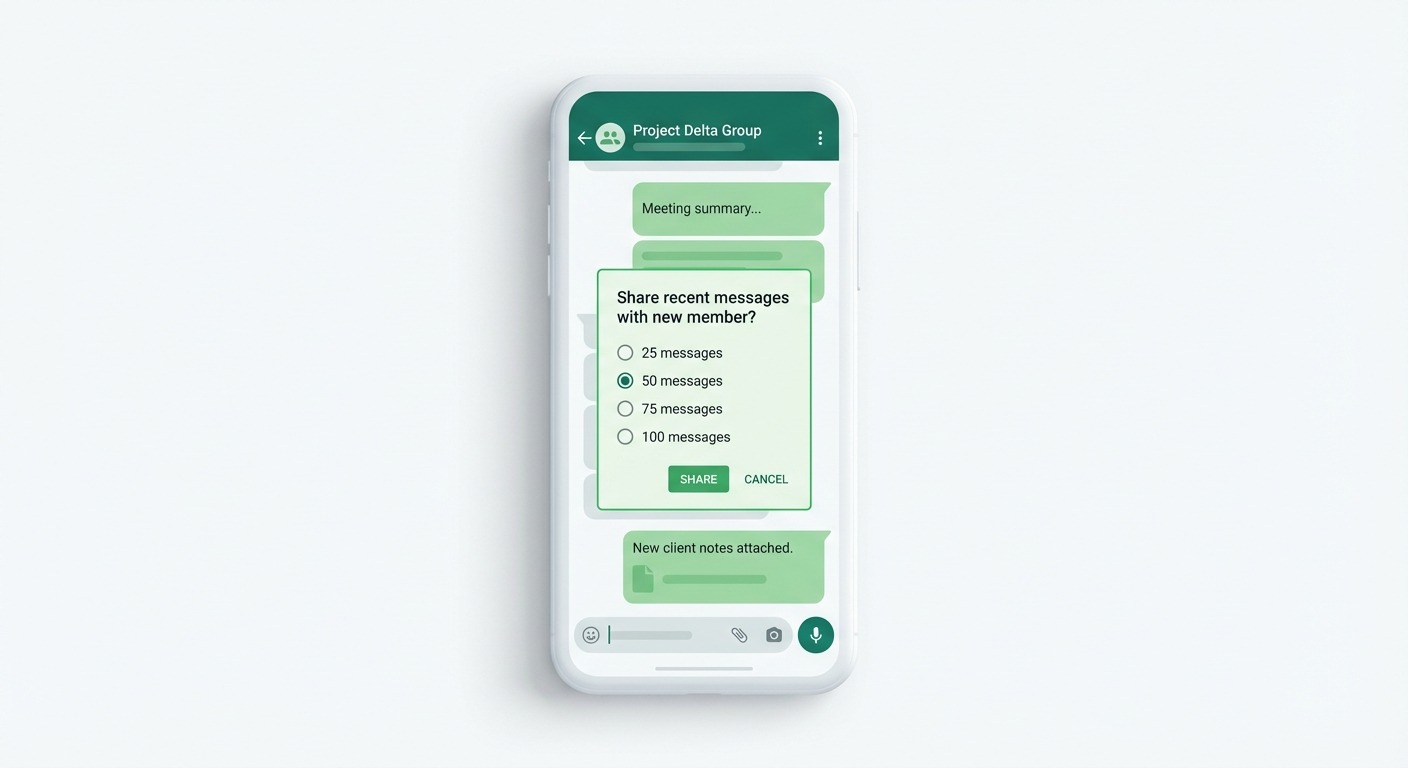
How WhatsApp Group Message History Works Step by Step
Understanding the mechanics of this feature is important because it is deliberately designed to be opt-in rather than automatic. Here is how it works in practice. When you open a WhatsApp group and tap the option to add a new participant, WhatsApp now displays a new prompt after you select the contact you want to add. This prompt asks whether you would like to share recent group messages with the incoming member. You are presented with four options for how many messages to share: 25, 50, 75, or 100 recent messages. The system only includes messages from the past 14 days by default, with a hard cap of 100 messages regardless of the time window.
Once you confirm, the selected messages are delivered to the new member as part of their group chat view. These shared messages appear with clear timestamps and sender information, but they are visually distinct from regular messages so that both the new member and existing participants can tell which messages were shared as history versus which ones are new. This visual distinction is an important design choice because it prevents confusion about the timeline of the conversation. As Hindustan Times reported, WhatsApp also notifies everyone in the group when message history has been shared with a new member, maintaining transparency about what information has been passed along.
One question many users have is whether this feature works automatically every time someone joins a group. The answer is no. Group Message History is a deliberate action taken by the person adding the new member. If you add someone to a group without choosing to share history, the new member will still start with a clean slate, just as before. This intentional design ensures that sensitive or time-limited conversations are not inadvertently exposed to newcomers without someone making a conscious decision to share them.
Privacy and Security: What You Need to Know
Privacy has always been central to WhatsApp’s value proposition, and Group Message History maintains that standard. All shared messages remain protected by end-to-end encryption, meaning that the message history shared with new members receives the same level of security as any other WhatsApp message. Neither WhatsApp nor Meta can read the content of shared messages, regardless of whether they were sent normally or delivered as part of a history share.
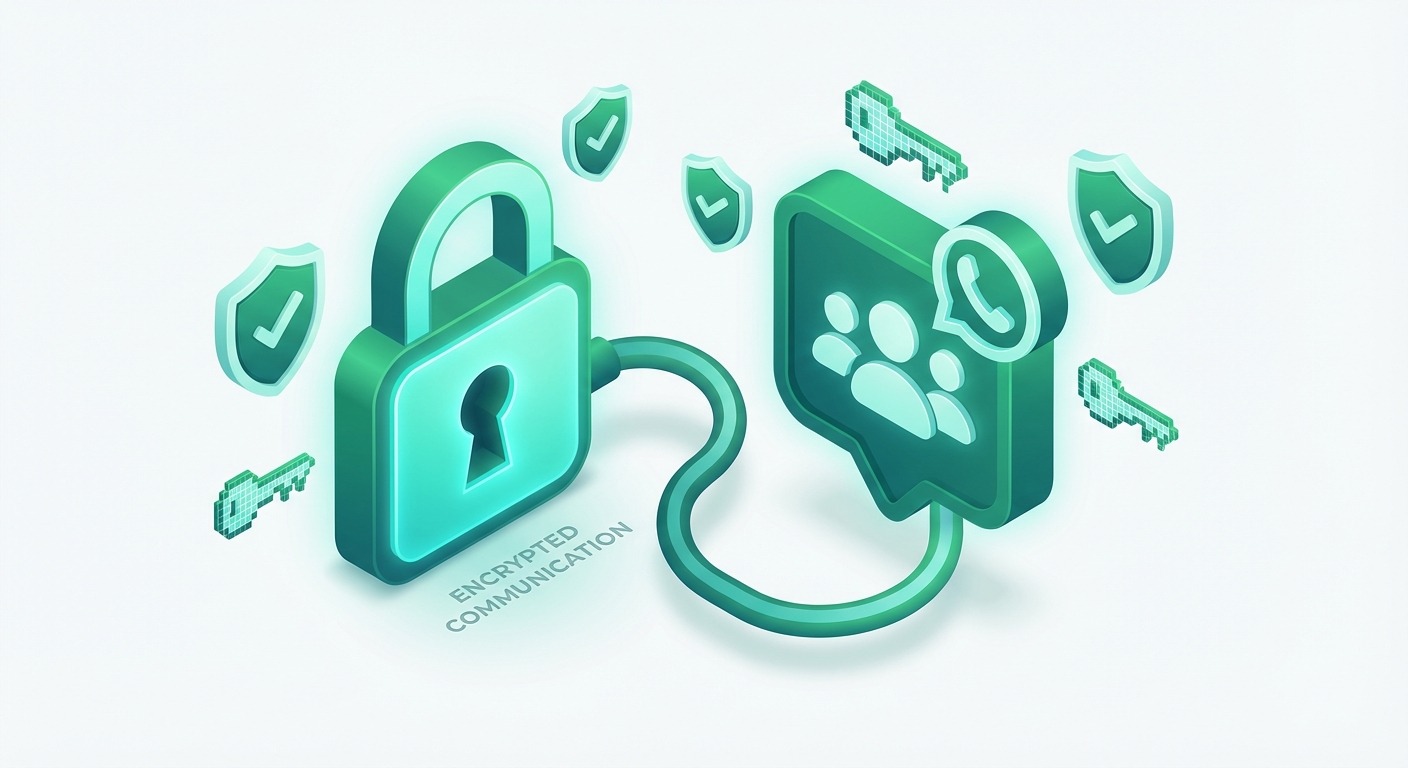
Transparency is built into every step of the process. When message history is shared, every member of the group receives a notification indicating that history has been sent to the new participant. This means nobody is left in the dark about what the newcomer can see. The shared messages include the original sender names and timestamps, so context is preserved accurately. According to Mashable India, WhatsApp designed this feature with these safeguards specifically to address concerns about information being shared without awareness.
Group admins have an additional layer of control. Admins can disable Group Message History entirely for their group, which is particularly useful for sensitive groups where confidential information is regularly discussed. When an admin disables this feature, regular members will not see the option to share history when adding someone new. However, admins themselves always retain the ability to share message history even when it is disabled for other members. This tiered permission system gives group administrators fine-grained control over information flow, which is critical for both personal privacy and business communication workflows.
Who Can Use It and When Will It Be Available?
WhatsApp Group Message History is rolling out gradually, which means not every user will see it on day one. The feature requires the latest version of WhatsApp on both Android and iOS. If you have updated your app and do not see the option yet, it is likely that the rollout has not reached your account. WhatsApp typically stages these releases over several weeks to monitor performance and address any issues before making a feature universally available. The Economic Times confirmed the gradual rollout timeline and noted that both the person adding the member and the new member need to be on supported versions for the feature to work.
This staged approach is standard for WhatsApp feature releases. The best way to ensure you get access as early as possible is to keep your WhatsApp app updated to the latest version available in the Google Play Store or Apple App Store. Users who are part of the WhatsApp beta program may have had access to this feature for several weeks already, as WABetaInfo had been tracking it in development for some time.
What This Means for WhatsApp Business Users
The business implications of Group Message History are substantial. Companies that rely on WhatsApp for customer communication, team coordination, or community management stand to benefit significantly from this feature. Consider the common scenario where a business runs a customer community group on WhatsApp. When a new customer joins, they previously had zero context about ongoing discussions, promotions, or support threads. Now, the community manager can share the most recent messages to bring that customer up to speed immediately, reducing the time-to-value for new community members.
For internal business teams, the benefits are equally compelling. Project groups often accumulate important decisions, shared files, and action items over the course of days or weeks. When a new team member is added, sharing the last 100 messages can provide them with enough context to contribute meaningfully from day one, without requiring someone to spend 30 minutes writing a recap. Businesses that use WhatsApp automation tools to manage their communication workflows will find that Group Message History complements their existing processes by reducing one of the most common friction points in group-based communication.
The feature also has implications for sales teams that use WhatsApp groups to manage client relationships. When a new account manager takes over a client group, sharing message history means they can quickly understand the relationship context, previous discussions about pricing or features, and any outstanding issues. This continuity is critical for maintaining trust and avoiding the frustrating “can you repeat everything you told my colleague?” experience that clients often endure. For businesses looking to streamline these kinds of handoffs, platforms like ChatMaxima that integrate with the WhatsApp Business API provide even more powerful tools for managing conversation continuity at scale.
How Businesses Can Leverage Group Message History for Customer Communities
Building and maintaining customer communities on WhatsApp has become a core strategy for businesses in 2026, and Group Message History makes this strategy significantly more effective. When you run a customer community, whether it is a VIP buyer group, a product feedback community, or a local business network, every new member who joins should feel welcomed and informed. Sharing recent messages gives newcomers immediate access to the group’s culture, topics, and tone, which accelerates their engagement and makes them more likely to participate actively.
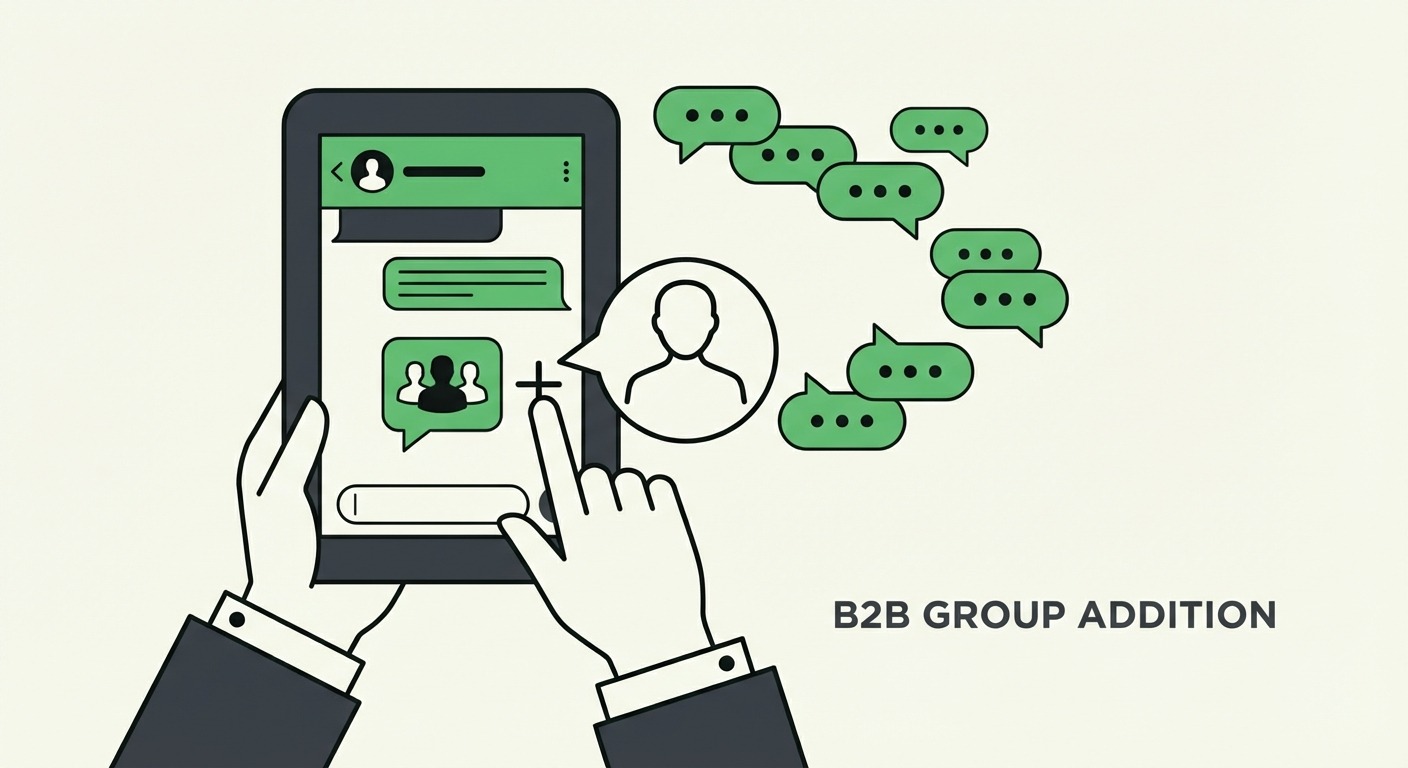
One practical approach is to time your additions strategically. If your community has just had a productive discussion about a new product feature, adding new members immediately afterward and sharing that discussion as history creates an instant talking point. The new member arrives with context and is more likely to jump into the conversation rather than lurking silently. For businesses managing multiple WhatsApp groups or communities, tools like ChatMaxima’s AI-powered automation can help coordinate these additions and ensure that community management scales without losing the personal touch.
Another consideration for businesses is the admin control feature. For groups where you discuss pricing strategies, competitive intelligence, or internal roadmaps with select clients, the ability to disable message history sharing is valuable. You can maintain separate groups with different sharing policies: open communities where history sharing is enabled by default, and restricted groups where only admins can share history with vetted new members. This flexibility supports the kind of layered communication strategy that businesses need when managing diverse stakeholder groups on a single platform. Businesses that need even more sophisticated control over their WhatsApp communications can explore ChatMaxima’s integrations to connect their WhatsApp workflows with CRM systems, helpdesks, and marketing automation platforms.
Context: WhatsApp’s Broader Group Feature Updates in 2026
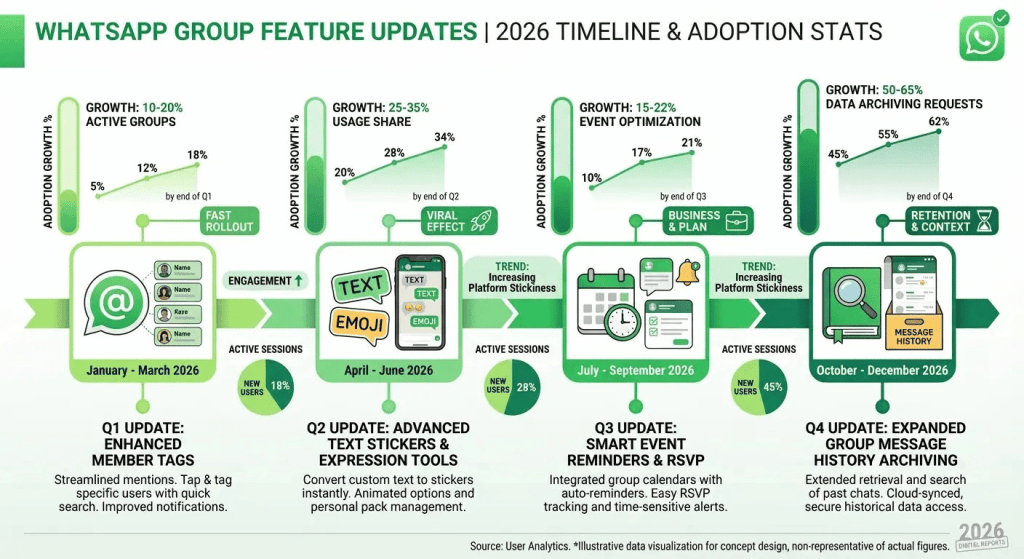
Group Message History does not exist in isolation. WhatsApp has been on an aggressive feature release cycle for groups throughout early 2026. Last month saw the rollout of member tags, which let group participants mention specific subsets of the group by role. Text stickers and event reminders also launched recently, making groups more interactive and organized. Together, these updates signal that Meta is investing heavily in making WhatsApp groups a more viable platform for both personal and professional collaboration.
This is relevant context for businesses evaluating their communication stack. WhatsApp groups are no longer the bare-bones chat rooms they used to be. With admin controls, message history, member tags, event scheduling, and community features, they are approaching the functionality of dedicated collaboration tools, but with the advantage of running on a platform that nearly everyone already uses. For businesses that are exploring omnichannel communication strategies, WhatsApp’s evolving group features make it an increasingly attractive channel for customer engagement alongside website chat, email, and social media messaging.
The practical takeaway is that businesses should revisit their WhatsApp group strategy in light of these updates. If you previously dismissed WhatsApp groups as too limited for serious business use, the combination of message history sharing, admin controls, and community features may change that assessment. And for businesses already using WhatsApp extensively, integrating these new capabilities into your existing workflows, whether through manual processes or through automation platforms like ChatMaxima, can deliver measurable improvements in customer onboarding, team communication, and community engagement.
How ChatMaxima Helps You Make the Most of WhatsApp Group Features
While WhatsApp’s native Group Message History feature handles the basics of sharing chat context with new members, businesses operating at scale need more than native features alone. ChatMaxima provides a comprehensive WhatsApp Business platform that extends what you can do with WhatsApp groups and communities. From AI-powered chatbots that handle common questions inside groups, to broadcast and drip campaign tools that keep your communities engaged, to a unified team inbox that lets your support and sales teams manage WhatsApp conversations alongside every other channel, ChatMaxima turns WhatsApp from a messaging app into a business growth engine.
For businesses that want to build on the momentum of features like Group Message History, the next step is connecting your WhatsApp presence to your broader business systems. ChatMaxima’s CRM integrations let you sync WhatsApp conversations with tools like HubSpot, Salesforce, and Zoho, ensuring that the context shared in groups flows into your customer records automatically. And with no-code chatbot builders, you can deploy automated assistants inside your WhatsApp groups that answer FAQs, collect feedback, and route complex queries to human agents, all without writing a single line of code.
What Comes Next for WhatsApp Groups
WhatsApp’s investment in group features shows no signs of slowing down. With Group Message History now available, the platform has addressed one of the longest-standing usability gaps in group communication. The combination of encryption, user control, and admin permissions makes this a thoughtfully designed feature that respects privacy while solving a real problem. For personal users, it means smoother group interactions. For businesses, it means better onboarding, more engaged communities, and fewer hours spent on manual recaps.
If you are a business looking to take your WhatsApp strategy to the next level, now is the time to explore what a dedicated WhatsApp engagement platform can do for you. ChatMaxima offers a free trial that lets you experience the full power of AI-driven WhatsApp automation, team collaboration, and multi-channel customer engagement. Whether you are managing a handful of customer groups or running large-scale WhatsApp communities, having the right tools in place ensures that features like Group Message History become part of a larger, more effective communication strategy rather than just a nice-to-have.