

If you are building on the WhatsApp Business API in 2026, the pricing model looks completely different from what it was a year ago. Meta replaced the old conversation-based pricing with a per-message model on July 1, 2025, introduced volume-based tiers that reward high-volume senders, and announced a max-price bidding system for marketing messages arriving later this year.
For businesses sending thousands of WhatsApp messages every month, understanding these changes is not optional. The difference between knowing and not knowing how WhatsApp Business API pricing works in 2026 can mean thousands of dollars saved or wasted each quarter.
This guide breaks down every layer of the current pricing structure, walks through real cost calculations, explains how volume tiers actually work, covers the upcoming max-price feature, and shows you exactly how to optimize your WhatsApp messaging spend. Whether you are a small business sending a few hundred messages or an enterprise pushing millions, this is the reference you need.
How WhatsApp Business API Pricing Works in 2026
The fundamental shift in WhatsApp Business API pricing happened on July 1, 2025, when Meta moved from charging per conversation (a 24-hour window) to charging per individual template message delivered. This means you are billed only when a template message successfully reaches a recipient – not when you send it, and not for an entire conversation window.
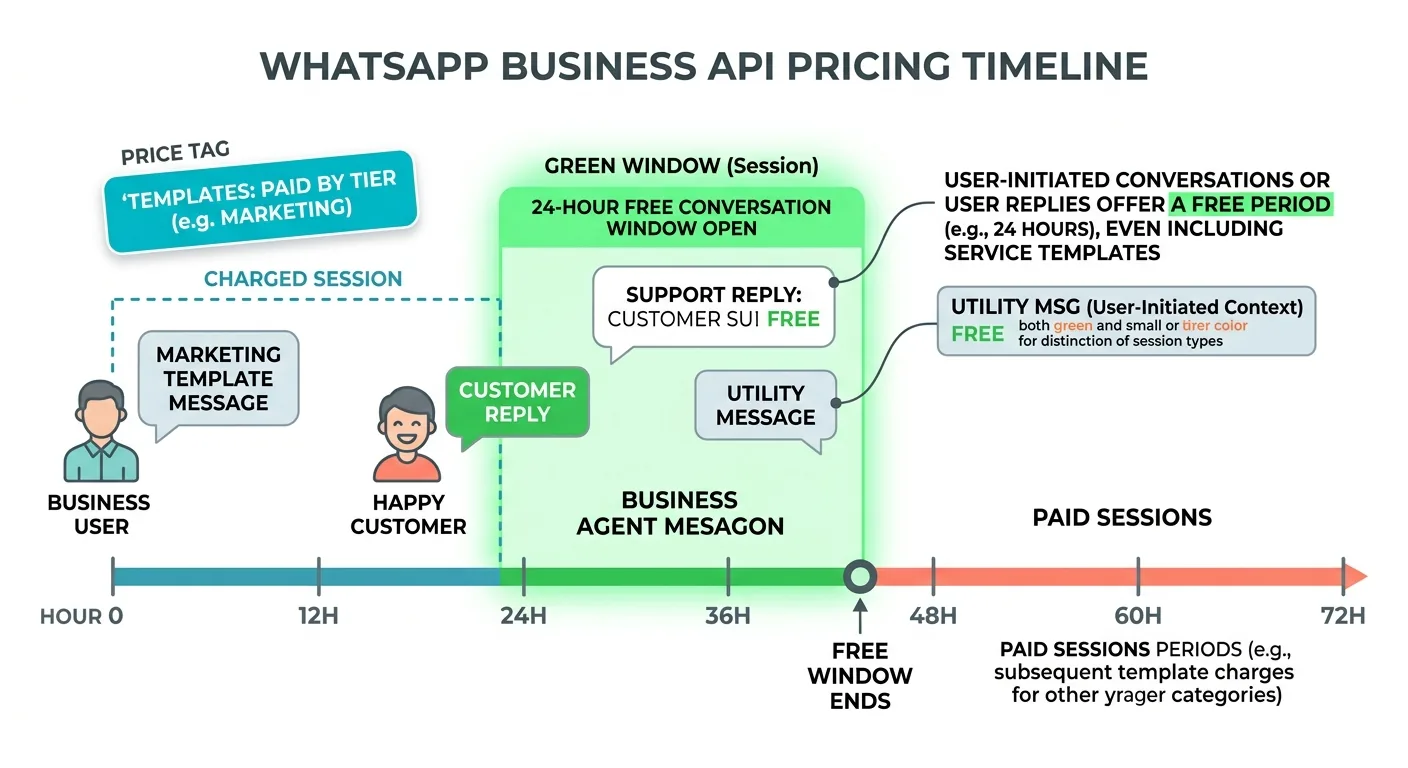
Here is what gets charged and what stays free:
Charged (template messages outside free windows):
-
- Marketing template messages (always charged, regardless of context)
- Utility template messages sent outside a customer service window
- Authentication template messages
Free messages:
-
- All non-template messages (text, image, video, document) within a customer service window
- Utility template messages sent within an open customer service window
- All messages within a Free Entry Point window (72 hours from Click-to-WhatsApp Ads)
- Messages received from customers (inbound messages are never charged)
The customer service window opens when a user messages your business and lasts 24 hours from their last message. During this window, you can send unlimited free non-template messages and free utility templates. This is a significant cost-saving opportunity that many businesses overlook.
Understanding Message Template Categories and Their Rates
WhatsApp Business API pricing in 2026 revolves around three template categories, each with different rate structures. Every template you create in Meta Business Manager gets assigned to one of these categories, and the category determines what you pay per delivered message.
Marketing Templates
Marketing templates are the most expensive category. These include promotional content, product announcements, offers, discounts, newsletters, and any message designed to drive sales or engagement. Meta charges for every marketing template delivery regardless of whether a customer service window is open.
For India (country code +91), marketing template rates sit at approximately INR 0.80-0.90 per message as of January 2026, with a rate increase applied at the start of the year. Rates vary dramatically by country – a marketing message to Germany costs significantly more than one to India or Indonesia.
Utility Templates
Utility templates cover transactional messages: order confirmations, shipping updates, appointment reminders, account notifications, and payment receipts. These are cheaper than marketing templates and come with a major advantage: utility templates sent within an open customer service window are completely free.
This means if a customer messages you and you reply with an order confirmation utility template within 24 hours, you pay nothing. The same template sent outside the window gets charged at the utility rate.
Authentication Templates
Authentication templates are used for one-time passwords (OTPs), verification codes, and login confirmations. These have their own rate card and also benefit from volume tier discounts. Some countries have special “authentication-international” rates that apply when the OTP is sent to a user in a different country than where your business is registered.
As of April 1, 2026, India will see higher authentication-international rates, while Turkey will benefit from lower utility and authentication rates. Pakistan will see increases across utility and authentication categories.
Country-Based Rate Cards: What You Actually Pay
WhatsApp Business API pricing is not uniform globally. Meta groups countries into specific markets, each with its own rate card. Understanding which market your recipients fall into is critical for accurate cost forecasting.
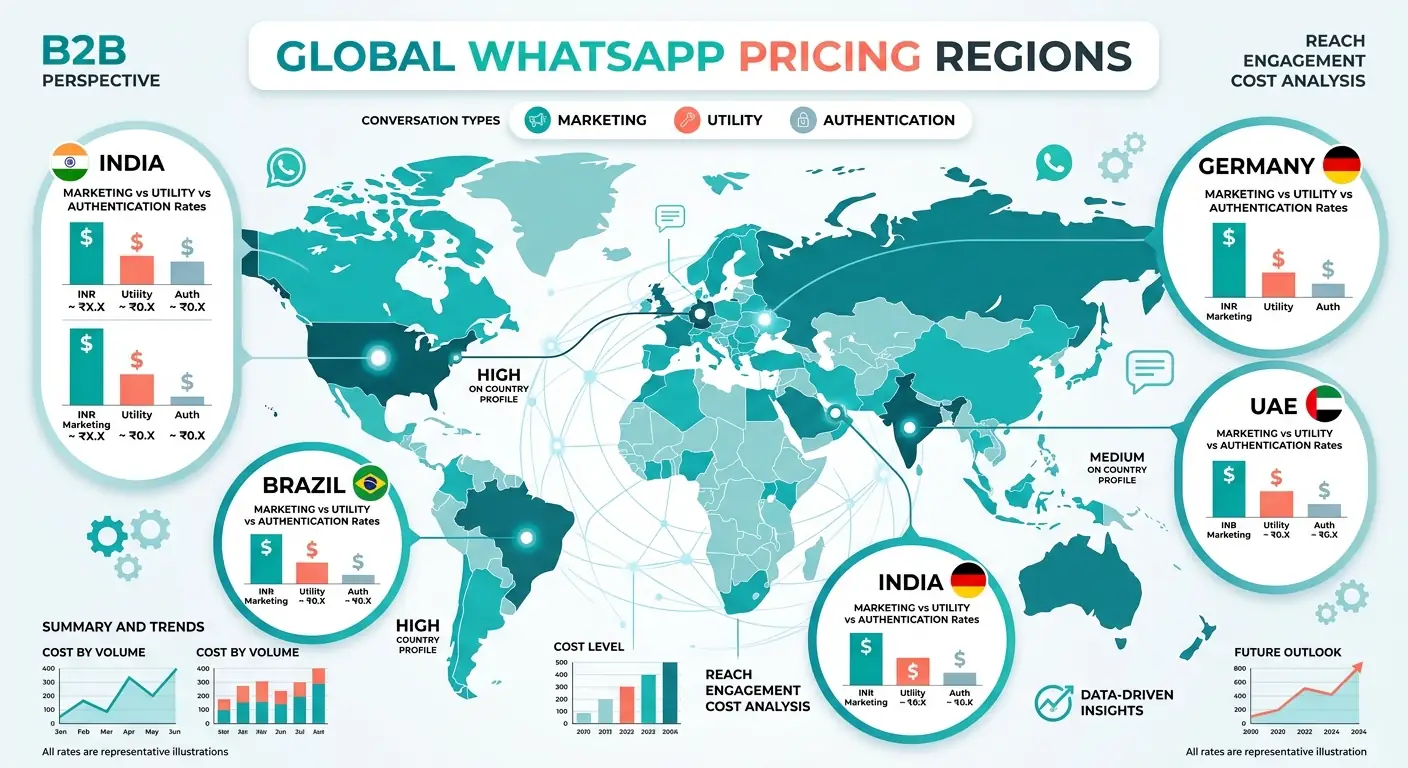
The major market categories include:
Individual Country Rates – Countries with enough volume to have standalone pricing: Argentina, Brazil, Chile, Colombia, Egypt, France, Germany, India, Indonesia, Israel, Italy, Malaysia, Mexico, Netherlands, Nigeria, Pakistan, Peru, Russia, Saudi Arabia, South Africa, Spain, Turkey, UAE, and the UK.
Regional Rates – Grouped markets with shared pricing:
-
- North America (US and Canada – country code +1)
- Rest of Africa (Algeria through Zimbabwe – 40+ countries)
- Rest of Asia Pacific (Australia, Bangladesh, Philippines, Singapore, and more)
- Rest of Central and Eastern Europe (Poland, Romania, Czech Republic, and more)
- Rest of Western Europe (Austria, Belgium, Denmark, Finland, and more)
- Rest of Latin America (Costa Rica, Ecuador, Venezuela, and more)
- Rest of Middle East (Bahrain, Iraq, Jordan, Kuwait, and more)
- Other (all countries not listed elsewhere)
Meta provides rate cards in multiple currencies: USD, AUD, EUR, GBP, IDR, INR, and MXN. Starting April 1, 2026, eight new currencies join the list: ARS, CLP, COP, MYR, PEN, SAR, SGD, and AED. Brazilian Reals (BRL) billing arrives July 1, 2026.
If your WhatsApp Business Account is set to INR billing, you get rates denominated in Indian Rupees, helping you avoid currency fluctuation costs. This billing localization has been available for India since January 1, 2026.
Volume Tiers: How High-Volume Senders Unlock Lower Rates
One of the most impactful features introduced alongside per-message pricing is volume-based tiering for utility and authentication messages. The more messages you send in a given month, the lower your per-message rate becomes.
Here is how volume tiers work in practice:
Aggregation Level – Messages are counted across all WhatsApp Business Accounts (WABAs) owned by the same business portfolio. If you operate three WABAs, their utility messages to India all count toward the same tier for India-utility pricing.
Market-Category Specific – Tiers are calculated independently for each market-category pair. Your India-authentication volume does not affect your Brazil-utility tier. You need to hit the threshold in each specific combination.
Monthly Reset – At midnight on the first day of each month (based on your WABA timezone), all counters reset to zero. You start accruing toward tiers fresh every month.
Only Charged Messages Count – Free utility messages (those sent within a customer service window) do not count toward tier advancement. Only messages you actually pay for move you up the tiers.
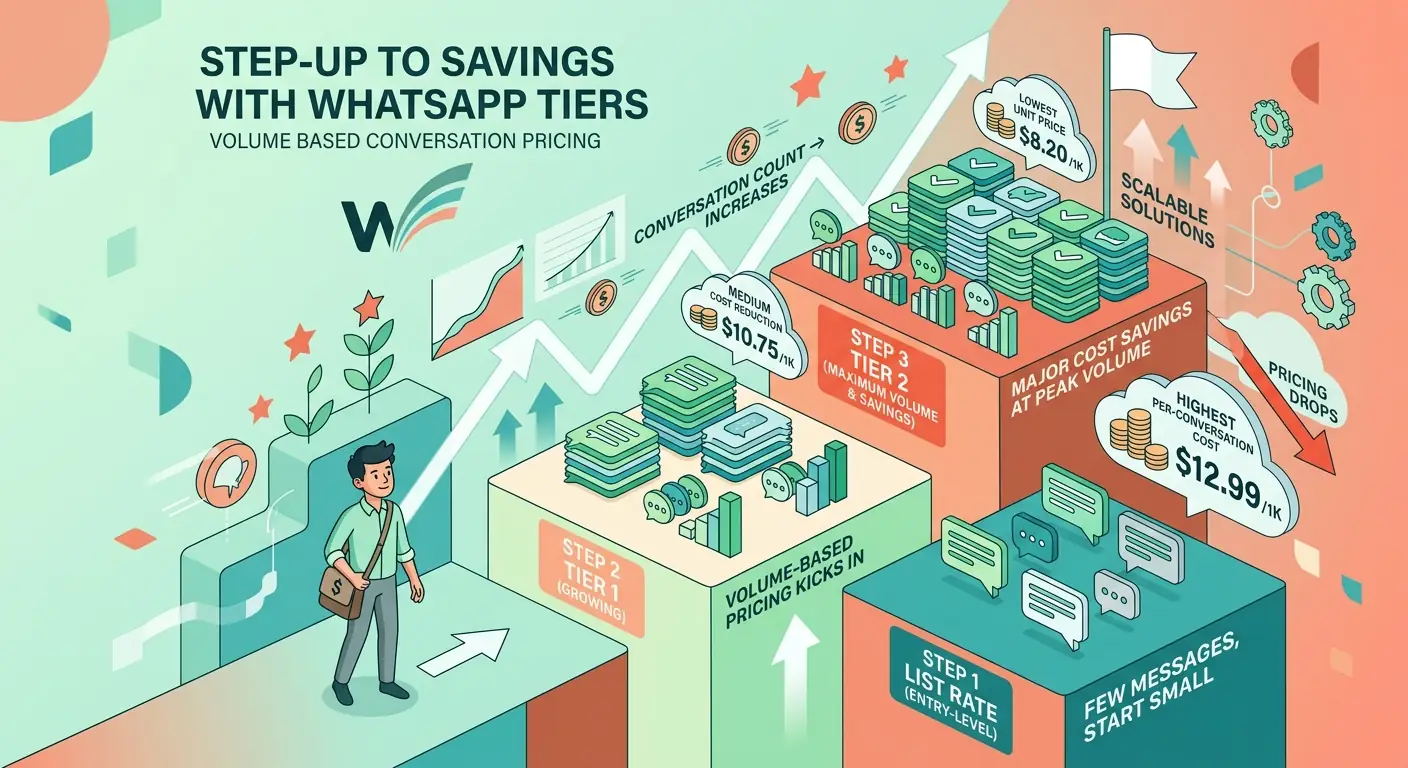
Volume Tier Example
Consider a business sending authentication messages to India:
-
- First 25,000 messages: Charged at the list rate (full price)
- Messages 25,001 to 100,000: Charged at Tier 1 rate (discounted)
- Messages 100,001 to 250,000: Charged at Tier 2 rate (deeper discount)
- Messages above 250,000: Charged at Tier 3 rate (maximum discount)
The exact thresholds and discount percentages vary by market and category. Meta publishes volume tier CSVs alongside their rate cards for each currency.
An important detail: when you cross into a new tier, only the messages in that new tier get the discounted rate. Your earlier messages remain at their original tier rate. This is marginal tiering, similar to how income tax brackets work.
Tracking Your Tier Progress
Meta provides two ways to monitor tier advancement:
Webhooks – Subscribe to the account_update webhook with event type VOLUME_BASED_PRICING_TIER_UPDATE. When your WABA crosses into a new tier, you receive a notification including the pricing category, tier range, effective month, and region.
Analytics API – The pricing_analytics endpoint provides intra-month tiering progress and tiering information for delivered messages. Use the template_analytics endpoint for volume tier information on specific templates.
If you are using a platform like ChatMaxima to manage your WhatsApp Business API, these tier transitions can be tracked and visualized in your dashboard, so you always know where you stand and how close you are to the next discount level.
Free Entry Point Windows: 72 Hours of Free Messaging
One of the most generous cost-saving features in WhatsApp Business API pricing is the Free Entry Point (FEP) window. When a customer messages your business through a Click-to-WhatsApp Ad or a Facebook Page Call-to-Action button, and they are using the WhatsApp mobile app (not desktop or web), a special free window opens.
Here is the sequence:
-
- Customer clicks your WhatsApp ad and sends a message
- A standard 24-hour customer service window opens
- You reply within 24 hours using any message type
- A Free Entry Point window opens starting from when you replied
- For the next 72 hours, all messages you send to that user are free – including template messages
This means marketing templates, utility templates, authentication templates – everything is free within this 72-hour window. For businesses running Click-to-WhatsApp advertising campaigns, this feature can dramatically reduce messaging costs.
The catch: desktop and web WhatsApp users do not trigger FEP windows. Only the Android and iOS apps qualify. Given that the vast majority of WhatsApp users are on mobile, this limitation rarely matters in practice.
The Pricing Calendar: When Rates Change
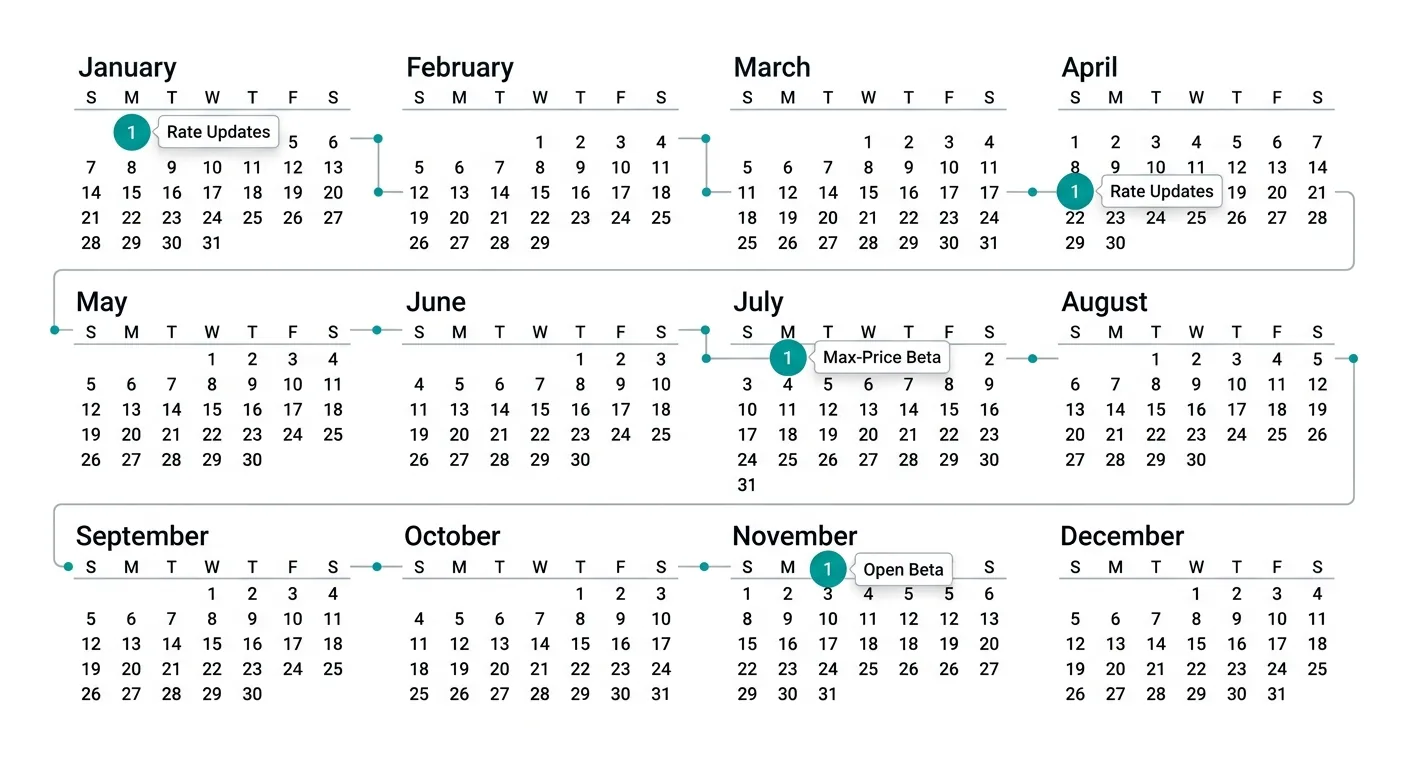
Meta has committed to a predictable pricing update schedule for WhatsApp Business API. Rate changes can only happen on four dates per year: January 1, April 1, July 1, and October 1.
The advance notice requirements vary by the type of change:
-
- Rate card updates (changing a per-message rate): 1 month minimum notice
- Pricing model add-ons (new features like volume tiers): 3 months minimum notice
- Pricing model changes (fundamental restructuring): 6 months minimum notice
Upcoming Rate Changes (April 1, 2026)
The next scheduled pricing update brings several market-specific adjustments:
-
- Saudi Arabia – Higher marketing message rate
- India – Higher authentication-international rate (important if you send auth messages to Indian users from a non-Indian business)
- Pakistan – Higher utility and authentication rates (no change to auth-international)
- Turkey – Lower utility and authentication rates (a welcome decrease)
Additionally, eight new billing currencies become available on April 1, letting businesses in Argentina, Chile, Colombia, Malaysia, Peru, Saudi Arabia, Singapore, and the UAE see rates and pay bills in their local currency.
Max-Price Bidding: The Future of WhatsApp Marketing Messages
The biggest upcoming change to WhatsApp Business API pricing in 2026 is the introduction of max-price bidding for marketing messages. This feature, currently scheduled for limited beta in mid-2026 and open beta by October 2026, fundamentally changes how businesses pay for marketing message delivery.
Instead of paying a fixed published rate for every marketing message, businesses will be able to set a maximum price per delivery. When a max-price is set, Meta will charge that amount or lower for each delivered message.
Here is how it works under the hood: Meta evaluates each potential delivery based on expected ROI signals – how likely the recipient is to engage, purchase, or take action. Recipients with higher expected value cost more to reach, while lower-value recipients cost less.
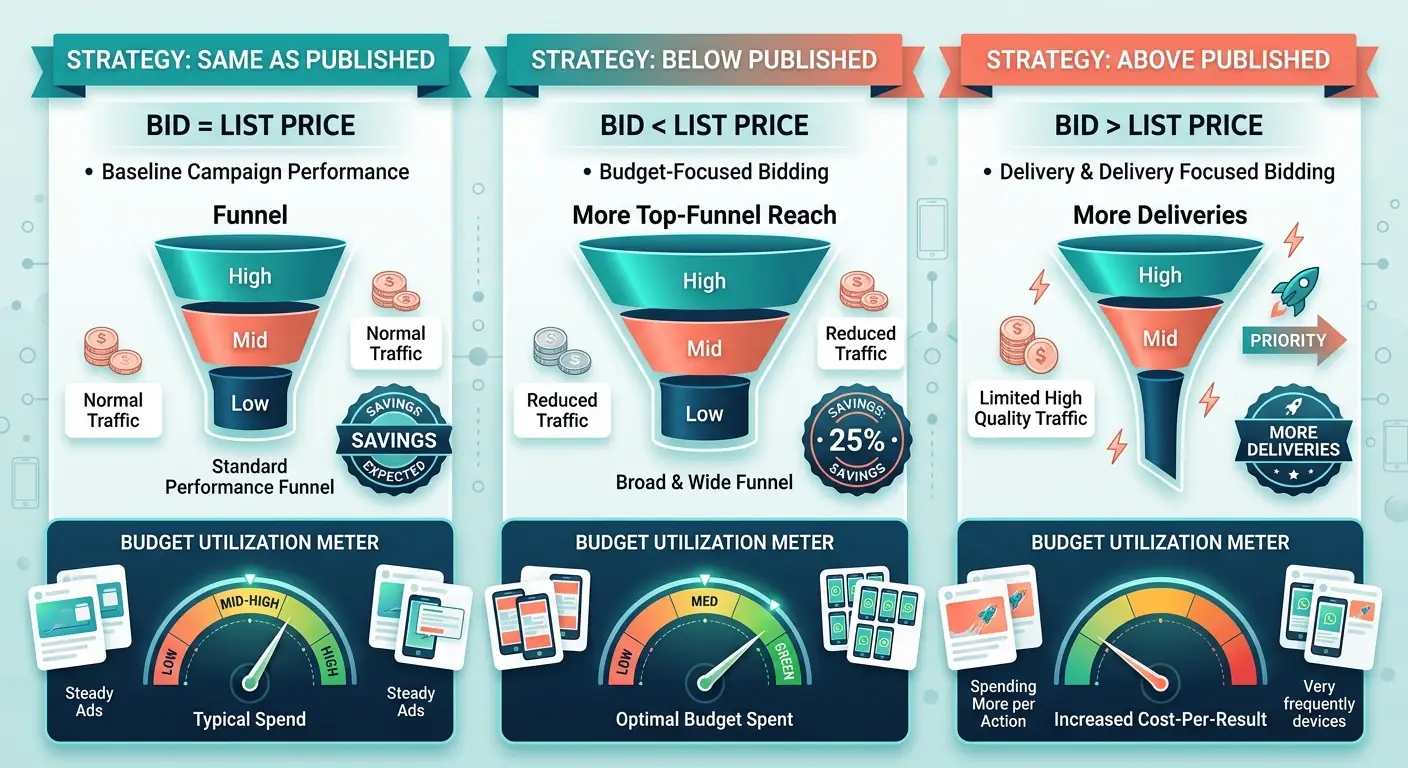
Three Max-Price Strategies
Strategy 1: Set max-price equal to the published rate You target the same customers you normally would, but Meta charges you less for some deliveries because their algorithms determine the actual cost should be lower. In Meta’s examples, this results in roughly 8% lower average cost per message with the same delivery volume.
Strategy 2: Set max-price below the published rate You tell Meta you are only willing to pay 80% of the published rate (for example). Meta will not deliver to high-cost recipients but will reach more low-cost ones. You can target a broader audience and potentially deliver more total messages at a lower average cost. Meta’s example shows 25% lower cost per message and slightly more deliveries.
Strategy 3: Set max-price above the published rate For high-stakes campaigns – holiday sales, flash promotions, product launches – you tell Meta you will pay a premium to maximize delivery. Meta delivers to more recipients, including harder-to-reach ones. Your per-message cost might be slightly lower on average (5% in Meta’s example), but total campaign spend increases because you reach more people.
What Max-Price Means for Businesses
The max-price system is Meta’s way of introducing auction-style pricing to WhatsApp marketing, similar to how Facebook and Google Ads already work. Businesses that understand bidding strategies will get better results at lower costs. Those that do not will likely overpay.
For businesses using platforms like ChatMaxima to manage their WhatsApp marketing campaigns, this creates an opportunity for the platform to offer smart bid recommendations and automated bidding strategies that optimize spend without requiring manual intervention.
The key insight is that max-price bidding only applies to marketing messages. Utility and authentication templates continue with fixed per-message rates (with volume tier discounts). This means your transactional messaging costs remain predictable while your marketing spend gets more flexible.
How to Calculate Your WhatsApp Business API Costs
Let us walk through a realistic cost calculation for a mid-sized e-commerce business operating in India.
Monthly messaging breakdown:
-
- 50,000 marketing template messages (promotions, offers, abandoned cart reminders)
- 30,000 utility template messages (order confirmations, shipping updates)
- 10,000 authentication template messages (OTP verifications)
- 20,000 customer service replies (non-template messages within CSW)
Step 1: Identify free messages
-
- The 20,000 non-template customer service replies are free (within customer service windows)
- Assume 40% of utility templates (12,000) are sent within open customer service windows: free
- That leaves 18,000 charged utility messages
Step 2: Apply volume tiers
-
- Marketing messages: 50,000 at list rate (no volume tiers for marketing)
- Utility messages: First 25,000 at list rate – but you only have 18,000, so all at list rate
- Authentication messages: 10,000 at list rate
Step 3: Calculate costs (approximate INR rates)
-
- Marketing: 50,000 x INR 0.85 = INR 42,500
- Utility: 18,000 x INR 0.35 = INR 6,300
- Authentication: 10,000 x INR 0.30 = INR 3,000
- Total monthly cost: approximately INR 51,800 (roughly $610 USD)
Step 4: Identify optimization opportunities
-
- Timing utility messages within customer service windows could save more on the 18,000 charged utility messages
- Using Click-to-WhatsApp Ads to trigger Free Entry Point windows could make marketing templates free for engaged users
- Reaching utility volume tier thresholds could unlock per-message discounts
7 Strategies to Reduce Your WhatsApp API Costs in 2026
Reducing your WhatsApp Business API costs is not about sending fewer messages. It is about sending smarter. Here are seven proven strategies that work with the current pricing model.
1. Time Your Utility Messages Within Customer Service Windows
The 24-hour customer service window is your biggest cost-saving tool. When a customer messages you, every utility template you send within the next 24 hours is free. Structure your flows to send order confirmations, booking confirmations, and account updates immediately after customer interactions rather than as standalone outbound messages.
2. Use Click-to-WhatsApp Ads Strategically
The 72-hour Free Entry Point window makes every message free – including marketing templates. If you are running WhatsApp ad campaigns, plan your follow-up message sequences to maximize what you send within this free window. Send your promotional offer, product recommendations, and re-engagement messages within 72 hours of the ad click.
3. Consolidate WABAs to Maximize Volume Tiers
Volume tiers aggregate across all WABAs in a business portfolio. If you are running separate WABAs for different brands or regions, make sure they are all under the same business portfolio to combine volumes and reach higher tier discounts faster.
4. Optimize Template Categorization
Review your templates regularly. A template categorized as “marketing” costs significantly more than one categorized as “utility.” Make sure your transactional templates (order updates, appointment reminders, payment confirmations) are correctly categorized as utility, not marketing.
5. Choose the Right Billing Currency
With 15 currencies now available (and BRL coming July 2026), select the billing currency that gives you the best rates relative to your local currency. If your WABA is set to USD but you primarily message Indian users, switching to INR billing through a new WABA could reduce exchange rate overhead.
6. Prepare for Max-Price Bidding
When max-price bidding launches, start with Strategy 1 (set max-price equal to published rate) to reduce costs without changing your delivery patterns. As you gather data on delivery rates and engagement, experiment with lower max-prices for cost optimization or higher ones for critical campaigns.
7. Monitor and Use Tier Webhooks
Set up webhook listeners for VOLUME_BASED_PRICING_TIER_UPDATE events so you know exactly when you cross into a new pricing tier. This data helps you plan campaign timing – if you are close to a tier boundary mid-month, it might be worth pulling forward some sends to unlock cheaper rates for the remainder of the month.
Platforms like ChatMaxima integrate with these webhooks automatically, giving you real-time visibility into your tier status and cost optimization opportunities.
New AI Provider Pricing Policy: What It Means
Starting February 16, 2026, Meta introduced a separate pricing policy for “AI Providers” using the WhatsApp Business Platform. This policy targets companies that use AI to generate automated responses at scale on behalf of businesses.
If your business uses AI chatbots on WhatsApp – whether built with ChatMaxima’s chatbot builder or another platform – you should review this policy. The key distinction is between businesses using AI for their own customer interactions (generally treated as normal usage) versus AI platforms providing automated responses as a service across multiple client businesses (potentially subject to different terms).
The policy was updated on March 4, 2026, suggesting Meta is still refining the boundaries. Keep an eye on the official documentation as this evolves.
Conversation-Based Pricing vs Per-Message Pricing: What Changed
For businesses migrating from the old model, here is a clear comparison:
Old Model (Before July 1, 2025) – Conversation-Based:
-
- A 24-hour conversation window opened with the first business-initiated template
- One charge per conversation regardless of how many messages were sent
- Four conversation categories: marketing, utility, authentication, service
- Service conversations (user-initiated) had lower rates
New Model (Current) – Per-Message:
-
- Each template message delivered is charged individually
- No conversation windows for billing purposes
- Non-template messages within customer service windows are free
- Volume tiers provide discounts for utility and authentication at scale
- Customer service windows still exist but only affect whether messages are free
The per-message model is generally more transparent. You pay for exactly what gets delivered, with clear opportunities to reduce costs through smart timing and volume optimization. For businesses that previously sent many templates within single conversations, costs may increase. For those who send targeted, well-timed messages, costs typically decrease.
WhatsApp Business Calling API: Separate Pricing
It is worth noting that the WhatsApp Business Calling API has its own pricing structure, separate from messaging. If your business uses WhatsApp voice or video calling features, those charges are calculated independently from your template message costs.
The calling API launched relatively recently and has its own rate cards by country. Do not confuse calling costs with messaging costs when budgeting your WhatsApp Business API spend.
Billing and Payment Management
All WhatsApp Business API billing is managed through Meta Business Suite. Key things to know:
-
- Payment methods: Credit card, PayPal, or manual payments depending on your region
- Billing thresholds: You are charged when your spend reaches your billing threshold or at the end of the month, whichever comes first
- Currency: Determined by your WABA currency setting (cannot be changed after creation)
- Invoices: Available in Meta Business Suite under Payment Settings
- Prepaid vs postpaid: Most businesses operate on postpaid billing with automatic charges
For detailed billing support, Meta provides resources through the WhatsApp Business Help Center.
What to Expect in the Rest of 2026
The WhatsApp Business API pricing landscape will continue evolving through 2026. Here is what is confirmed and what to watch:
Confirmed:
-
- April 1, 2026: Rate adjustments for Saudi Arabia, India, Pakistan, Turkey plus 8 new billing currencies
- July 1, 2026: BRL billing for Brazil-based businesses
- Mid-2026: Limited beta for max-price bidding on marketing messages
- October 2026: Open beta for max-price bidding
Expected:
-
- Additional rate adjustments in July and October based on market conditions
- Expanded volume tier thresholds as the market matures
- Further refinement of AI Provider pricing policies
- Possible extension of max-price bidding to other template categories
Staying current with these changes is essential for accurate budgeting. Bookmark the official Meta pricing documentation and subscribe to their developer changelog for advance notice of rate updates.
If you are looking for a WhatsApp Business API platform that keeps pace with these pricing changes and helps you optimize costs automatically, ChatMaxima offers plans starting at $19/month with built-in cost tracking and campaign optimization tools.
Conclusion: Master WhatsApp Business API Pricing to Control Costs
WhatsApp Business API pricing in 2026 rewards businesses that understand the system. The shift to per-message pricing, combined with volume tiers and the upcoming max-price bidding, creates both complexity and opportunity.
The businesses that win are those that time their utility messages within customer service windows, use Click-to-WhatsApp Ads to unlock free messaging periods, consolidate WABAs for better volume tiers, and prepare for the bidding model ahead of its general availability.
Start by auditing your current messaging patterns. Identify which messages are being charged that could be free with better timing. Calculate your potential volume tier savings. And when max-price bidding arrives, be ready to test and optimize from day one.
The tools and strategies covered in this guide give you everything you need to take control of your WhatsApp Business API costs. The pricing model will keep evolving, but the fundamentals – send smart, track everything, and optimize continuously – remain constant.