

Every business on WhatsApp faces the same crossroads: should you stick with the free WhatsApp Business App, use WhatsApp Web for business on your desktop, or invest in the WhatsApp Business API? The answer depends on your team size, message volume, and growth plans, and getting it wrong can cost you months of wasted effort and hundreds of missed customer conversations.
With over two billion active users and Meta consolidating its messaging platforms (Messenger.com is shutting down in April 2026, and desktop apps have already been killed off), WhatsApp is quickly becoming the single most important business messaging channel on the planet. The pressure to choose the right WhatsApp tool has never been higher. This guide breaks down each option with real feature comparisons, cost analysis, and a clear decision framework so you can pick the right path in 2026 without second-guessing yourself.
Why This Comparison Matters More Than Ever in 2026
The WhatsApp business landscape has shifted dramatically. Meta’s decision to sunset Messenger.com and its desktop apps means businesses that relied on Facebook Messenger as a primary channel are now migrating to WhatsApp in large numbers. This migration is creating a more crowded, more competitive WhatsApp environment where the tools you use directly affect your response speed, automation capabilities, and customer satisfaction scores.
At the same time, WhatsApp itself keeps evolving. New features like the Group Message History feature rolled out in February 2026 are changing how teams collaborate. The updated pricing model that took effect in July 2025 continues to shape how businesses budget for API-based messaging. And improvements to multi-device support are blurring the lines between WhatsApp Web and the mobile app. Choosing the wrong tool today does not just slow you down, it actively prevents you from scaling when your business grows. A solopreneur on the free app might be fine today but completely stuck when they hire their third salesperson. A small team using WhatsApp Web might not realize they are missing broadcast capabilities and chatbot automation until a competitor starts converting leads at twice their rate.
The stakes are real: pick the right tool and you get faster responses, happier customers, and scalable operations. Pick the wrong one and you are stuck with manual processes, limited reach, and painful migration costs down the road.
WhatsApp Business App: Overview and Best For
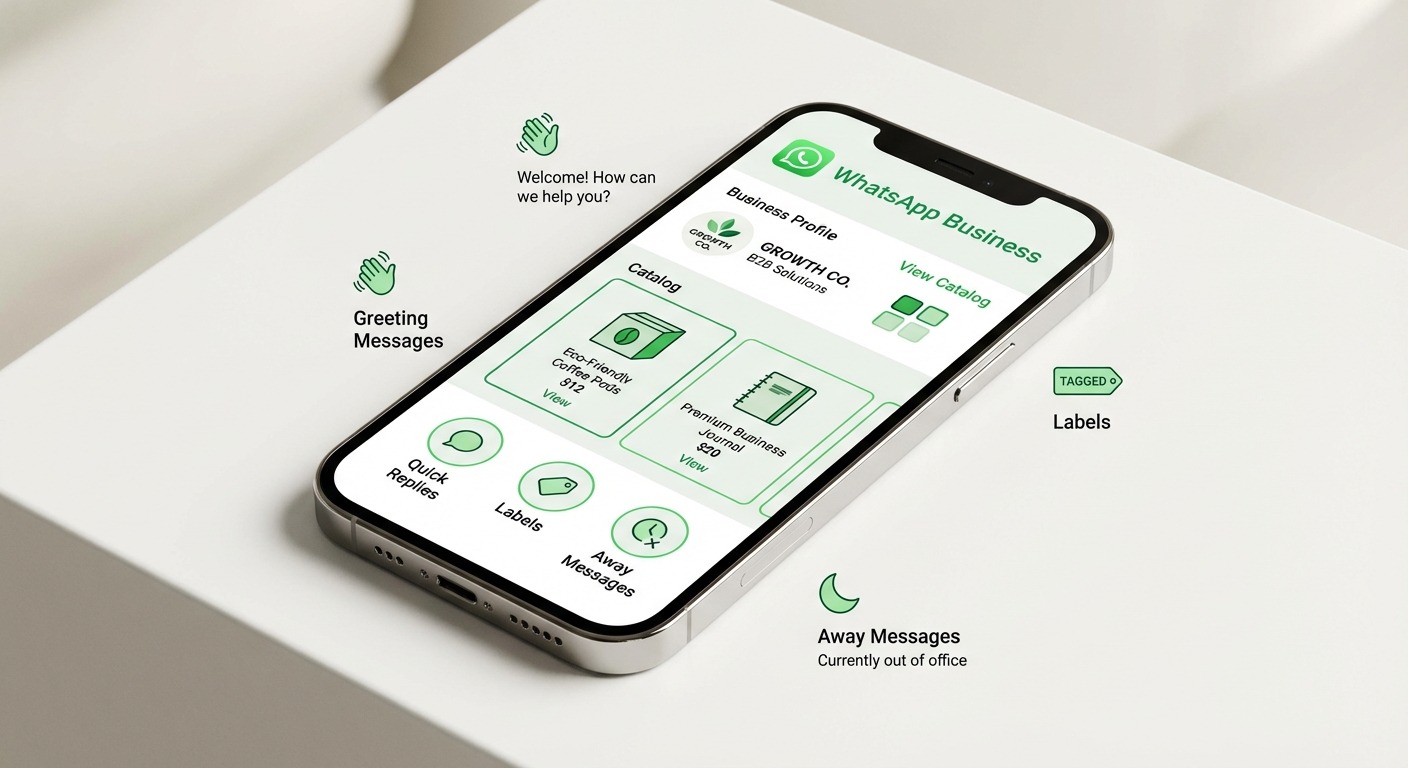
The WhatsApp Business App is Meta’s free messaging tool designed specifically for solopreneurs and micro-businesses. Available on Android and iOS, it turns your personal WhatsApp experience into something more professional with a dedicated business profile, product catalog, quick replies, greeting messages, away messages, and contact labels for organizing conversations.
The app works well for what it is designed to do: give a single person the tools to manage a modest volume of customer conversations from their phone. You can set up automated greeting messages so new contacts get an instant reply, configure away messages for after-hours inquiries, and use quick replies to handle repetitive questions without typing the same response fifty times a day. The catalog feature lets you showcase products directly inside WhatsApp, turning your chat window into a mini storefront that customers can browse without ever leaving the app.
However, the limitations become apparent quickly as your business grows. The WhatsApp Business App is fundamentally a single-device tool tied to one phone number. While you can link up to four companion devices, the primary phone must stay connected and only one person can realistically manage the account at a time. There is no team inbox, no conversation assignment, no audit trail of who said what to which customer. The broadcast list feature caps at 256 contacts per list, and recipients must have your number saved in their contacts to receive broadcast messages, which dramatically reduces actual reach. Automation is limited to the basic greeting and away messages with no conditional logic, no chatbot flows, and no CRM integration.
New in 2026, the app benefits from the Group Message History feature and improved catalog management, but these additions do not solve the core scaling limitations. If you are a freelancer, a local shop owner, or a one-person operation handling fewer than 50 messages per day, the WhatsApp Business App is the right starting point. It costs nothing, takes five minutes to set up, and covers the basics. But the moment you need a second person handling conversations or want any meaningful automation, you have outgrown it.
WhatsApp Web for Business: Overview and Best For
WhatsApp Web for business gives you browser-based access to your WhatsApp Business account through web.whatsapp.com. You log in by scanning a QR code or entering your phone number, and your conversations sync to a desktop browser window where you can type faster, share files from your computer, and manage chats without constantly switching between your phone and your work.
The desktop experience is genuinely useful for businesses that spend most of their day at a computer. File sharing is more convenient since you can drag documents, images, and PDFs directly from your desktop. Voice and video calls work in the browser, and the multi-device support (up to four linked devices) means a small team of two to five people can technically access the same account from different computers simultaneously. For businesses that want a more comfortable chat workflow than thumb-typing on a phone, WhatsApp Web is a natural step up from the mobile app.
The key question many businesses ask is whether WhatsApp Web for business replaces the need for the API. The answer is almost always no. While WhatsApp Web makes it easier to manage conversations on a desktop, it does not add any new business functionality beyond what the app already provides. There are no broadcast lists on the web version, no native chatbot capabilities, no CRM integration, and no way to build automated workflows. Session timeouts can disconnect you if your browser is idle for too long, and there is no proper multi-agent system with conversation routing, assignment rules, or performance analytics.
New features coming in 2026 include group calls on the web interface and improved multi-device stability, which are welcome quality-of-life improvements but do not address the fundamental business limitations. WhatsApp Web for business is best suited for small teams of two to five people who need the convenience of desktop messaging and handle a moderate volume of conversations. It works well as a complement to the mobile app, letting your team work from their computers during office hours while using the phone app on the go. But if you need automation, chatbots, team management, or the ability to broadcast at scale, WhatsApp Web alone will not get you there.
WhatsApp Business API: Overview and Best For
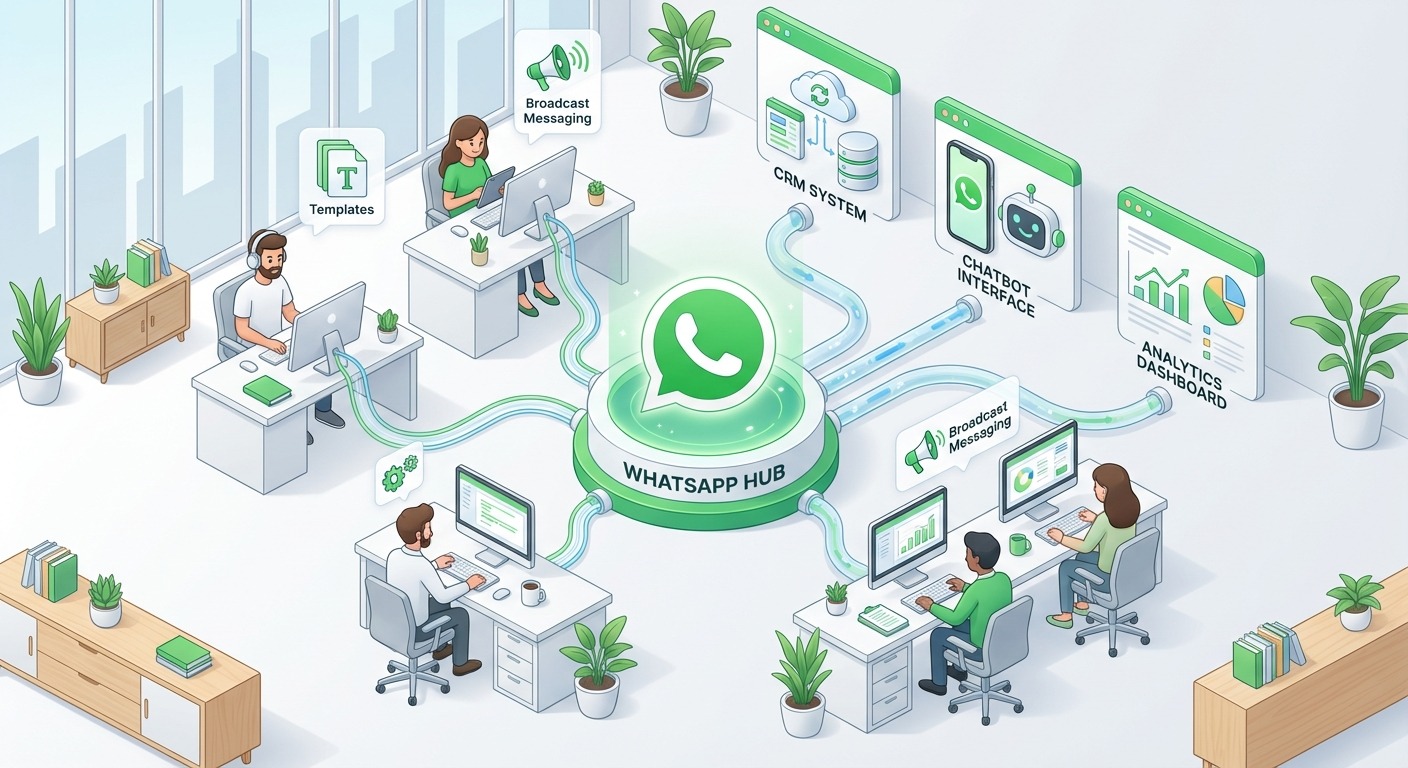
The WhatsApp Business API is Meta’s enterprise-grade messaging platform designed for medium to large businesses that need serious capabilities: unlimited agents, chatbot automation, template messages, CRM integration, detailed analytics, and broadcast messaging at scale. Unlike the free app and web versions, the API is not a standalone product you download. Instead, you access it through a Business Solution Provider (BSP) like ChatMaxima that provides the interface, tools, and infrastructure to actually use the API.
This is where WhatsApp business messaging gets powerful. With the API, you can build no-code chatbots that handle customer inquiries 24/7, automate order confirmations and shipping updates, send personalized template messages to thousands of customers, and route conversations to the right agent based on topic, language, or priority. Your entire team works from a shared omnichannel team inbox where every conversation is tracked, assigned, and measurable. Integration with CRMs like HubSpot, Salesforce, and tools like Zapier means customer data flows automatically between your WhatsApp conversations and your business systems.
The API does come with costs. Meta charges per conversation based on category (marketing, utility, authentication, or service), and your BSP may add their own markup on top. The pricing model that took effect in July 2025 brought significant changes to how conversations are categorized and billed, making it important to understand the pricing structure before committing. That said, platforms like ChatMaxima start at just $19/month with no per-conversation markup, which makes the API accessible even for growing businesses that are not yet enterprise-scale.
Cloud API improvements in 2026 have made setup faster and more reliable, reducing the technical barrier that once made the API feel like an enterprise-only option. If your team has five or more agents, you handle more than 100 daily conversations, or you need any form of automation, chatbot, or CRM integration, the WhatsApp Business API is the clear choice. It is the only option that actually scales with your business.
Head-to-Head Comparison Table
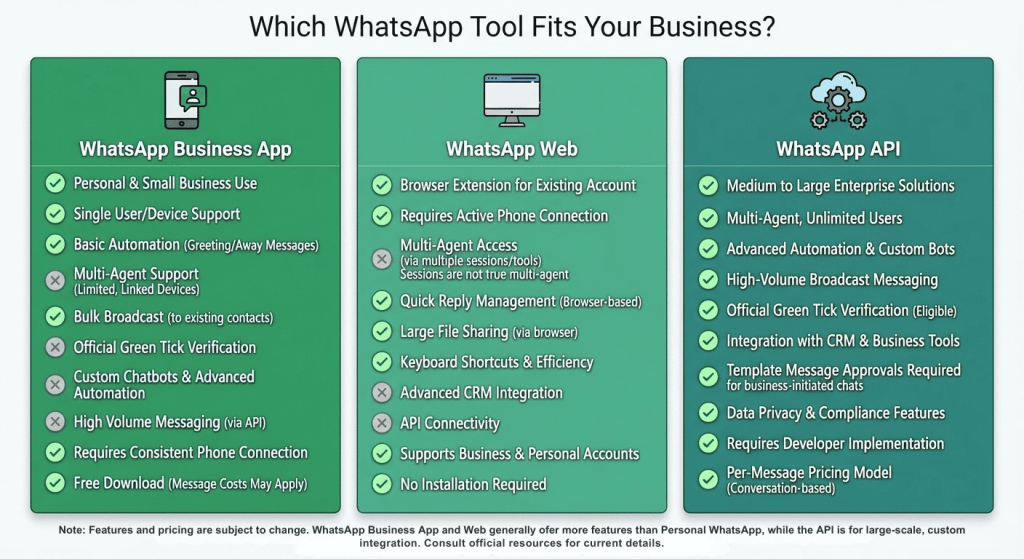
This table covers every major feature and capability across all three WhatsApp business tools. Bookmark it and refer back whenever you need a quick answer about what each option supports.
FeatureWhatsApp Business AppWhatsApp Web for BusinessWhatsApp Business APIPriceFreeFreePaid (Meta conversation fees + BSP fee, from $19/mo with ChatMaxima)Team Size1 user (primary device)1-4 linked devicesUnlimited agentsMulti-DeviceUp to 4 companion devicesUp to 4 linked devicesUnlimited, managed via BSP dashboardChatbot AutomationNo (greeting/away messages only)NoYes, full no-code and coded chatbot flowsCRM IntegrationNoNoYes (HubSpot, Salesforce, Zapier, and 50+ tools)Broadcast MessagingUp to 256 contacts per list, recipients must save your numberNot available on webUnlimited, template-based, no save requirementTemplate MessagesNoNoYes, with approval workflow and AI-powered builderAnalytics and ReportingBasic (messages sent/delivered/read)No dedicated analyticsFull analytics: response time, resolution, agent performance, CSATConversation RoutingNot availableNot availableAutomatic routing by topic, language, priority, agent availabilityProduct CatalogYes, in-app catalogView only (managed via app)Via third-party integrationsQuick RepliesYes (limited set)Yes (synced from app)Yes, plus dynamic variables and conditional logicGreeting/Away MessagesYesSynced from appYes, plus advanced scheduling and conditional triggersCustomer Support ToolsLabels, starred messagesSame as appTicket assignment, internal notes, SLA tracking, agent handoffVoice/Video CallsYesYes (including group calls in 2026)Business voice calling (via Meta API)File SharingYesYes (drag-and-drop from desktop)Yes, programmatic and manualScalabilityLow (single operator)Low-Medium (small team, no automation)High (unlimited agents, automated workflows, enterprise-ready)Setup ComplexityDownload app, verify number (5 min)Scan QR code or phone login (2 min)BSP onboarding, Meta verification (1-3 days)API AccessNoNoFull REST API for custom integrationsPayment CollectionNoNoYes, via integrations (Stripe, Razorpay)Compliance/Audit TrailNoNoYes, full conversation logs and export
Decision Framework: Which One Do You Need?
Rather than guessing, walk through this simple decision logic based on three factors: team size, daily message volume, and automation needs.
If you are a solo operator handling fewer than 50 messages per day and you do not need automation or CRM integration, start with the WhatsApp Business App. It is free, it is fast to set up, and it covers the essentials. You can always upgrade later when your needs grow. This path works well for freelancers, independent consultants, neighborhood shops, and anyone who personally handles every customer conversation.
If you have a small team of two to five people and your primary need is desktop-based chat management with moderate message volume, add WhatsApp Web for business to your workflow. Use the mobile app when you are on the go and the web version during office hours. This combination gives your team comfortable desktop access without any additional cost. This works for small agencies, service businesses, and teams where two or three people share responsibility for customer conversations but do not need formal routing or automation.
If you have five or more agents, handle more than 100 conversations per day, need chatbot automation, require CRM integration, or want to broadcast messages at scale, the WhatsApp Business API is your only viable option. The free tools simply cannot support these requirements, and trying to force them to work at this scale leads to missed messages, inconsistent responses, and frustrated customers.
From a cost perspective, the app and web versions are free, making them attractive starting points. But free does not mean costless. The hidden costs of manual processes, slower response times, and limited reach add up quickly. A single missed lead because your team could not respond fast enough or a customer who churned because they never received a follow-up message can easily cost more than a month of API access. ChatMaxima’s pricing starts at $19/month, which includes unlimited AI conversations and no per-message markup on Meta’s conversation fees.
The most common growth path looks like this: businesses start with the WhatsApp Business App when they launch, outgrow it when they hire their second or third team member, add WhatsApp Web for desktop convenience, and eventually graduate to the API when they need automation, multi-agent support, or integration with their business systems. Understanding where you are on this journey helps you make the right investment at the right time.
Can You Use All Three Together?
Yes, and many successful businesses do exactly that. The three WhatsApp business tools are not mutually exclusive, and combining them can create a workflow that covers every scenario your team encounters throughout the day.
The WhatsApp Business App stays on your phone for quick, on-the-go responses when you are away from your desk, in meetings, or traveling. It is the fastest way to fire off a reply to an urgent customer message when you have thirty seconds between appointments. WhatsApp Web for business takes over during office hours when you are sitting at your computer and want the speed and comfort of a full keyboard, drag-and-drop file sharing, and a larger screen for reading longer conversations.
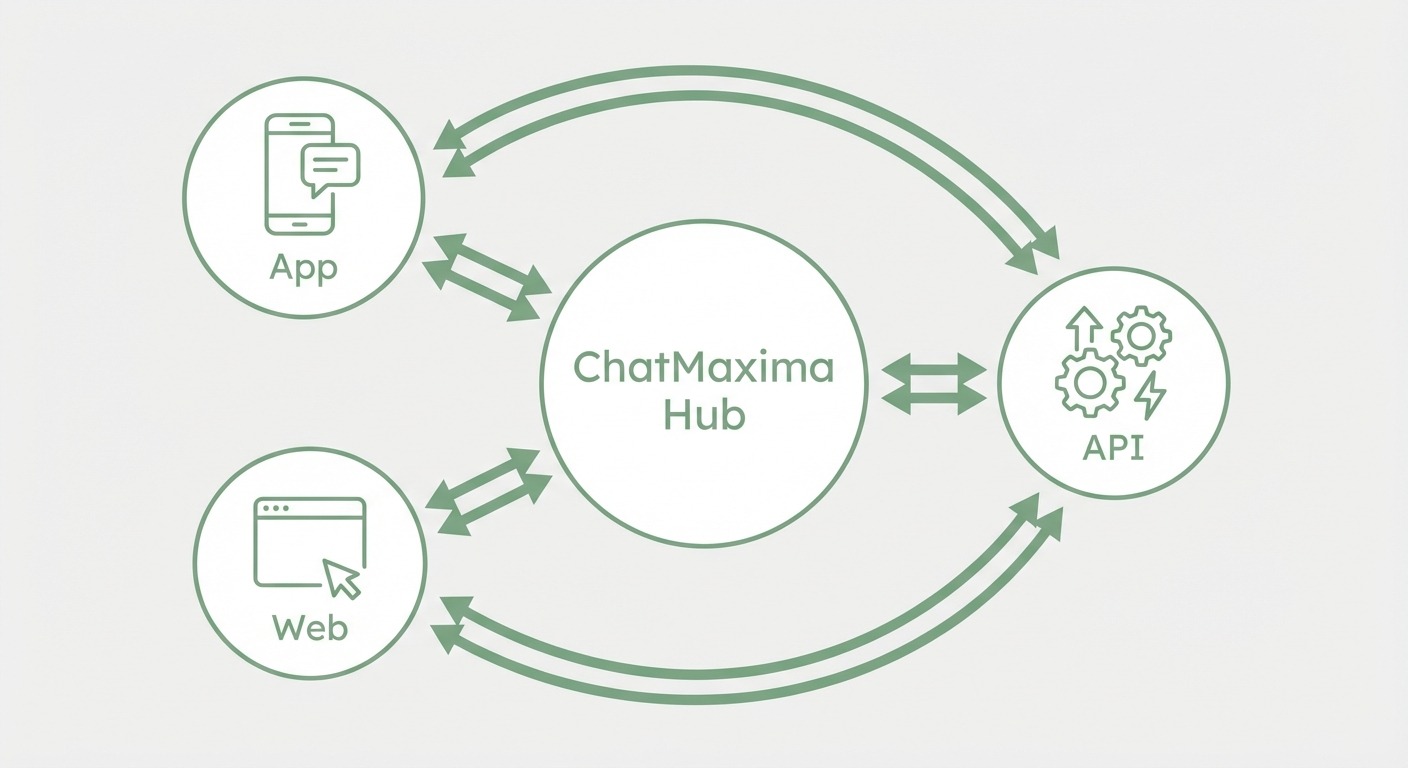
The WhatsApp Business API, accessed through a platform like ChatMaxima, handles everything that the free tools cannot: automated chatbot responses that work 24/7, template-based broadcasts to your entire customer list, conversation routing to the right agent, CRM data syncing, and analytics that show you exactly how your team is performing. The API does not replace the app or web, it extends them into a complete business communication system.
What ChatMaxima does is unify all of this into a single platform. Your WhatsApp automation runs in the background while your agents work from a shared team inbox that includes WhatsApp, Instagram, web chat, and other channels. You get the convenience of the free tools for simple tasks and the power of the API for everything else, without managing three separate systems.
Common Mistakes When Choosing Your WhatsApp Business Tool
Staying on the free app too long. This is the most common mistake and the most expensive one in terms of lost opportunity. Businesses that handle 200+ messages per day on the WhatsApp Business App are leaving enormous amounts of efficiency and revenue on the table. Every message that could have been handled by a chatbot, every lead that could have been automatically qualified, every follow-up that could have been triggered by a template message represents lost potential. The app is a great starting point, not a permanent solution.
Jumping to the API before you have the volume. On the flip side, some businesses invest in the API when they are only handling twenty conversations a day. At that volume, you are paying for capabilities you do not need yet. Start with the free tools, set a clear threshold (such as 100 daily conversations or needing a second agent), and upgrade when you hit it. The migration from free tools to the API through a BSP like ChatMaxima is straightforward and can typically be completed in one to three days.
Using WhatsApp Web as a team management tool. WhatsApp Web for business was designed for individual productivity, not team coordination. When three or four people share access to the same account through linked devices, there is no way to assign conversations, track who responded to whom, or measure individual performance. Conversations get duplicated, messages go unanswered because everyone assumes someone else handled it, and there is zero accountability. If you need multi-agent support, you need the API.
Ignoring the platform consolidation trend. With Messenger.com shutting down and Meta pushing businesses toward WhatsApp, relying on a patchwork of messaging tools is increasingly risky. Businesses that invest in a proper WhatsApp API setup now, with an omnichannel platform that also covers Instagram and web chat, are positioning themselves for the consolidated messaging future Meta is building.
How ChatMaxima Makes the WhatsApp Business API Accessible
One of the biggest barriers to adopting the WhatsApp Business API has traditionally been complexity. The API itself is a raw technical interface, not a user-friendly product. You need a BSP to turn it into something your team can actually use. This is exactly where ChatMaxima fits in, and the platform has been specifically designed to make the API accessible to businesses that do not have dedicated development teams.
The no-code chatbot builder lets you create sophisticated WhatsApp chatbot flows using a visual drag-and-drop interface. You can build bots that qualify leads, answer FAQs, collect customer information, process orders, and hand off to human agents when needed, all without writing a single line of code. The AI-powered template builder generates Meta-compliant WhatsApp templates in seconds, handling the formatting rules and approval requirements that trip up most businesses trying to manage templates manually.
The omnichannel team inbox brings WhatsApp conversations together with Instagram DMs, Facebook Messenger, web chat, and email into a single unified view. Agents do not need to switch between tabs or platforms. Conversations are automatically routed and assigned based on rules you define, with full audit trails, internal notes, and SLA tracking built in. CRM integrations with HubSpot, Salesforce, and Zapier ensure that customer data stays synchronized across your entire tech stack without manual data entry.
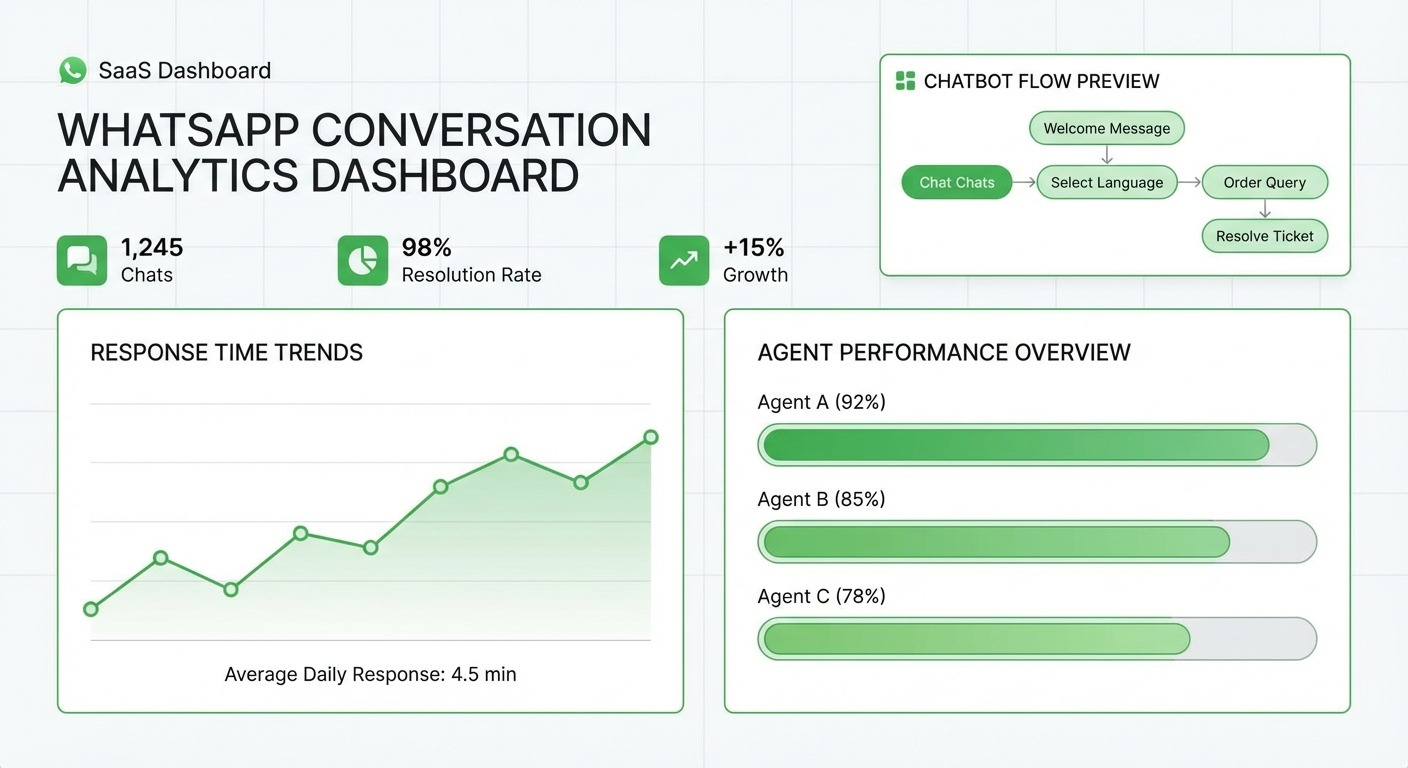
Analytics and reporting give you visibility into response times, resolution rates, agent performance, customer satisfaction, and conversation volume trends. You can identify bottlenecks, measure the impact of your chatbots, and make data-driven decisions about staffing and automation investments.
Pricing starts at $19/month with unlimited AI conversations, no per-message markup, and access to all integrations. For businesses comparing options, ChatMaxima consistently ranks as a top alternative to WATI and AiSensy for WhatsApp API access, particularly for teams that value an intuitive interface, honest pricing, and omnichannel capabilities.
Making Your Decision and Next Steps
The choice between WhatsApp Business App, WhatsApp Web for business, and WhatsApp Business API comes down to three questions: how many people need to manage conversations, how many messages you handle daily, and whether you need automation. Solo operators start with the app. Small teams add the web. Growing businesses that need scale, automation, and integration graduate to the API.
Do not overthink the decision and do not let perfect be the enemy of good. Start where you are today, set clear triggers for when you will upgrade (such as “when we hire a second support agent” or “when we hit 100 daily conversations”), and revisit the comparison as your business evolves. The migration path from app to web to API is well-established and straightforward, especially with a BSP like ChatMaxima that handles the technical complexity for you.
If you are ready to explore the WhatsApp Business API, ChatMaxima’s pricing page breaks down exactly what you get at each tier. You can start a free trial, set up your first chatbot, and connect your WhatsApp number in the same afternoon. For businesses still evaluating, the WhatsApp automation guide and the no-code chatbot tutorial are good places to see what is possible before committing.
The right WhatsApp tool is the one that matches where your business is today while giving you room to grow into where it will be tomorrow. Choose accordingly.