
Welcome Back! Login to ChatMaxima.
Enter your email and password below to sign into your account
First time here?
Create Account
Forgot Password ?
Reset Password
A LINE Official Account can reply by itself in three ways: LINE's own greeting and auto-response messages, keyword replies from a flow, or an AI agent that reads your knowledge base. This guide compares them and shows how to set up the one that fits.
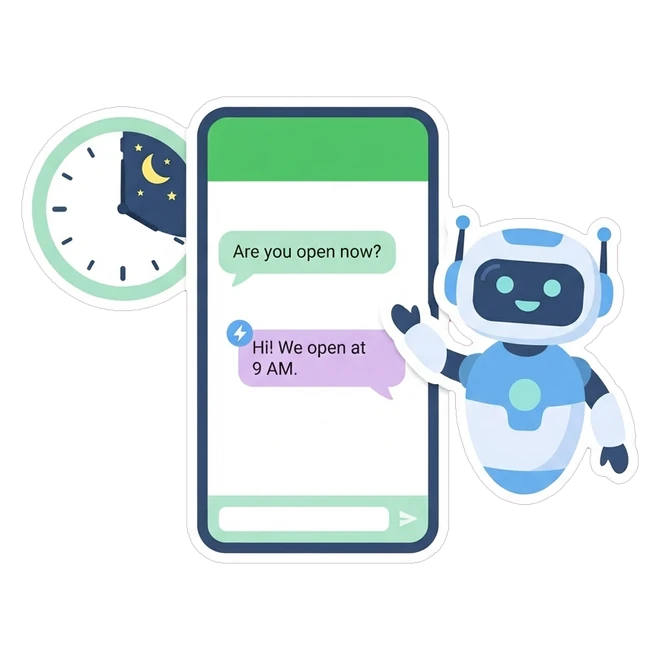
Each one answers without anyone typing. They differ in what happens when the question is not one you planned for.
LINE Official Account Manager includes a greeting message for new friends and auto-response messages for incoming chats. You write them in the Manager and switch them on or off under Settings, Response settings. No other tool is needed.
In ChatMaxima Studio, a trigger keyword starts a flow. A customer types "hours", "price" or "booking" and the flow answers with text, a picture, or quick reply buttons that lead to the next answer.
MaxIA, the ChatMaxima AI agent, reads the documents, pages and answers you give it and writes a reply to questions no keyword list would catch. When a question needs a person, it hands the chat to your team in the shared inbox.
For a full conversation with branches rather than single answers, see the LINE chatbot guide.
| What to compare | LINE built-in auto-response | Keyword flow in ChatMaxima | AI agent in ChatMaxima |
|---|---|---|---|
| Setup effort | Lowest. Write the messages in LINE Official Account Manager. | Connect the account once, then build the flow with drag and drop. | Connect the account once, then add your documents and pages. |
| What it can answer | The fixed messages you wrote in advance. | Every question you mapped to a keyword or a button. | Free-form questions that your knowledge base covers. |
| Handover to a person | Not part of the auto-response itself. | Yes, a step in the flow sends the chat to the team inbox. | Yes, the agent hands over when a person is needed. |
| Works outside business hours | Yes, with the messages you prepared. | Yes, the flow runs at any hour. | Yes, and it answers new questions too. |
| Works across other channels | LINE only. | Yes, the same flow can serve WhatsApp, Instagram and web chat. | Yes, one agent and one knowledge base for every channel. |
One person answering a few chats a day can stay with LINE's built-in messages. Move to a flow or an AI agent when questions vary or a team shares the account.
ChatMaxima receives LINE messages through a webhook. If LINE's greeting and auto-response stay on, LINE and your flow both answer, and the customer gets two replies to one message. Once the account is connected (the LINE Messaging API guide has those steps), set three switches.
Sign in to LINE Official Account Manager, choose the account, then go to Settings and Response settings.
This switch is greyed out until a webhook URL exists, and it stays off until you turn it on by hand. ChatMaxima saves the URL on LINE when you connect the account.
Your flow or AI agent answers the first message a customer sends, so LINE needs no welcome of its own.
From now on each incoming message gets one answer, from your keyword flow or your AI agent.
Message the Official Account from your own phone and check that exactly one reply arrives.
Customers write when it suits them, not when your desk is staffed. An automatic reply confirms the message arrived, then answers it or collects what your team needs to answer later.
Usually not. LINE counts the messages a business starts against the monthly quota of the Official Account. A reply is treated differently: each customer message comes with a reply token, and an answer sent with that token shortly after the customer writes is not counted.
ChatMaxima sends the first answer to each customer message on the reply token. The token works once and only for a short time, so a second message in the same turn, or an agent's answer the next morning, goes out as an ordinary message and does count. Keeping each auto reply to one message protects the quota. Plans and limits per country are explained on the LINE Official Account pricing page.
Connect your LINE Official Account, add a keyword flow or an AI agent, and test the replies on your own phone. 7-day free trial, no credit card.
Start Your Free TrialInside LINE Official Account Manager, write a greeting message and your auto-response messages, then switch them on under Settings, Response settings. For keyword flows or an AI agent, connect the account to ChatMaxima and switch those two LINE options off.
Yes. In ChatMaxima Studio a flow starts when the customer's message matches a trigger keyword. The message can equal the keyword or only contain it, start with it or end with it.
Yes. A flow or an AI agent answers at any hour, so a customer who writes at night still gets a reply within moments. The AI agent can answer the question itself, or the flow can take the details for your team to pick up the next working day.
No to both. ChatMaxima answers one-to-one chats between a customer and the Official Account, and it can only reach LINE contacts who have written to that account at least once.
Two systems are answering at once. LINE's own auto-response is still on while a webhook tool also replies. Open Response settings in LINE Official Account Manager, switch Greeting message and Auto-response messages off, and leave Webhooks on.
The first answer to a customer's message is sent with LINE's reply token, and a reply sent that way shortly after the customer writes is not counted. Extra messages in the same turn, and anything the business sends first, count against the quota of the Official Account.
With ChatMaxima, yes. The AI agent or the flow passes the conversation to the shared inbox, where an agent sees everything the customer and the bot have already said.
No. You paste two values from the LINE Developers Console, then build the keyword flow or add the knowledge base with no code. The 7-day free trial needs no credit card.