
Welcome Back! Login to ChatMaxima.
Enter your email and password below to sign into your account
First time here?
Create Account
Forgot Password ?
Reset Password
LINE Official Account Manager is LINE's own console, and you will keep using it for account settings. When the daily chat work needs more hands, more channels or more automation, ChatMaxima connects to the same LINE Official Account and works alongside it.
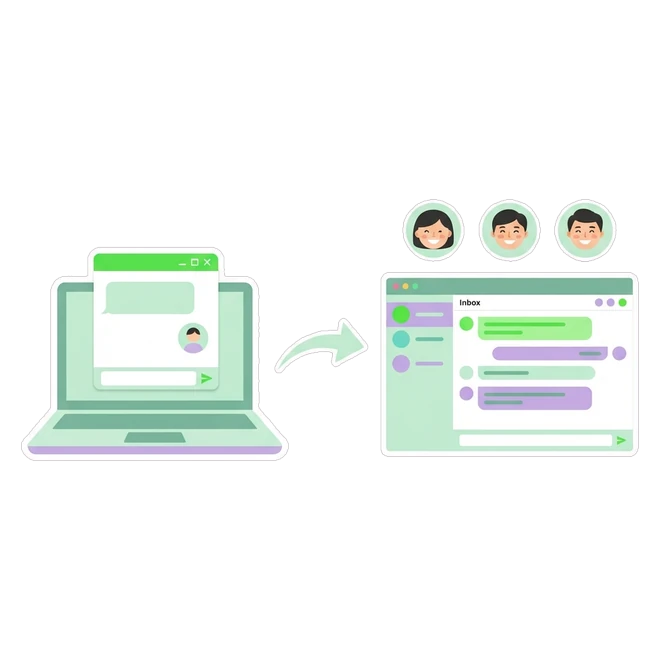
LINE Official Account Manager comes with every Official Account, and for one person answering a few chats a day it can be enough.
Read and answer customer messages in LINE's own chat screen.
Write a message and send it to the people who added your account as a friend.
Set up the tappable menu that sits at the bottom of the chat.
Welcome new friends and send prepared replies without anyone typing.
See how your friends and messages are trending.
Profile, plan and Response settings live here, whichever tool you add.
Teams look for an alternative when the way they work changes, not because the Manager is broken.
You want every chat owned by one person or department, with private notes, labels and canned responses.
The same people write on WhatsApp, Instagram or your website chat, and your team switches between tabs.
You want answers drawn from your own documents and pages, with a handover to a person when needed.
A conversation should branch on what the customer says, save variables, call an API and update a CRM, without code.
Each customer should have a record with history and collected details, and belong to lists.
ChatMaxima connects to your existing LINE Official Account through the Messaging API. Customers see the same account. What changes is where your team works.

Incoming LINE messages arrive in ChatMaxima by webhook:
Once chats are handled through the webhook, switch off the Greeting message and Auto-response messages in LINE Official Account Manager under Settings, then Response settings. Otherwise LINE replies as well as your bot. LINE's own bot building guide recommends disabling both, and our LINE auto reply guide covers the options.
The Manager column is described in general terms; LINE adds features over time and they can differ by country, so check your own console.
|
Area
|
LINE Official Account Manager
|
ChatMaxima on the same account
|
|---|---|---|
|
Account setup, profile, plan, Response settings
|
Yes, and it stays here | No, keep using the Manager |
|
One-to-one chat
|
Yes, in LINE's chat screen | Yes, in a shared team inbox |
|
Team handling
|
LINE's own chat tools, for LINE conversations | Assignment, departments, labels, private notes and canned responses |
|
Channels in the inbox
|
LINE | LINE, WhatsApp, Instagram, Facebook Messenger, Telegram, web chat and email |
|
Automatic answers
|
Greeting and auto-response messages | No-code flows with conditions, variables and API steps, plus an AI agent trained on your knowledge base |
|
Broadcasts
|
Yes, to your LINE friends | Yes, to contacts or contact lists that have messaged you; schedule, pause, resume, stop |
|
Rich menus
|
Yes | Yes, created from grid layouts |
|
Customer data
|
Your LINE friends, inside LINE's console | A contact record per customer with history, labels and collected details, contact lists and the MaxCRM pipeline |
|
Cost
|
Included with the Official Account | Separate subscription; LINE message fees are unchanged |
|
Best for
|
One person or a small team answering LINE only, and account settings for everyone | Teams with several agents, more than one channel, or a need for AI and flows |
Nothing is migrated, because the account does not change.
Paste the channel access token and channel secret from the LINE Developers Console into ChatMaxima, which then sets the webhook URL on LINE for you. See the LINE Messaging API guide.
In LINE Official Account Manager, open Settings, then Response settings, and switch Webhooks on.
On the same screen, switch off the Greeting message and Auto-response messages so only one system answers.
Answer chats in ChatMaxima from now on. Go back to the Manager for the profile, plan and quota.
Connect your LINE account and keep the Manager for settings. 7-day free trial, no credit card required.
Start Your Free TrialNot a full replacement. The account is still created and configured in LINE Official Account Manager, so you keep it. ChatMaxima connects to the same account through the Messaging API and takes over the daily work: the team inbox, the AI agent and the flows.
No. ChatMaxima receives messages from the moment the webhook is switched on, so earlier conversations stay in the Manager's chat screen. After that, each customer who writes gets a contact record with the history that follows.
Account level work: the profile, the plan and message quota, admin roles and the Response settings. It is also the place to message friends who have never written to you, because ChatMaxima reaches only contacts who have messaged the Official Account.
No. Your LINE plan and monthly message quota stay as they are, and messages your business starts count against that quota. ChatMaxima is a separate subscription with a 7-day free trial and no credit card.
No. You connect the Official Account you already have, using its channel access token and channel secret from the LINE Developers Console. Connecting does not touch your friends, profile or rich menu.
If the greeting message and auto-response messages stay on, LINE answers and so does your bot, so the customer gets two replies. LINE's developer documentation recommends disabling both when a bot handles the chat.
Yes. In ChatMaxima each LINE conversation can be assigned to an agent or a department, with labels, private notes and canned responses, and agents get push notifications in the iOS and Android apps.
It handles one-to-one chats, not LINE group chats. LINE gives no delivered or read receipts, so reports show sent and failed counts. LINE Login and LIFF apps are not included.