
Welcome Back! Login to ChatMaxima.
Enter your email and password below to sign into your account
First time here?
Create Account
Forgot Password ?
Reset Password
People who message your LINE Official Account should not stay a list of chats. ChatMaxima gives each one a contact record with the conversation history, the details your bot collected, labels, lists and a place in your sales pipeline.
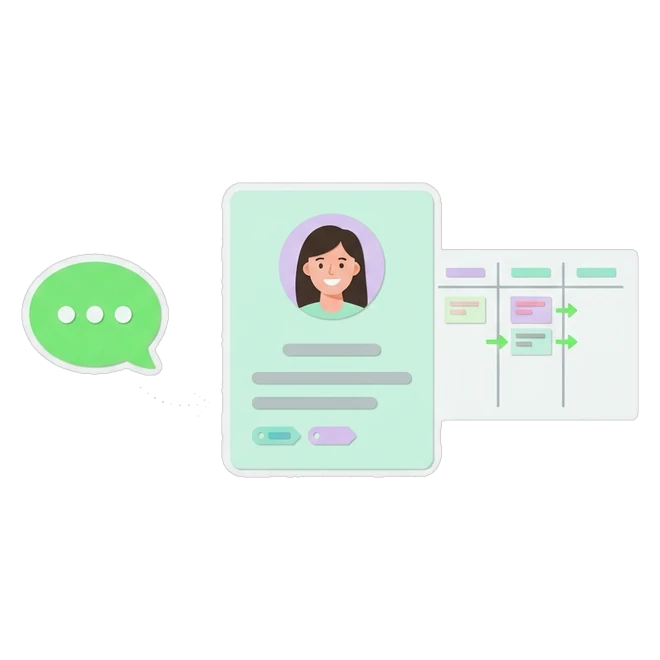
A LINE contact starts thin. LINE tells a business the customer's display name and profile picture, and no phone number or email. Everything else is added in the conversation: the customer shares it, your bot asks for it, or your team enters it.
| Stored on the LINE contact | Where it comes from | When you have it |
|---|---|---|
| LINE display name | The LINE profile | From the first message |
| Profile picture | The LINE profile | From the first message, if set |
| LINE user id | Issued by LINE; not the public LINE ID | From the first message |
| Conversation history | Every message sent and received | From the first message |
| Phone number | Customer, bot question or agent | Only after it is shared |
| Email address | Customer, bot question or agent | Only after it is shared |
| Custom details (interest, budget, branch) | Flow questions saved to contact fields | When the customer answers |
| Labels and private notes | Your team, in the inbox | Any time |
| Contact lists | The lists you add the contact to | Any time |
| Owner and pipeline stage | Assignment and the MaxCRM pipeline | Once assigned |
The path a new enquiry takes once your account is connected. Building the flow is covered in the LINE chatbot guide.
A record starts only when the customer writes first.
ChatMaxima saves the LINE display name and profile picture, and keeps every message from here on.
A short flow asks for the real name, phone number and interest. Each answer is saved to a field on the contact.
Conditions check the answers (budget, location, product) and separate sales leads from support questions.
Qualified leads are assigned to an agent or a department, who reads the saved answers before replying.
The contact moves through the MaxCRM pipeline, and the same details can go to your external CRM from the flow.
Three tools keep a growing LINE contact base in order, and each does a different job.
A label is a quick marker: hot lead, quote sent, needs callback, VIP. Agents add and remove labels as things change.
A contact list is a saved group, such as one branch or one product interest. Lists are how you segment LINE customers for follow up.
Fields hold what you know: phone, email, city, interest, budget. The bot writes answers into fields, so nobody rereads chats to build a list.
Once a list exists, you can message everyone on it at once; that is covered on the LINE broadcast page.
A CRM for LINE Official Account chats pays off when a lead reaches the right person with the facts attached.

If your sales team works in another system, the flow can hand the lead over at the moment it qualifies.
LINE is the leading messaging app in Japan, Thailand and Taiwan, with about 190 million monthly active users. Plan your CRM around these facts.
LINE shares a display name and picture. Ask for contact details early in the flow and say why you need them.
A record exists only for people who have messaged your LINE account in a one to one chat. Group chats are not handled.
The overview of everything ChatMaxima does on LINE.
Build the flow that asks the questions and saves the answers.
Message the contact lists you built in the CRM.
Connect the Official Account so contacts start arriving.
What changes when a team outgrows the Manager.
Connect your LINE Official Account and watch contact records fill in as customers chat. 7-day free trial, no credit card required.
Start Your Free TrialWhat teams ask before they move their LINE customers into a CRM.
A LINE CRM is a customer database filled by the chats on your LINE Official Account. Each person who messages you gets a contact record with chat history, the details they gave, labels, lists and a pipeline stage, so your team can follow up as with any other lead.
Not as a bulk import. A LINE contact is created in ChatMaxima when that person messages your Official Account after it is connected. Friends who have never written to you appear once they send a first message.
Yes. Inside a flow you can pass the details collected in the LINE chat to HubSpot, Shopify or WooCommerce, or post them to your own system with a webhook. The contact record and its chat history stay in ChatMaxima too.
No. ChatMaxima handles one to one chats between a customer and your LINE Official Account. Group chats are not handled, so they create no contact records.
No. LINE does not pass a phone number or an email address to a business. A new LINE contact starts with the display name and profile picture only. The rest is added when the customer types it, when your bot asks for it, or when an agent enters it.
Use labels for the state of a customer (hot lead, needs callback) and contact lists for groups you act on together, such as one branch or one product interest. The fields your bot saved show who belongs in which list.
Yes. LINE contacts are kept in the same contact database, inbox and MaxCRM pipeline as contacts from WhatsApp, Instagram, Facebook Messenger, Telegram, web chat and email, and the same labels and lists work across all of them.
A flow asks qualifying questions, then hands the chat to your team, where it is assigned to an agent or a department. That person sees the saved answers, can add a private note, and moves the lead through the MaxCRM pipeline.