
Welcome Back! Login to ChatMaxima.
Enter your email and password below to sign into your account
First time here?
Create Account
Forgot Password ?
Reset Password
In ChatMaxima, each LINE integration is a step in a flow: it sends what the customer said to your CRM, sheet or store, or brings data back into the reply.
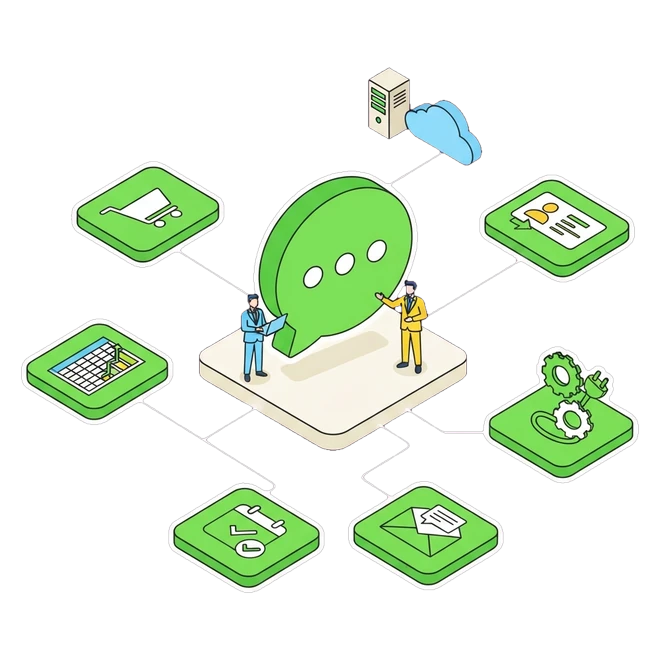
Every tool below is a ready step in ChatMaxima Studio, the flow builder, and can sit in a conversation on your LINE Official Account.
| Group | Tools | What the step does |
|---|---|---|
| CRM and sales | HubSpot, Zoho CRM, GoHighLevel, Odoo | Create a contact or lead from the answers given on LINE, or look one up. The Odoo step also searches and updates records. |
| E-commerce and payments | Shopify, WooCommerce, Stripe | Read products and orders from a Shopify or WooCommerce store. The Stripe step works with customers and invoices. |
| Sheets and databases | Google Sheets, Airtable, Supabase | Add a row for each enquiry, read rows back, or update a row. |
| Helpdesk and tasks | ClickUp, Slack | Create a ClickUp task from the conversation, or post to Slack. |
| Automation platforms | Zapier, Make, n8n | Send the conversation data to a Zapier or Make webhook, or call an n8n webhook and keep its response. |
| Your own systems | API Request, Webhook, Code, MCP Server | Call any HTTP API, let an outside system start a flow, reshape data with sandboxed JavaScript, or give the AI agent the tools of an MCP server. |
An integration is one step among the messages and questions, and it runs when the conversation reaches it.
Question steps collect what the tool needs and keep each answer as a variable.
The step sends those variables to the tool, or asks it for data. The result is saved to a variable too.
The next message uses the result: a confirmation or an order status, in the same LINE chat.
You connect each tool once with your own login or key for it. Building the flow itself is covered in the LINE chatbot guide.
Decide which way the data should move before you choose a step.
The enquiry and the customer's answers are written to a CRM, a sheet or a task board as soon as they are complete.
Look up an order in your store, a row in a sheet or a CRM record, and answer with what was found.
Another system calls a Webhook step, the flow runs with the data it sent, and a Send LINE Message step writes to a known LINE contact.
The third direction only reaches people who have already messaged your Official Account; the LINE broadcast page explains business-started messages.
The most common LINE integration. The same pattern works with HubSpot, Zoho CRM, GoHighLevel or Odoo.
A question arrives on your LINE Official Account, and the flow starts.
Name, phone number, email and what they are interested in.
The phone and email questions check the format before accepting the answer.
You map each variable to a CRM field, and the step creates the contact or lead.
The customer gets a confirmation, and the flow can go on, for example by handing the chat to a salesperson.
The contact also stays in ChatMaxima with its chat history; how that record is managed is on the LINE CRM page.
When the tool is your own booking system, ERP or database, four general steps do the work.
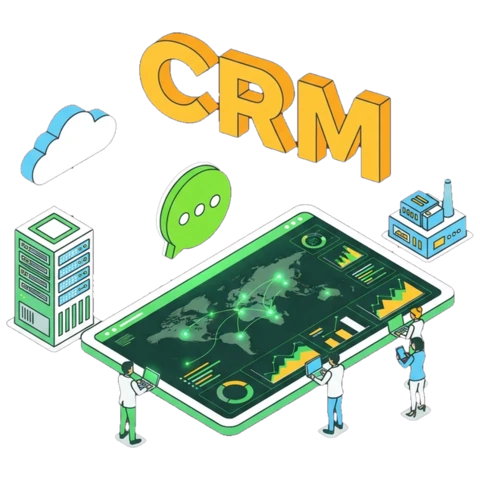
Connecting the LINE account itself is a separate job; see the LINE Messaging API setup guide for that.
Three limits to plan around.
A step acts when a flow runs, for the customer in that chat. It does not keep every contact matched in both systems.
The Shopify and WooCommerce steps read store data, for example; they do not place orders.
The connection covers one to one chats on the Official Account. LINE Login and LIFF apps are not included, and group chats are not handled.
The overview of everything ChatMaxima does on LINE.
Build the flow that your integration steps sit in.
Manage the contact records your LINE chats create.
Connect the Official Account before adding any integration.
Get and qualify the leads you then send to your CRM.
Connect your LINE Official Account and add one integration step to a flow. 7-day free trial, no credit card required.
Start Your Free TrialWhat teams ask before they connect a LINE Official Account to their other tools.
A LINE integration links the chats on your LINE Official Account to another business tool, such as a CRM, a spreadsheet or an online store. In ChatMaxima it is a step inside a flow that sends details out to the tool or brings data back into the reply.
The flow asks the customer for the details you need in the LINE chat, then a HubSpot step creates a CRM contact from those answers, or reads an existing contact.
No. An integration step acts when a flow runs, for the customer in that conversation. It is not a background job that keeps every contact matched between LINE and your CRM.
Yes, to a customer who has already messaged your Official Account. Your system calls the address of a Webhook step, and a Send LINE Message step writes to the contact, found by saved mobile number or LINE user id. That message counts against your LINE message quota.
HubSpot, Zoho CRM, GoHighLevel, Odoo, Shopify, WooCommerce, Stripe, Google Sheets, Airtable, Supabase, ClickUp, Slack, Zapier, Make and n8n each have their own step. For anything else there are API Request, Webhook, Code and MCP Server steps.
The Shopify step reads store data: products, orders and product search. The bot can answer an order or product question on LINE from your store. It does not place or change orders.
Not for the tools that have their own step; you pick the connected account and map the fields. For your own system, someone who knows its API fills in the API Request step. There is no server code to host.
No. ChatMaxima connects one to one chats on a LINE Official Account. LINE Login and LIFF apps are not included, and group chats are not handled.