Why WhatsApp CRM Is No Longer Optional
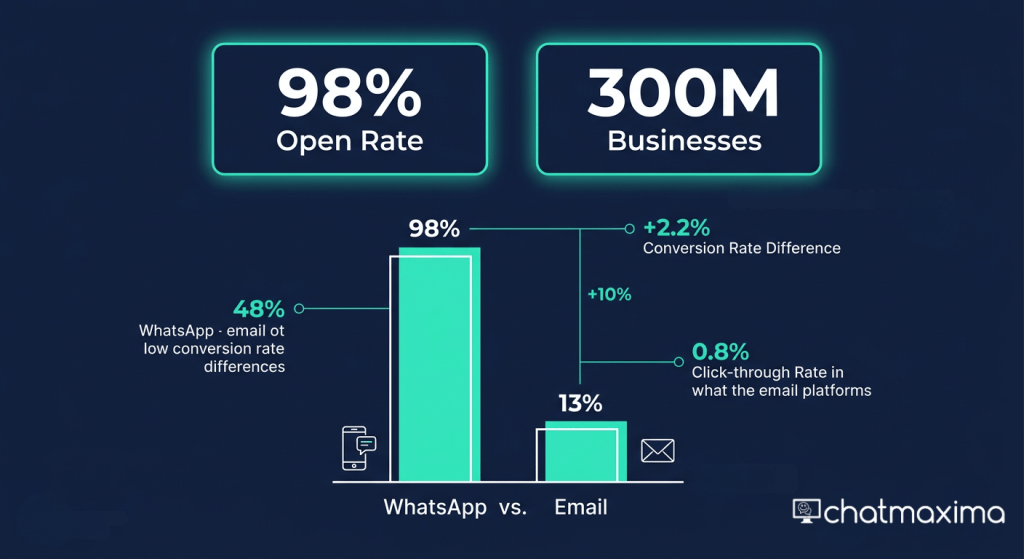
Here is a number worth sitting with: over 300 million businesses now use WhatsApp Business globally. And every single day, 175 million people send messages to business accounts on the platform. WhatsApp has become the default communication channel for customers across Asia, Latin America, Europe, and increasingly North America – and that shift is only accelerating.
Now consider this: WhatsApp messages have a 98% open rate. Email sits at roughly 20%. If you are running campaigns, handling support, or trying to close deals, you already know where your customers are paying attention. The question is whether you have the infrastructure to meet them there – at scale.
This is where most businesses run into trouble. WhatsApp is brilliant for one-on-one conversations. It falls apart fast when you have a team of five support agents, hundreds of inbound messages per day, and no system for routing, tracking, or following up. Without a proper WhatsApp CRM, you end up with missed messages, duplicate replies, zero visibility into conversation history, and a customer experience that feels chaotic.
A WhatsApp CRM solves this. At its core, it is a software platform that integrates the WhatsApp Business API with customer relationship management tools. It allows businesses to manage WhatsApp conversations at scale with features like a shared team inbox, automation, contact management, broadcast messaging, analytics, and often multi-channel communication in a single dashboard. Unlike the basic WhatsApp Business app, a WhatsApp CRM is designed for teams managing high volumes of customer conversations and needing visibility across all interactions.
The CRM market is valued at $97.6 billion in 2026 and WhatsApp Business API adoption is expected to reach 85% of large enterprises by the end of the year. Ignoring this combination is not a strategic option anymore.
In this guide, we evaluated 10 of the best WhatsApp CRM systems available in 2026 – comparing their features, pricing, strengths, and weaknesses. Whether you are a solopreneur just getting started or a scaling enterprise managing thousands of conversations daily, there is a tool on this list for you.
Our evaluation criteria: WhatsApp Business API support, team inbox capabilities, chatbot and automation features, native CRM functionality, broadcast tools, analytics, and overall pricing transparency.
What to Look For in a WhatsApp CRM
Before diving into the list, it is worth understanding what separates a good WhatsApp CRM from a mediocre one. These are the key features you should be evaluating:
1. Official WhatsApp Business API Support
This is non-negotiable. The standard WhatsApp Business app (the free one) caps you at one device and one user. You can use it for basic messaging, but it does not support automation, shared inboxes, or integrations. To handle volume, automate messages, and integrate with other tools, you need access through the official WhatsApp Business API – which requires a verified Meta Business account and an approved API provider (also called a Business Solution Provider, or BSP). Without the API, WhatsApp CRM functionality is simply not possible.
The good news is that getting API access is now much faster than it used to be. Most providers can have you connected within 24-48 hours. Always check whether a platform is an official Meta BSP or simply resells API access through another BSP. Direct BSPs generally offer better reliability, faster support, and more transparent pricing on Meta’s per-message charges.
One important detail: the WhatsApp Business API is not free. Meta charges per-conversation based on the type (marketing, utility, authentication, or service) and the destination country. A conversation window opens when either a business or a user sends a message and remains open for 24 hours. All messages exchanged within that 24-hour window count as one conversation. Marketing conversations cost the most, while service conversations initiated by users in some regions are free. You can find the latest Meta rate card on Meta’s business documentation site.
2. Shared Team Inbox and Multi-Agent Access
Customer conversations do not belong to a single person – they belong to the business. A shared inbox lets multiple agents view, claim, and respond to conversations from a unified dashboard. Look for features like conversation assignment, agent collision detection (so two agents do not reply simultaneously), internal notes, and conversation tagging.
3. No-Code Chatbot Builder and Automation
In 2026, every serious WhatsApp CRM should offer some form of chatbot capability. The best platforms let non-technical users build automated conversation flows – for lead qualification, FAQ handling, appointment booking, order updates, and more – without writing a single line of code. AI-powered chatbots that use large language models (like GPT-4o) take this further, enabling genuinely dynamic responses rather than rigid decision trees.
4. CRM Integration (Native or Third-Party)
Your WhatsApp conversations do not exist in a vacuum. They need to sync with your contact database, sales pipeline, or helpdesk. Some platforms have a built-in CRM (contact cards, deal stages, pipelines). Others rely on integrations with tools like HubSpot, Salesforce, Zoho, or Pipedrive. Either approach can work – just make sure the data flows smoothly.
5. Broadcast and Campaign Management
WhatsApp broadcasts – sending a single templated message to multiple contacts – are one of the most powerful marketing tools available when done right. Look for platforms that make it easy to create approved message templates, segment your contact lists, schedule broadcasts, and track open and click-through rates. Promotional WhatsApp messages can hit 45-60% click-through rates, which is unheard of in email marketing.
6. Analytics and Reporting
You cannot improve what you cannot measure. A good WhatsApp CRM should show you key metrics: message delivery and read rates, response times, agent performance, chatbot completion rates, campaign results, and customer satisfaction scores. Bonus points for dashboards that are clear enough that non-technical managers can actually use them.
7. Pricing Transparency
WhatsApp CRM pricing has two layers. First, the platform fee (what you pay the software provider, usually monthly or annually). Second, Meta’s per-conversation charges, which vary by conversation type (marketing, utility, authentication, service) and by country. Some platforms add a markup on top of Meta’s charges – sometimes 20% or more. Always calculate the total cost of ownership – platform fee plus Meta’s per-conversation charges plus any implementation or integration costs. A platform that charges $59/mo but adds a 20% markup on every Meta message can cost significantly more than a $99/mo platform with no markup at volume.
If you are looking for the most affordable full-featured option, ChatMaxima starts at $19/mo with no markup on Meta’s charges. Interakt (around ₹999/mo) and AiSensy (around ₹1,500/mo) are cheaper in INR but have more limited feature sets and are primarily designed for the Indian market. SendPulse offers a free tier but with significant limitations on volume and features. See our pricing page for ChatMaxima’s transparent breakdown.
The 10 Best WhatsApp CRM Systems in 2026
1. ChatMaxima – Best Overall WhatsApp CRM (Most Affordable)
Overview
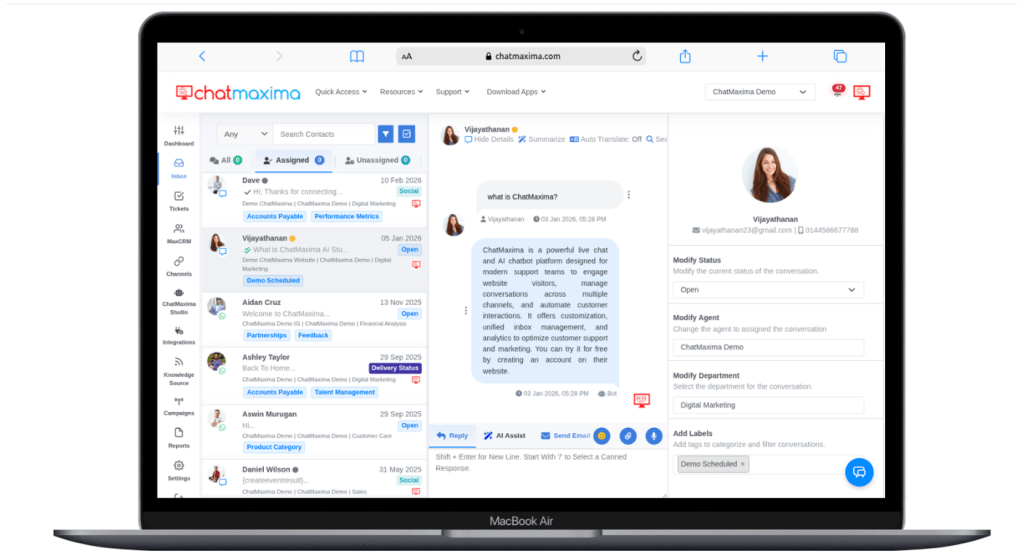
ChatMaxima is the most complete and affordable WhatsApp CRM platform available in 2026. Built for businesses that want enterprise-grade capabilities without the enterprise-grade price tag, ChatMaxima combines a no-code AI chatbot builder, shared team inbox, and true multi-channel support – all in a single, intuitive dashboard. It is 3 to 10 times cheaper than most alternatives on this list, which makes it the obvious starting point for any business evaluating WhatsApp CRM tools.
ChatMaxima is an official WhatsApp Business API partner, which means you get direct API access, no middleman markup, and full compliance with Meta’s policies. Beyond WhatsApp, it also supports Facebook Messenger, Instagram DMs, Telegram, SMS, and live chat – so your entire customer communication stack lives in one place.
Key Features
-
- No-code AI chatbot builder powered by GPT-4o mini – build sophisticated conversation flows without technical help
- Unlimited chatbots across all plans – no artificial caps on automation
- Shared team inbox with conversation routing, assignment, internal notes, and agent collision detection
- Multi-channel support: WhatsApp, Facebook Messenger, Instagram, Telegram, SMS, and live website chat
- WhatsApp broadcast campaigns with contact segmentation and performance analytics
- Native CRM with contact management, tags, custom fields, and conversation history
- Seamless integrations with popular business tools – explore all integrations
Pricing
-
- Starter – $19/mo – Best for solopreneurs and small teams
- Pro – $99/mo – Best for growing businesses
- Max – $299/mo – Best for scaling teams with high volume
- Ultra – $499/mo – Best for large enterprises
All plans include unlimited chatbots and multi-channel access. View full pricing details.
Pros
-
- Exceptional value – starts at just $19/mo with no feature gating on core tools
- Unlimited chatbots on every plan (most competitors charge per chatbot)
- True multi-channel out of the box – not just WhatsApp
- GPT-4o mini AI integration for genuinely intelligent chatbot responses
- No markup on Meta’s per-conversation charges
- Clean, intuitive UI that non-technical users can navigate immediately
- Excellent onboarding and customer support
Cons
-
- Newer brand compared to established players like HubSpot or Zoho
- Enterprise SLA agreements and dedicated account management available on higher plans only
- Some advanced CRM pipeline features still rolling out
Best For: Any business that wants the best WhatsApp CRM without overpaying – from startups to mid-market companies ready to scale.
Start free today at chatmaxima.com/pricing/.
2. WATI – Best for Customer Support Teams
Overview
WATI (WhatsApp Team Inbox) was purpose-built for customer support on WhatsApp and has been one of the most popular platforms in this space since the early days of the WhatsApp Business API. It offers a clean shared inbox experience, solid automation tools, and a no-code chatbot builder. WATI targets support-heavy teams that live and breathe WhatsApp and want a focused, polished tool specifically for that channel.
The tradeoff is that WATI is a single-channel product – it does not natively support Instagram, Telegram, or SMS. If your customer communication spans multiple channels, you will need additional tools or integrations. It also adds approximately a 20% markup on Meta’s per-message charges, which adds up quickly at volume.
Key Features
-
- Shared WhatsApp inbox with multi-agent access and conversation routing
- No-code chatbot builder with pre-built templates for common support flows
- Broadcast messaging with template management and contact segmentation
- Integration with HubSpot, Zoho, Shopify, and other popular tools
- API access for developers who want custom integrations
- Agent performance reporting and conversation analytics
Pricing
-
- Growth: $59/mo (annual billing)
- Pro: $119/mo
- Business: $279/mo
Note: WATI applies approximately a 20% markup on Meta’s per-conversation API charges on top of the platform fee.
Pros
-
- Purpose-built for WhatsApp support – the UI shows it
- Good template library and broadcast tools
- Reliable uptime and well-established platform
- Strong integration ecosystem
Cons
-
- WhatsApp-only – no native multi-channel support
- 20% markup on Meta API charges increases total cost significantly at scale
- Chatbot builder is functional but not as sophisticated as AI-native platforms
- Pricing jumps steeply between tiers
Best For: Customer support teams that are exclusively focused on WhatsApp and want a dedicated, polished inbox tool.
3. Respond.io – Best for High-Volume Enterprise Conversations
Overview
Respond.io is a feature-rich business messaging platform aimed squarely at enterprise and mid-market teams managing high volumes of conversations across multiple channels. It is one of the most comprehensive platforms on this list in terms of raw functionality – offering omnichannel support, advanced automation workflows, a built-in CRM, and detailed reporting. It does not mark up Meta’s API charges, which is a genuine advantage at scale.
The catch is price. Respond.io is significantly more expensive than most alternatives, and its interface has a steeper learning curve that may frustrate smaller teams. It is clearly designed for organizations with dedicated ops or technical resources to set it up and maintain it.
Key Features
-
- Omnichannel inbox: WhatsApp, Facebook Messenger, Instagram, Telegram, LINE, Viber, and more
- Advanced automation builder with conditional logic, tags, and multi-step workflows
- AI-assisted reply suggestions and conversation summarization
- Built-in contact and deal management CRM
- No markup on Meta’s per-conversation charges
- Detailed analytics: conversation volume, team performance, SLA tracking
- Enterprise-grade security and compliance features
Pricing
-
- Starter: $79/mo (annual)
- Growth: $159/mo
- Advanced: $279/mo
Pros
-
- No markup on Meta API charges – cost-effective at very high volumes
- Truly omnichannel with deep channel support
- Advanced automation capabilities for complex workflows
- Strong analytics and reporting suite
Cons
-
- Expensive entry point – $79/mo is steep for smaller teams
- Steep learning curve; requires time to set up properly
- Overkill for businesses with straightforward support or sales needs
- Customer support quality varies by plan
Best For: Enterprise and high-growth businesses that need a powerful, omnichannel messaging platform and have the team to manage it.
4. Kommo – Best for Small Sales Teams with a Visual Pipeline
Overview
Kommo (formerly amoCRM) takes a different approach from most tools on this list. Rather than starting as a messaging platform and adding CRM features, Kommo is a sales CRM at heart that added WhatsApp and messaging integrations on top. The result is a product that feels very natural for sales teams – with a visual pipeline, deal tracking, and lead management that feels similar to tools like Pipedrive.
Kommo integrates with WhatsApp Business API and supports several other messaging channels. Its chatbot builder is more limited compared to dedicated WhatsApp platforms, but its sales pipeline functionality is genuinely strong. Pricing is per-user, which can make it expensive as your team grows.
Key Features
-
- Visual Kanban-style sales pipeline with deal tracking
- WhatsApp, Instagram, Facebook Messenger, and email in one inbox
- Salesbot: rule-based automation for lead qualification and follow-up
- Contact timeline showing full communication history across channels
- Native lead capture forms and website chat widget
- Reporting on pipeline conversion, deal value, and sales team performance
Pricing
-
- Base: $15/user/mo
- Advanced: $25/user/mo
- Enterprise: $45/user/mo
Pros
-
- Best-in-class visual sales pipeline for deal-focused teams
- Intuitive interface with a relatively shallow learning curve
- Good multi-channel inbox including WhatsApp
- Solid lead management and contact history features
Cons
-
- Per-user pricing gets expensive for larger teams
- Chatbot builder is more limited compared to dedicated WhatsApp platforms
- Less suited for pure support or marketing use cases
- Reporting is solid but not as deep as enterprise tools
Best For: Small sales teams (under 20 people) that want a CRM-first approach with WhatsApp integration baked in.
5. Gallabox – Best for SMBs Wanting No-Code Automation
Overview
Gallabox is a WhatsApp-focused platform built for small and medium businesses that want to automate customer communication without needing a developer. It offers a no-code flow builder, shared inbox, and broadcast tools with an interface designed for business users rather than technical teams. Gallabox targets SMBs in India and internationally that want to move beyond the basic WhatsApp Business app without a huge implementation project.
It is a solid platform for its target audience, though it is more expensive than ChatMaxima for comparable features and is primarily WhatsApp-focused rather than truly multi-channel.
Key Features
-
- No-code conversation flow builder for WhatsApp automation
- Shared team inbox with agent assignment and conversation labels
- WhatsApp broadcast campaigns with contact list segmentation
- Integration with Shopify, WooCommerce, Razorpay, and CRM tools
- Contact management with custom fields and tags
- Basic analytics: delivery rates, read rates, response times
Pricing
-
- Growth: $89/mo (annual billing)
- Scale: $197/mo
- Pro: $377/mo
Pros
-
- No-code automation builder accessible to non-technical users
- Good e-commerce integrations (Shopify, WooCommerce)
- Responsive customer support for SMBs
- Clean and focused user interface
Cons
-
- Significantly more expensive than ChatMaxima for similar core features
- Primarily WhatsApp-focused – limited multi-channel capability
- Analytics are basic compared to enterprise platforms
- No AI-powered chatbot capabilities
Best For: Small and medium businesses that want straightforward WhatsApp automation and have e-commerce operations on Shopify or WooCommerce.
6. AiSensy – Best Budget Option for WhatsApp Marketing (India)
Overview
AiSensy is a WhatsApp marketing platform popular among Indian businesses and startups that want to run broadcast campaigns and basic automation at an accessible price point. It focuses primarily on the marketing use case – bulk broadcasts, template campaigns, and simple chatbots – rather than deep CRM or support functionality. For teams that primarily need WhatsApp as a marketing channel and are operating with a tight budget, AiSensy delivers decent value.
The platform is a WhatsApp Business API partner and handles the API setup process reasonably well for users who are new to the ecosystem. However, its shared inbox and team collaboration features are limited compared to more mature platforms.
Key Features
-
- WhatsApp broadcast campaigns with pre-approved template management
- Basic no-code chatbot builder for FAQ automation
- Shared inbox for small teams (limited compared to dedicated support tools)
- Contact management with import/export capabilities
- Campaign analytics: delivery, read, and click rates
- API webhooks for basic integration with other tools
Pricing
-
- Basic: approximately ₹1,500/mo (~$18 USD)
- Pro: approximately ₹3,200/mo (~$38 USD)
Note: Pricing is in Indian Rupees and may vary. Meta’s per-conversation charges apply separately.
Pros
-
- Very affordable entry point, especially for Indian market
- Good for WhatsApp broadcast and marketing campaigns
- Reasonable WhatsApp API onboarding process
- Simple UI that non-technical users can learn quickly
Cons
-
- Limited team inbox and agent collaboration features
- No genuine multi-channel support
- Chatbot builder is basic – no AI capabilities
- Less suitable for sales CRM or complex support workflows
- Support quality can be inconsistent
Best For: Indian startups and small businesses primarily focused on WhatsApp marketing broadcasts on a tight budget.
7. Interakt – Best for Indian E-Commerce Businesses
Overview
Interakt is a Jio Haptik product (backed by Reliance Industries) specifically designed for Indian e-commerce businesses and D2C brands. It offers a solid WhatsApp Business API platform with native Shopify integration, abandoned cart recovery, COD confirmation flows, and other e-commerce-specific automations baked in. If you are an Indian e-commerce business, Interakt understands your specific workflows better than most generic CRM platforms.
The platform offers decent broadcast and automation tools for its price point, though the UI and feature depth do not match global competitors. Its pricing in rupees makes it one of the more accessible options in the Indian market.
Key Features
-
- Native Shopify integration with pre-built e-commerce flows (abandoned cart, order updates, COD confirmation)
- WhatsApp broadcast campaigns with audience segmentation
- Shared inbox with basic agent assignment
- No-code chatbot builder for common e-commerce queries
- Contact management with purchase history tagging
- WooCommerce, Razorpay, and other Indian platform integrations
Pricing
-
- Starter: ₹999/mo (~$12 USD)
- Growth: ₹2,499/mo (~$30 USD)
- Advanced: ₹3,499/mo (~$42 USD)
Pros
-
- Excellent e-commerce integrations for Indian businesses
- Affordable pricing in INR
- Backed by Jio Haptik – reliable infrastructure
- Good abandoned cart and order notification flows out of the box
Cons
-
- Heavily focused on Indian e-commerce – less suited for global or non-retail businesses
- UI is functional but dated compared to newer platforms
- Limited multi-channel support
- Chatbot capabilities are basic
Best For: Indian D2C brands and e-commerce businesses on Shopify or WooCommerce that want WhatsApp automation tailored to their workflows.
8. HubSpot CRM – Best for Marketing-Heavy Teams Already on HubSpot
Overview
HubSpot is one of the most powerful CRM and marketing platforms in the world, and in 2026 it offers WhatsApp integration – but through a very different model than dedicated WhatsApp CRM tools. HubSpot’s core CRM is free and genuinely excellent for contact management, deal pipelines, email marketing, and reporting. WhatsApp functionality, however, requires either third-party integrations or a significant upgrade to Marketing Hub, which starts at $800+/mo.
If your team is already on HubSpot and you want to add WhatsApp as a channel without switching platforms, this can make sense. If you are starting from scratch and WhatsApp is your primary channel, HubSpot is almost certainly the wrong (and most expensive) starting point.
Key Features
-
- World-class contact management, deal pipeline, and CRM functionality
- Email marketing, landing pages, forms, and marketing automation
- WhatsApp integration via third-party connectors (e.g., through HubSpot’s marketplace)
- Native WhatsApp support via Marketing Hub or through API integrations
- Detailed reporting dashboards and attribution modeling
- Extensive integration ecosystem with 1,000+ app connections
Pricing
-
- HubSpot CRM: Free (no WhatsApp included)
- Marketing Hub Starter: $20/mo (limited WhatsApp access)
- Marketing Hub Professional: $800+/mo (advanced WhatsApp and automation)
- Enterprise: $3,600+/mo
Pros
-
- Unmatched CRM, marketing, and pipeline capabilities
- Free CRM is genuinely powerful for contact management
- Best-in-class analytics and attribution
- Huge integration ecosystem
- Excellent for teams where WhatsApp is one of many channels
Cons
-
- WhatsApp is not a native, first-class feature – requires workarounds or expensive tiers
- Extremely expensive for WhatsApp-centric use cases
- Overkill for businesses that primarily need WhatsApp automation
- Setup and onboarding require significant time and often professional services
Best For: Marketing teams that are already deeply embedded in the HubSpot ecosystem and want to add WhatsApp as an additional channel – not as a primary one.
9. Zoho CRM – Best for Mid-Market Businesses Wanting Flexibility
Overview
Zoho CRM is a mature, feature-rich CRM platform that has added WhatsApp integration as part of its broader omnichannel messaging capabilities. Like HubSpot, Zoho’s strength is in its CRM backbone – contact management, sales pipelines, workflow automation, and reporting are all polished and battle-tested. WhatsApp integration is available through Zoho’s native channels or via third-party connectors, and it connects cleanly to the rest of the Zoho ecosystem (Zoho Desk, Zoho Marketing Automation, Zoho Books, etc.).
For mid-market businesses already using the Zoho suite or considering it, adding WhatsApp to the mix makes a lot of sense. For businesses primarily focused on WhatsApp, Zoho is probably more tool than they need – and getting WhatsApp configured correctly requires some technical effort.
Key Features
-
- Comprehensive sales pipeline, contact, and deal management
- WhatsApp integration via Zoho’s native messaging module and third-party apps
- Workflow automation with multi-step triggers and conditions
- Integration with Zoho Desk (support), Zoho Campaigns (email), and 40+ Zoho products
- AI assistant (Zia) for lead scoring, anomaly detection, and sales forecasting
- Detailed sales and pipeline analytics
Pricing
-
- Standard: $14/user/mo
- Professional: $23/user/mo
- Enterprise: $40/user/mo
- Ultimate: $52/user/mo
Pros
-
- Exceptional value for a full-featured CRM at mid-market pricing
- Deep integration across the Zoho ecosystem
- WhatsApp integration works well when properly configured
- Flexible customization for different business models
- Strong reporting and Zia AI features
Cons
-
- WhatsApp is not native out of the box – requires configuration or third-party apps
- Interface can feel dense and overwhelming for new users
- Chatbot capabilities for WhatsApp are limited without additional tools
- Customer support quality varies significantly by plan
Best For: Mid-market businesses with a Zoho-based tech stack that want to add WhatsApp as part of a broader CRM strategy.
10. SendPulse – Best All-in-One Marketing Plus CRM Combo
Overview
SendPulse is a multi-channel marketing automation platform that covers email, SMS, push notifications, pop-ups, chatbots, and a basic CRM – all in one tool. Its WhatsApp chatbot builder and broadcast capabilities are reasonably solid for a generalist marketing platform, and the free tier makes it an accessible entry point for small businesses experimenting with WhatsApp marketing.
SendPulse is not a dedicated WhatsApp CRM in the traditional sense – it lacks the deep shared inbox, agent routing, and support-focused features that dedicated platforms offer. But for small businesses or solopreneurs who want a single platform for email, WhatsApp, and basic CRM without a large budget, it offers a compelling starting point.
Key Features
-
- Multi-channel marketing: email, WhatsApp, Telegram, SMS, push notifications, and pop-ups
- WhatsApp chatbot builder with basic flow automation
- CRM with contact management and deal pipeline
- Email marketing with A/B testing, segmentation, and automation
- Landing page and pop-up builder
- Free tier available with limited contact and message volumes
Pricing
-
- Free tier (limited contacts and messages)
- Chatbot Pro plan: paid (pricing varies by contact volume and channel)
- Check sendpulse.com for current pricing as it scales with usage
Pros
-
- Genuinely useful free tier for small businesses just starting out
- All-in-one platform reduces tool sprawl for multi-channel marketing
- Good email marketing features combined with WhatsApp
- Accessible pricing for solopreneurs and early-stage startups
Cons
-
- Jack of all trades, master of none – WhatsApp capabilities are not as deep as dedicated platforms
- No robust shared team inbox for customer support at scale
- Chatbot builder is basic compared to AI-native tools
- CRM features are limited compared to dedicated CRM platforms
Best For: Solopreneurs and early-stage startups that want a single affordable platform for WhatsApp, email, and basic CRM without committing to multiple tools.
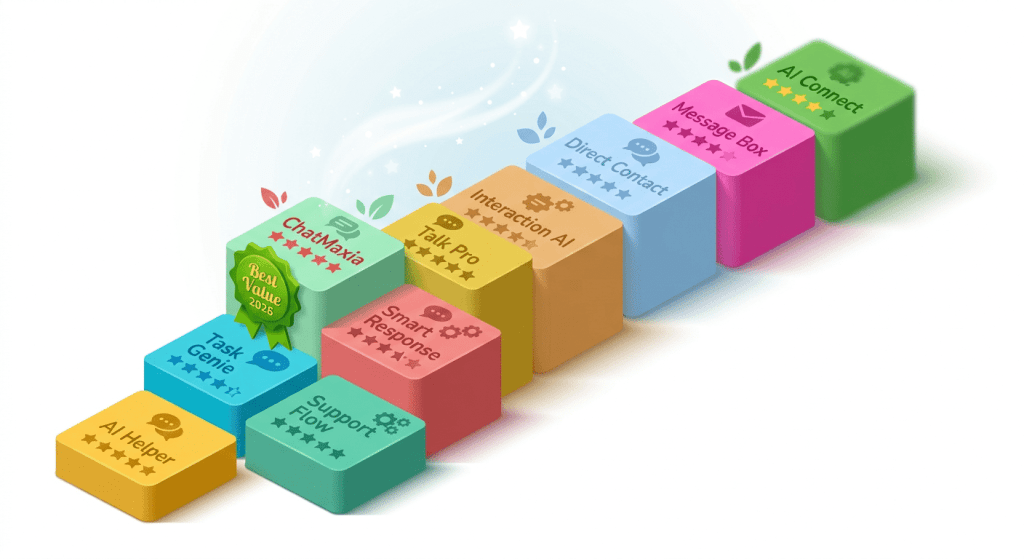
Quick Comparison: 10 Best WhatsApp CRM Systems in 2026
Here is a side-by-side summary of all 10 tools evaluated in this guide:
ChatMaxima
-
- Starting Price: $19/mo
- Free Trial: Yes
- WhatsApp API: Yes (BSP)
- Chatbot Builder: AI-powered, no-code
- Multi-Channel: Yes (6 channels)
- Best For: Best overall + most affordable
WATI
-
- Starting Price: $59/mo
- Free Trial: Yes
- WhatsApp API: Yes (BSP)
- Chatbot Builder: No-code
- Multi-Channel: WhatsApp only
- Best For: Customer support teams
Respond.io
-
- Starting Price: $79/mo
- Free Trial: Yes
- WhatsApp API: Yes
- Chatbot Builder: Advanced
- Multi-Channel: Yes
- Best For: High-volume enterprise
Kommo
-
- Starting Price: $15/user/mo
- Free Trial: Yes
- WhatsApp API: Yes
- Chatbot Builder: Rule-based
- Multi-Channel: Yes
- Best For: Sales teams with pipeline
Gallabox
-
- Starting Price: $89/mo
- Free Trial: Yes
- WhatsApp API: Yes (BSP)
- Chatbot Builder: No-code
- Multi-Channel: Limited
- Best For: SMBs with e-commerce
AiSensy
-
- Starting Price: ~₹1,500/mo
- Free Trial: No
- WhatsApp API: Yes (BSP)
- Chatbot Builder: Basic
- Multi-Channel: WhatsApp only
- Best For: Budget WhatsApp marketing
Interakt
-
- Starting Price: ₹999/mo
- Free Trial: Yes
- WhatsApp API: Yes (BSP)
- Chatbot Builder: Basic
- Multi-Channel: WhatsApp only
- Best For: Indian e-commerce
HubSpot CRM
-
- Starting Price: Free ($800+ for WhatsApp)
- Free Trial: Yes
- WhatsApp API: Via integration
- Chatbot Builder: Via integration
- Multi-Channel: Yes
- Best For: HubSpot-native teams
Zoho CRM
-
- Starting Price: $14/user/mo
- Free Trial: Yes
- WhatsApp API: Via integration
- Chatbot Builder: Limited
- Multi-Channel: Yes
- Best For: Mid-market Zoho users
SendPulse
-
- Starting Price: Free tier
- Free Trial: Yes
- WhatsApp API: Yes
- Chatbot Builder: Basic
- Multi-Channel: Yes
- Best For: Solopreneurs, multi-channel
How to Choose the Right WhatsApp CRM for Your Business
With ten solid options on the table, the right choice depends on a few key factors. Here is a practical framework:
By Business Size
Solopreneur or freelancer: Start with SendPulse (free tier) or ChatMaxima’s Starter plan at $19/mo. You need simplicity, affordability, and the ability to automate basic conversations without a developer.
Small business (2-20 team members): ChatMaxima’s Pro plan at $99/mo offers the most complete feature set at this size. If you are India-based and e-commerce focused, Interakt is worth a look. If your team is sales-driven with a pipeline, Kommo’s Base plan at $15/user/mo makes sense.
Mid-market (20-200 team members): Respond.io, Zoho CRM, or ChatMaxima’s Max plan are your strongest options. Respond.io wins on raw feature depth and multi-channel volume handling. Zoho wins if you are already embedded in that ecosystem.
Enterprise (200+ team members): Respond.io or HubSpot if you are marketing-led. ChatMaxima’s Ultra plan if you want to maximize capability-to-cost ratio. Enterprise deals with dedicated support are available from most providers at this scale.
By Use Case
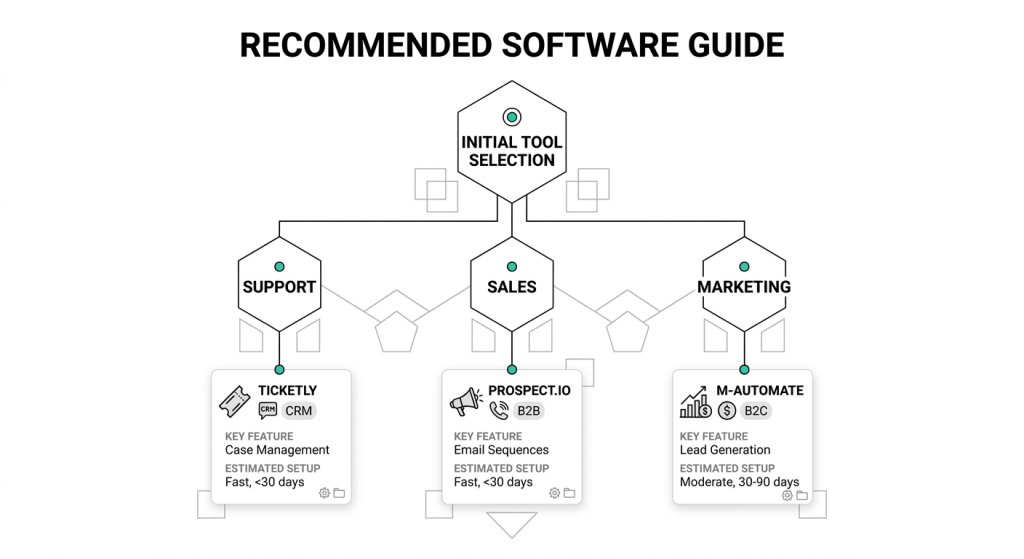
Customer support: Prioritize shared inbox quality, agent routing, SLA tracking, and response time analytics. WATI and Respond.io are strong here. ChatMaxima covers this well at a fraction of the cost.
Sales: Look for CRM pipeline features, lead qualification chatbots, and deal tracking. Kommo is purpose-built for this. ChatMaxima’s contact management and AI chatbots handle sales qualification effectively.
Marketing and campaigns: Broadcast management, contact segmentation, and campaign analytics are your priorities. AiSensy and Interakt target this well in the Indian market. ChatMaxima and Respond.io handle it effectively at a global scale.
Budget Considerations
Always calculate the total cost of ownership – platform fee plus Meta’s per-conversation charges plus any implementation or integration costs. A platform that charges $59/mo but adds a 20% markup on every Meta message can cost significantly more than a $99/mo platform with no markup at volume.
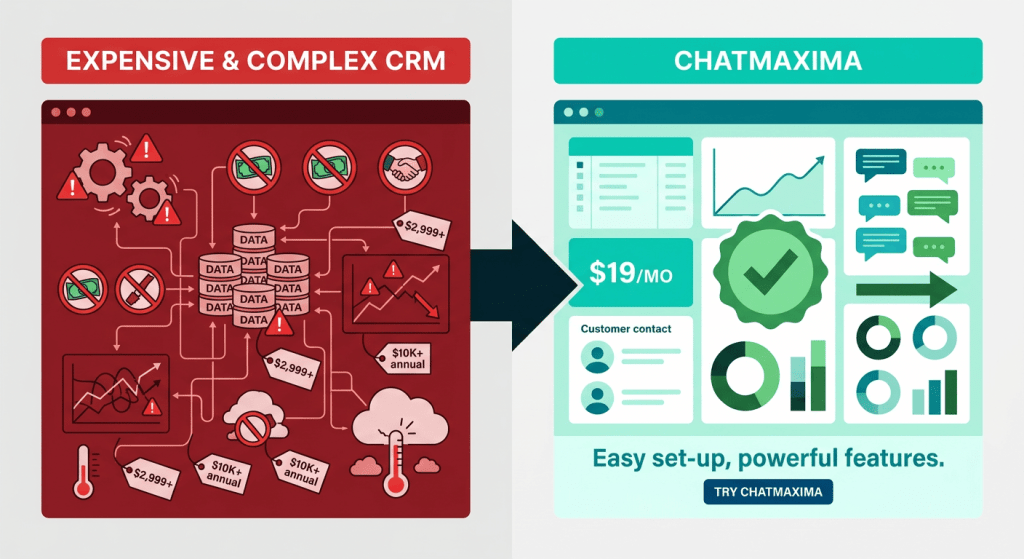
ChatMaxima’s transparent pricing with no API markup makes it consistently the most cost-effective choice across nearly every business size and use case. Compare plans on our pricing page.
For more options and alternative WhatsApp platforms, see our alternatives comparison.
Conclusion: Which WhatsApp CRM Should You Choose?
The WhatsApp CRM market in 2026 is mature, competitive, and genuinely impressive in what it offers businesses of all sizes. With $45 billion in global sales expected through WhatsApp commerce this year and 85% of large enterprises adopting the WhatsApp Business API, getting your CRM infrastructure right is not a nice-to-have – it is a competitive necessity.
For the vast majority of businesses, ChatMaxima is the clear first choice. It delivers AI-powered chatbots, a shared team inbox, true multi-channel support, and transparent pricing – starting at just $19/mo – with no feature gating and no markup on Meta’s charges. Whether you are a startup just getting started or a scaling team handling thousands of conversations daily, ChatMaxima grows with you.
For enterprise teams with massive volumes and a large technical team, Respond.io is worth the premium. For sales-focused small teams, Kommo’s pipeline approach is compelling. And for Indian businesses on a tight budget, Interakt offers solid e-commerce-focused value.
But if you want the best combination of features, affordability, and flexibility – and you do not want to overpay for tools you will outgrow – start with ChatMaxima.
Ready to see it for yourself? Explore ChatMaxima’s plans and start for free. No credit card required. No lengthy onboarding. Just a smarter way to manage every customer conversation.
Want to compare ChatMaxima against other WhatsApp tools in detail? Check out our alternatives page or browse more guides on the ChatMaxima blog.