

A virtual receptionist used to mean one thing: a trained person, working remotely, who answers your phone in your business’s name. Now the same phrase is used for AI software that holds a spoken conversation, books appointments and never puts a caller on hold.
The two are priced very differently, and each is better at different calls. This guide explains what a human virtual receptionist does, what an AI receptionist does, what each really costs at three call volumes, the hidden fees to watch for, and when it makes sense to combine them.
If you want the wider view of voice AI for small businesses first, start with our AI receptionist page.
What is a virtual receptionist?
A human virtual receptionist service gives you a team of trained receptionists who answer calls remotely, using a greeting and instructions you provide. Typical tasks:
- Answering calls in your business’s name
- Taking detailed messages and sending them by email or text
- Transferring calls to the right person, live
- Screening calls and filtering out sales pitches
- Booking appointments in a shared calendar
- Making outbound callbacks on your behalf
- Website live chat, usually as a paid add-on
Some providers also offer a dedicated remote receptionist, one person assigned to your business for set hours, usually billed by the hour or as a monthly retainer.
What is an AI receptionist?
This is software (sometimes sold as an AI virtual receptionist) that answers your phone and talks to callers in natural language. It answers from a knowledge source you write, books appointments into your calendar, collects caller details, and passes everything to your team with a transcript.
On ChatMaxima, an AI receptionist can answer calls on your own Twilio number, WhatsApp calls and a voice widget on your website, and the same assistant can answer website chat and WhatsApp messages.
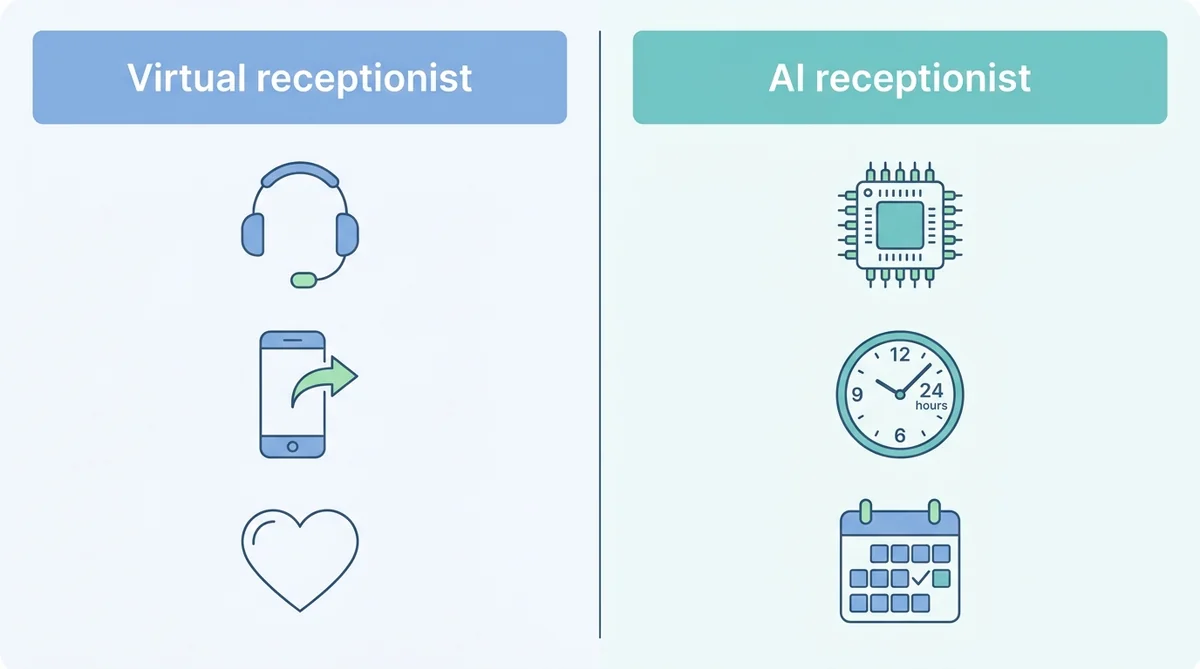
Side by side
| Human virtual receptionist | AI receptionist | |
|---|---|---|
| Who answers | A trained person, remotely | Software, in natural speech |
| Pricing model | Per minute or per call, in monthly bundles | Monthly plan plus usage |
| Calls at once | Depends on how many receptionists are free | Many at the same time |
| Hours | Often business hours, with 24/7 at a higher price | 24/7 at the same price |
| Live transfer to your team | Yes | Not on ChatMaxima (takes details for a callback) |
| Outbound callbacks | Yes, usually charged | Not by voice on ChatMaxima |
| Appointment booking | Yes, by hand in your calendar | Yes, directly into Google Calendar |
| Follow-up message to the caller | Sometimes | Yes, with Missed Call Text Back on WhatsApp or SMS |
| Judgment and empathy | Strong | Good for routine calls, weaker on complex or emotional ones |
| Consistency | Varies by receptionist and shift | The same answer every time |
| Languages | Depends on the provider | Many languages on one number |
| Changes to the script | Ask the provider | Edit the knowledge source yourself |
Virtual receptionist pricing in 2026
Human services price by the minute or by the call, in monthly bundles. Here are two well-known providers’ published plans, checked on their own pricing pages in November 2026.
Ruby (per minute)
| Plan | Monthly price | Included minutes | Effective cost per minute |
|---|---|---|---|
| 50 minutes | $250 | 50 | $5.00 |
| 100 minutes | $395 | 100 | $3.95 |
| 200 minutes | $720 | 200 | $3.60 |
| 500 minutes | $1,725 | 500 | $3.45 |
Live chat is a separate product, from $143 a month for 10 chats.
PATLive (per minute)
| Plan | Monthly price | Included minutes | Each extra minute |
|---|---|---|---|
| 50 minutes | $99 | 50 | $2.29 |
| 200 minutes | $349 | 200 | $1.99 |
| 500 minutes | $759 | 500 | $1.79 |
| 1,000 minutes | $1,499 | 1,000 | $1.69 |
PATLive says it bills only for live receptionist time on the call, not for message entry or wrap-up afterwards. Outbound calls and chat are priced separately.
AI-first services from the same market are priced per call instead. Smith.ai’s AI receptionist, for example, lists plans from $150 a month with included calls priced at roughly $1.60 to $2.00 each, and $2.10 to $2.50 for each extra call.
AI receptionist pricing on ChatMaxima
On ChatMaxima, the cost has four parts:
- A plan, from $19 a month (Starter).
- The Voice Calls add-on: $50 a month buys a pool of 2,000 talk-time minutes.
- Your phone number and incoming call time on Twilio, billed by Twilio: about $1.15 a month for a US local number plus under a cent per minute.
- Speech processing on your own speech provider key, typically around two cents a minute.
You do not pay separately for the AI model, calls are not charged one by one, and a minute at 2am costs the same as a minute at noon.
Real cost at three call volumes
Assume calls average three minutes. The human column uses PATLive’s published plans and overage rate, choosing the cheapest combination for each volume.
| Calls per month | Minutes | Human virtual receptionist (PATLive) | AI receptionist (ChatMaxima) |
|---|---|---|---|
| 100 | 300 | about $479 | about $79 |
| 250 | 750 | about $1,207 | about $92 |
| 500 | 1,500 | about $2,344 | about $113 |
How the AI figures add up at 750 minutes: $19 plan + $50 Voice Calls add-on + about $7.50 for the Twilio number and inbound minutes + about $15 of speech processing.
Two caveats keep this honest:
- The human service does more per call. A live receptionist can transfer the caller to you, make outbound calls and handle a difficult conversation. If you need those, the comparison is not like for like.
- Your call length matters. Human per-minute pricing grows fastest when calls run long. If your average call is five minutes, multiply the human column by roughly 1.7.
Per-call answering services are compared in the AI answering service vs live answering service guide.
A day of calls, handled two ways
Picture a physiotherapy clinic that gets about 40 calls on a Monday.
With a human virtual receptionist service. Calls are answered in the clinic’s name. Most callers want to book or move an appointment; the receptionist takes their details and emails the clinic, or books them if the service has calendar access. Two callers ask to speak to a physiotherapist and are transferred live. Between 12pm and 1pm, five calls arrive at once and two wait in a short queue. At 6:30pm the service’s daytime plan ends and calls go to voicemail. The month’s bill depends on how long each call took, including the chatty ones.
With an AI receptionist. Every call is answered at once, including the five at lunchtime. Callers who want to book get a time in the calendar before they hang up, and every caller also gets a WhatsApp message with the clinic’s address and a link to book online next time. The two who ask for a physiotherapist are told someone will call back within the hour, and the clinic gets an email with their details. Evening callers are handled the same way as morning ones. The cost does not change with how many calls arrive at 8am.
What each does better that day. The human service gave two callers an instant live connection, which the AI could not. The AI booked more people in the call, avoided the lunchtime queue and covered the evening. A clinic like this often keeps a person for the “can I speak to someone” calls and gives the rest to the AI.
What callers think
Callers do not mind AI nearly as much as businesses fear, as long as three things hold:
- They get what they called for. A booking, an answer or a clear next step.
- They know it is an assistant. A greeting such as “I’m the clinic’s virtual assistant” sets expectations.
- A person is reachable. If they ask for a human, they get a callback commitment they can trust, not a loop.
Where AI goes wrong is when it pretends to be human, cannot answer basic questions about the business, or traps a caller who needs a person. All three are setup problems, fixed by a good knowledge source and clear hand-off rules.
Hidden costs to ask about
Whichever kind of service you choose, read the plan details for:
- Overage rates. What happens in a busy month when you run past your bundle.
- Rounding. Whether each call is rounded up to a whole minute, or billed in 30-second or 6-second steps.
- Setup and onboarding fees, and whether script changes cost extra.
- After-hours, weekend and holiday surcharges.
- Outbound calls, chat and appointment booking as separately priced add-ons.
- Contract length and notice periods.
- For AI: usage-based charges such as per-call fees, AI model costs or speech minutes, and whether there are minimum commitments.
What a human virtual receptionist does better
- Live transfers. “Let me put you through to Sarah” is still the best experience for an important caller, and AI on ChatMaxima cannot do it.
- Complex or emotional calls. Complaints, bereavements, billing disputes and nervous first-time callers benefit from human judgment.
- Outbound work. Calling back a list of enquiries, confirming appointments by phone, chasing paperwork.
- Unusual requests. Anything your script never covered.
- Trust in sensitive industries, where some callers simply expect a person.
What an AI receptionist does better
- Cost at volume. The table above shows the gap growing with every extra call.
- No queue. Several callers can be answered at the same moment, which matters during a rush or after a marketing campaign.
- Bookings while the caller is on the line, straight into your calendar, without a message for someone to process later.
- 24/7 at no extra charge, including evenings, weekends and holidays. Our guide to an after-hours answering service covers how to set that up.
- A written follow-up. With Missed Call Text Back, each caller can be sent a short WhatsApp or SMS note with a link to book or a clear next step.
- Consistency and control. The answer to “how much is a cleaning?” is the same every time, and you change it yourself in minutes.
- One assistant across channels. The same knowledge answers phone calls, website chat and WhatsApp.
The hybrid setup most small businesses end up with
You do not have to pick one. Common combinations:
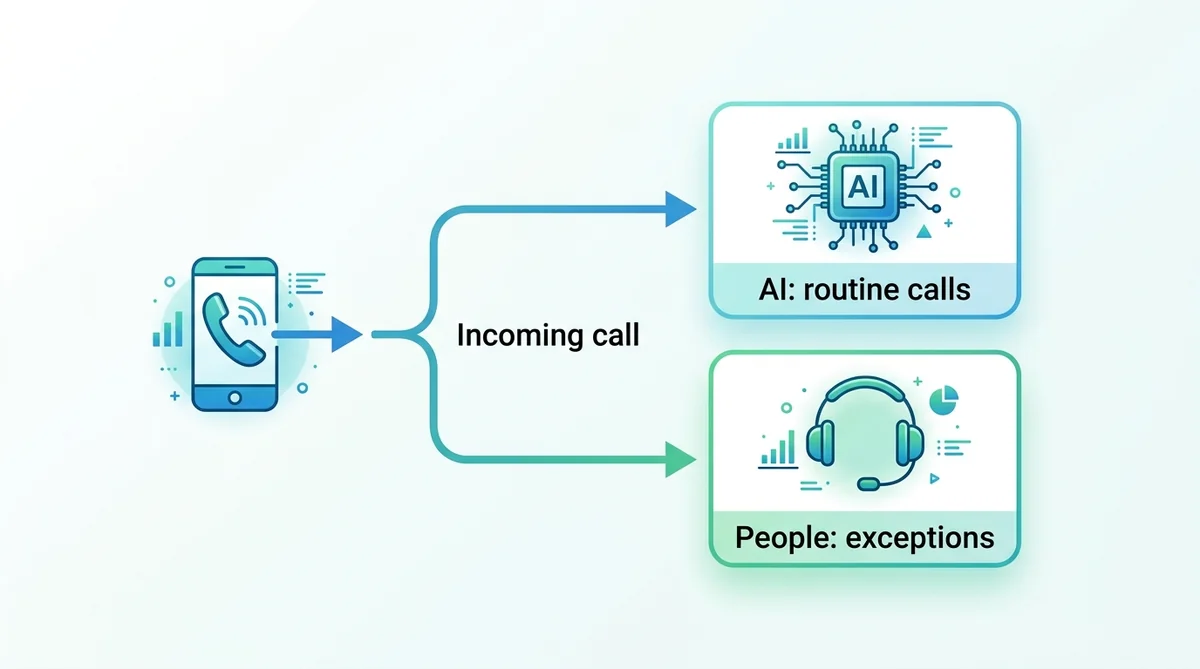
- AI first, people for exceptions. The AI answers every call and handles bookings and routine questions. Anything it should not handle gets a callback request, and your team calls back the same day.
- Team during the day, AI after hours. Your own staff or a human service covers opening hours; the line forwards to the AI in the evenings, on weekends and on holidays.
- AI for overflow. When every line is busy, calls forward to the AI instead of voicemail.
- Human service for one queue only. Keep a live receptionist for a single line that needs live transfer, such as emergency calls or VIP clients, and let the AI handle the general number. This usually cuts the human bill sharply because the expensive minutes are reserved for the calls that need them.
The forwarding rules for each of these live in your own phone system or carrier settings: time-of-day forwarding for after hours, and busy or no-answer forwarding for overflow.
Which one fits your business?
| Situation | Better fit |
|---|---|
| Most calls are bookings, prices, hours and directions | AI receptionist |
| You need callers transferred to you live, most of the time | Human virtual receptionist |
| Call volume is growing month by month | AI receptionist, or a hybrid |
| Calls are long, sensitive or complex | Human, with AI for overflow and after hours |
| You want evening and weekend coverage on a budget | AI receptionist |
| Customers often prefer WhatsApp or chat to calling | AI receptionist across phone and chat |
| You need outbound calling | Human service, or your own staff |
Industry notes
Clinics and dental practices. AI handles scheduling and routine questions well; clinical questions stay with staff. Our medical virtual receptionist guide covers privacy and what to keep human.
Law firms. New-client intake (matter type, contact details, urgency) and consultation booking suit AI; anything that sounds like legal advice must go to a person. Many firms keep a human receptionist for existing clients and use AI for new enquiries.
Home services. Speed matters: the first contractor to book usually wins the job. AI books jobs in the call and sends the emergency line in writing.
Real estate and property management. Viewing requests, property details and maintenance requests suit AI; tenant disputes go to people.
Professional services. Accountants, consultants and agencies often want a polished human greeting for clients and an AI for everything else.
How to switch from a human service to AI (or add AI alongside)
- Pull three months of call data from your current provider: volume, average length, and the most common reasons people call.
- Sort the call reasons into “AI can handle” and “needs a person”.
- Write the knowledge source from your current receptionist script, plus prices, services, hours and policies.
- Connect your calendar and choose the appointment types the AI may book.
- Set the hand-off rules: what counts as a callback request, who gets notified, and the same-day callback commitment.
- Start with one slice of calls, such as after hours or overflow, while the human service handles the rest.
- Compare a month of results: answered calls, bookings, callback requests, caller feedback and cost.
- Move more calls to the AI once the transcripts look right, or keep the hybrid if it serves your callers best.
Keeping quality high after you switch
Whichever option you choose, quality slips without a routine. Read a handful of call transcripts or call notes every week, especially calls that ended in a callback request. Update the script or knowledge source the same day your prices, hours or staff change. Ask two or three regular customers each month how the phone experience felt. Small, regular checks catch problems long before they show up as lost bookings.
Questions to ask any virtual receptionist provider
- How do you price calls, and how are minutes or calls rounded?
- What happens to calls when every receptionist (or line) is busy?
- Can you book directly into my calendar, or only take messages?
- Can callers be transferred to me live?
- Do callers get a written follow-up after the call?
- How quickly can I change the script, and is there a fee?
- What does it cost at double my current call volume?
What’s next
A human virtual receptionist and an AI receptionist are not rivals so much as tools for different calls. Use people where judgment and live transfer matter, and let AI take the routine calls, the rush and the hours when nobody is at the desk.
Start by sorting last month’s calls into those two groups. For a full setup walkthrough, read the small business AI receptionist guide, and compare plans on the ChatMaxima pricing page.

