
If you have ever tried to build a doctor-booking, salon-stylist, or branch-locator experience inside WhatsApp, you already know the tax. Every available slot, every menu item, every active inventory line has to be wired to a live data source. Static lists go stale in a week. Hand-coded API endpoints push the build out by sprints. And once a flow is published, you still cannot see what your customer will see until you scan a QR code into a real device.
Dynamic WhatsApp Flows in ChatMaxima already solved the first problem by letting your bot fetch list options from a live API at runtime. This week, we shipped two updates that close the rest of the gap. You can now pick Google Sheets as a data source for any step of a Dynamic Flow, and the create page now ships with a Live Flow Preview that walks every screen the customer will see before you publish.
If you run a clinic, a dealership, a coaching practice, a salon chain, or any business where “what is available right now” changes faster than your developer can ship a release, this update is built for you.
A 60-second refresher: what is a Dynamic WhatsApp Flow
A WhatsApp Flow is a structured, multi-screen experience that lives inside the chat. Instead of dropping a link to a booking site, your bot opens a small in-app form that can include radio buttons, drop-downs, text fields, date pickers, and a summary screen. The customer never leaves WhatsApp. That single behavior is doing a lot of work: WhatsApp Flows can increase conversion rates by up to 158% compared to traditional web forms, and form completion rates jump from roughly 35% on the web to about 72% inside a Flow.
A static Flow has the same options every time. Three branches. Four service types. Five frequently asked questions. Easy to build, painful when reality changes.
A dynamic Flow asks the back-end at runtime: “what doctors are available on Tuesday?” or “which products are in stock at the Andheri branch?” The list the customer sees is fresh every time the Flow opens. WhatsApp calls your endpoint with an INIT request, you respond with the current options, and the right screen renders inside the customer’s chat.
Until now, building a dynamic Flow on ChatMaxima meant standing up an HTTP endpoint that returned a clean JSON list, then wiring it into each step of the Flow. That is fine for teams with a developer on call. It is a wall for everyone else. Today we are pulling that wall down.
What is new in this release
Two changes, one big shift in who can build dynamic flows.
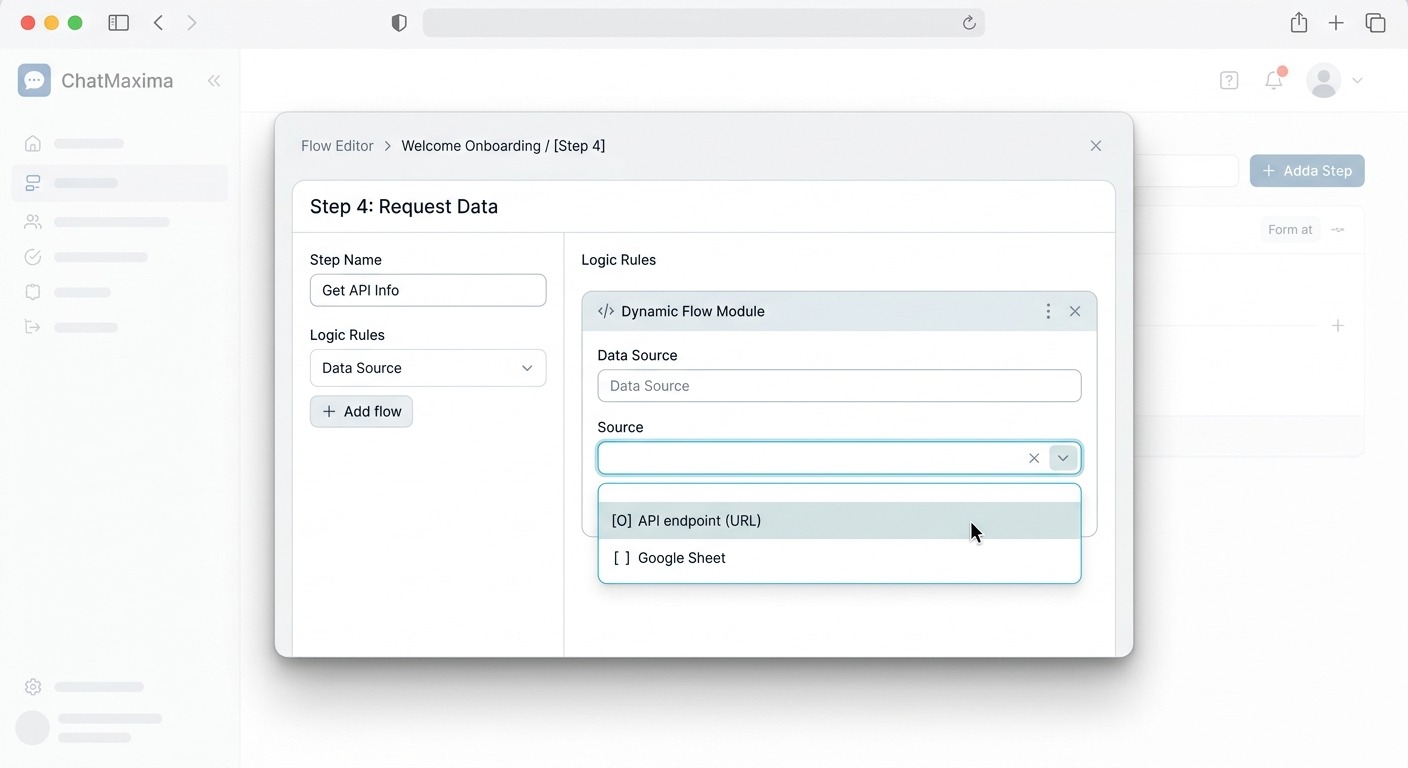
1. Pluggable data sources. Every step in a Dynamic Flow now exposes a Source dropdown. Today it offers two choices: an API endpoint (the original behavior) and a Google Sheet. The flow engine dispatches to the right source plug-in at runtime, so the same Flow can mix an API-backed step with a Sheet-backed step. There is no schema change inside the Flow itself, only inside the step config. That means you can prototype on a Sheet and migrate that single step to an API later without rebuilding the Flow.
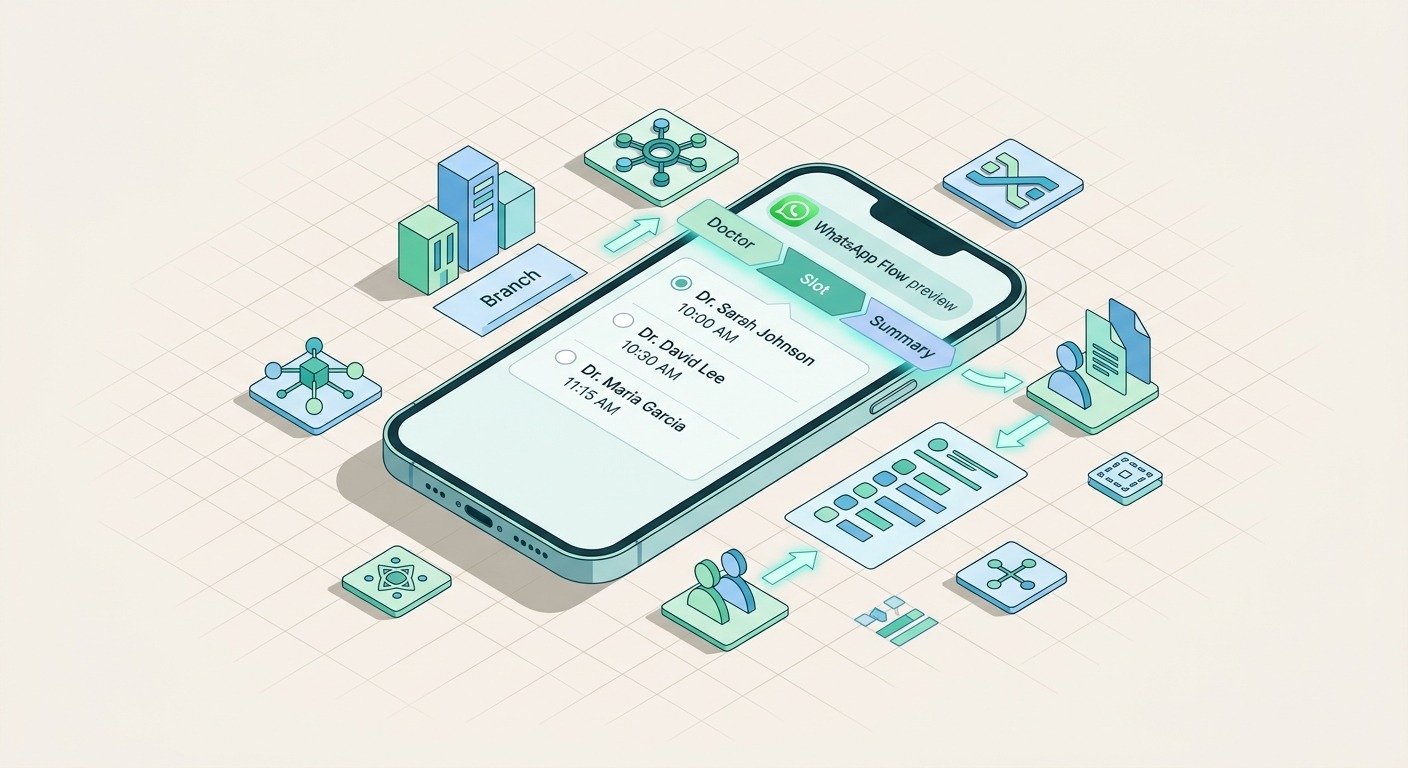
2. Live Flow Preview. On the Dynamic Flow create page, a new card titled “Live Flow Preview” sits next to your step list. Hit Refresh, and ChatMaxima walks every step in sequence, using sample selections from earlier steps as the context for later ones. The result renders inside a WhatsApp-style phone mockup with one tab per step plus a Summary tab. You see the exact list the customer will see on their device, including descriptions, ordering, and the “and N more” overflow when a source returns more than the 20-option WhatsApp limit.
These two ship together by design. The whole point of moving to a Google Sheet as the source is that someone outside engineering can edit the data. The whole point of a live preview is that the same person can verify the result without owning a test handset. Together, they collapse the cycle from “edit, deploy, hope, screenshot, fix” into “edit, refresh, ship.”
What this unlocks for real businesses
A few concrete patterns we have already seen during early access.
Clinics: a working doctor picker
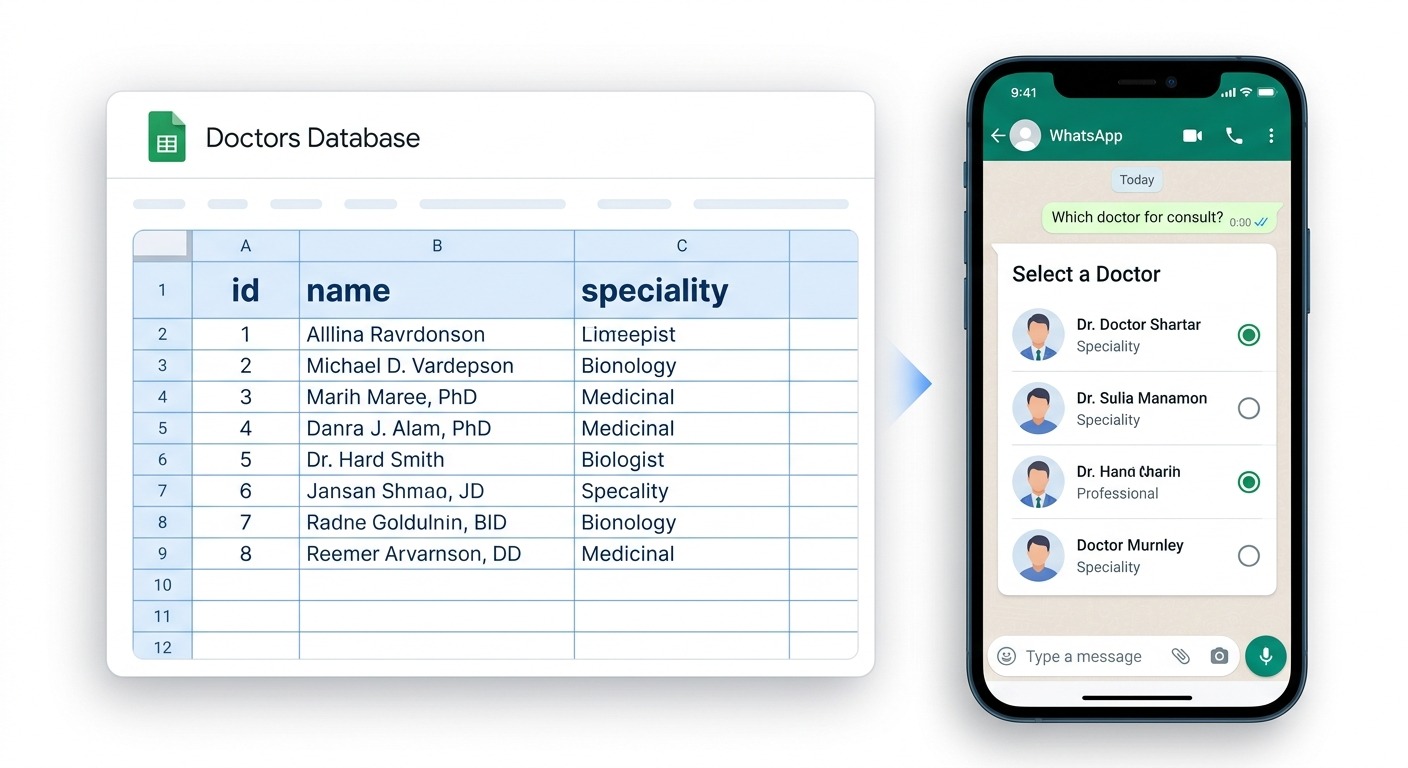
A multi-doctor clinic keeps a Google Sheet with one row per doctor: name, specialty, branch, photo URL, the days they are in. Reception updates that sheet whenever a doctor’s schedule changes. The WhatsApp Flow has three steps backed by the same Sheet: pick a specialty (filtered from the Sheet), pick a doctor (filtered by specialty), pick a slot (a second Sheet, refreshed nightly from the clinic management system).
No code. No deploys. When a new GP joins on Monday morning, the receptionist adds a row at 9:01 and the bot starts booking her at 9:02. Patients pick a doctor, specialty, and consultation slot inside WhatsApp without leaving the chat, which is the kind of friction-free experience that consistently outperforms a web booking page.
Auto dealers: an inventory walk-through
Cars move off the lot weekly. A dealership maintains a Sheet with model, variant, on-road price, branch, and available status. The Flow opens with a branch picker, drills into model, then variant. Each selection passes a sample id into the next step, so the variant list is always the variants of the model the customer just chose. When a unit sells, the salesperson marks available = N in the Sheet. The bot drops it from the next conversation automatically.
Salons and chains: stylist + branch
A salon chain with twelve outlets needs a different stylist list per branch. Static Flows force one Flow per branch (which means twelve copies to keep in sync). A dynamic Flow with a Google Sheet source needs one Flow, one Sheet, one source of truth. Branch managers each own their tab. The Flow filters by branch id at runtime.
B2B services: live consultant calendar
A consulting firm publishes weekly availability for senior partners into a shared Sheet. A WhatsApp Flow lets prospects pick a service area, then a partner, then a slot. The Sheet is the same one the operations team already maintains. No new dashboard. No new product to learn.
Restaurants and cloud kitchens: today’s menu
Daily specials live in a Sheet that the kitchen manager edits before service. The Flow shows specials when the customer opens it. When the kitchen runs out of an item, one cell flips and the bot stops offering it. The kitchen manager never opens a developer tool.
The common thread across all of these: the system of truth is wherever your operations team already keeps it. A Google Sheet is the default landing place for that kind of data inside most small and mid-size businesses, and asking those teams to migrate to a custom admin panel is exactly the kind of process change that kills automation projects.
How the new Source dropdown works
Inside the Dynamic Flow step editor, the second section is now called Data Source. The first row is a single dropdown: API endpoint (URL) or Google Sheet.
If you pick API, you see the same fields as before: method, URL, header name, header value, JSON path. If you pick Google Sheet, the panel swaps to a different set of fields:
- Google Account. A picker that lists every Google account you have already connected in ChatMaxima Integrations. The same connection that powers the Google Sheets block in the bot builder is reused here, so you do not have to re-authenticate. If you have not connected an account yet, the link under the picker takes you straight to the integrations page.
- Spreadsheet ID. The long string in the Sheet URL between
/d/and/edit. Paste it once. - Sheet / Tab Name. The literal name on the tab, for example
DoctorsorVelachery Inventory. - ID Column, Title Column, Description Column. The column headers (not letters) that map to the three fields a WhatsApp list item carries. Description is optional. Matching is case-insensitive, so
Doctor Nameanddoctor nameboth work.
The first row of the sheet is treated as the header. Every row below it becomes a list item. The Flow engine reads the sheet via the Google Sheets API using the OAuth token attached to the picked account, then maps each row into the {id, title, description} structure that a WhatsApp RadioButtonsGroup expects. WhatsApp caps a single list at 20 items, so the source plug-in stops at 20 and the preview shows the “and N more” hint when there are extras.
Everything else in the Flow still works the same way. Sample-value inputs at the bottom of the editor let you substitute {placeholder} tokens (for example, the doctor id picked on step one when step two reads slots). The Test button calls the same source plug-in with your sample values and returns the parsed options, so you can verify the mapping without touching WhatsApp.
Why Google Sheets first, instead of Airtable, Notion, or a CSV
Sheets won on three counts. It is already the system of truth in most operations teams. The OAuth and read-row primitives are battle-tested inside ChatMaxima because they back the Google Sheets bot block already in production. And the data shape that Sheets returns (headers in row 1, data below) maps to the WhatsApp list shape with zero transformation. That gave us a clean v1 that we could ship now without forcing a custom data-model on customers. Airtable and a generic CSV uploader are on the roadmap, and the Source dropdown is structured to add them without touching any Flow that already exists. New source types light up as new options without disturbing the steps you have already saved.
The Live Flow Preview, end to end
Click Refresh on the Live Flow Preview card and watch the status bar at the top: “walking step 1 of 3”, “walking step 2 of 3”, and so on. For each step, the preview engine sends a request to the same test endpoint the Test button uses. The first option from step 1’s response becomes the sample id passed into step 2’s request, the first option from step 2 becomes the sample id for step 3, and so on. That mirrors exactly how WhatsApp drives a real flow.
Once the walk completes, a row of tabs appears across the top of the card, one per step, with a final Summary tab. Click any tab to render that screen inside the phone mockup. Radio buttons, titles, descriptions, the green “Continue” footer, the “Confirm” footer on Summary, all match WhatsApp’s real Flow rendering. If a step came back empty, the body shows the actual error message your back-end returned (for example, “The sheet is empty or only has a header row.” or “Could not read the sheet (HTTP 403). Check the spreadsheet id, sheet name and permissions.”), so you can fix the source without leaving the page.
The Summary tab is the most useful one for testing. WhatsApp Flows have a known sharp edge: the SUMMARY screen shows id values by default, not the friendly names. ChatMaxima already resolves human-readable labels by re-fetching the prior step’s source and matching by id, so the preview will show “Dr. Priya Raghavan, Cardiology” instead of doc_4172. If your Summary tab shows an id, that is your cue to add a Title column to the Sheet or fix the API mapping before publish, not after a customer fails to confirm their booking.
What the preview does NOT do
A few honest limits worth flagging.
- The preview always picks the first option from each step as the sample value for the next step. It does not exhaustively walk every branch. If your filter logic only fails on the third option of step 2, you will not catch it in the preview. We may add a “pick any” toggle later.
- It does not test free-text inputs the customer types. If step 3 reads a customer-typed phone number, the preview still walks the picker steps, but it cannot simulate the text entry.
- It does not test the live behavior of WhatsApp’s encryption layer. That is the responsibility of WhatsApp’s Flow Builder preview on the Meta side, which you should still run once before going to a real device for the final smoke test.
What the preview does catch, which is most of the bugs: a wrong Sheet name, a missing column, a stale OAuth token, a JSON path that returns an empty array, a filter that never matches, an id-not-resolving-to-label issue on Summary. Those are the bugs that historically took an hour and a developer to find. They now take a Refresh.
A short build walk-through
Here is the shape of a clinic doctor-booking flow, end to end, in the new builder. Treat it as a template you can adapt.
Step 1: pick a specialty. Source: Google Sheet. Spreadsheet: Doctors. Tab: Specialties. ID column: specialty_id. Title column: name. No filter. The preview shows “Cardiology”, “Dermatology”, “Pediatrics”.
Step 2: pick a doctor. Source: Google Sheet. Spreadsheet: Doctors. Tab: Doctors. ID column: doctor_id. Title column: name. Description column: branch. Filter field: specialty_id. Filter value: {specialty_id}. The preview passes the first specialty id from step 1 into the filter and shows the doctors matching it.
Step 3: pick a slot. Source: API endpoint. URL: https://your-clinic.example.com/slots/?doctor={doctor_id}. The preview passes the first doctor id from step 2 into the URL and shows the next seven available slots.
Summary screen. Auto-generated. Shows “Specialty: Cardiology”, “Doctor: Dr. Priya Raghavan”, “Slot: Tue 3:30 PM” using the resolved labels, not the ids.
The same shape works for car variants, salon stylists, restaurant tables, real estate listings, fitness coaches, course modules. Three steps. Three Sheet tabs. One Refresh. Zero developer hours.
If you need a deeper background on the patterns that make these flows convert (offer framing, time-to-value, follow-up windows), the WhatsApp automation playbook for ecommerce covers the conversational design principles that apply to non-ecom verticals too.
Why this matters more than it looks
Two trends are colliding in 2026.
First, customers are walking away from web forms. Forms-in-chat completion rates of 72% versus 35% are not a marketing claim, they are the emerging baseline across categories that have rolled out WhatsApp Flows at scale. If your booking and lead-capture funnel still lives on a mobile web page, your competition is not waiting for you to catch up.
Second, the WhatsApp Business platform has gone from “great for outbound” to “great for in-chat experiences”. The Flows runtime, dynamic data exchange, list-and-button picker components, encryption, and the summary screen taken together let you build experiences that ten years ago required a native mobile app. Every business with a WhatsApp Business API number already has the runtime. The blocker for most of them has been authoring time and developer cost, not the platform.
Dynamic WhatsApp Flows with a Google Sheet source plus a live preview cuts the authoring time from weeks to an afternoon. That is the gap that decides whether a small business in your market can field a working in-chat booking experience by next Monday or by next quarter. Pulling that gap closed is the entire point of this update.
For teams already running a WhatsApp sales-pipeline AI agent on ChatMaxima, this changes what the agent can offer at the bottom of a qualified conversation. Instead of dropping a calendar link and hoping the lead clicks it, the agent can hand off to a Dynamic Flow whose options were just edited by the operations team an hour ago. The lead stays in WhatsApp, the booking lands directly on the system of truth, and the agent never has to babysit a stale option list.
What is on the roadmap next
A few things we are actively working on, so you know what is coming.
- Airtable as a source. Same Source dropdown, third option. Filter syntax mirrors Airtable’s view filters.
- A “pick any” toggle in the preview. Instead of always walking with the first option, let the operator pick which sample id from each step the preview should use.
- Source caching. Sheets respond in under 200ms, but a popular flow can hammer the Sheets API. The runtime will start caching reads on a short TTL with manual invalidation.
- A direct “preview on my phone” QR. A short-lived QR that opens the Flow into a connected sandbox handset, so you can test on a real device without a publish step.
If there is something on this list (or off it) that would unlock a specific use case for you, write to us. The build queue is shaped by what real customers actually need next.
How to get started today
If you already have a ChatMaxima account on any paid plan, Dynamic WhatsApp Flows are in your dashboard under Campaigns -> WhatsApp Flows -> Create Dynamic Flow. Three things to do in order:
- Open Integrations and connect a Google account. (Skip this if you already have one connected for the Google Sheets bot block.)
- Create a Sheet that has one tab per list you want the Flow to show. Each tab needs at least two columns: an id column and a title column. A description column is optional but recommended for the longer explainer text under each item.
- On the Dynamic Flow create page, add a step, pick Google Sheet in the Source dropdown, point it at your spreadsheet and tab, and hit Test to confirm the rows come back. Add the next step, wire any filters that reference earlier-step ids, and click Refresh in the Live Flow Preview card.
If something does not look right in the preview, the error message tells you exactly which knob is wrong. Fix it in the Sheet or in the step editor, hit Refresh again, and you have a working dynamic flow in under thirty minutes.
For background on the broader WhatsApp Business API landscape and where Flows fit into your overall messaging stack, the 2026 WhatsApp Business API pricing guide is the right starting point. For specific support questions while you build, our team is on chat directly inside the dashboard.
The shortest path from “we should automate this” to “the bot is taking bookings” just got a lot shorter. Open the Dynamic Flow create page, point it at the Sheet your team already maintains, and ship the experience your customers have been asking for.