Your customers already live inside your mobile app. They scroll it, buy in it, and check it a dozen times a day. So when they hit a question or a problem, the worst thing you can do is push them out of the app to find a help center, an email form, or a phone number. Every exit is a drop-off, and every drop-off is a support ticket that turns into churn.
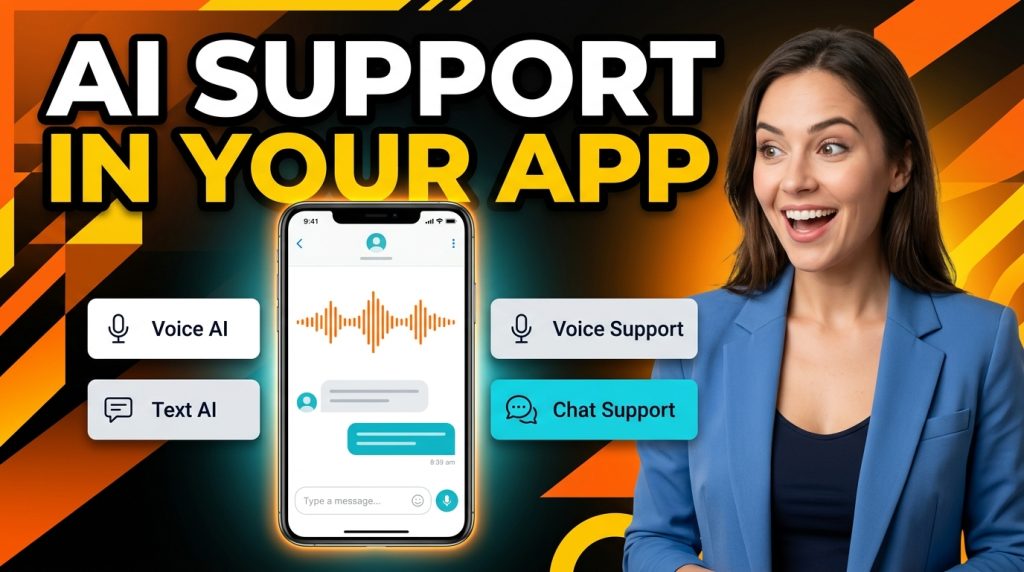
The fix is to bring support to where the customer already is. The ChatMaxima Mobile App SDK does exactly that. It is a single Flutter SDK that drops voice AI, text AI, and live human support directly into your Android and iOS app, so a customer can get an instant answer, talk to an AI agent, or reach a real person without ever leaving the screen they are on.
This post is the introduction to the whole series. We will walk through the four capabilities the SDK gives you, how they fit together on one platform, and why one integrated SDK beats stitching together three or four separate tools. Each capability also gets its own deep-dive guide, which we will link to as the series grows.
Why In-App Support Is the New Front Line
People spend the overwhelming majority of their mobile time inside apps, not browsers. That single fact reshapes where support has to happen. If your help experience lives on a website while your customer lives in an app, you have built a gap that costs you conversations.
In-app support closes that gap in three ways. It keeps context intact, because the SDK already knows who the user is, what plan they are on, and what screen they came from. It removes friction, because there is no login wall, no “describe your issue” form, and no waiting for an email reply. And it lifts resolution rates, because an AI agent can answer instantly at 2am while a human picks up the conversations that genuinely need a person.
The trend lines back this up. Conversational, AI-first support is rapidly replacing the old ticket-and-queue model, a shift we covered in depth in our guide on AI-first customer support replacing ticketing systems. The mobile app is simply the next surface where that shift plays out.
What the ChatMaxima Mobile App SDK Is
In plain terms, the SDK is a drop-in package that gives your app the same chat and AI experience ChatMaxima already powers on websites, WhatsApp, and other channels. It is built on Flutter, so a single integration serves both Android and iOS from one codebase. You can read more about the cross-platform model on the official Flutter site.
What matters for your team is what the SDK unlocks without you building any of it yourself:
- A chat interface that lives inside your app, branded to match your product
- An AI agent that answers questions in text or by voice, trained on your knowledge
- A live handoff to your human agents, with the full conversation history attached
- A shared inbox where your team handles in-app conversations alongside WhatsApp, web, and every other channel
You do not run servers, manage websocket connections, or build a chat UI. You add the SDK, connect it with an API key, and the experience appears in your app.
The Four Capabilities, One SDK
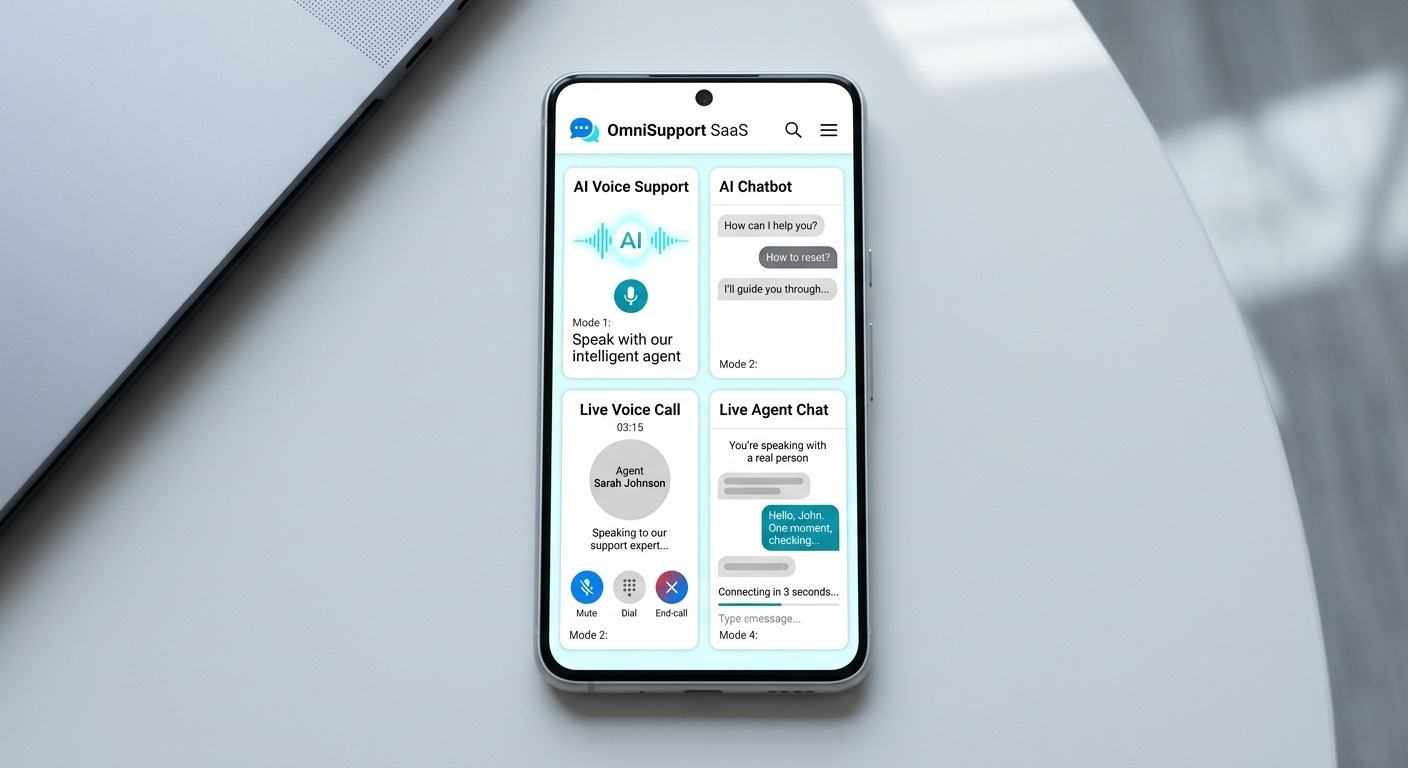
The SDK delivers four distinct support experiences. Each one stands on its own, and together they cover the full range of how a customer might want help, from instant self-service to a real human voice.
1. Voice AI Chatbot
Let users talk to an AI agent inside your app and get spoken answers back, in real time. This is not a recorded menu or a “press 1 for billing” tree. It is a natural, conversational voice agent that understands the question, pulls from your knowledge base, and responds in a human-sounding voice.
Voice is the fastest input humans have, and it shines on mobile where typing is awkward. A customer driving, cooking, or simply in a hurry can ask out loud and keep moving. Under the hood this runs on real-time voice infrastructure, the same approach we use for voice on the web widget.
The dedicated intro guide covers setup, conversation design, and use cases. If you want the background on how voice agents differ from text bots first, start with AI voice agents vs text chatbots.
2. Text AI Chatbot
The text AI chatbot is the workhorse of in-app support. It answers FAQs, guides users through flows, qualifies leads, and resolves the majority of routine questions instantly, all in a familiar chat interface inside your app.
Because it is trained on your own content, it does not give generic answers. It knows your pricing, your policies, your product. And when a question is beyond it, it hands off cleanly to a human rather than looping the user in frustration.
For most apps, the text AI chatbot is where the biggest support-cost savings come from, because it deflects the high volume of repetitive questions that would otherwise sit in a human queue.
3. Voice-Based Support
Sometimes a customer does not want a bot at all. They want a person, and they want to talk. In-app voice support lets a user start a live voice conversation with your human team directly inside the app, over the internet, with no phone number and no leaving the app.
This is the natural escalation path from chat or from the voice AI agent. The conversation moves from AI to human without the customer having to repeat themselves, because the context travels with the handoff. For high-value or emotionally charged issues, hearing a real voice is what saves the relationship.
4. Chat Support
Finally, in-app live chat support connects users to your human agents in text. It is the most familiar support experience there is, and it is the backbone that the AI layers sit on top of.
What makes the ChatMaxima version different is that those in-app chats do not live in a silo. They land in the same unified inbox as your WhatsApp, web, and social conversations, so your agents work one queue instead of juggling tabs. A customer who started in your app and later messages you on WhatsApp is still the same person, with one history.
How It Works Under the Hood
You do not need to be an engineer to grasp the model, and understanding it explains why the SDK is so quick to adopt.
The SDK speaks the same protocol as the ChatMaxima website widget. When your app starts a session, it authenticates with an API key, opens a real-time connection, and from then on messages flow both ways instantly. Bot replies, agent replies, typing indicators, read receipts, media, and voice all travel over that one connection.
The important architectural decision is that an in-app conversation rides the existing ChatMaxima pipeline. It is not a bolt-on with its own rules. That means everything you already rely on, your bot flows, your routing, your automations, and your reporting, works the same way for app conversations as it does for every other channel. There is nothing new for your team to learn on the back end.
For developers, the integration is small: add the package, supply your API key, drop the chat screen into your app, and optionally enable the voice features. The heavy lifting, the chat UI, the connection management, the AI, and the agent inbox, is all handled for you.
Why One SDK Beats Stitching Tools Together
You could assemble this from separate vendors. A chat SDK from one company, a voice calling SDK from a CPaaS provider, an AI chatbot from a third, and then spend months wiring them together. Teams do it all the time, and they regret it.
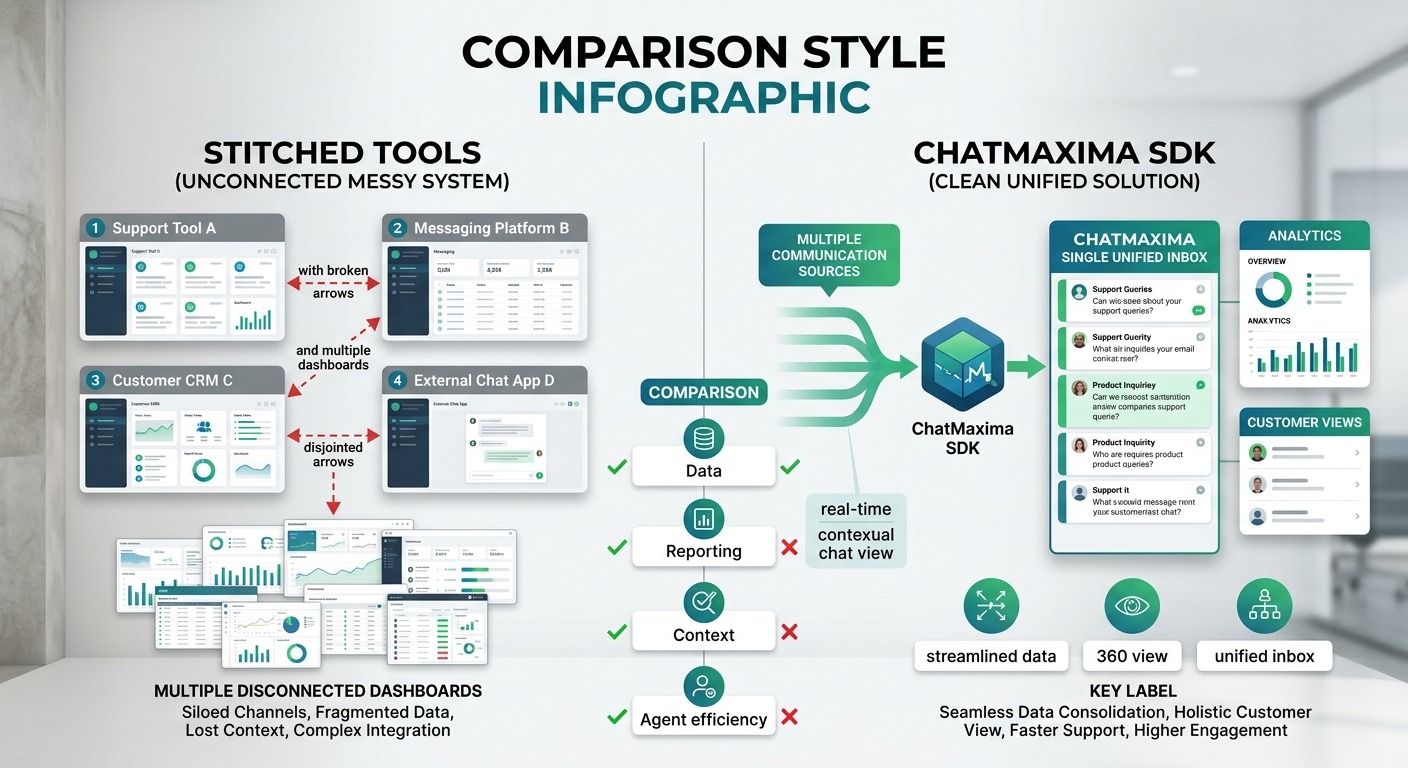
The problem with the stitched-together approach is fragmentation. Each tool has its own dashboard, its own billing, its own data model, and its own idea of who the customer is. Your agents end up switching between four screens, your reporting never reconciles, and a conversation that moves from bot to voice to human breaks at every seam.
With one SDK behind one platform, the customer is a single identity across all four modes. The AI bot, the voice agent, the live chat, and the voice call are different doors into the same conversation and the same inbox. Context never drops, your team works one queue, and you get one clear view of every interaction.
This is the same reason businesses consolidate their channels in the first place. Conversational AI is most powerful when it is unified rather than scattered, a theme we explore in conversational AI apps for 2026. The Mobile App SDK extends that unified model to your own application.
Getting Started
Adding in-app support with ChatMaxima follows a short, predictable path.
Step 1: Create a mobile app channel. In your ChatMaxima dashboard, generate an API key for your app. This key is how the SDK authenticates and ties conversations to your account.
Step 2: Add the SDK to your Flutter app. Pull in the package, then drop the ChatMaxima chat screen wherever your support entry point lives, often a help button or a floating chat icon.
Step 3: Turn on the capabilities you need. Start with text chat and the AI bot. Enable the voice AI agent and live voice support when you are ready, with the microphone permissions handled as part of setup.
Step 4: Route and automate. Configure which conversations the bot handles and when they escalate to a human, reusing the same bot flows and routing rules you already run on your other channels.
That is the whole journey from zero to live in-app support. Because the SDK leans on infrastructure you already have in ChatMaxima, most of the work is configuration, not construction. If your app needs to connect to other systems too, the integrations directory shows what plugs in.
What’s Next
The Mobile App SDK turns your app from a place where support is an afterthought into a place where help is one tap, or one spoken question, away. Voice AI for instant hands-free answers, text AI for high-volume self-service, live voice for the conversations that need a human voice, and live chat as the dependable backbone, all inside your app and all feeding one inbox.
This introduction is the hub for a full series. Over the coming posts we will go deep on each of the four capabilities: setting up the voice AI agent, embedding the text chatbot, enabling in-app voice support, and adding live chat, each with step-by-step guides and real use cases.
If you want to see what in-app AI and live support would cost for your app, start with the ChatMaxima pricing page, and keep an eye on the blog as the rest of this series rolls out.