
WhatsApp is rolling out a channel storage cleanup tool on Android, and it is a bigger deal for brands than the small feature note suggests. The tool lets people wipe the photos, videos, stickers and voice notes that channels have been quietly saving to their phones, filtered by category, across one channel or several at once.
The feature appeared in WhatsApp beta for Android 2.26.30.4, reported by WABetaInfo at the end of July 2026. It was first spotted in development roughly two months earlier in beta 2.26.19.4, so this is the point where it stops being a code string and starts landing on real devices.
If you publish to a WhatsApp Channel, this changes an assumption you may not have realised you were making: that the media you broadcast keeps sitting on your audience’s phone. From now on, it is one long-press away from being gone. This post covers exactly how WhatsApp channel storage cleanup works, why WhatsApp built it, and what channel publishers should change about how they broadcast.
What WhatsApp Is Actually Shipping
The cleanup tool is narrow and specific. It does not touch your chats, your groups, or your one-to-one media. It targets media that channels have downloaded onto the device.
Three things define it:
Category filtering. Before deleting anything, users can filter what they are clearing by type: photos, videos, stickers, voice notes. Someone who wants to reclaim two gigabytes of channel video without losing the product photos they saved can now do exactly that.
Multi-channel selection. The tool is not restricted to one channel at a time. Users can select several channels in the Updates tab and clear media from all of them in a single action.
Starred update protection. Anything the user has starred survives the cleanup unless they explicitly choose to remove it. Starring becomes a genuine keep flag rather than a bookmark that gets swept away with everything else.
The rollout is gradual. WABetaInfo notes it is reaching some beta testers on the Google Play build, with wider availability expected over the following weeks. There is no announced stable release date, and some users may already have received it through an earlier update.
The Two Ways to Clear Channel Media
WhatsApp built two entry points, which tells you something about intent. One is for the user who has a problem with a specific channel. The other is for the user who has a problem with channels in general.
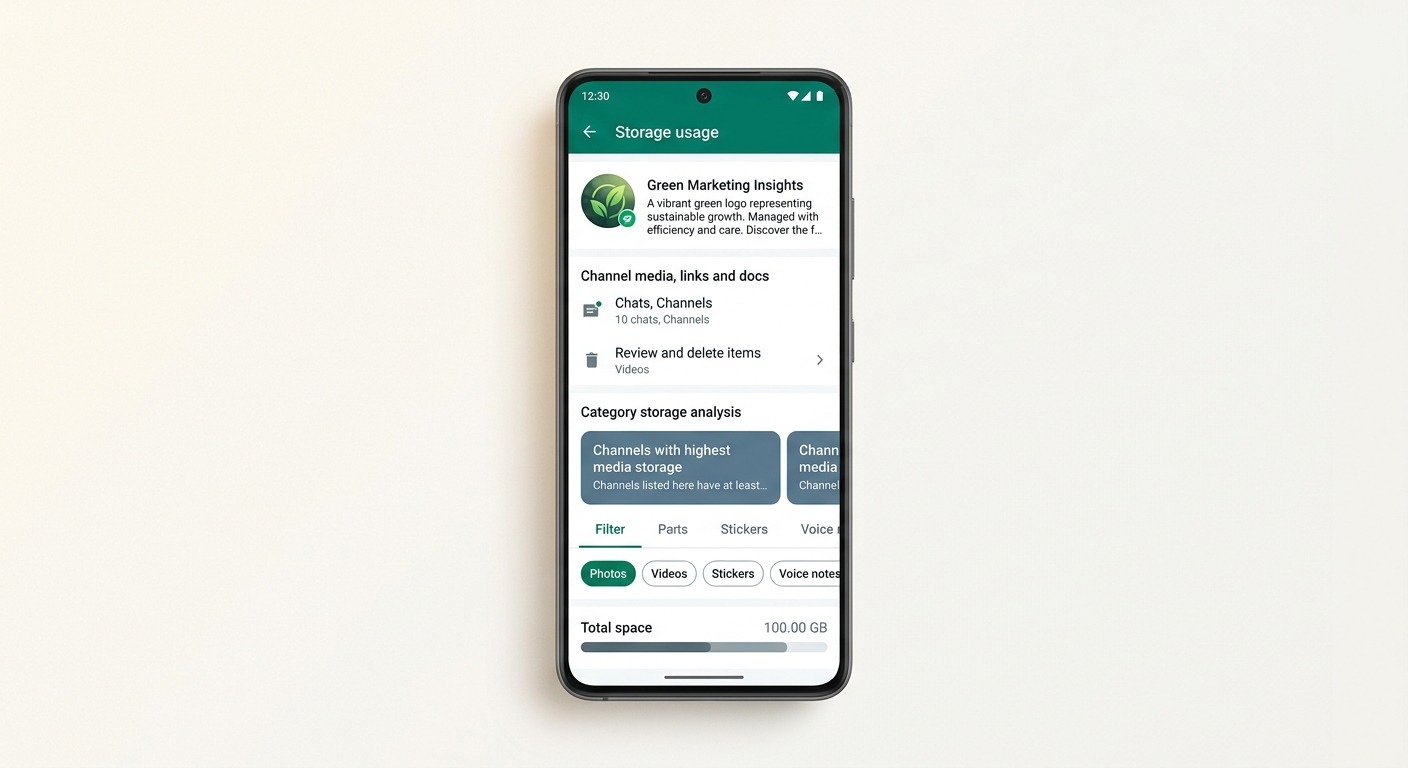
Entry point one: the channel info screen
Open a channel, tap through to its info screen, and there is now an option to review and manage the media that channel has stored on the device.
This is the surgical path. The user sees how much space one channel is occupying, filters by media type, and deletes selectively. It is the same mental model as tapping into a single chat to see what it is costing you.
The important part for publishers is the visibility. Before this, channel media was invisible overhead buried inside WhatsApp’s total storage number. Now a channel gets an itemised bill, attached to your name.
Entry point two: the Updates tab, in bulk
From the Updates tab, users tap and hold a channel to select it, then open the overflow menu and choose Clear media files. Multiple channels can be selected in the same pass.
This is the blunt path, and it is the one that should get your attention. A user who is out of storage and wants it fixed in ten seconds will select every channel they follow and clear the lot. There is no per-channel deliberation in that flow. Your carefully produced launch video is deleted in the same sweep as everything else.
The two paths, put together, cover both the deliberate cleanup and the panic cleanup. Most storage-driven behaviour is the panic kind.
Why Channel Media Became a Storage Problem
WhatsApp Channels launched in September 2023 as a one-to-many broadcast surface. Meta reported it passed 500 million monthly users within its first year, riding on a platform that crossed 3 billion monthly active users in May 2025.
That scale created a structural problem. Channels are broadcast, which means the flow of media is one-directional and high volume. A user following twenty channels is not having twenty conversations. They are receiving twenty streams of published content, much of it image and video, much of it downloaded automatically depending on their settings.
Three factors compound it:
Auto-download defaults. Many users never change media auto-download settings. Photos download on their own, and on unmetered connections video often follows.
Passive accumulation. People leave channels followed long after they stop reading them. A channel someone joined for a single product launch keeps depositing media on their phone for months.
Entry-level device reality. WhatsApp’s largest markets, India, Brazil, Indonesia and Nigeria among them, run heavily on 64GB and 128GB phones. On those devices, a few gigabytes of stale channel video is not a rounding error. It is the difference between installing an app and not installing one.
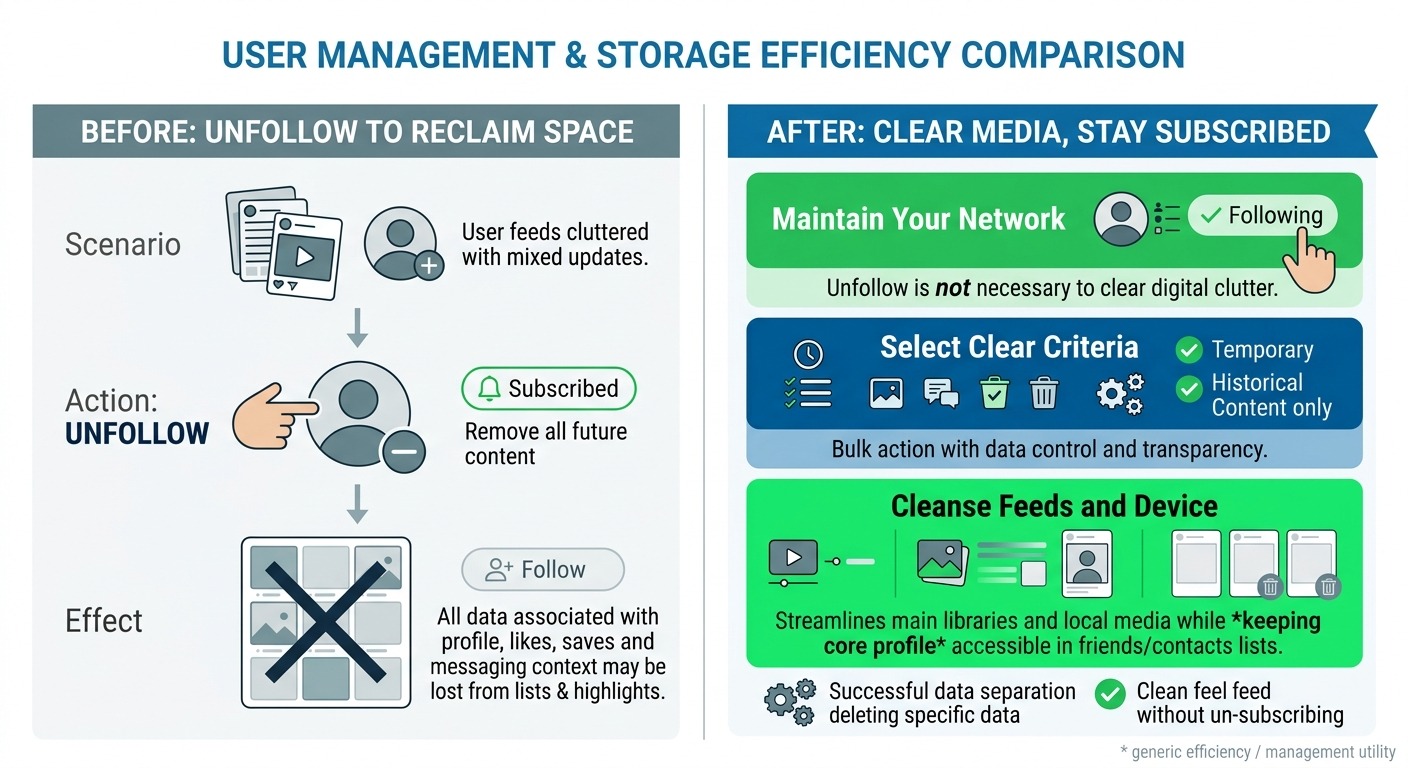
Until now, the only remedy was WhatsApp’s general storage management screen, which lumps everything together, or unfollowing the channel entirely. Unfollowing was the storage fix. That is the behaviour this tool is designed to prevent, and that is why it matters commercially.
What This Actually Means If You Run a WhatsApp Channel
Here is the reframe. WhatsApp has decoupled storage cost from following. Previously, a user annoyed by the space your channel consumed had one lever, and pulling it cost you the subscriber permanently. Now they have a cheaper lever that costs you nothing structural.
That is good news, and it comes with a real consequence.
Your media is now explicitly disposable
Channel media should be treated as a delivery vehicle, not an archive. If your broadcast strategy assumes the catalogue image you sent in March is still on the customer’s device in September, that assumption is now unsafe. It was always shaky. It is now formally a user-facing delete button.
Anything that needs to persist should live somewhere you control: a page on your site, a hosted catalogue, a document the customer saves deliberately. The channel points at it. The channel is not the storage layer.
Heavy channels are now measurable, and comparable
The channel info screen shows users what your channel costs them in megabytes. That number sits next to every other channel they follow. If you are the channel publishing four 30MB videos a week and the next one publishes text with a link, you are visibly the expensive one.
This does not mean stop using video. It means the weight of what you publish has become a visible metric that competes for attention alongside its quality. Compress properly, keep video short, and reserve the heavy assets for content that earns the space.
Starring becomes a genuine engagement signal
Because starred updates survive cleanup, starring shifts from a passive bookmark to an active keep this decision. If you publish reference content, price lists, event details, warranty steps, it is now worth explicitly telling people to star it. Publishers who never asked for that action will lose the same content that a publisher who asked for it retains.
Storage friction stops being an unfollow trigger
The upside is straightforward. Fewer people should unfollow purely to reclaim space. Channel follower counts should get slightly cleaner as a metric, measuring interest rather than interest minus storage pressure.
Channels Are Broadcast. They Are Not a Conversation Channel
This update is a useful moment to be honest about what a WhatsApp Channel is and is not, because a lot of businesses are using it as a substitute for something else.
A Channel is one-way. Followers cannot reply. You cannot see who they are. You get reactions and follower counts, not phone numbers, not conversation history, not a lead record. It is a publishing surface, closer to a broadcast feed than to a messaging inbox.
That makes it good for a specific job: awareness, announcements, drops, event updates, content that does not need a reply. Meta has been building out the commercial layer around this surface too, including status ads and promoted channels, which is a strong signal about where the discovery investment is going.
It makes Channels poor at everything downstream of interest. Qualification, support, booking, payment, order status, follow-up: none of that happens in a channel. It happens in a one-to-one thread on the WhatsApp Business API, where you have identity, session context, automation and a record of the conversation.
The practical architecture, then, is a handoff:
- Channel publishes the announcement to the followed audience.
- A link or CTA moves the interested subset into a one-to-one conversation.
- The one-to-one thread does the qualifying, answering and converting, with an AI agent handling the first response and a human taking over when it matters.
Storage cleanup does not touch step three. Media in a one-to-one conversation is a chat asset, not channel media, and it lives under different rules. Which is another argument for moving anything that matters out of the broadcast stream and into a real conversation.
How to Make Channel Content Survive the Cleanup
Assume a portion of your audience will clear channel media on a regular basis. Publish accordingly.
Put the critical information in text, not baked into the image. A price, a date, a venue, a discount code rendered only inside a JPEG disappears with the JPEG. The same detail in the caption survives, because the cleanup targets media files, not the text of your update.
Use captions as the durable layer. Treat the image as the attention grabber and the caption as the record. Anyone scrolling back after a cleanup should still be able to reconstruct what you said.
Ask for a star on reference content. One line does it: star this update so it stays on your phone. Use it on the content that genuinely deserves keeping, not on every post, or the signal dies.
Link out for anything permanent. Catalogues, guides, terms, spec sheets and order forms belong on a URL. A link is a few bytes and it never gets swept.
Compress before you publish. Export video at a sensible bitrate and resolution for mobile viewing. A 12MB clip that looks identical to a 40MB clip on a phone screen is strictly better now that users can see the difference in megabytes.
Watch your cadence. Volume drives storage weight directly, and it drives mute and unfollow behaviour independently. Our WhatsApp campaign frequency guide covers how to set a send rhythm that does not exhaust the audience, and the same logic applies to channel posting.
The Pattern: WhatsApp Is Optimising for the Phone, Not Just the App
Channel storage cleanup is one item in a longer sequence. Across 2025 and 2026, WhatsApp has shipped a steady run of device-level and control-level improvements: granular media auto-download settings, storage management by conversation, and now storage management by channel.
The direction is consistent. WhatsApp is trying to remain installable and usable on mid-tier hardware in the markets where it dominates, while simultaneously pushing more media-heavy surfaces like Channels, Status and video. Those two goals pull against each other. Cleanup tools are how you reconcile them.
For businesses, the takeaway generalises past this one feature. The user is being given progressively finer control over what your brand is allowed to occupy on their device. Auto-download controls, mute, per-channel media management, and eventually more of the same. The blunt instruments, block and unfollow, are being replaced with dials.
That is a net positive if your content earns its place. It is a slow erosion if you rely on volume and inertia. Broadcasting more will keep working less well. The businesses that hold attention on WhatsApp in 2026 are the ones treating it as a conversation platform with a broadcast surface attached, rather than a broadcast platform with an inbox attached. Reach gets you seen once. The one-to-one thread is where the reply, the qualification and the order actually happen.
What To Do Next
The immediate actions are small and worth doing this week.
Audit your channel’s media weight. Look at what you published over the last 60 days and estimate what it costs a follower in storage. If it is heavy, decide whether the content justified it.
Move your permanent assets off the channel. Anything a customer might need to look up later should be a link to a page you control, not a file you hope is still on their phone.
Add star prompts to your reference posts. It takes one sentence and it is the only mechanism that survives a bulk cleanup.
Build the path from broadcast to conversation. Every channel post that generates interest should have a clear route into a one-to-one WhatsApp thread where an AI agent can answer immediately, qualify the lead and hand off to a human when required. That thread is where the revenue is, and it is untouched by any of this.
If you are running WhatsApp for customer conversations and want the broadcast-to-conversation handoff automated end to end, ChatMaxima handles the one-to-one side: AI agents, live agent handoff, campaigns, and a shared inbox across WhatsApp, Instagram, web chat and more. See the pricing page for what that costs, or start with a channel audit and fix the storage-heavy posts first.
Channel storage cleanup is not a threat. It is a correction. It tells you plainly that broadcast media is temporary, and that anything you need a customer to keep should live in a conversation or on a page, not in a feed they are about to clear.