
You spend money on a Click to WhatsApp ad. Someone taps it, lands in your WhatsApp inbox, and asks about pricing. Your agent answers, maybe closes the deal.
Now answer a simple question: which ad brought that person in? Until now, in almost every WhatsApp business tool including ours, you could not. The conversation looked identical to someone who found your number on your website. Your ad spend and your conversations lived in two different worlds, and nobody could draw a line between them.
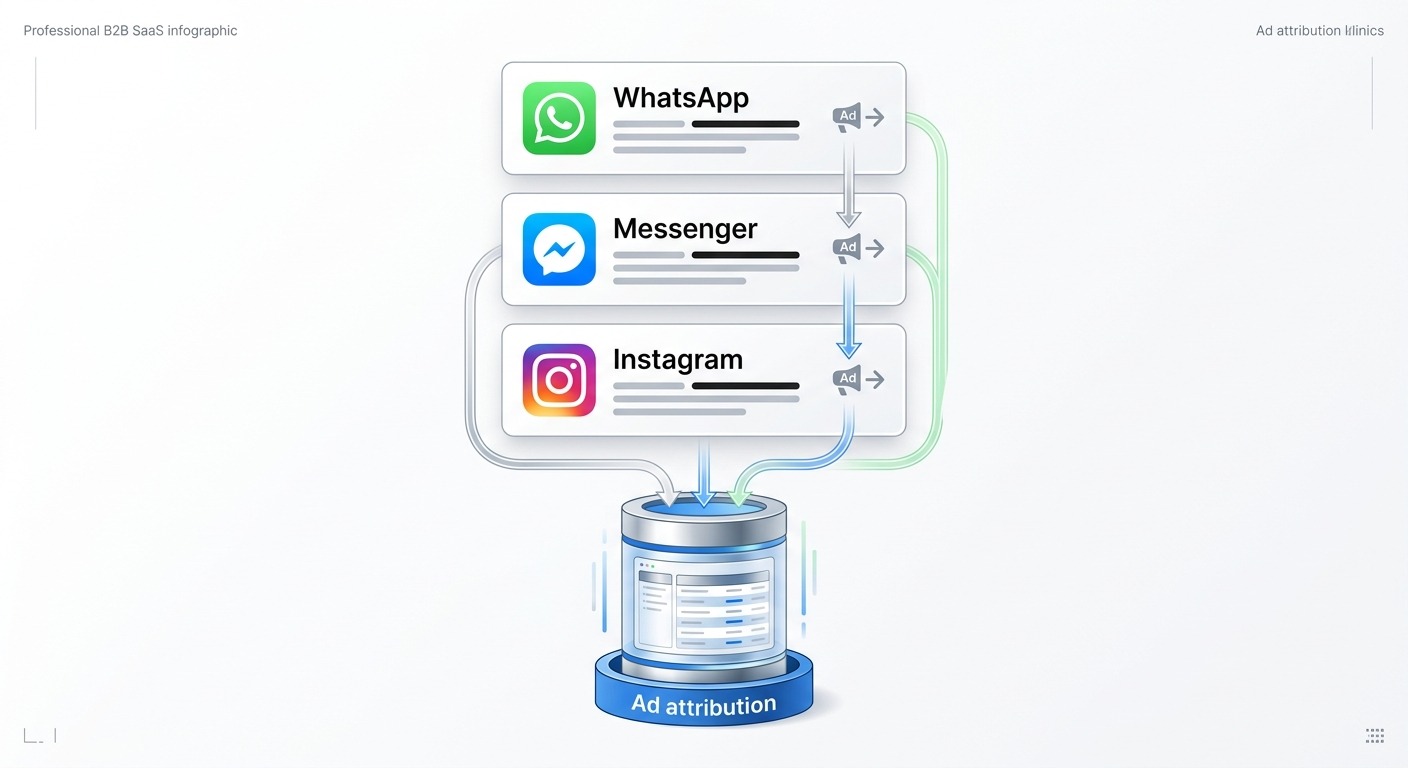
That gap is what this release closes. ChatMaxima now captures the ad behind every inbound conversation across WhatsApp, Messenger and Instagram, and gives you two new reports built on it. The question they answer is which creative brings people who actually talk back, and which one just burns budget on taps.
The blind spot: ad inquiries looked identical to everyone else
Meta does send the ad information. When someone taps a Click to WhatsApp ad, the first inbound message carries a referral object with the ad ID, the headline, the source URL and a click identifier. Click to Messenger and Click to Instagram Direct ads send an equivalent payload with the ad title and creative attached.
The problem was that almost nobody stored it, and the platforms that did stored it somewhere your bot and your reports could not reach. The referral arrives once, attached to the very first message, and if you do not capture it in that moment it is gone forever. Every message after that looks like an ordinary conversation.
The practical consequences were the kind that quietly cost money:
- You could not separate paid from organic. A month of conversations was one undifferentiated pile. Ad performance was a guess based on whether the total went up.
- Your bot treated everyone the same. Someone arriving from a discount ad got the same generic greeting as someone who found you through a friend, even though the ad already told you what they wanted.
- Meta’s reporting stopped at the click. Meta Ads Manager can tell you how many people tapped and how much it cost. It cannot tell you which of those people had a real conversation, left a phone number, or came back the next day. That half of the funnel lives in your inbox, not in Ads Manager.
The result is a reporting gap right at the point where marketing spend turns into revenue. You know your cost per click. You have no idea of your cost per actual conversation.
What we shipped: ad attribution across all three Meta channels
Ad capture is now live on WhatsApp, Messenger and Instagram. When a contact arrives from an ad, ChatMaxima stores the ad behind it permanently on that contact: the ad ID, the ad title, whether it was a paid ad or an organic post call to action, the channel, and the exact moment they arrived.
Three details matter about how this works.
It is first touch, and it is permanent. The first ad that brought a contact to you is preserved and never overwritten by later activity. Six months from now, that customer is still attributable to the campaign that won them.
It counts repeat clicks separately. If an existing contact taps a second ad later, that click is recorded as its own event against that ad, so a retargeting campaign gets credit for re-engaging someone rather than being invisible because the contact already existed. The reports show new contacts and re-engaged contacts as separate numbers.
Organic gets measured too. Not every referral is paid. A post call to action, or an m.me or ig.me link with a tracking parameter, arrives through the same pipeline and is labelled organic. So you can finally compare a paid campaign against your own content on equal footing.
Two new reports: WhatsApp Ads and Meta Ads
You will find both under Reports in the dashboard sidebar: WhatsApp Ads (CTWA) and Meta Ads (Messenger and Instagram). They share a layout, so learning one teaches you both.
The KPI strip
Six numbers across the top, all scoped to whatever date window you choose:
- Ad Contacts, the people who arrived from an ad or tracked link
- New Contacts versus Re-engaged, separating fresh acquisition from repeat clicks by existing contacts
- Ad Clicks, total referral events including repeats
- Active Ads, how many distinct ads produced traffic
- Organic Referrals, arrivals from post CTAs and tracked links rather than paid placements
The new versus re-engaged split is the one people underestimate. A campaign that reports 500 contacts feels great until you see that 300 of them were already in your database. That is not necessarily bad, retargeting is legitimate, but it is a very different result from 500 new people and it should be measured differently.
Per-ad performance
Below the KPIs is a table with one row per ad, showing the ad title and ID, channel, whether it is paid or organic, contacts, clicks, engagement, contact detail coverage, and first and latest arrival.
On Messenger and Instagram the ad title comes through in the payload, so you see the actual creative name rather than a raw numeric ID. On WhatsApp you get the ad headline where Meta provides it.
The daily trend
A line chart of contacts per day, split between paid and organic. This answers a question the totals hide: is this still working? A campaign that delivered 2,000 contacts over a month looks strong until the chart shows it all arrived in the first week and has been flat since. Days with no arrivals show as real zeros rather than gaps, so a stalled campaign is obvious at a glance.
The engagement number that changes decisions
Here is the metric we think matters most, and the one that made us throw away our first attempt at building it.
Every ad row shows Engaged: how many of the contacts that ad brought actually held a conversation, rather than sending the opening message and disappearing.
This is deliberately not “did they send a message”. Everyone who clicks a Click to WhatsApp ad sends a message, because the ad opens the chat with a prefilled one. Counting that would report 100 percent engagement for every ad ever run, which is worse than useless because it looks like a result. Engagement here means the contact sent more than that opening message, which is the difference between a click and a conversation.
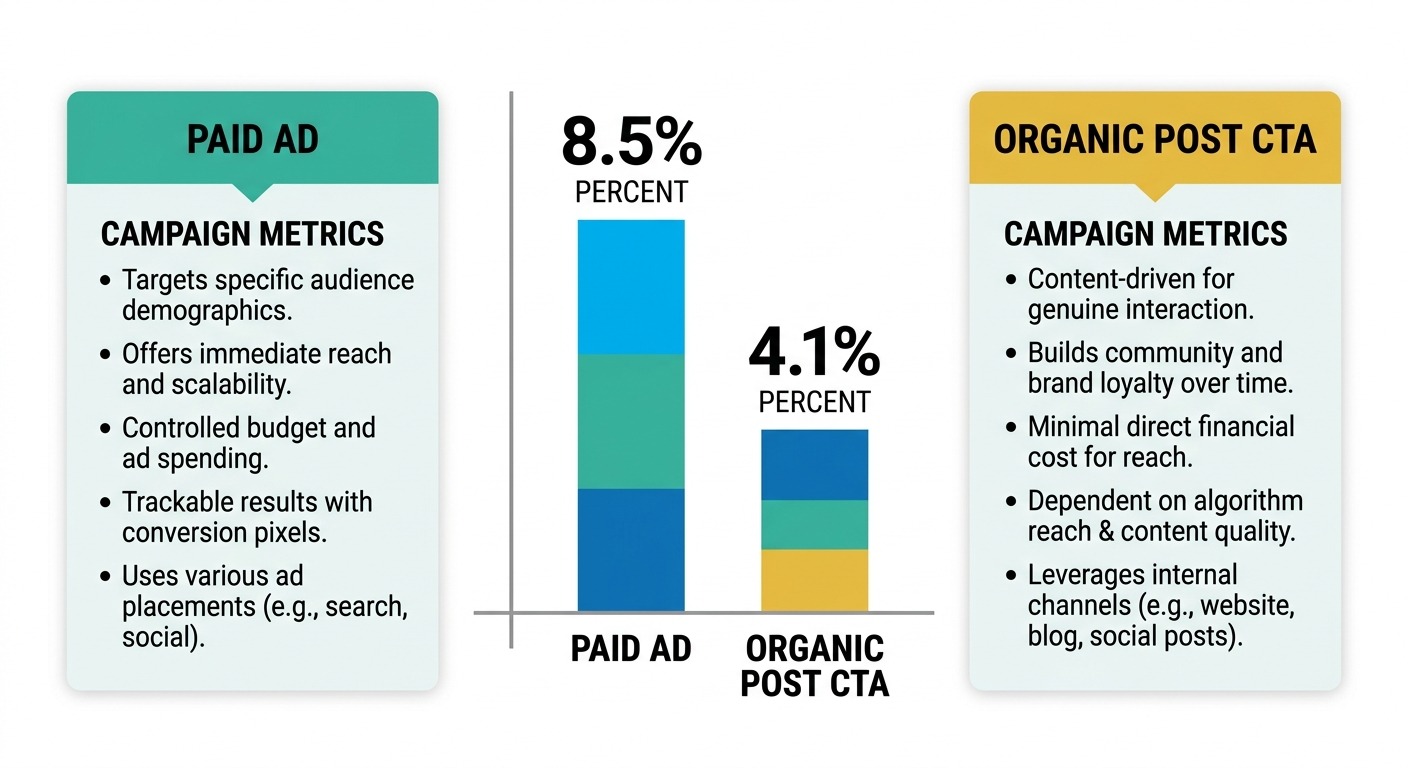
The early platform data shows exactly why this matters. Across the first weeks of live capture, contacts arriving from paid ad clicks held two-way conversations at roughly twice the rate of contacts arriving from organic post call to actions. Same business, same bot, same agents, very different quality of arrival.
That contrast is invisible in click counts and invisible in Meta Ads Manager. It only appears when you connect the ad to what happened next in the conversation, which is precisely the join nobody could make before.
Alongside engagement, each row shows contact detail coverage: the percentage of that ad’s contacts who have an email or phone number on record. An ad that brings 500 people of whom 12 percent leave contact details is a different asset from one that brings 200 people at 60 percent coverage, even though the first looks bigger in every volume metric.
From report to worklist: the contact drill down
A number you cannot act on is trivia. Every ad row has a View contacts button that opens the full list of people that specific ad brought in.
For each contact you get their name linked to their profile, phone, email, channel, when they arrived, whether they replied, their last activity, and an Open chat button that jumps straight into that conversation in your inbox.
That last one is what turns the report into a worklist. An agent can filter to the ad that is performing, sort through the people who have not replied, and open each conversation directly. Contacts who have opted out are flagged with an unsubscribed badge, which matters because this list is exportable and you do not want an opt-out slipping into a broadcast.
Both the ad report and the contact list export to CSV, with dates rendered in your own timezone rather than raw server time.
Make your bot behave differently for ad traffic
Reporting is half of it. The other half is doing something different at the moment an ad contact arrives, which is where most of the value sits.
Every bot can now branch on the ad that brought someone in, using a condition block on these variables:
{sys_contact_metadata.ad_referral.is_ad}returnsYorN, the straightforward paid-versus-direct split{sys_contact_metadata.ad_referral.ad_id}and.ad_title, to route by specific campaign{sys_contact_metadata.ad_referral.source}for paid ad, post CTA or tracked link{sys_contact_metadata.ad_referral.channel}for WhatsApp, Messenger or Instagram
The obvious use is a different greeting. The better uses are structural:
- Skip questions the ad already answered. If the ad was for a specific product, do not ask which product they are interested in.
- Route by campaign value. Send contacts from a high-intent ad straight to a human, and let the bot qualify everyone else first.
- Tag on arrival. Stamp the campaign onto the contact so your sales team sees the source without asking.
- Match the offer. If the creative promised a discount, the bot should already know that when the conversation opens.
This is the same qualification pattern covered in our guide to AI agents that qualify CTWA leads around the clock, except the bot now knows which ad it is answering rather than treating every arrival identically.
What we deliberately did not build
Two things people ask for immediately are missing, and the reasons are worth stating plainly rather than leaving you to discover them.
Ad spend, cost per lead and cost per acquisition are not in these reports. Pulling spend requires Meta Marketing API access under a separate permission scope and app review. It is on the roadmap, but we would rather ship attribution that works today than block it behind a review cycle. In the meantime you can join our contact numbers to Ads Manager spend by ad ID, which is exactly the join that was impossible before.
Campaign and ad set names are not resolved yet. For the same reason, you see the ad title where Meta provides it in the payload and the raw ad ID where it does not. That comes with the same Marketing API work.
We also considered revenue per ad and dropped it for now. The honest reason is that order data across the platform is too thin for the column to be meaningful for most businesses. A metric that is blank for nearly everyone is not a feature, it is clutter. When commerce volume supports it, we will add it.
What comes next: closing the loop with Meta
One piece of this release is quiet and already running: for every WhatsApp contact arriving from a Click to WhatsApp ad, ChatMaxima now stores the click identifier Meta issues with that referral. That is the ingredient the Conversions API needs to send outcomes back to Meta, so ad delivery can optimise for people who become customers rather than people who tap ads.
We are storing it now so that when the outcome push ships, the history is already there rather than starting from zero. The strategy behind that loop, and why most advertisers lose CTWA attribution without it, is covered in Stage 5 of our 2026 Click to WhatsApp Ads playbook.
Getting started
Nothing to install. If you are on a plan with Reports access, both pages are already in your sidebar under Reports.
- Open Reports and choose WhatsApp Ads (CTWA) or Meta Ads
- Set your date window, the default is the last 30 days
- Read the engagement column before the contacts column, quality before volume
- Click View contacts on your best performing ad and work the list
- Add a condition block on
{sys_contact_metadata.ad_referral.is_ad}to your main bot
Two notes on what you will see. Messenger and Instagram attribution starts from when the feature went live, because Meta does not send referral data retroactively. And the re-engaged number will read low at first, since repeat clicks can only be counted from the point the event log started, then becomes meaningful over the following weeks.
The point of all this
Marketing teams have spent years optimising the half of the funnel they can see. Impressions, clicks, cost per click, all measured to the decimal. Then the person lands in a conversation and the measurement stops dead.
Connecting the ad to the conversation is what turns messaging from a channel you spend on into a channel you can actually optimise. Which creative brings people who talk back. Which campaign produces contacts who leave a phone number. Which ad looked cheap on cost per click and expensive on cost per conversation.
Those questions have straightforward answers now, and they are sitting in your dashboard.
If you are not running Click to WhatsApp ads yet, our guide to building a WhatsApp AI agent sales pipeline is the place to start, and you can see plan details on the pricing page.