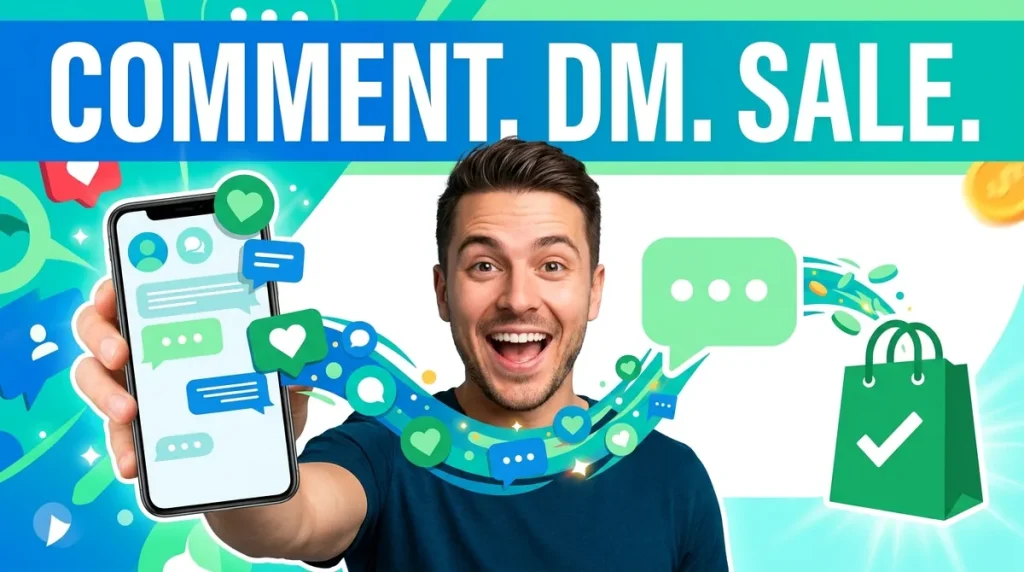
A reel takes off, and 400 people comment “LINK” in an hour. Answering each one by hand is impossible, so most of those people never get the link, and the moment passes. Instagram DM automation fixes that: every comment and every message gets an instant, personal reply in the DMs, and the people who are interested move straight into a conversation you can sell in.
This guide covers what Instagram DM automation can do, the rules Meta sets for it, the five automations that matter, how to set up comment-to-DM step by step, and how agencies run it as a monthly service for clients.
What is Instagram DM automation?
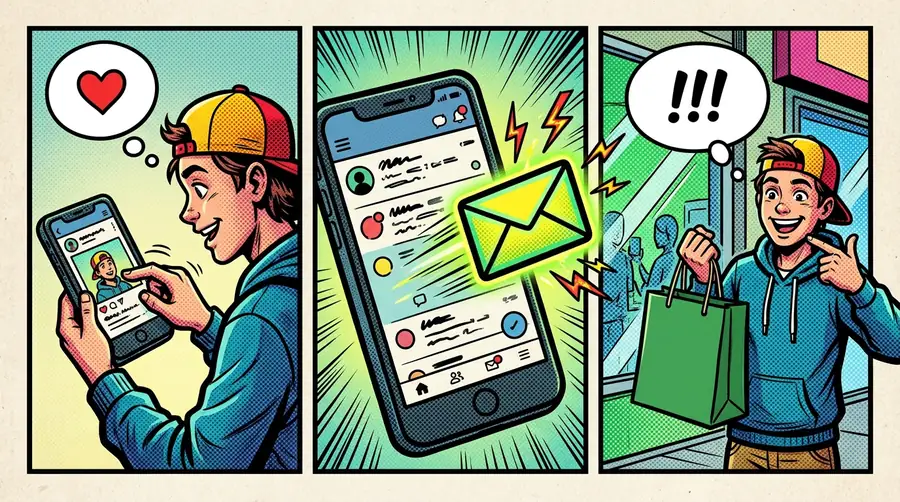
Instagram DM automation means using software connected to Instagram’s official messaging API to reply to comments and direct messages automatically. The most common use is comment to DM: someone comments a keyword on your post or reel, and they receive a private message with the link, offer or answer they asked for.
Done well, it goes far beyond a single auto-reply. An Instagram chatbot can ask follow-up questions, recommend products, capture an email address, book an appointment and pass the conversation to a person when needed, all inside the DM.
If you only need Instagram’s built-in tools, such as saved replies and FAQs, our guide to setting up Instagram auto reply covers the native options. This guide is about going further with automation.
What you need
- An Instagram professional account, either business or creator.
- A tool that uses Meta’s official API. Tools that ask for your Instagram password and automate the app directly break Instagram’s terms and put your account at risk. Official tools connect through Instagram Login or a linked Facebook Page.
The rules Meta sets for Instagram DM automation
Official automation follows Meta’s messaging rules. Knowing them saves you from campaigns that quietly fail:
- One private reply per comment, within seven days. A business can send a single private message in response to a comment, and it must be sent within seven days of the comment. The message automatically references the comment it replies to (Meta messaging policy).
- A 24-hour window for ordinary DMs. When someone messages you, your app has 24 hours to reply. After that, you need them to message again (Meta Instagram messaging documentation).
- Volume limits. Meta limits private replies to comments on posts and reels to 750 per hour per Instagram professional account. A viral post with thousands of comments is answered over a few hours, not all at once.
- No bulk cold messaging. Instagram does not allow businesses to message people who have not contacted them first. Every automated conversation starts with the user’s comment, message or ad click.
Can automation get your account banned? Not when it runs through the official API and follows these rules. The accounts that get restricted are usually the ones using password-based tools that imitate a person, mass-follow, or send unsolicited messages. Official automation only ever replies to people who reached out first.
The practical consequence: comment-to-DM works because the comment is the user’s permission. Once they reply in the DM, you have a normal conversation and a fresh 24-hour window.
Instagram’s built-in tools vs DM automation
Instagram’s own tools are a good start, but they stop at simple replies:
| Built-in Instagram tools | DM automation | |
|---|---|---|
| Saved replies and FAQs | Yes | Yes |
| Reply to comments with a DM | No | Yes, by keyword and post |
| Multi-step conversations | No | Yes |
| AI answers from your own content | Limited | Yes |
| Capture email or phone to a CRM | No | Yes |
| Shared team inbox | Limited | Yes |
| Works with WhatsApp and website chat | No | Yes, on one platform |
If you get a handful of DMs a day, the built-in tools may be enough. Once comments and messages arrive in the dozens or hundreds, automation pays for itself.
The five Instagram DM automations that matter
1. Comment to DM
The headline feature. Pick a post or reel, choose a keyword such as “LINK,” “PRICE” or “GUIDE,” and write the DM. When someone comments the keyword, they get the message instantly. You can also post a short public reply on the comment, such as “Sent you a DM,” which tells other viewers what to do and encourages more comments.
Use it for lead magnets, product links, discount codes, event registrations and waitlists.
2. Keyword replies in DMs
People also message you directly with “price,” “shipping” or “book.” Keyword triggers start the right flow for each, so common questions get a complete answer immediately, with buttons for the next step.
3. AI answers
Keyword flows break down when people ask in their own words. An Instagram AI chatbot trained on your website, product information and FAQs can answer free-form questions, such as “does this come in a size 8?” or “do you ship to my country?”, in your brand’s tone.
4. Lead capture
The DM is where interest turns into contact details. Ask for an email address or phone number at the right moment, for example “Where should I send the full guide?”, and save it to your contact list, CRM or a Google Sheet. Now you can follow up on email or WhatsApp, not just Instagram.
5. Handoff to a person
Some conversations need a human: a large order, a complaint, a custom request. Good automation passes these to your team in a shared inbox, with the whole conversation visible, instead of looping the customer through the bot.
How to set up comment-to-DM step by step
1. Choose the post and the offer. Pick content that already earns comments and an offer that matches it. A reel about skincare routines pairs naturally with a “ROUTINE” keyword that sends a free routine guide.
2. Put the call to action in the content. Say the keyword in the caption and on the video itself: “Comment ROUTINE and I’ll DM you the full guide.” People need to know what to type.
3. Set the trigger. Choose the specific post or reel, the keyword or keywords, and how they match. Exact match is the most predictable; “contains” catches variations like “routine please.”
4. Write the first DM. Keep it short, personal and useful. Deliver what you promised, then ask one easy question to keep the conversation going.
5. Add the public reply. A short, varied public reply such as “Check your DMs!” shows other viewers the process works.
6. Build the follow-up. After the first message, continue the flow with buttons, a product link, a lead capture step or an AI agent for questions.
7. Test from a personal account. Comment from a second account, check the public reply and the DM, and click every button.
8. Watch the first hour. Read the conversations as they come in and fix any answer that confuses people.
Which posts to automate first
Not every post needs a comment-to-DM campaign. Start where the return is highest:
- Posts that already get questions in the comments. If people keep asking “price?” or “link?”, automate the answer.
- Reels with reach. Reels travel beyond your followers, so a strong keyword offer on a reel can bring in leads from people who have never heard of you.
- Launches and limited offers. A product drop, a sale or an event has a natural deadline that makes people act now.
- Evergreen educational posts. A how-to post that keeps getting saved and shared can deliver a lead magnet for months.
- Pinned posts. The three posts at the top of your profile are seen by almost every visitor, so give each one a reason to comment.
Avoid automating posts where the conversation itself is the point, such as a personal announcement or a sensitive topic. There, a human reply matters more than speed.
Writing DMs that people answer
Three examples you can adapt:
For a creator’s lead magnet: “Hey! Here’s the 7-day routine guide you asked for: [link]. Quick question so I can send you the right follow-up: is your skin more oily, dry or a mix?”
For a product drop: “Here’s the link to the new linen collection: [link]. Sizes are going fast. Want me to check if your size is in stock?”
For a service business: “Thanks for your comment! Our spring offer is 20% off a first session. Would you like me to find you a time this week?”
The pattern: deliver the promise first, keep it to two or three lines, and end with a question that is easy to answer.
Instagram DM automation use cases
Creators and coaches. Turn every reel into a list-building engine: comment a keyword, get a free resource, share an email address. The audience moves from a platform you rent to a list you own.
Direct-to-consumer brands. Send product links on demand, answer sizing and shipping questions with AI, and recover the people who were interested but did not click “buy.”
Service businesses. Salons, clinics, studios and agencies use comment-to-DM for offers and an AI agent to book appointments directly from the DM.
Events and launches. Capture registrations and send reminders to everyone who commented, without a landing page.
Ad campaigns. Ads that send people to Instagram Direct start a conversation instead of a page visit, and automation answers every one of them instantly.
How to choose Instagram DM automation tools
When comparing Instagram DM automation tools, check these points:
- Official API connection. Instagram Login or a Facebook Page connection, never your password.
- Comment-to-DM per post. Triggers on specific posts and reels with keyword matching, plus an optional public reply.
- Flows after the first message. Buttons, links and multi-step conversations, not just one canned reply.
- AI that knows your business. Answers from your own website and documents.
- Lead capture to where you work. Contacts, CRM, spreadsheets or webhooks.
- A shared inbox with handoff. Your team can step in on any conversation.
- More than one channel. Many customers move from Instagram to WhatsApp or your website. One platform for all of them keeps the history together.
Running Instagram DM automation as a service
Brands and creators know they should be doing this, but few have time to set it up and keep it running. That makes it a strong service for agencies and freelancers: set up the automations, write the flows, connect the lead capture and report the results every month.
It is idea 9 in our list of AI agent business ideas, priced at around $500 a month per client, which reaches $10,000 a month at 20 clients. If you want to sell it under your own brand, see our guide to choosing a white label AI platform.
A good monthly service includes new comment-to-DM campaigns for each content push, AI answer tuning based on real conversations, and a simple report: comments answered, DMs started, leads captured and sales influenced.
A 30-day plan for launching Instagram DM automation
Week 1: Foundations. Connect your Instagram professional account, write answers to your ten most common DM questions, and train the AI agent on your website and product pages. Set up the handoff to your team.
Week 2: First comment-to-DM campaign. Choose your next planned post or reel, create one offer, add the keyword to the caption and set up the automation. Test it from a second account before posting.
Week 3: Lead capture. Add an email or phone step to the flow and connect it to your contact list or CRM. Start a simple follow-up for captured leads on email or WhatsApp.
Week 4: Review and repeat. Compare comments, DMs, replies and leads against your usual posts. Keep what worked, rewrite the first DM if replies were low, and plan comment-to-DM for every important post next month.
By the end of the month you have a repeatable system: every post with an offer becomes a lead source, and every DM question gets an answer within seconds.
Common Instagram DM automation mistakes
Using unofficial tools. Anything that logs in with your password risks your account. Use the official API.
A wall of text in the first DM. People skim. Deliver the promise in one line.
Forgetting the caption call to action. If people do not know the keyword, the automation never fires.
Answering the same way every time in public. Identical public replies on hundreds of comments look spammy. Vary them.
No path to a human. Customers with real questions get frustrated by bots that cannot hand over.
Never moving off Instagram. If you do not capture an email address or phone number, you can only reach these people when they message you again.
How to measure Instagram DM automation
Track a small set of numbers for each campaign:
- Comments on the post, compared with similar posts without automation.
- DMs opened: how many commenters received and opened the message.
- Replies: how many continued the conversation.
- Leads captured: emails or phone numbers collected.
- Clicks and sales from the links you sent.
The ratio between comments and leads captured is the best single measure of whether your offer and your DM are working.
Instagram DM automation with ChatMaxima
ChatMaxima connects to Instagram through the official API and runs your Instagram automation alongside WhatsApp, Messenger and website chat:
- Two ways to connect. Instagram Login, with no Facebook Page required, or a Facebook Page-linked account.
- Comment to DM. Trigger on every post or a specific post or reel, match keywords exactly, by “contains,” by “starts with” or on any comment, add an optional public reply, and send a private reply that opens the DM.
- Full flows after the first message. Continue with buttons, links, lead capture and branching in the visual builder.
- DM keyword triggers for common questions.
- AI answers from a MaxIA agent trained on your website, documents and FAQs.
- Lead capture of email and phone into your contacts and MaxCRM, Google Sheets or any webhook, with the Instagram username saved to the contact.
- Shared inbox and handoff so your team can take over any Instagram conversation.
- Ad tracking for people who start a conversation from an Instagram ad.
What’s next
Instagram DM automation turns attention into conversations, and conversations into customers. Start with one post: pick an offer, add the keyword to the caption, set up comment-to-DM and capture an email address in the second message. Then add AI answers and a handoff path as the conversations grow. Within a month, every post with an offer becomes a lead source, and no comment or question goes unanswered, even while you sleep.
Ready to answer every comment? Compare ChatMaxima plans and start a 7-day free trial.