Search for AI lead generation and most results are lists of prospecting databases: tools that find email addresses and write cold sequences. They have their place. But for most small and growing businesses, the bigger leak is closer to home: the people who already raised their hand through an ad, a post, the website or a phone call, and never got a proper follow-up.
This guide covers that inbound side. It explains how an AI agent captures leads from every channel, qualifies them with a simple scoring model, routes each one to the right place and keeps the rest warm, plus the numbers that show whether it is working.
For the wider picture across support, sales, marketing and operations, see 30 AI agent examples by department.
Two kinds of AI lead generation
| Outbound AI lead generation | Inbound AI lead generation | |
|---|---|---|
| Starting point | A list of people who have not heard of you | People who contacted you or engaged with you |
| What the AI does | Finds contacts, enriches data, writes cold outreach | Answers, qualifies, routes and nurtures |
| Main channels | Email, LinkedIn, phone lists | Website chat, WhatsApp, Instagram, Messenger, phone |
| Typical tools | Contact databases and AI SDR products | Conversational AI platforms |
| Biggest risk | Spam complaints and low reply rates | Slow or inconsistent follow-up |
Sales teams are stretched on both. In Salesforce’s 2026 State of Sales survey of 4,050 sales professionals, sellers said they spend only 40% of their time actually selling, and 48% said they lack the bandwidth for adequate cold outreach (Salesforce, February 2026). When reps cannot find time for outbound, inbound leads that are already interested deserve to be handled without them, at least until the lead is worth a rep’s time.
That is the job of an inbound AI lead generation agent. ChatMaxima is built for this side; it is not a contact database or a cold-email tool.
The AI lead generation system in four stages
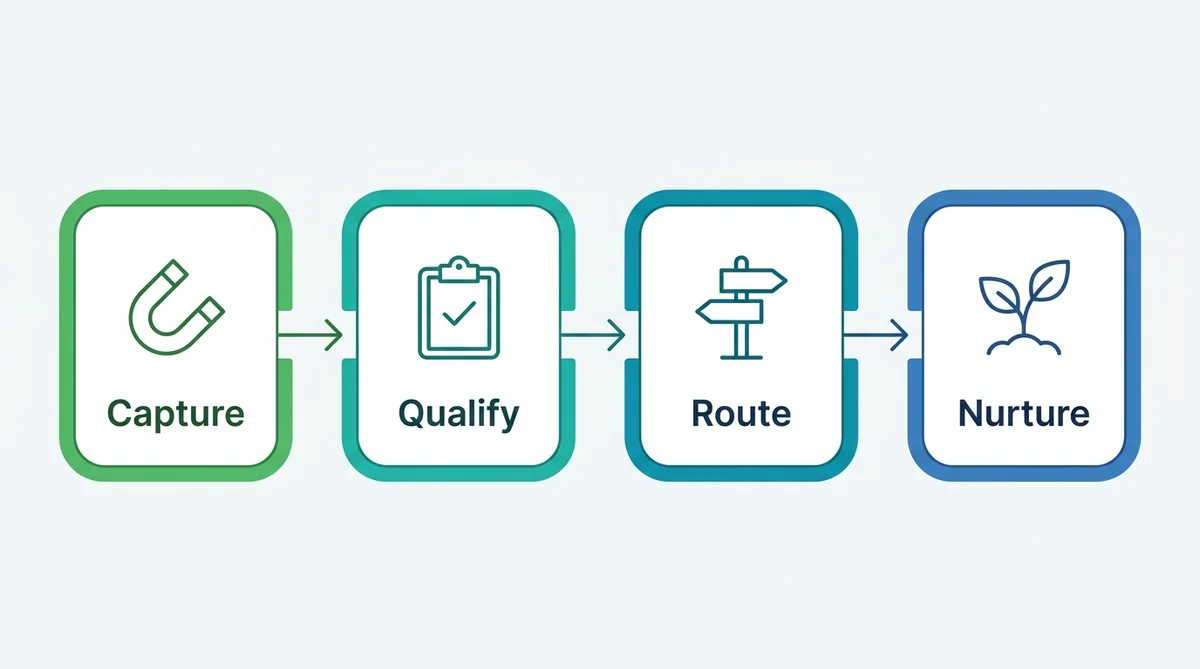
- Capture every lead, whatever channel it arrives on, in one place.
- Qualify it with a few questions and a simple score.
- Route it by score: book, hand over, or nurture.
- Nurture the leads who are not ready yet, until they are.
The rest of this guide takes each stage in turn.
Stage 1: Capture leads everywhere they start
Leads rarely arrive where you expect. A useful AI lead generation setup has an entry point on each channel your buyers use, all feeding the same inbox and the same contact records.
| Capture point | How the conversation starts | On ChatMaxima |
|---|---|---|
| Website | A chat widget that opens with a message matched to the page | Web chat with Page URL branching |
| Click-to-WhatsApp ads | The ad opens WhatsApp with a pre-filled message | WhatsApp channel and ad context |
| Instagram posts and reels | Someone comments a keyword and gets a DM | Instagram Comment trigger |
| Facebook and Telegram | A message to the page or bot | Messenger and Telegram channels |
| Print, packaging and events | A QR code or short link opens a WhatsApp chat | WhatsApp link generator |
| Phone calls | An AI voice agent answers inbound calls and saves the caller’s details | Voice agent with MaxCRM |
| Forms inside chat | A structured form for quotes or applications | WhatsApp Flows |
Two details make capture work better:
- Match the opening to the source. A visitor on your pricing page and one on a blog post want different things. Page URL branching lets each page open with its own first message, and an ad-driven WhatsApp chat can open by referring to the offer they tapped.
- Offer something worth replying for. A price guide, a sizing quiz, a free audit or a sample. The agent can send it in the chat as a file or a generated PDF, which beats a “thanks, we’ll be in touch” page.
If your ads already send people to WhatsApp, the click-to-WhatsApp lead qualification walkthrough goes deeper on that channel.
Stage 2: Qualify with a simple scoring model
Qualification turns “someone sent a message” into “this is worth a salesperson’s time”. An AI agent can ask the questions in conversation, store each answer as a variable and add up a score.
Pick four signals
Most businesses need only four:
- Need: what they are trying to solve or buy.
- Fit: company size, location, property type, course level, whatever defines your ideal customer.
- Budget: a range is enough.
- Timing: when they want to start or buy.
Score them
Here is an example for a business selling a service:
| Signal | Answer | Points |
|---|---|---|
| Need | Matches a core service | 30 |
| Need | Adjacent or unclear | 10 |
| Fit | Inside your service area and size range | 25 |
| Budget | At or above your entry price | 25 |
| Budget | Below entry price | 0 |
| Timing | Within 30 days | 20 |
| Timing | 1 to 3 months | 10 |
| Timing | Just researching | 0 |
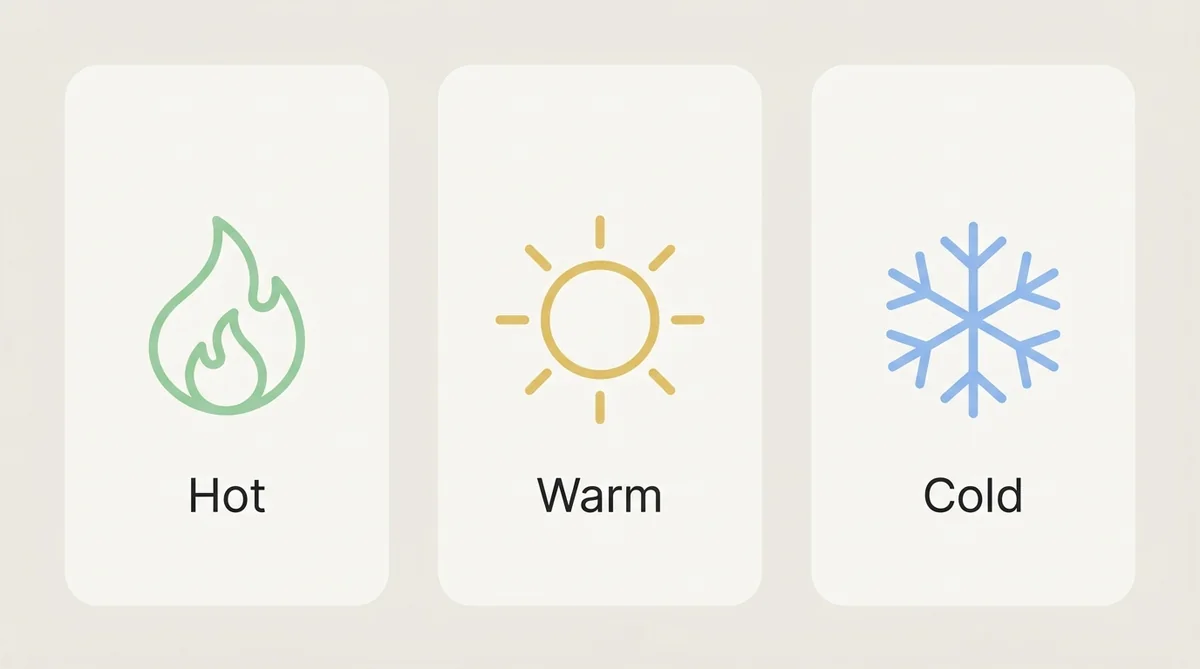
A score of 70 or more is hot, 40 to 69 is warm, under 40 is cold. The numbers matter less than agreeing on them with your sales team in writing, then adjusting after a month of real leads.
Ask like a person, not a form
The AI agent should ask two questions at a time at most, answer the lead’s own questions first, and pull answers out of whatever the lead says (“we’re a team of 12 in Austin” covers fit in one sentence). On ChatMaxima, the MaxIA AI Agent block extracts answers into variables and an If / Else block branches on the score. For long or structured qualification, such as a loan or admissions application, a WhatsApp Flow collects the answers in a native form instead.
AI lead qualification questions by industry
The four signals stay the same; the questions change. Some starting points:
- Real estate: buying or renting, area, budget range, move-in date, mortgage pre-approval.
- Education: course or programme, current level, start date, funding or fees, location or online.
- B2B services: company size, the problem to solve, current tool or provider, budget, decision timeline.
- Home services: job type, property type, postcode, urgency, preferred visit time.
- Automotive: model of interest, new or used, trade-in, finance or cash, test drive timing.
- Healthcare and wellness: treatment of interest, new or returning, preferred location and time. Keep clinical details out of the conversation.
Ask the one question that matters most for your business first. If budget decides everything, do not leave it until the end.
Stage 3: Route each lead to the right place
A score is only useful if it changes what happens next. Write the routing rules down before launch:
| Lead | What happens | On ChatMaxima |
|---|---|---|
| Hot, can book | The agent books a call or visit in the conversation | Google Calendar tool |
| Hot, needs a person | Handed to a salesperson with the full conversation | Talk to Agent, assigned to an agent or department |
| Warm | Saved to the CRM with a follow-up step | HubSpot, Zoho CRM, GoHighLevel or MaxCRM |
| Cold | Added to a nurture list | MaxCRM list plus a drip campaign |
| Not a lead | Answered and closed (job seekers, suppliers, support questions) | Routed to the right team or a help answer |
Routing gets better with a few small rules:
- Share leads fairly. Round-robin assignment rotates new conversations across your team, and agent availability hours keep leads away from people who are off shift.
- Route by department or region. Send enterprise leads to one team and small-business leads to another, or split by language or location.
- Hand over with context. The person picking up the lead should see the answers, the score and the conversation, so the lead never repeats themselves.
- Close the loop in the CRM. Saving the lead with the right status or pipeline stage means sales sees it where they already work.
When a hot lead gets a booked call in the first conversation, that is the system working as intended. Our guide to the AI sales agent covers what happens after the hand-off, from objections to payment.
Stage 4: Nurture the leads who are not ready
Most leads are not ready to buy today. Cold and warm leads are where an AI lead generation system quietly pays for itself, because nobody on a busy sales team has time to follow up with them consistently.
- Timed follow-ups. A drip campaign spaces out a few short messages over WhatsApp, SMS or email, counted from the day the lead came in. A Schedule block or Smart Delay can trigger a single follow-up inside a flow.
- Useful content, not chasers. Each message should give something: a case study, a price change, a seasonal offer, an answer to the question most buyers ask at this stage.
- Re-score on reply. When a nurtured lead replies, the AI agent picks up the conversation, asks what has changed and can move them to hot.
- Respect opt-in. WhatsApp follow-ups outside the 24-hour window need an approved template and the lead’s consent, and “stop” must work immediately.
For leads that went quiet months ago, our guide to database reactivation shows how to bring them back.
An example: a home renovation company
A renovation company runs Facebook ads to a WhatsApp chat and has a chat widget on its website.
- Capture. A homeowner taps the ad: “I’d like a quote for a kitchen remodel.”
- Qualify. The agent asks about the size of the kitchen and the timeline, then the budget range. It learns: full remodel, starting within two months, budget in the company’s middle range, in the service area. Score: 30 + 25 + 25 + 10 = 90, hot.
- Route. It offers two slots for a free home survey and books one. The lead is saved to the CRM as “Survey booked” and assigned to the next estimator in the rotation.
- Nurture, where needed. A second homeowner is “just getting ideas for next year”. Score 30. The agent sends the company’s kitchen design guide as a PDF, adds them to a nurture list and, with their opt-in, they receive a short WhatsApp series with project photos and the spring booking date.
The estimators spend their time on surveys, not on chasing every enquiry.
How AI lead generation changes the numbers
Measure these before and after launch:
- Lead response time. Seconds, not hours. (Our speed to lead guide explains why this matters.)
- Capture rate. The share of conversations that end with a saved contact.
- Qualification rate. The share of captured leads that reach warm or hot.
- Booked meetings or visits per week.
- Lead-to-customer rate, split by score band. If cold leads convert as often as hot ones, your scoring needs work.
- Cost per qualified lead. Ad spend plus messaging and platform costs, divided by warm and hot leads.
A worked example of cost per qualified lead: if a month of ads costs $1,500 and brings 400 conversations, and the agent qualifies 90 of them as warm or hot, the cost per qualified lead is about $17, before platform and messaging costs. Compare it with what you paid per qualified lead before, when the same 400 enquiries waited for a reply.
Mistakes to avoid
- Qualifying before helping. Answer the lead’s question first, then ask yours. A lead who feels interrogated leaves.
- Too many questions. Four signals are enough. Everything else can wait for the sales call.
- Scores nobody uses. If hot leads get the same treatment as cold ones, the score is decoration.
- Leads stuck in the inbox. If warm leads are not saved to the CRM, they disappear when the chat scrolls away.
- No owner. Someone must review the scoring and routing every month and adjust them to what actually converts.
- Buying lists and calling it AI. Messaging people who never opted in damages your WhatsApp quality rating and your brand.
How to set up AI lead generation in 7 steps
- List your lead sources. Website, ads, social, phone, events, referrals. Note roughly how many leads each brings in a month.
- Agree on the four signals and the scoring with your sales team, and write down what hot, warm and cold mean.
- Write the routing rules: who gets hot leads, what happens to warm ones, which nurture list cold leads join.
- Build the knowledge source: services, prices or ranges, service areas, timelines, FAQs and your lead magnet.
- Connect the destinations: calendar for bookings, CRM for records, team members and departments for hand-offs.
- Test with real enquiries. Replay last month’s leads as test conversations and check each lands in the right place with the right score.
- Launch on your biggest source first, then add the other channels one at a time, reviewing scores weekly for the first month.
If you are building the flow yourself for the first time, our lead generation chatbot setup guide walks through the screens step by step.
Where AI is heading in lead generation
AI agents are becoming a normal part of the sales team. Gartner predicts that by 2028, AI agents will outnumber sellers ten to one, yet fewer than 40% of sellers will say agents improved their productivity. The gap is a warning: agents that add tasks or noise do not help. An inbound AI lead generation agent earns its place by doing one clear job, getting the right leads to the right people with the right context, and staying out of the way otherwise.
Building AI lead generation on ChatMaxima
- Capture: website chat with Page URL branching, WhatsApp including click-to-WhatsApp ads, Instagram comment-to-DM, Facebook Messenger, Telegram, WhatsApp Flows forms and inbound voice calls.
- Qualify: the MaxIA AI Agent block runs the chat, stores each answer as a variable, and If / Else turns those variables into a score.
- Route: Talk to Agent with agent or department assignment, round-robin rotation with availability hours, Google Calendar booking, and lead records pushed to MaxCRM or to HubSpot, Zoho CRM and GoHighLevel.
- Nurture: drip campaigns on WhatsApp, SMS and email, Schedule and Smart Delay blocks, and approved WhatsApp templates.
- See it all: one shared inbox with every conversation and its history.
What’s next
AI lead generation does not need a bigger list. It needs every lead you already get to be captured, scored, sent to the right place and followed up, every time. Start with your biggest lead source, agree on four signals and three score bands with your sales team, and let the agent do the rest.
When you are ready, compare ChatMaxima plans and put your first lead flow live on the channel that brings you the most enquiries.